Xiaohongshu Recipe Poster Generator
Turn dish names and styles into recipe posters
Xiaohongshu Recipe Poster Generator
Turn dish names and styles into recipe posters
Showcase
Description
Enter a dish name or cuisine type, choose your preferred art style, and generate a complete recipe vertical image with one click. The poster features a fixed layout: a top title, serving size, and cooking time; dedicated sections for ingredients and seasonings; numbered step-by-step cooking illustrations in the middle; and cooking tips at the bottom. With a consistent layout structure, clear text without garbled characters, and appetizing, realistic food visuals, it is ideal for saving, sharing on Xiaohongshu and WeChat Moments, or using as a cooking reference.
Why we love this skill
Quickly turn dish names and visual styles into ready-to-share RED food posters, perfectly integrating ingredients, seasonings, a six-step tutorial, and cooking tips.
Best for
Best for home cooking, organizing recipes, or creating food tutorial posters that are easy to save and share.
How to use this Skill
Provide your input
Enter a dish name or cuisine type, and choose an art style such as watercolor illustration, clean and minimalist, dark food photography, or cute cartoon.
Run the Skill
Organizes serving size, cooking time, ingredients, seasonings, steps, and cooking tips for the dish, then lays out the content into a fixed vertical recipe poster structure.
Review your result
Receive a verifiable text recipe preview along with complete poster prompt ready for use by the image generation model.
Related Skills
View all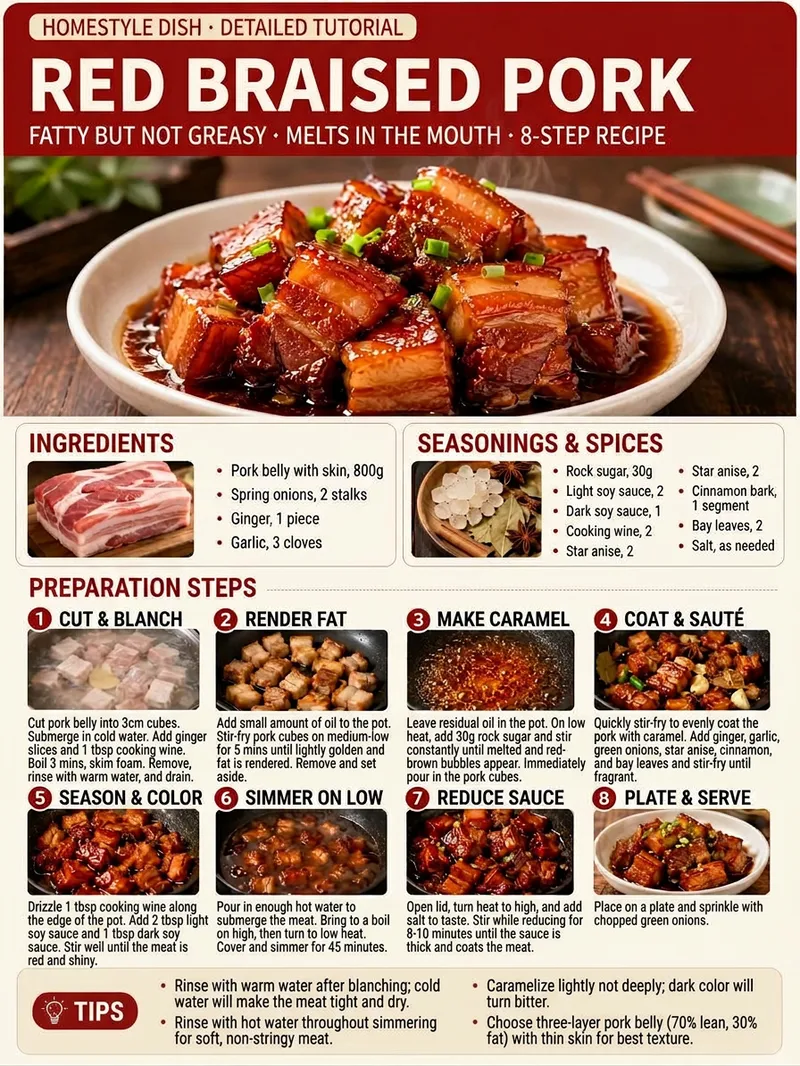 Image
Recipe Flow Infographic
Enter the name of a dish to get an easy-to-follow home-style Chinese cooking tutorial, along with a 3:4 portrait food process infographic designed for sharing on social platforms. Even if the dish name includes an alias, dialect term, typo, or requests such as less spicy, a specific number of servings, a quick version, or an air fryer version, the skill organizes it into a clear standard dish name and corresponding method. The skill organizes ingredients, seasonings, cooking steps, and practical tips to help prevent common mistakes based on the dish and your requirements. It adds actionable quantities, heat levels, cooking times, and visual cues for judging doneness, while ensuring that preparation, cooking, seasoning, and sauce reduction follow a logical order for easy reproduction by beginners. The recipe text is condensed and organized for infographic readability, highlighting key information without lengthy explanations. The final result is a photorealistic Chinese food tutorial graphic featuring the dish name and highlights, a finished-dish image, ingredient and seasoning sections, consecutively numbered step illustrations, and practical tips. With a clear layout and distinct priorities, it is suitable for posting on social platforms such as Xiaohongshu and convenient to save, browse, and follow while cooking.
 Image
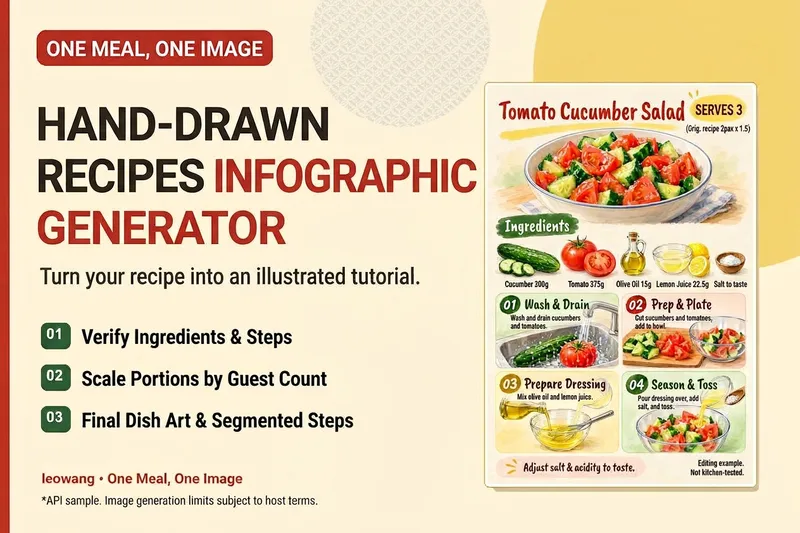
One Meal, One Image | Illustrated Recipe
Turn your signature dish into a hand-drawn recipe that’s easy to follow and worth saving. One Meal, One Image organizes the ingredients and cooking steps, scales the quantities for the specified number of servings, and designs an illustration of the finished dish, a prep checklist, and step-by-step cards. It also checks whether any step suddenly introduces an ingredient that wasn’t listed, helping prevent recipe details from being lost in the visuals. Ideal for food content creators, organizing family recipes, and turning your own or authorized recipes into tutorial graphics. Warm paper watercolor is the default art style, but you can also specify your preferred colors and layout. When an image-generation tool is available, it generates and reviews the image. Without one, it delivers complete copy, layout, and prompts. Recipe scaling is not a substitute for kitchen testing; unclear parts of the original recipe are flagged for confirmation, and calories or success rates are never made up. Adaptation and product design: leowang. Based on a long-form image method licensed under the MIT License, with the necessary copyright notice retained.
 Image
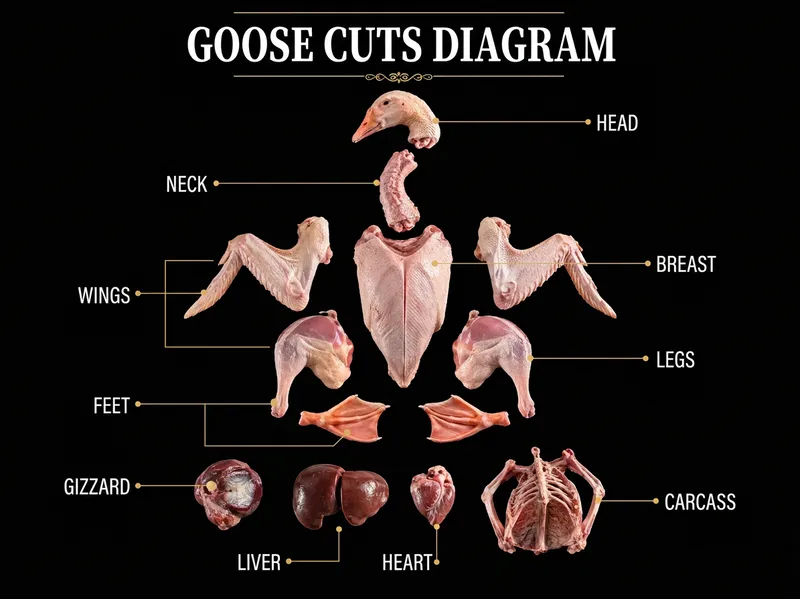
One-Click Ingredient Breakdown
Best for: 1. Food, lifestyle, and restaurant-review bloggers on Xiaohongshu, Douyin, WeChat Channels, Bilibili, and YouTube. 2. Text-and-image creators running accounts focused on knowledge sharing and follower growth. 3. Restaurant owners, kitchen teams, and baking and Western cuisine training institutions. 4. Fresh-food e-commerce businesses, community group-buying organizers, market vendors, and butcher and fish shops. 5. Nutritionists, fitness coaches, and home cooking enthusiasts. Just enter an ingredient name—whether it’s a whole chicken or fish, beef, lamb, pork, bok choy, pumpkin, bananas, or mushrooms. The system automatically breaks it down into all its parts, groups them by texture and preparation method, and generates a complete set of visually consistent black-and-gold infographic posters: ① Overview poster: all parts arranged in an exploded-view layout, with gold lines pointing to their names; ② Four detail posters: close-ups of each part + texture and flavor + 4 best preparation methods + 4 suitable dishes + one professional tip. Pure black backgrounds, large white serif headlines, fine gold lines, and a commercial food photography look create a cohesive set with a strong series feel. Custom image ratios are supported, with 3:4 as the default, as well as custom on-image text languages, with Simplified Chinese as the default.
Information
- Version
- v3
- Last updated
- Runtime credits
- Usage-based
- Models
- Auto
- Use cases
- Writing & contentImages & designLearning & education
- What you get
- DocumentPrompt
- Visual styles
- MinimalistWatercolorCartoon