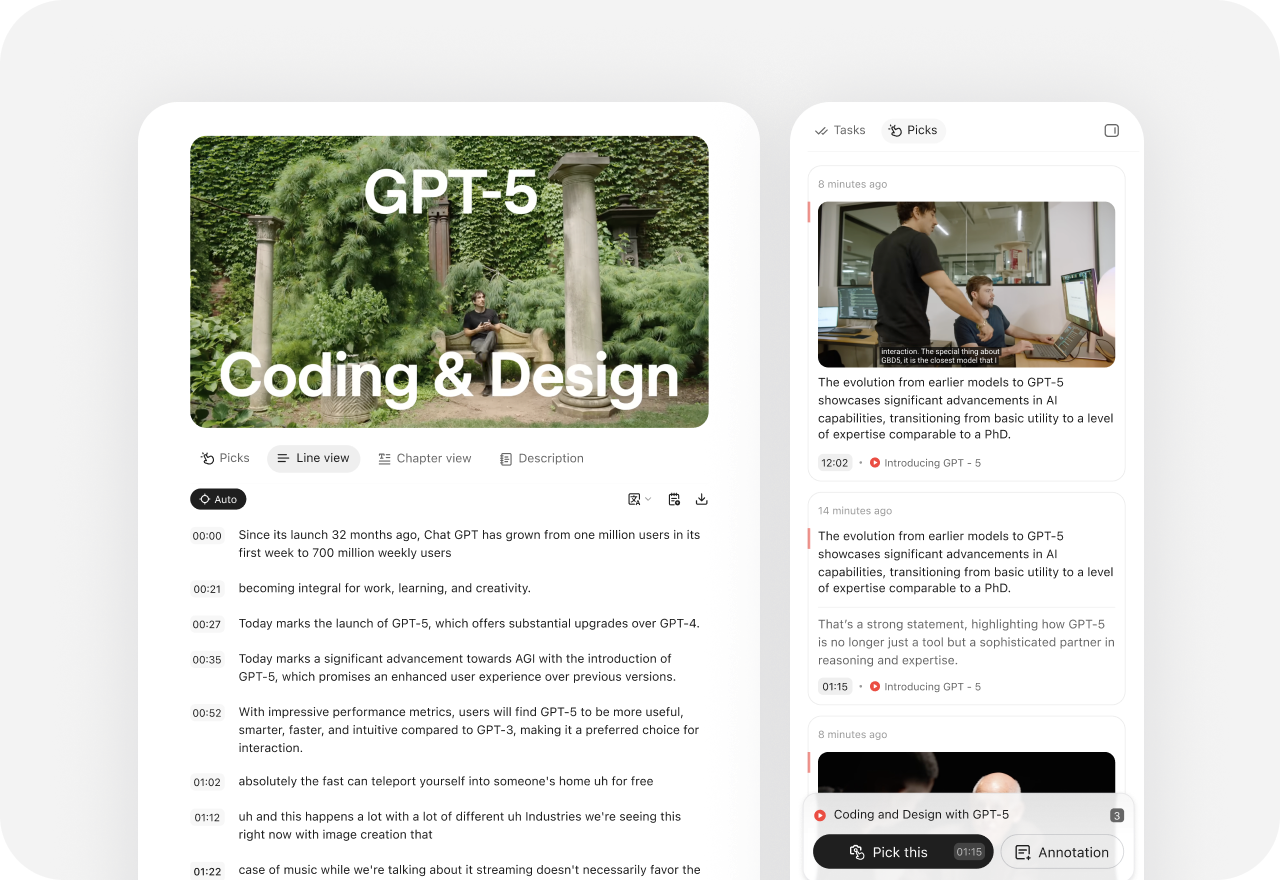
Capture the exact evidence—not just a project file
Save web text and images, timestamped YouTube moments, podcast audio ranges, and PDF highlights as Picks. Add your own annotation, merge Picks into Notes, and reuse them in later Tasks.
GenSpark is a broad AI workspace for getting work finished across agents, office tools, design, code, and media. YouMind is built for creators who want the exact evidence, their own notes, and editable work to stay connected from research to publication.
YouMind vs GenSpark
Choose GenSpark for broad automation; choose YouMind when evidence and creative control need to stay visible.
| What matters | YouMind | GenSpark |
|---|---|---|
| Primary focus | Evidence-led research and multi-format creation | Autonomous work across agents, office tools, code, design, and media |
| Starting point | A source, Pick, Note, question, or rough idea | A prompt, Hub, file, email, meeting, or connected app |
| Source context | Reusable Picks from web text and images, timestamped YouTube, podcasts, and PDF annotations | Hub files and cross-project conversations; Hub uploads currently exclude audio and video |
| Creative control | Inline AI, Diff View, accept/reject, versions, and traceable citations | Finished Slides, Sheets, Docs, design, code, and media, refined by prompting |
Creation with the evidence in view
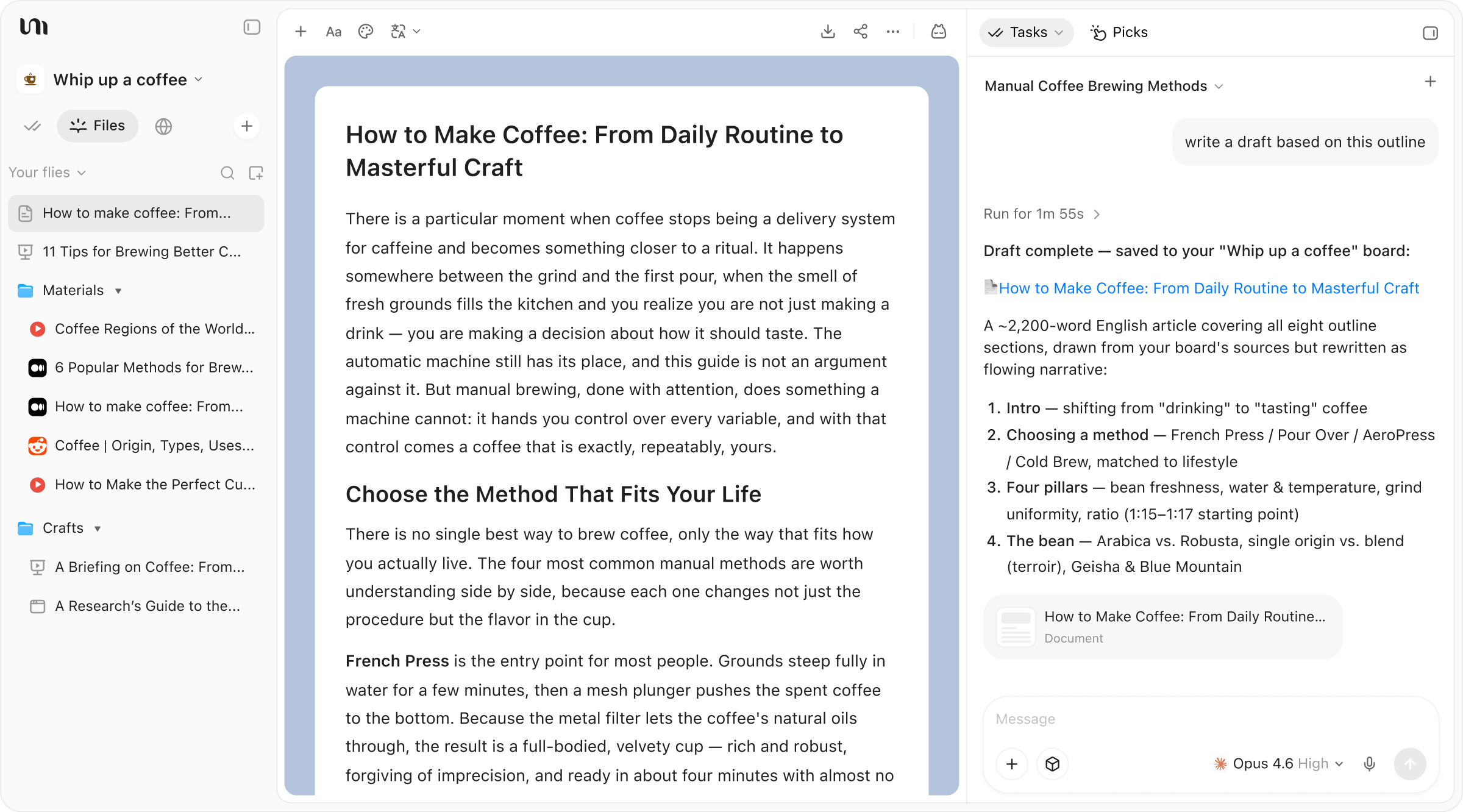
GenSpark also offers project memory, Skills, schedules, and a wide creation suite. YouMind’s edge is the creator-visible chain from source evidence to notes, editable files, and the next Task.

Save web text and images, timestamped YouTube moments, podcast audio ranges, and PDF highlights as Picks. Add your own annotation, merge Picks into Notes, and reuse them in later Tasks.
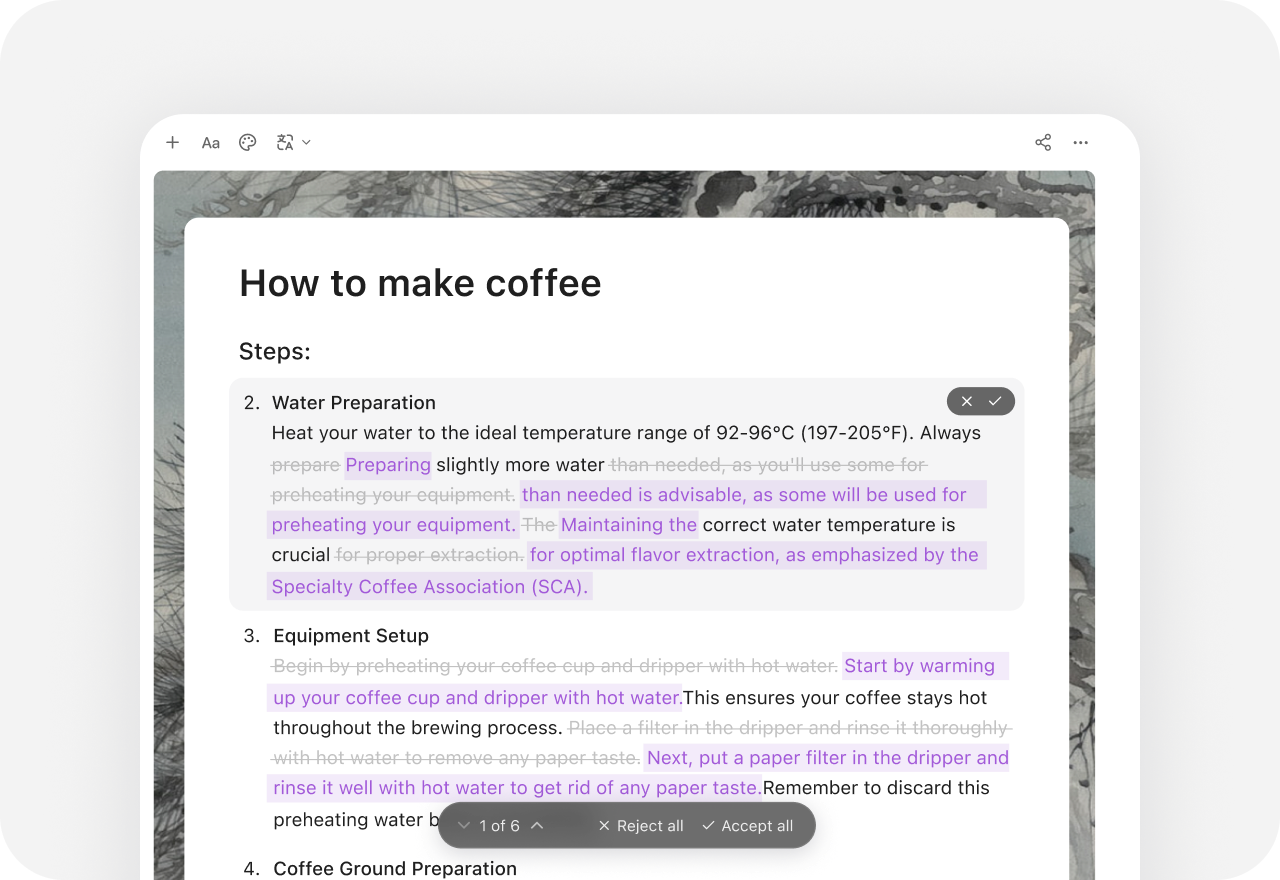
YouMind shows changes in Diff View and lets you accept or reject them, backed by version history. GenSpark AI Docs creates Save Points for AI edits; its help center warns that reverting to one discards later changes.

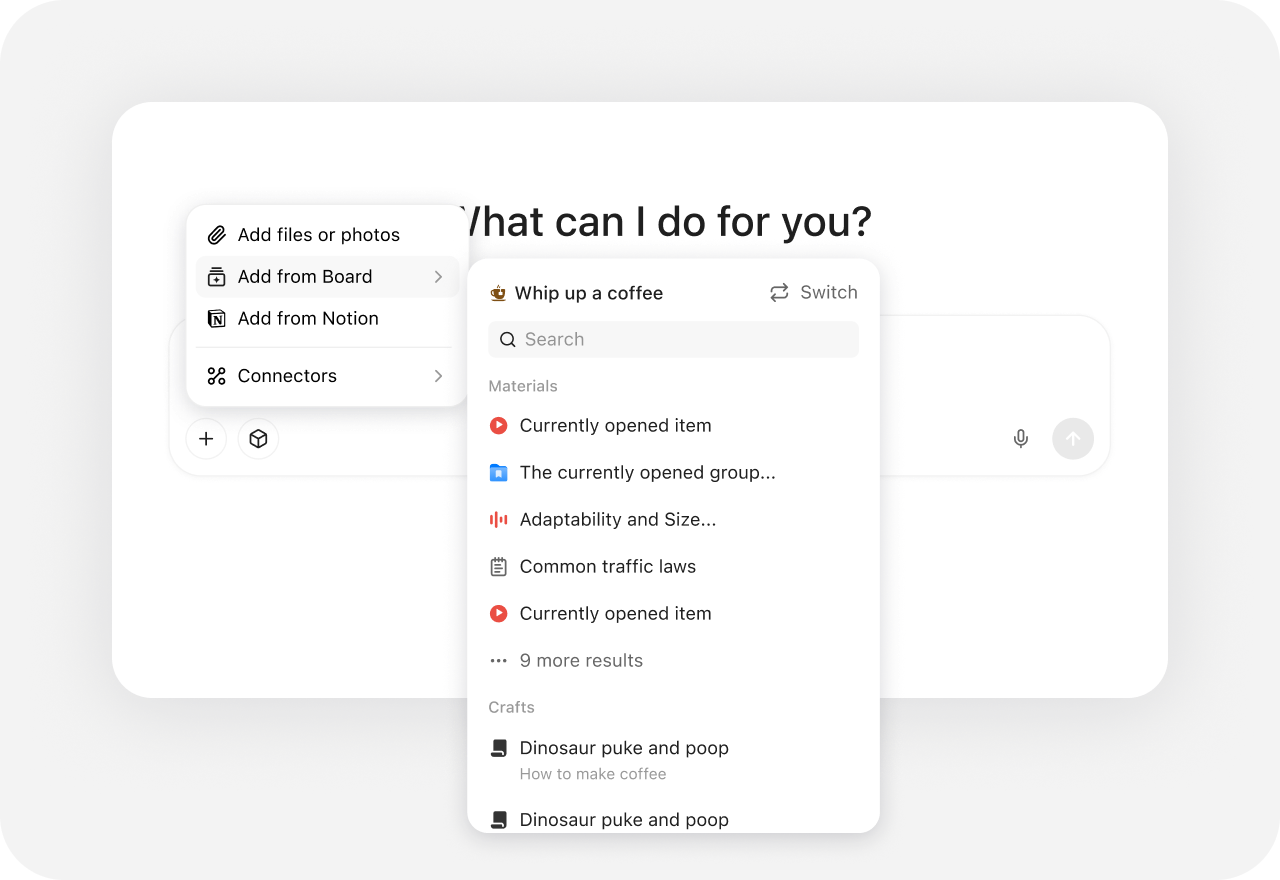
Reference an entire Board, one Group, a single File, or only selected Picks and Notes. Board Memory carries background across Tasks while you stay explicit about what each Task should use.
Beyond One-off AI
Choose YouMind when the job starts with gathering and interpreting evidence, then developing a point of view. It keeps the exact web passage, video moment, podcast clip, or PDF highlight available as a reusable Pick while you draft and publish.
Yes. GenSpark spans agents, Slides, Sheets, Docs, design, code, images, video, music, email, and more. The difference here is not breadth: YouMind is designed around a visible evidence-to-creation chain—Files, Picks, Notes, Tasks, and editable outputs in one Board.
Save timestamped YouTube transcript moments with screenshots, capture podcast audio ranges, annotate them, and bring those Picks into Tasks or Notes. GenSpark’s Hub documentation currently says Hub file uploads do not support audio or video, even though GenSpark can generate media and capture meetings elsewhere.
In YouMind’s Document Editor, inspect AI changes in Diff View and accept or reject them, then use version history or rollback if needed. GenSpark AI Docs also has Save Points, but its official help notes that reverting to an earlier point removes later changes.
Yes. Package multi-step work as a Skill, call it inside a Task, publish it to the Skill Marketplace, or schedule it for recurring research and content workflows. GenSpark also offers Custom Agents, Skills, and scheduled Claw tasks, so choose based on the working objects you want around that automation.
Yes. Use GenSpark for broad autonomous execution across connected apps or business workflows, then bring source material or outputs into YouMind when you want to inspect evidence, develop your own perspective, and create traceable work across formats.