YouMind
Sign in
YouMind

YouMind vs Poe:Choose between exploring bots and developing a sourced project

Poe offers conversations with AI models and creator-built bots. YouMind brings collected material, research notes, and creative tasks into one project, making the organization of an ongoing piece of work a useful comparison point.

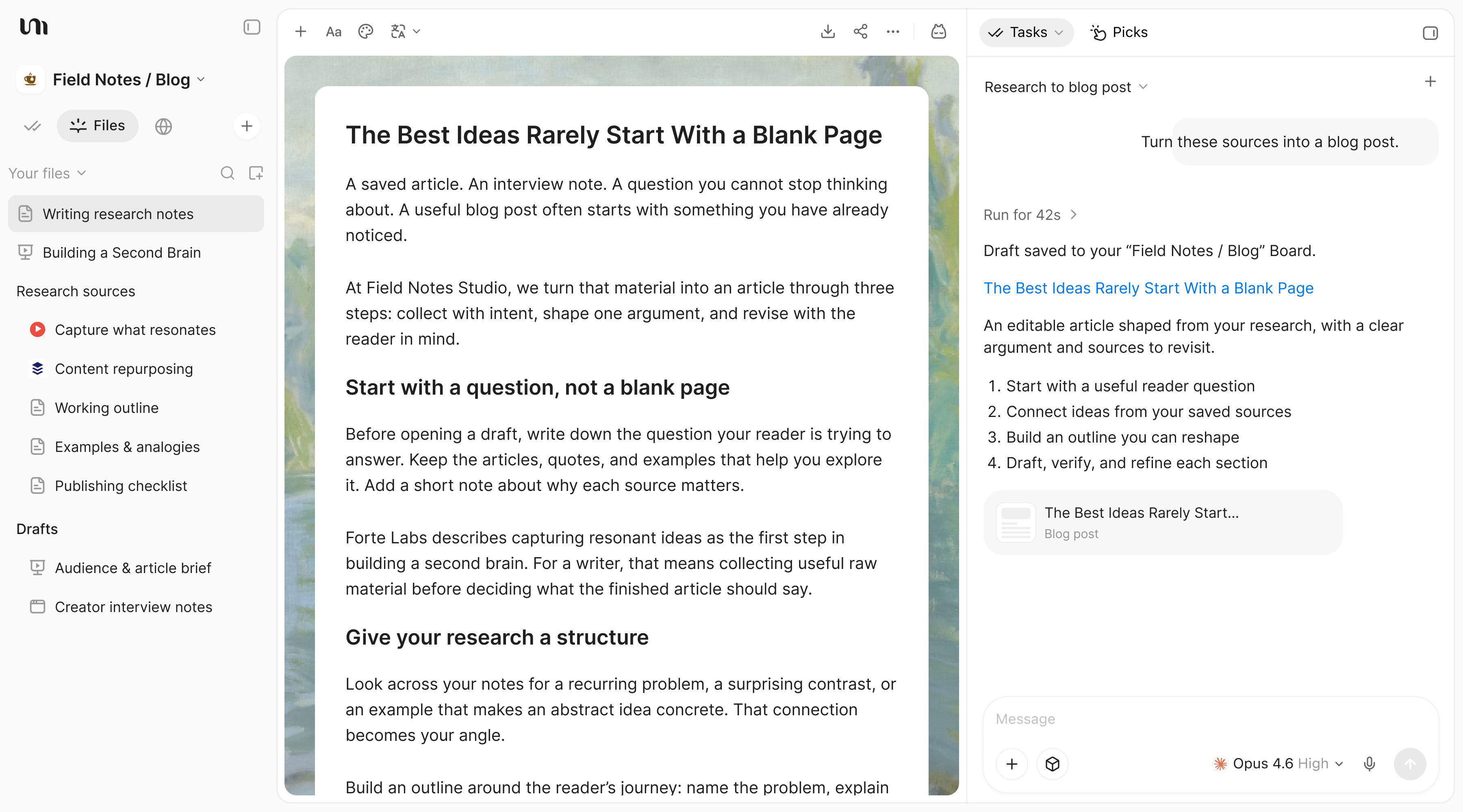
YouMind Files sidebar, editable research article, and a Task developing a blog post

YouMind vs Poe

Choose the workflow your project needs

Compare the way you prepare source material, develop the work, and review the result.

What mattersYouMindPoe
Main focusSources, notes, creative tasks, and outputs in one projectExploring model-powered conversations and creator-built bots
Starting materialArticles, PDFs, videos, images, audio, and notesMessages and the attachments supported by the selected bot
Developing the resultChoose source context for a Task, review the draft, and keep refining the workContinue a conversation or choose another bot for the task
Best fitDevelop research into writing, presentations, visuals, video, or webpagesUse Poe when exploring bots and conversational model experiences is your main goal.

From sources to creation

Develop one topic across several outputs

Keep the original material available while developing an editorial research project. Review the work before sharing it.

Keep one source set for the whole topic

Gather the articles, PDFs, videos, and notes for an editorial research project in a Board before exploring possible angles.

YouMind Board with article and video source cards, a saved Pick, and research notes for a writing project

Turn a promising conversation into a draft

Give a Task the source context it needs and develop a clear explanation. Keep your own observations available while checking the draft.

YouMind document review showing an original sentence, a proposed revision, and reject or accept controls

Carry the explanation into another format

Use the project material for writing, slides, images, video, or a webpage, with the tools currently available in the workspace.
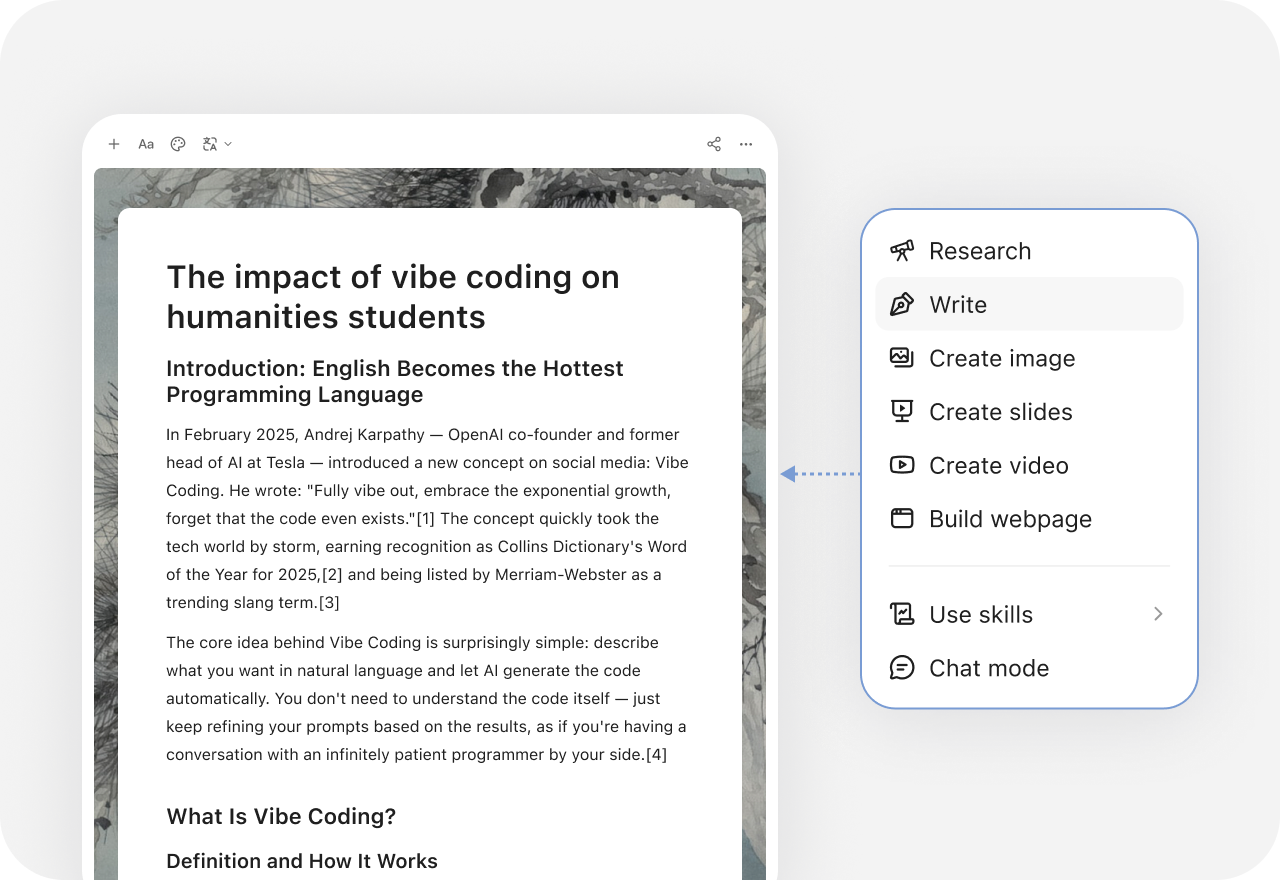
YouMind creation menu with research, writing, slides, images, video, and webpage options

More comparisons

Explore more YouMind comparisons

Frequently asked questions

When should I choose YouMind or Poe?
Choose YouMind when you want to develop an editorial research project with sources, notes, and related outputs kept together. Use Poe when exploring bots and conversational model experiences is your main goal. Test the workflow with your own material before choosing.
Does access to several models make the two products equivalent?
No. A model list does not describe the whole workflow. Compare source collection, context selection, revision, available outputs, and the bot or task experience you will use. Model availability and subscription terms should be checked separately.
Can I use YouMind alongside Poe?
Yes, as separate tools in a manual workflow. You can develop a research brief and supporting materials in YouMind, then use a Poe bot where its conversation experience suits the next step. This page does not claim an automatic integration.
How can I prepare the source material for an editorial research project?
Collect the relevant articles, documents, videos, images, and notes in a YouMind Board. Select the material as Task context and check the resulting draft against the originals. Keep human review in the process.
What else can I create from the same research?
YouMind can develop writing, presentations, images, video, and webpages with the tools available in its workspace. Keep the source context and your own notes in the project so the next format can build on the work already done.
How should I compare features and plans?
Check Poe's current inputs, editing workflow, exports, and plan allowances against the job you need to finish. Also check the tools and credits available in YouMind. This comparison does not assume identical models, controls, or subscription terms. See the official Poe site for current features and plans.

Learn deeper. Create bolder.