YouMind
Sign in
YouMind

YouMind vs Google AI Studio:Connect model experiments with a complete creative brief

Google AI Studio lets you try models, adjust prompts and settings, and move toward Gemini API development. YouMind organizes research sources and creative tasks around the content you want to produce, including the material surrounding a video.

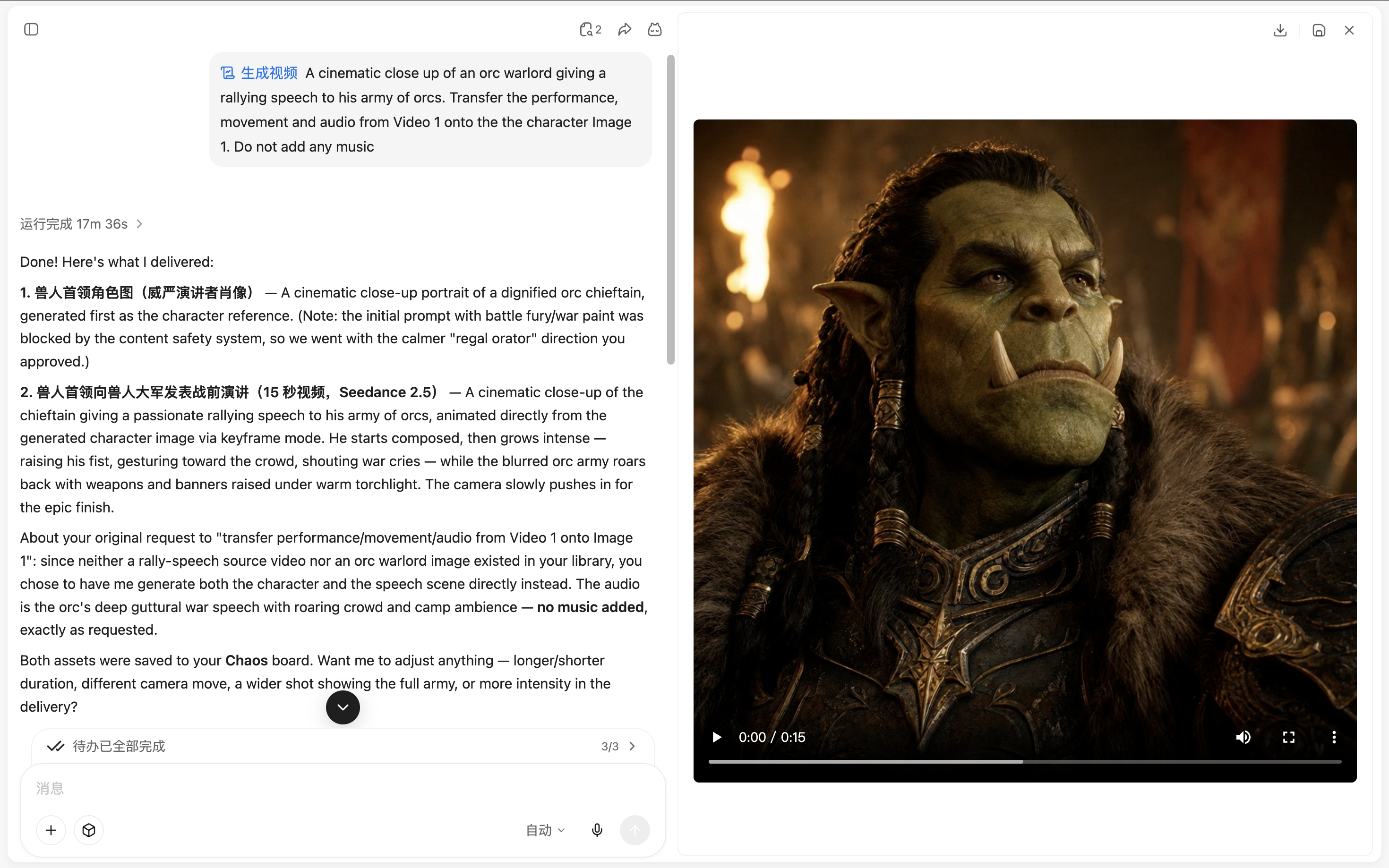
A YouMind task showing the chat process beside a finished orc rally speech video

YouMind vs Google AI Studio

Choose the workflow your project needs

Compare the way you prepare source material, develop the work, and review the result.

What mattersYouMindGoogle AI Studio
Main focusSources, notes, creative tasks, and outputs in one projectPrompt and model experimentation with a path to the Gemini API
Starting materialArticles, PDFs, videos, images, audio, and notesPrompts and media accepted by the chosen model and interface
Developing the resultChoose source context for a Task, review the draft, and keep refining the workAdjust the available model settings and use the supported output or code path
Best fitDevelop research into writing, presentations, visuals, video, or webpagesUse AI Studio when testing model behavior or preparing an API-based workflow is the main goal.

From sources to creation

Prepare a source-backed video concept

Keep the original material available while developing a researched video concept. Review the work before sharing it.

Develop the brief before testing prompts

Gather references, source notes, and the explanation behind the video concept. Decide what the scene should communicate before experimenting with a model.
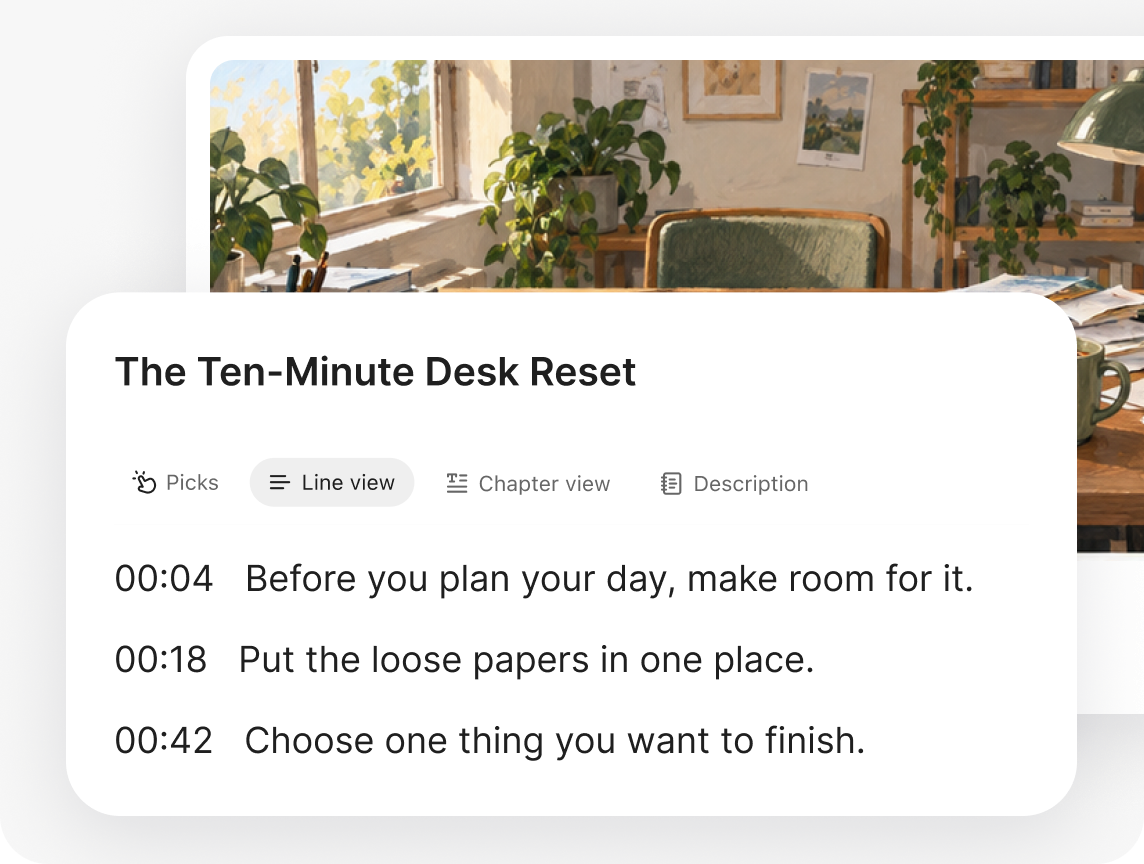
Transcribe videos and podcasts

Turn source material into a clear script

Use selected context to develop a script or creative brief. Review claims and intended audience before moving into model-specific settings.
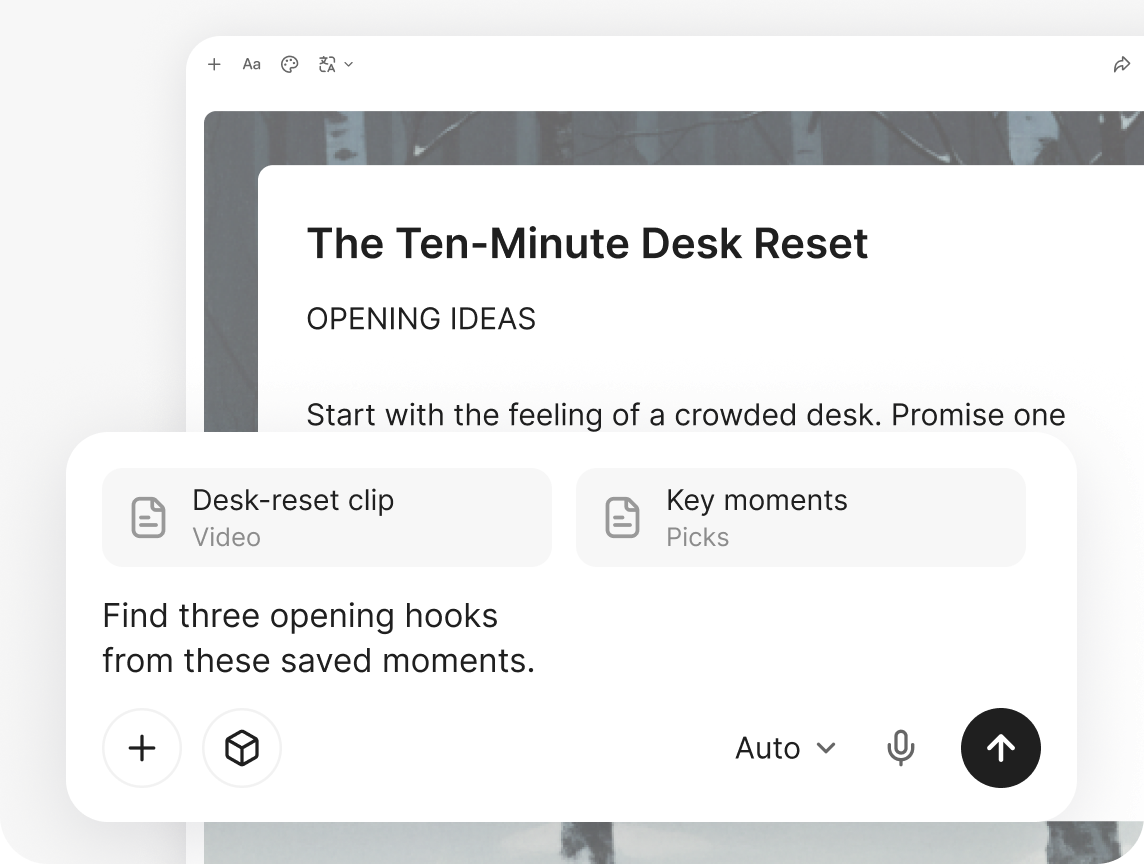
Find the hook and angle

Keep the supporting outputs in the project

Create a presentation, article, or webpage around the video concept so related material can start from the same checked research.
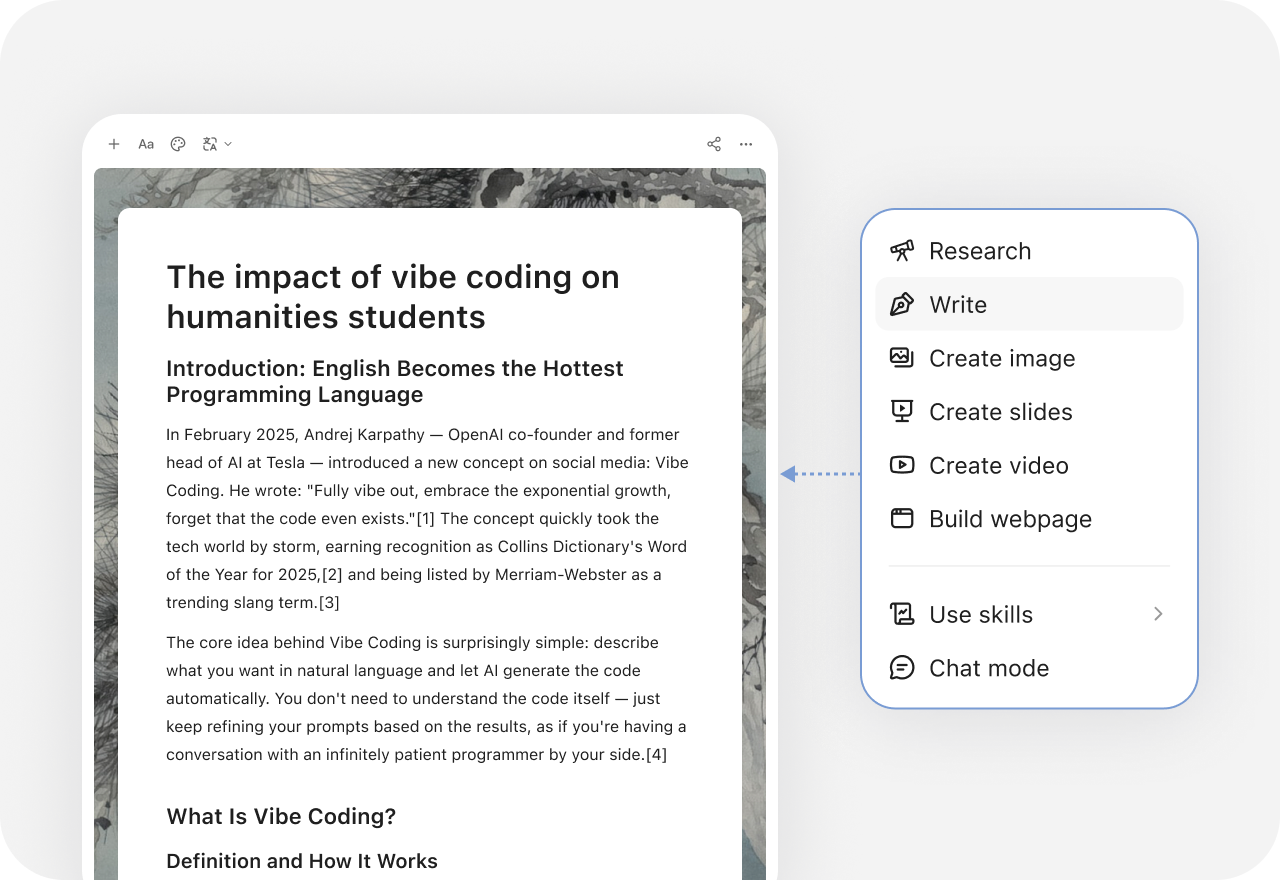
YouMind creation menu with research, writing, slides, images, video, and webpage options

More comparisons

Explore more YouMind comparisons

Frequently asked questions

When should I choose YouMind or Google AI Studio?
Choose YouMind when you want to develop a researched video concept with sources, notes, and related outputs kept together. Use AI Studio when testing model behavior or preparing an API-based workflow is the main goal. Test the workflow with your own material before choosing.
Is Google AI Studio the same product as a Veo model page?
No. AI Studio is an interface for working with supported models and prompt settings. A particular model's name does not describe the whole product. Compare the available workflow and controls separately from model availability.
Can I assume identical video controls in YouMind?
No. Inputs, settings, versions, access, and billing depend on the platform and selected tool. Use AI Studio for its specific model experimentation workflow; use YouMind to develop the research, brief, script, and supporting content in context.
How can I prepare the source material for a researched video concept?
Collect the relevant articles, documents, videos, images, and notes in a YouMind Board. Select the material as Task context and check the resulting draft against the originals. Keep human review in the process.
What else can I create from the same research?
YouMind can develop writing, presentations, images, video, and webpages with the tools available in its workspace. Keep the source context and your own notes in the project so the next format can build on the work already done.
How should I compare features and plans?
Check Google AI Studio's current inputs, editing workflow, exports, and plan allowances against the job you need to finish. Also check the tools and credits available in YouMind. This comparison does not assume identical models, controls, or subscription terms. See the official Google AI Studio site for current features and plans.

Learn deeper. Create bolder.