Opus 5.5-Isometric Explainer Video
Explain systems with flowing line art and captions
Opus 5.5-Isometric Explainer Video
Explain systems with flowing line art and captions
Showcase
Description
Turn a process, system, or concept into a captioned isometric explainer with precise line tracing, component assembly, visible flows, and connected camera moves. Customize the topic, audience, language, palette, duration, and narration. Starts with rendered storyboard previews by default; video export depends on runtime capabilities.
Recommended by
Dancang
Why we love this skill
Featured for turning complex systems into cinematic, code-generated explanations. Its distinctive isometric line-art world combines recognizable structures, progressive drawing, mechanical choreography, flowing information paths, synchronized captions, procedural audio, and genuine video export into one coherent educational experience.
Related Skills
View all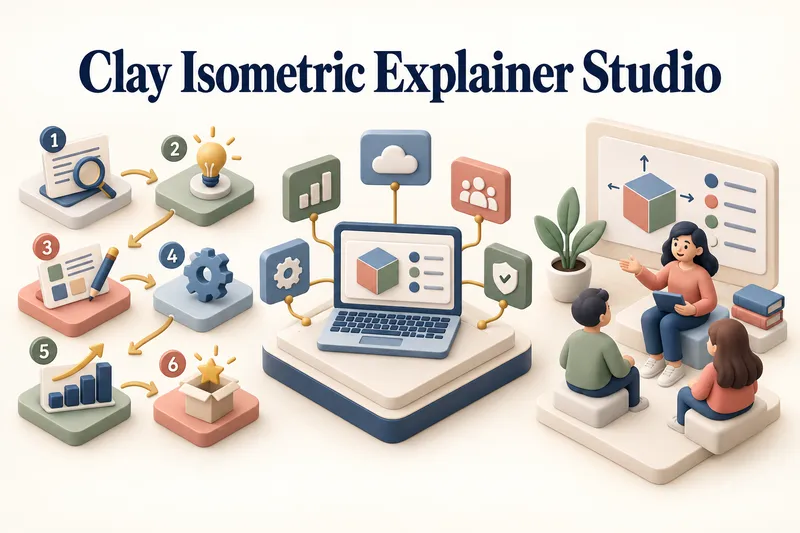 Image
Clay Isometric Explainer Studio
Turn any topic into a clear, memorable visual explanation. Clay Isometric Explainer Studio transforms products, processes, services, systems, and educational subjects into polished hybrid 3D clay and isometric visuals. You can start with only a topic. The Studio performs a focused research snapshot, identifies the core message, recommends the clearest visual direction, and guides you through the creative process step by step. It builds the information architecture, maps each idea to a visual object, defines a consistent style system, and prepares a complete production prompt. Titles, numbered stages, information cards, labels, and short explanations are planned and included directly during image generation. Choose an Explainer Scene, Process Flow, Product Feature Board, Educational Visual, or a coherent 3–5-piece Visual Series. After the still image is approved, optionally turn it into a short image-to-video animation with subtle object motion, natural clay character gestures, or guided focus through numbered stages. Ideal for presentations, websites, social posts, posters, PDF pages, product communication, onboarding, and learning materials. Not intended for decorative 3D scenes without an explanatory purpose, random visual elements, dense paragraphs inside images, or final editable design files.
 Video
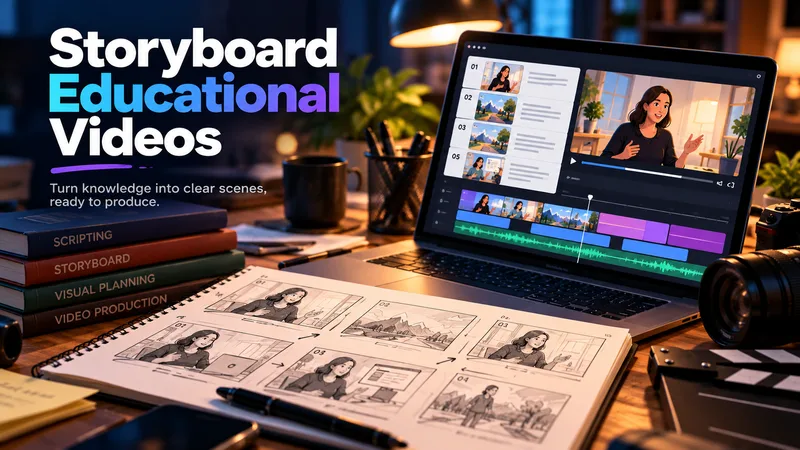
Storyboard Educational Videos
Hand it a document — a training guide, an SOP, a product brief, a course chapter — and get back a shooting plan you can film today: numbered scenes, one idea each, each with a clear visual direction, an English image prompt, spoken narration that fits the clock, and subtitles that match the voiceover word for word. Most documents are written to be read, not performed: the narration rambles, the visuals repeat the text, the subtitles drift out of sync. This Skill rebuilds the material for the screen — 3–6 observable learning objectives, a hook → orientation → teaching beats → recap → CTA arc, and a fixed time budget of 2.2 words per second per scene, so nothing gets cut later in the edit. Every plan ships with an overview, one visual style guide reused across all scenes, a scene index with exact timings, a per-scene breakdown (purpose, framing, on-screen text, English image prompt, voiceover, subtitle cues, audio), production notes and an explicit list of assumptions and content risks. How to ask for it — four shapes that work best: • Just the file: "Turn this into an educational video plan." Audience and runtime are inferred and stated as assumptions. • File + runtime + audience: "A 4-minute onboarding video for new support hires; screen recordings only, no on-camera presenter." • File + format: "A 60-second vertical 9:16 plan for LinkedIn, high tempo, one-line subtitles." • Thin or messy source: "These notes are scattered bullets — still build a 3-minute plan, mark the gaps TODO: and list your assumptions." Output language follows your message: ask in Turkish, Spanish or Japanese and the whole plan comes back in that language. Only the image prompts stay in English, ready for any image model. Built for L&D teams, course creators, product marketers and anyone handed a twelve-page PDF and told "make it a video".
Article to Vertical Minimal Motion
Turn any article, link, file, or idea into a 9:16 vertical black-and-white minimalist motion video built from kinetic typography and line infographics. Only black and gray are used, every idea becomes a concrete visual structure, and the pacing builds from a single word to a dense climax frame. You first get an English storyboard to confirm. It then becomes a video-exportable motion webpage, laid out on a strict UI layout system with nested containers and an 8pt grid, plus a built-in check that no text overlaps, overflows, or gets clipped.
Information
- Version
- v11
- Last updated
- Runtime credits
- Usage-based
- Models
- Auto