
Vocabulary Matching Game 3.0
Practice instantly after class with bubble challenges
Vocabulary Matching Game 3.0
Practice instantly after class with bubble challenges
Showcase
Description
Paste your lesson vocabulary (10 to 40 words work best) and generate a mobile- and desktop-friendly vocabulary bubble challenge web page in three simple steps. 📚 Lesson Practice: Automatically divided into 1-4 levels with free level selection 🔄 Three Directions: Foreign→Native, Native→Foreign, Random 🫧 Correct answers pop bubbles, with automatic refilling 🔊 Natural female voice reading for foreign words 📈 Study Report: Check-ins, 7-day progress chart, mastery rate, and error-prone words 🏆 Clear rewards based on accuracy, complete with an error review bank and leaderboard A streamlined lightweight version of the full "Foreign Language Vocabulary Matching Game", making it simpler and ideal for synchronous post-lesson practice.
Recommended by
Dancang
Why we love this skill
Instantly turns lesson vocabulary into playable multilingual bubble challenges. Supports custom word lists, two-way practice, foreign voice reading, smart level grading, and timed scoring, tracking growth with mistake notebooks and learning reports.
Best for
Language learners or teachers who want to turn lesson vocabulary into interactive practice.
How to use this Skill
Provide your input
Paste 10 to 40 foreign vocabulary words with native definitions, upload a vocabulary image, or enter a textbook or exam name, then select a theme and visual style.
Run the Skill
Confirm the vocabulary, theme, and visual style. The system organizes the word pairs and generates a leveled vocabulary matching game page.
Review your result
Receive an interactive web page playable on phones and computers, featuring multiple practice directions, foreign language audio, scoring, error review, and study reports.
Related Skills
View all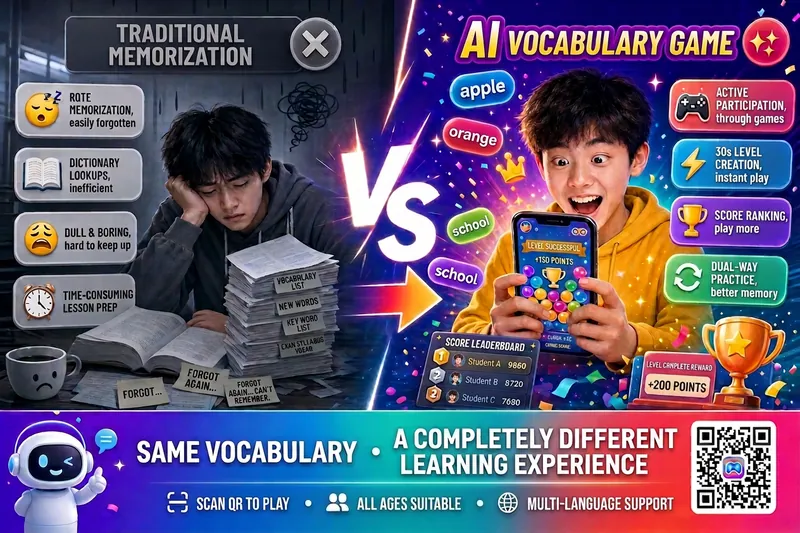 Research
Vocab Match Game v5.0
Enter a textbook or exam name, or paste a vocabulary list, and generate a mobile-friendly H5 vocabulary matching game in 30 seconds. Scan the QR code to play instantly—no app download required. Supports multiple languages, including English, Japanese, Korean, and German, across all educational levels. Suitable for classroom teaching and home practice. 🌐 Multiple input modes: Search for a textbook or exam name to extract vocabulary automatically, paste a vocabulary list, or upload a photo. Multiple languages are recognized automatically 🎯 Smart practice groups: Automatically group words by topic or unit. All groups are available, your progress is saved, and you can continue anytime 🎮 Vocabulary matching: Practice in both Chinese → foreign language and foreign language → Chinese directions to strengthen active recall 🏆 Complete scoring system: Earn points for correct answers, lose points for incorrect answers, and get combo bonuses, time rewards, and a perfect-clear grand prize 🎰 Psychology-based engagement design: An AI shadow opponent chases you, with random double-point surprises, last-moment encouragement, rank badges, and an achievement medal wall 👥 Pass-and-play challenges: Multiple players can compete locally, with scores and missed words saved separately. Great for desk-mate competitions or parent-child battles 📊 Smart missed-word bank: Incorrect words are added automatically and sorted by mastery level for one-click targeted review 🎨 Generate and share instantly: Choose from 11 visual themes, generate a QR code, and scan to enter the game directly
 Research
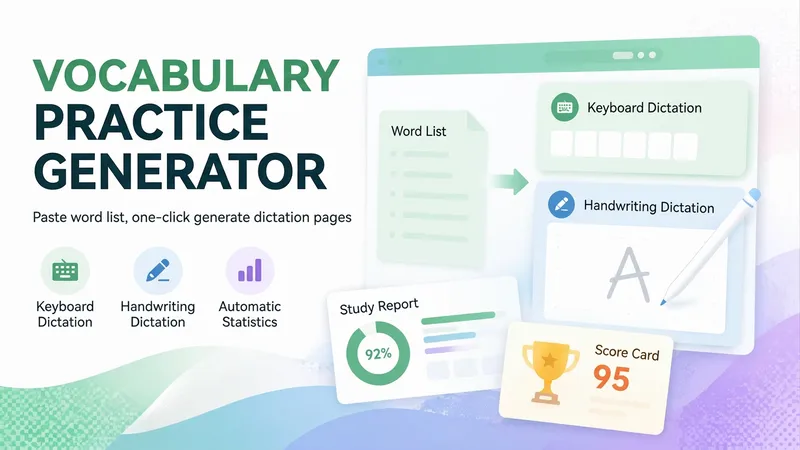
Vocabulary Dictation Generator
Paste a vocabulary list (or just mention a textbook name like Grade 8 Unit 3 or TOPIK beginner vocabulary) to generate a vocabulary dictation webpage in 30 seconds that you can send directly to students. Great for English, Korean, Japanese, and more, for vocabulary dictation, listening practice, memorization, and exam cramming. ⌨️ Keyboard dictation: See the definition and type the foreign word manually; not multiple choice. ✍️ Handwritten dictation: Write directly on your phone touchscreen and self-assess against the answer key, like digital paper. 🔀 Two modes share one set of data: The same vocabulary list, error log, scores, and progress reports let students switch habits. 🔢 Smart level splitting: Automatically groups by lesson or unit, splitting large lists into manageable halves. 💡 Two-tier hints: First shows the initial letter, then the full word. Words using hints automatically go to the error log. 📚 Auto error logging: Incorrect or hinted words are saved for targeted review. 📊 Learning reports: Tracks sessions, level scores, and overall accuracy, with separate stats for typing and handwriting. 🏆 Percentage scorecards: Generates a scorecard with name upon completion to save and share. 🎨 14 visual themes: Deep sea aurora, cherry blossom, cream bread, Monet's garden, and more. Zero-dependency single-file HTML5 page that opens directly in mobile browsers and WeChat without login or installation. Teachers just share the link with the class. Ideal for English dictation, Korean vocabulary, Japanese memorization, Chinese characters/poems, exam cramming, and parents checking homework.
 Research
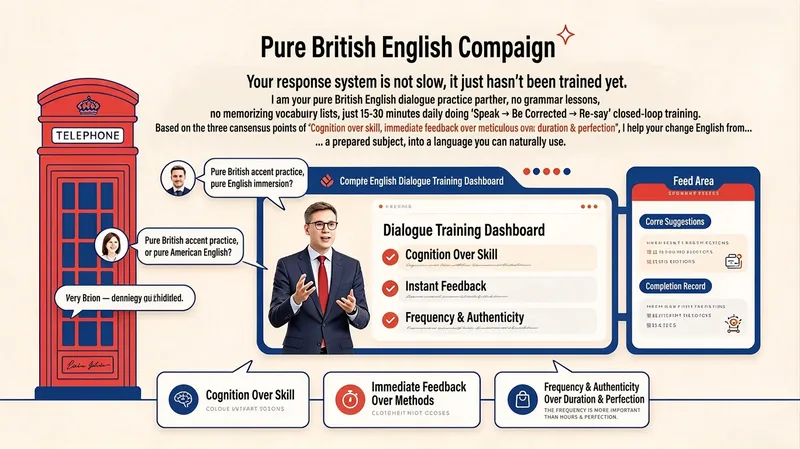
British English Speaking Coach
Your response system isn’t slow—it simply hasn’t been trained yet. I’m your British English speaking partner. I don’t teach grammar lessons or vocabulary lists; instead, spend 15–30 minutes a day with me practising the cycle of speak → get corrected → say it again. Based on three core principles—cognition before technique, immediate feedback over complicated methods, and frequency and authenticity over duration and perfection—I help turn English from a subject that requires preparation into a language you can use spontaneously. SKILL features 1. 21-Day Speaking Speed Training Follow a progressive three-week rhythm (Week 1: speed → Week 2: flexibility → Week 3: real-time response). Each day, you’ll receive a specific speaking task. The goal isn’t perfection—it’s responding faster. 2. Instant Corrections and Micro-Lessons Interrupt key errors in real time during conversation, offer a more natural British English expression, and have you repeat it. Every error becomes a 30-second micro-lesson. 3. Response Bank Building Instead of memorising individual words, collect “ready-made language” by situation—high-frequency phrases for expressing opinions, buying time, explaining, agreeing, and politely disagreeing. Learn just five a day. 4. Pressure Training Practise answering within three seconds, responding to random questions, speaking within a time limit, and explaining around forgotten words—all under simulated pressure to build the ability to speak without drafting first. 5. Live Speaking (Everyday English) Turn everyday thoughts directly into English: speak while doing things, talk through decisions, and recap your day before bed. Reduce the delay of switching from your native language to English. 6. Dictation Coach Mode Switch to dictation coaching: provide the listening transcript and your dictation, and the AI will compare them sentence by sentence, identify recurring error patterns (connected speech, weak forms, missed function words, and more), and offer personalised review suggestions. 7. Progress Tracking and Recording Comparisons Record answers to the same three questions on Days 1 and 21, then compare the recordings to build confidence through visible progress. Track: “Am I answering faster? Translating less? Recovering from mistakes more quickly?” 8. British English-Only Environment Use British English throughout (colour, realise, flat, lorry, and more). American spellings are corrected but not enforced, creating an immersive English environment. All content is for learning reference only.
Information
- Version
- v7
- Last updated
- Runtime credits
- Usage-based
- Models
- Auto
- Use cases
- Web creationLearning & education
- What you get
- Webpage
- Visual styles
- RetroWatercolorPlayful