
Foreign Language Dictation
Create keyboard and handwriting practice in 30 seconds
Foreign Language Dictation
Create keyboard and handwriting practice in 30 seconds
Showcase
Description
Paste a vocabulary list to instantly generate an H5 dictation practice webpage with both keyboard input and handwriting modes, ready to share with students. ⌨️ Real keyboard dictation — not multiple choice. Students must spell each word themselves to truly test their memory ✍️ Handwriting dictation mode — students write directly on a touch-screen writing pad, then compare their answers with the standard answers and self-assess. It's a digital version of paper-based dictation 🔀 Switch between two modes with one click — the same vocabulary list, error bank, scores, and reports are shared across both modes, so students can choose what works best for them 🔥 Streak motivation system — consecutive correct answers automatically trigger sound effects and animations to keep learning going 💡 Two-level spelling hints — show the first letter first, then reveal the full word, providing gradual support without undermining confidence 📚 Automatic error retention — words answered incorrectly or practiced with hints are automatically added to the error bank for focused review 📊 Learning reports — view total practice sessions, scores for each level, and overall accuracy, with keyboard and handwriting self-assessments tracked separately 🏆 Percentage score card — after completion, generate a score card with the student's name and share it to a group chat with one screenshot 📋 Copy scores with one click — students can copy the text and send it to a group chat, making it easy for teachers to compile results without downloading any files 🎨 14 visual themes — deep-sea aurora, cherry blossom Japanese style, Eggy Party, and more for a fresh experience every time Supports multiple languages · Smart level-based practice · Fully optimized for mobile · No code or technical experience required
Why we love this skill
Turns a vocabulary list into a ready-to-use dictation page with seamless keyboard and handwriting modes, plus levels, review tools, reports, and score sharing.
Best for
Teachers or learners who want to quickly create and share foreign-language vocabulary dictation practice.
How to use this Skill
Provide your input
Paste a vocabulary list, provide the textbook name, or upload an image of the vocabulary. Optionally add a practice theme and choose a visual theme.
Run the Skill
The system organizes the vocabulary and generates a practice page. The home page lets users switch between keyboard input and handwriting modes.
Review your result
Get a ready-to-use mobile H5 dictation webpage with level-based practice, an error bank, scores, and a learning report. Students self-score in handwriting mode.
Related Skills
View all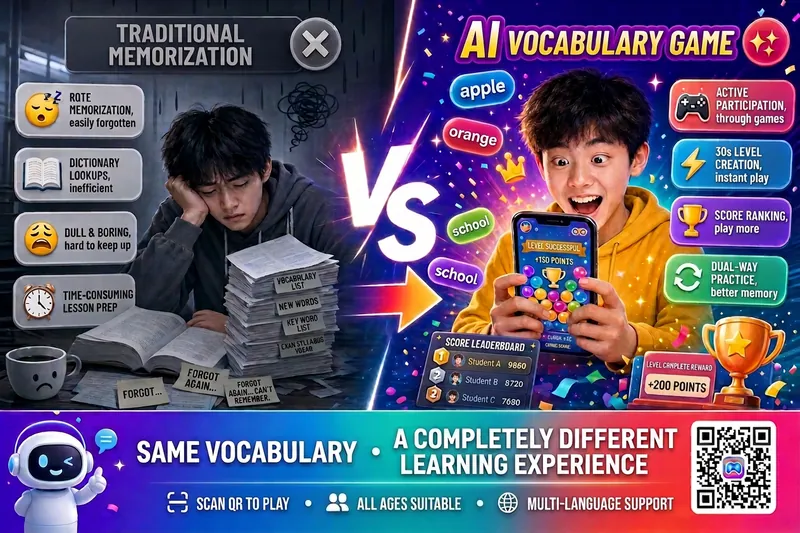 Research
Vocab Match Game v5.0
Enter a textbook or exam name, or paste a vocabulary list, and generate a mobile-friendly H5 vocabulary matching game in 30 seconds. Scan the QR code to play instantly—no app download required. Supports multiple languages, including English, Japanese, Korean, and German, across all educational levels. Suitable for classroom teaching and home practice. 🌐 Multiple input modes: Search for a textbook or exam name to extract vocabulary automatically, paste a vocabulary list, or upload a photo. Multiple languages are recognized automatically 🎯 Smart practice groups: Automatically group words by topic or unit. All groups are available, your progress is saved, and you can continue anytime 🎮 Vocabulary matching: Practice in both Chinese → foreign language and foreign language → Chinese directions to strengthen active recall 🏆 Complete scoring system: Earn points for correct answers, lose points for incorrect answers, and get combo bonuses, time rewards, and a perfect-clear grand prize 🎰 Psychology-based engagement design: An AI shadow opponent chases you, with random double-point surprises, last-moment encouragement, rank badges, and an achievement medal wall 👥 Pass-and-play challenges: Multiple players can compete locally, with scores and missed words saved separately. Great for desk-mate competitions or parent-child battles 📊 Smart missed-word bank: Incorrect words are added automatically and sorted by mastery level for one-click targeted review 🎨 Generate and share instantly: Choose from 11 visual themes, generate a QR code, and scan to enter the game directly
 Research
Premium 3-Step Teacher Prep v4
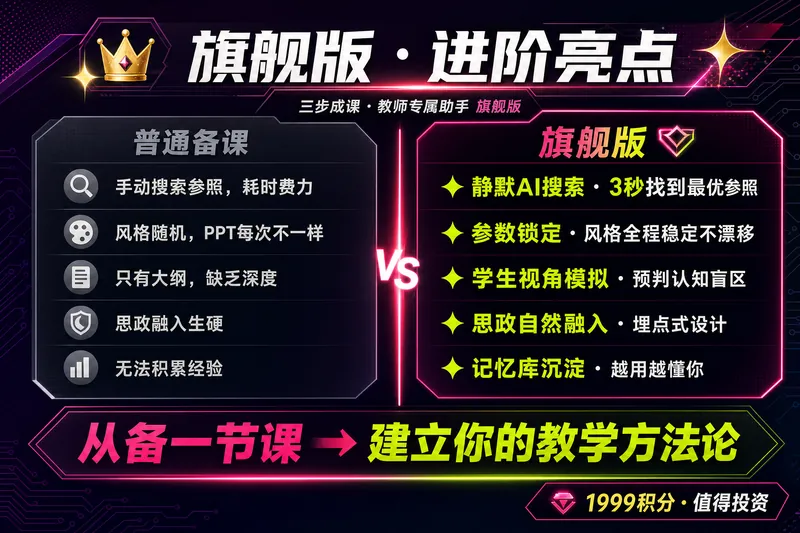
🔥【Back-to-School Limited-Time Offer】1,599 credits from August 27 to September 5 (regularly 1,999)! Start the new semester with a competition-ready lesson plan. 【One Generation · Five Lesson-Prep Essentials】 🖥 PPT (competition-ready refined version / lightweight everyday version) · 📝 Word-for-word teaching script (with complete prompts—just follow along) · 🎯 Activity design · Board work · In-class exercises 【Why “Competition-Level”?】 This Skill includes a library of teaching-design patterns from high-quality and model lessons nationwide, covering mainstream competition approaches such as situational introductions, task-based learning, question chains, and flipped classrooms. It also incorporates professional frameworks including Bloom’s taxonomy, the ADDIE model, and Understanding by Design (UbD). Every lesson is validated against these methodologies rather than being a simple collection of content. 【Premium Edition Upgrades】—Designed around the logic of a high-quality lesson ✨ Hybrid questionnaire: Click options or enter your own responses to complete information collection in 30 seconds ✨ Parameter locking: Course details and PPT style are locked in Step 1, keeping all later generations consistent ✨ Real interaction and confirmation: Clickable options for outline approval and selection of the five essentials enable personalized customization ✨ Dual-mode PPT: Smart switching between competition presentation and everyday teaching modes ✨ Post-lesson reflection loop: Questionnaire → AI-generated reflection → Board Memory, building your dedicated teaching profile ✨ Controlled costs: Cost expectations are stated before generation; choose between the full visual version and the lightweight skeleton version, with no over-generation or forced upgrades 【Three-Step Process】 ① Collect information → Two rounds of interactive questionnaires + parameter locking ② Confirm the outline → AI provides the teaching framework first, then generates after you approve it ③ Visual delivery → Generate the complete five-piece set at once: PPT + word-for-word script / competition-standard lesson plan + activity design + board work + exercises, with flexible combinations 【Pricing】 1,999 credits = the price of a cup of coffee in exchange for daily freedom from lesson prep. · Generate the complete five-piece set in one use · Reduce prep time from about 4 hours to about 1 hour · Generate competition lesson plans directly · Teach everyday lessons with ready-to-use materials · Iterated through use by 45 teachers, saving more than 200 hours of lesson-prep time in total 💡 Suitable for: All grade levels from preschool through university, and all subjects including Chinese, math, English, physics, chemistry, biology, history, geography, civics, art, and physical education. Suitable for everyday teaching, competition presentations, and open classes. ⚠️ Review and revise AI-generated content based on your textbook edition, school requirements, and students’ actual learning needs. Teachers’ professional judgment should remain the final authority. 📩 Feedback and suggestions: 593975647@qq.com. There may be a little surprise for you 🎁~
 Webpage
One-Click Courseware to Web
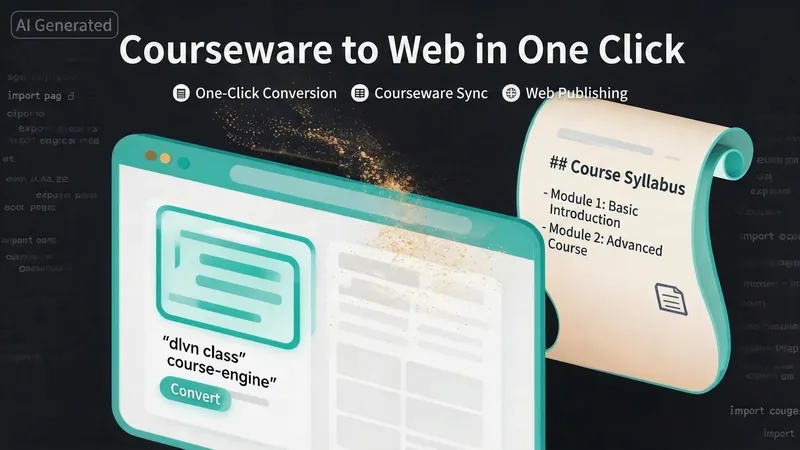
Turn your courseware into a viewable website. Whether you have a Markdown note, a PDF paper, a PPT slides, or a plain text script, or even a public account link, One-Click Courseware to Web can automatically convert it into a clear, beautifully designed online course display webpage. You don't need to write a single line of code—just provide the content. Two display styles: - Course training content → generates a scrolling long page, like flipping through a book. - Paper/report content → generates a PPT-style page-turning website, like browsing slides one by one. Responsive design adapts to mobile and desktop. What you need to do: Just one step: provide your courseware content. Supported formats: .md Markdown files, .pdf PDF documents, .pptx PPT presentations, .txt plain text. You can also paste course content directly in the conversation. Example commands: "Turn these lecture notes into a webpage" "Make this PDF paper into a PPT-style website" "Here is my courseware content, generate an online display page" What you get: A directly accessible online course display website, with the display mode automatically determined. Your content automatically selects the effect: - Course outlines, training handouts, textbooks → scrolling long pages, modules naturally connected, scroll to browse. - Academic papers, research reports → PPT-style slide flipping, each page focuses on one point. - Speeches, meeting reports → PPT-style page-by-page display, supports keyboard/click navigation. If you explicitly request "scrolling" or "PPT", your request is respected. Content extraction capability: For information-dense papers and long texts, the skill automatically performs: - Structure decomposition: splits continuous discourse into independent chapters/slides. - Information condensation: condenses three paragraphs into three key points, each within 20 characters. - Thesis-first: each page gives the conclusion first, then supporting arguments. - Framework visualization: models and classification systems are presented with charts instead of plain text. - Data highlighting: key numbers and metrics are displayed on separate pages prominently. Subsequent modifications: After the website is generated, you can request adjustments at any time: "Update the content of module three" "Change the color scheme to warm tones" "Add a course roadmap" "Change this module to a timeline layout" Modifications only affect the corresponding part; you don't need to regenerate the entire website. What it does not do: This skill currently focuses on course content display and does not include the following LMS (Learning Management System) features: - User login/registration - Learning progress tracking - File download - Online quizzes/practice If you need these features, they are separate extensions.
Information
- Version
- v13
- Last updated
- Runtime credits
- Usage-based
- Models
- Auto
- Use cases
- Web creationLearning & education
- What you get
- Webpage
- Visual styles
- RetroWatercolorPlayful
