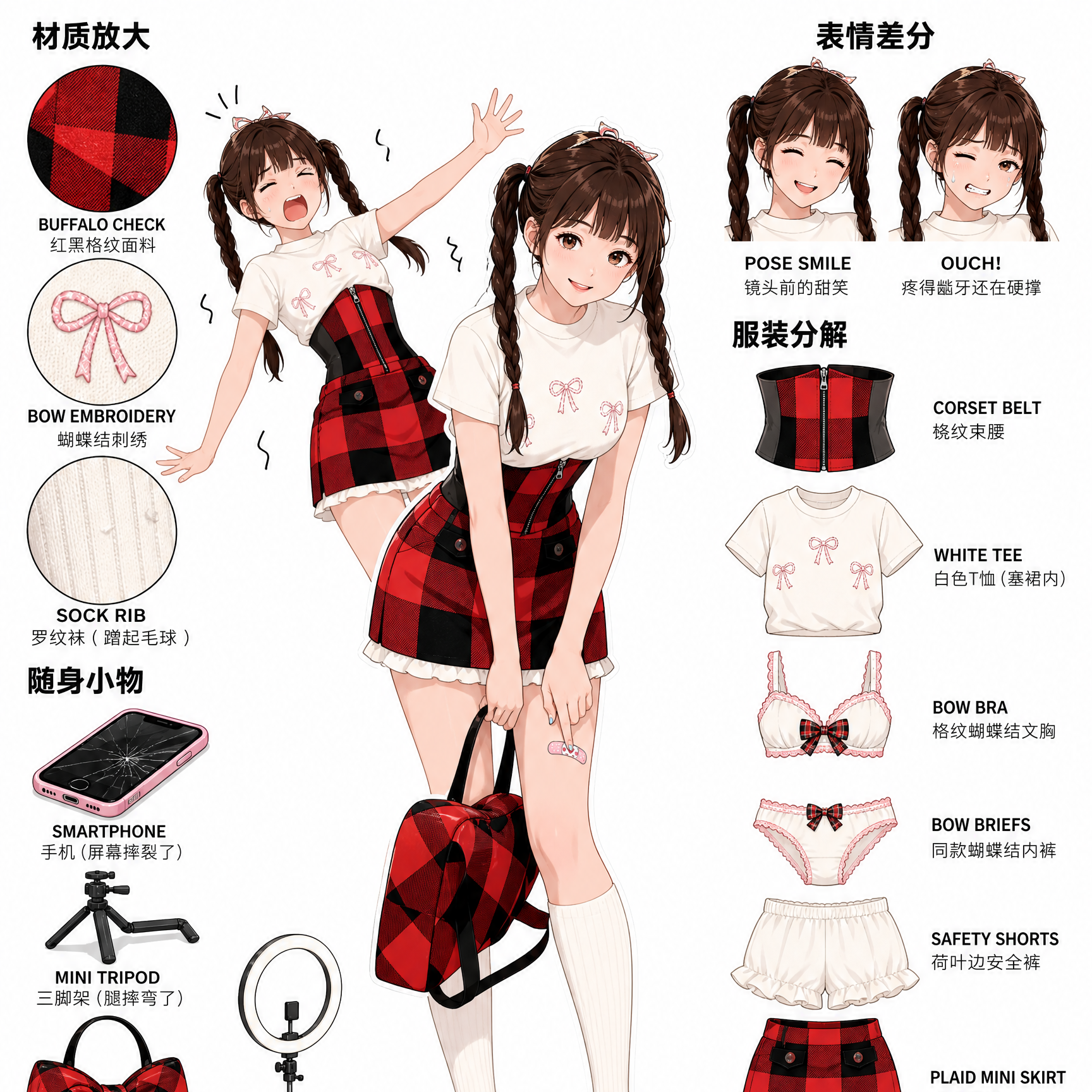
Character Breakdown Sheet
Generate high-quality character sheets with outfit breakdowns and expressions.
Character Breakdown Sheet
Generate high-quality character sheets with outfit breakdowns and expressions.
Showcase
Description
Upload a character reference image and provide a brief prompt. The system automatically infers identity, scenario, clothing, and matching undergarments (adapted to the scenario, such as period panties during menstruation), locks in recognizable signature props, and writes coordinate-grid-based text prompts with drawability self-checks. It generates two vertical 3:4 Japanese-style character reference sheets in one go: main full-body art plus identically-sized state variations, material close-ups, expression variations, outfit breakdowns, and personal accessories, with item-by-item verification.
Recommended by
Dancang
Why we love this skill
Transforms character references and scene details into official artbook-style breakdown sheets, featuring contextual markers, matching innerwear, material close-ups, and expression sheets.
Best for
Ideal for artists, original character enthusiasts, and anyone looking to organize visual character designs.
How to use this Skill
Provide your input
Upload a character reference image (optional) and provide a brief description specifying the character's identity, scenario, and clothing or art style preferences.
Run the Skill
The system designs the character sheet based on your reference and requirements, planning outfit breakdowns, expression variations, material close-ups, and props, while generating prompts for image creation.
Review your result
Receive a vertical detailed character breakdown sheet featuring the main artwork, status variations, outfit breakdown, accessories, and expression variations, complete with design notes and review results.
Related Skills
View all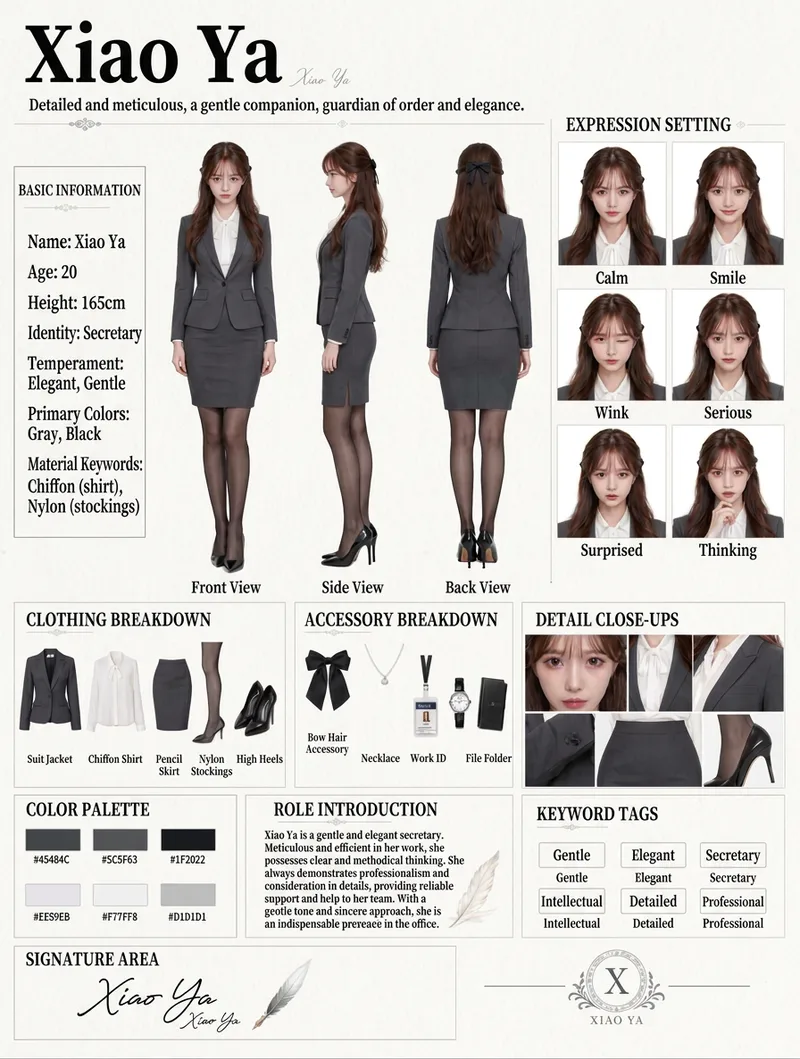
Character Concept Sheet
Transform character appearance settings and themed outfits into a vertical, magazine-layout character concept sheet: the left side features full-body front, side, and back views; the right side features a six-grid facial expression close-up matrix (calm, smile, blink, serious, surprised, thoughtful); the bottom section includes clothing breakdown, accessory breakdown, and partial detail close-ups; and the footer includes a color palette, character bio, keyword tags, and signature area. Featuring a minimal light-gray background, thin grid lines, serif subheadings, and a realistic portrait photography texture. The three-view angles and six expressions share the same character DNA to ensure consistent facial features, with text labels meticulously verified. Defaults to a 3:4 vertical format, generating 1 image per run. Character DNA, outfits, and primary color tones can be freely modified, and the current best image generation model is automatically called to create the artwork.
 Image
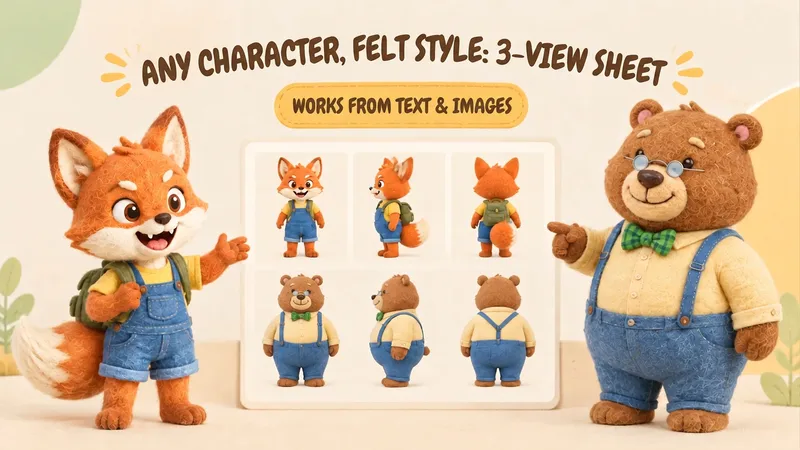
ImageIP Character Felt Turnaround
Give your favorite character a soft, cozy felt texture with visible wool fibers. Upload a character image or write a one-line character description to create front, 90° side, and back views of the same character. Existing characters can retain their facial features, color palette, clothing, and signature accessories. With no reference image, you can also start from text. You’ll receive: • A complete felt-style front, side, and back character turnaround. • A clear visual description of the character’s appearance for future use. • Reusable generation prompts for further edits and expansions. The process first organizes the character’s traits, then designs the felt material, generates the three views, and checks consistency across angles, clothing, accessories, and distinctive structures. Visible discrepancies are corrected as needed. Details on the back that are not shown in the reference image are completed conservatively and clearly noted. Ideal for original IP characters, picture books and comics, short-form video development, and creators who want to turn a favorite character into a felt-style design. The generated reference sheet can support future image generation, storyboarding, and visual communication within a team. Leave the repeated work of refining material terms, viewpoint terms, and character constraints to this workflow, so you can focus on your character and story.
 Image
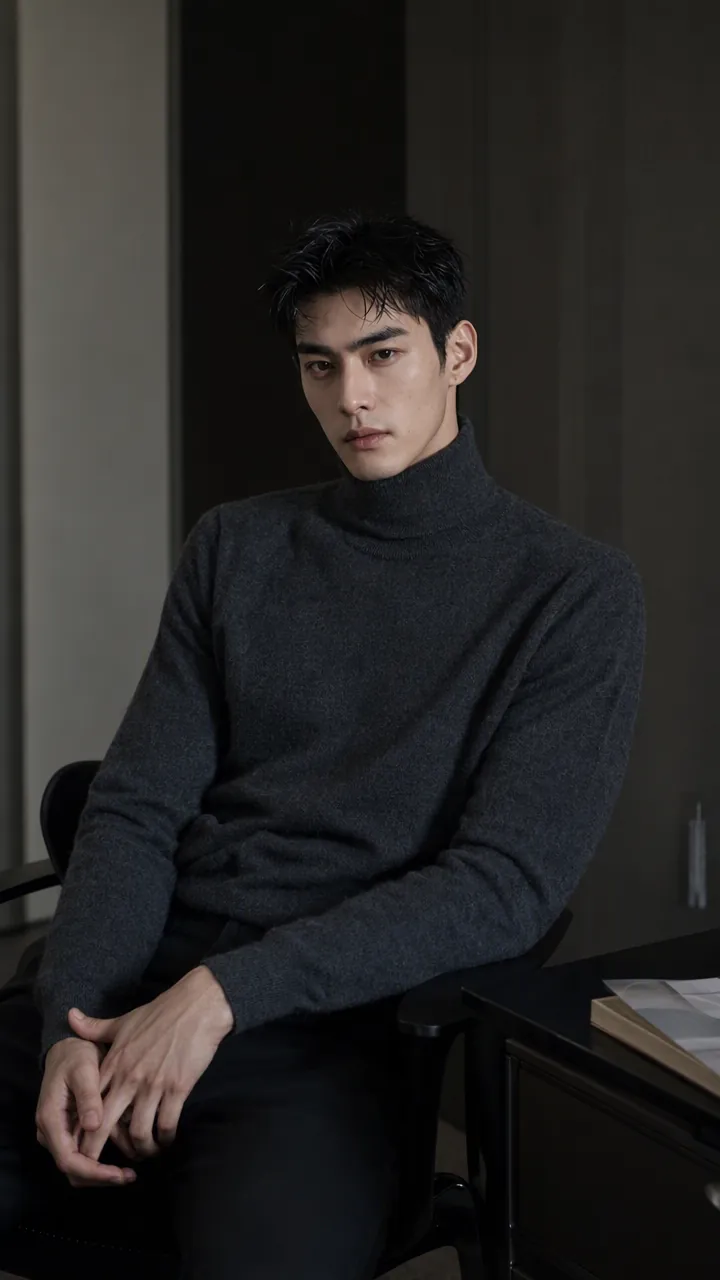
ImagePrecise AI Character Images
Turn the character you envision into ready-to-use prompts and finished images. Start with a seed description or a broad theme, then define key details step by step, including hairstyle, hair accessories, clothing, expression, pose, camera, lighting, and setting. Whether you’re creating a classical Chinese woman, a cyberpunk girl, a Japanese-style character, a realistic portrait, or a custom character concept, you can develop a cohesive visual direction based on the character’s overall mood. Choose Quick Image Generation to let AI complete the character design automatically, or use Fine Control to adjust each element through selections or custom input. Results include structured prompts in both Chinese and English, along with a matching Negative Prompt, making them easy to understand and reuse with leading models such as FLUX, Midjourney, and SDXL. You can also generate the finished character image with AI. After generating an image, continue fine-tuning specific dimensions, such as hairstyle, expression, pose, camera angle, lighting, setting, or art style. Regenerate while keeping the other details unchanged, with each modification clearly identified. Ideal for character design, character concept art, avatar creation, illustration planning, and exploring visual directions.
Information
- Version
- v5
- Last updated
- Runtime credits
- Usage-based
- Models
- Auto
- Use cases
- Images & design
- What you get
- ReportImagePrompt
- Visual styles
- AnimeFlat
