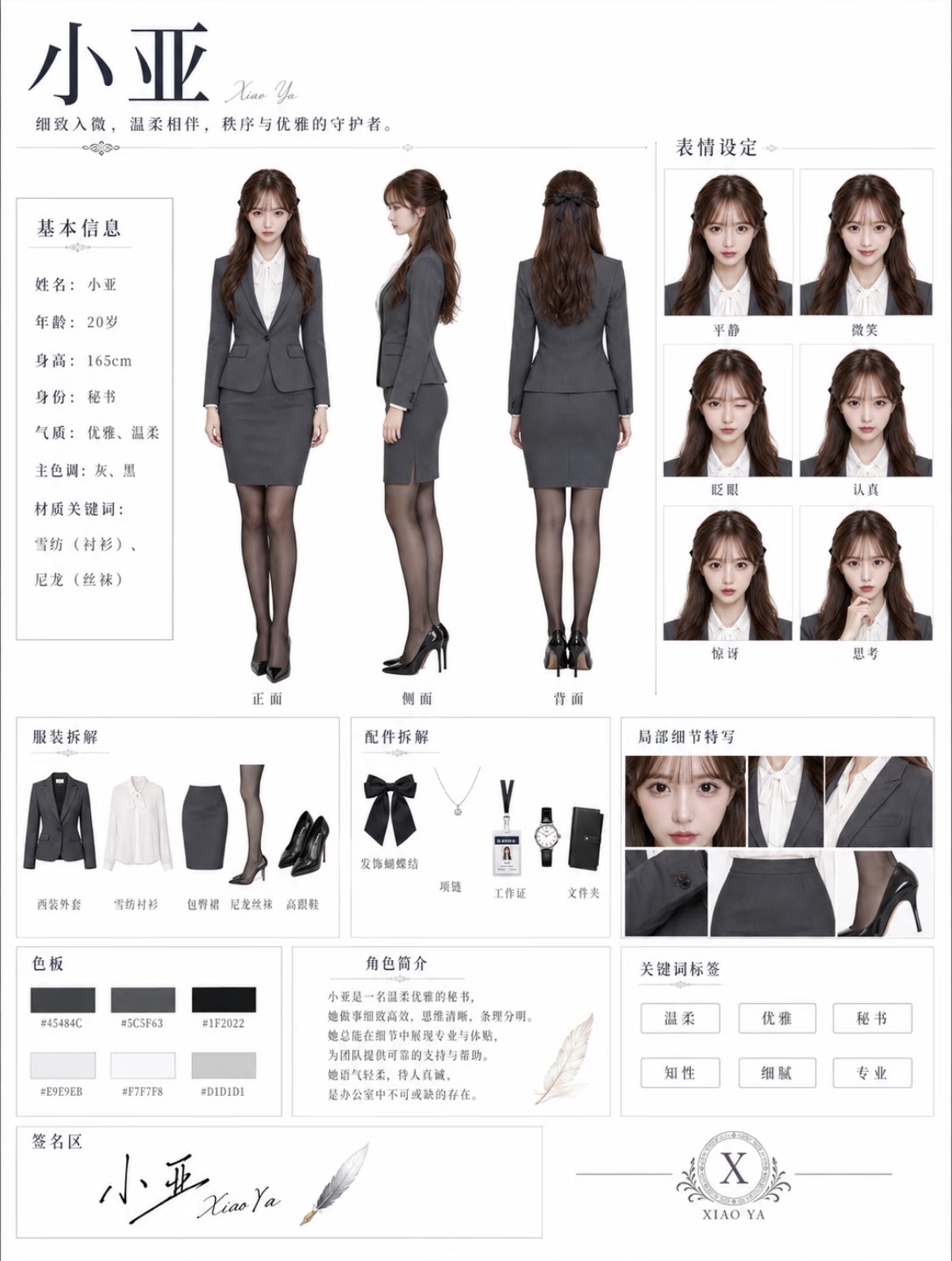
Character Concept Sheet
Create a magazine-style character sheet instantly
Character Concept Sheet
Create a magazine-style character sheet instantly
Showcase
Description
Transform character appearance settings and themed outfits into a vertical, magazine-layout character concept sheet: the left side features full-body front, side, and back views; the right side features a six-grid facial expression close-up matrix (calm, smile, blink, serious, surprised, thoughtful); the bottom section includes clothing breakdown, accessory breakdown, and partial detail close-ups; and the footer includes a color palette, character bio, keyword tags, and signature area. Featuring a minimal light-gray background, thin grid lines, serif subheadings, and a realistic portrait photography texture. The three-view angles and six expressions share the same character DNA to ensure consistent facial features, with text labels meticulously verified. Defaults to a 3:4 vertical format, generating 1 image per run. Character DNA, outfits, and primary color tones can be freely modified, and the current best image generation model is automatically called to create the artwork.
Best for
Ideal for character designers, illustrators, and content creators who need to showcase character appearance, outfit details, and visual settings.
How to use this Skill
Provide your input
Provide character appearance settings, theme outfits, and optional reference photos, main color tones, or aspect ratio. You can also simply describe a character theme.
Run the Skill
The system completes the necessary settings and organizes the character, outfit, and color scheme into a unified magazine-style character concept board.
Review your result
Generates a vertical character concept image containing three-view angles, six expression grids, outfit and accessory breakdowns, detail close-ups, a color palette, and character info.
Related Skills
View all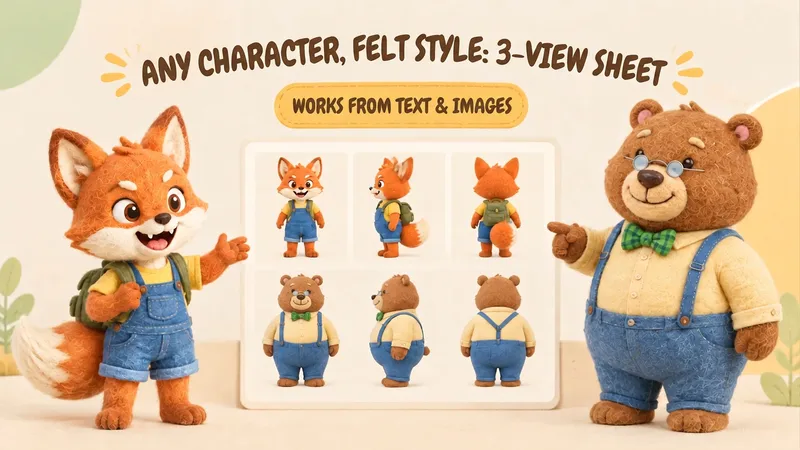 Image
ImageIP Character Felt Turnaround
Give your favorite character a soft, cozy felt texture with visible wool fibers. Upload a character image or write a one-line character description to create front, 90° side, and back views of the same character. Existing characters can retain their facial features, color palette, clothing, and signature accessories. With no reference image, you can also start from text. You’ll receive: • A complete felt-style front, side, and back character turnaround. • A clear visual description of the character’s appearance for future use. • Reusable generation prompts for further edits and expansions. The process first organizes the character’s traits, then designs the felt material, generates the three views, and checks consistency across angles, clothing, accessories, and distinctive structures. Visible discrepancies are corrected as needed. Details on the back that are not shown in the reference image are completed conservatively and clearly noted. Ideal for original IP characters, picture books and comics, short-form video development, and creators who want to turn a favorite character into a felt-style design. The generated reference sheet can support future image generation, storyboarding, and visual communication within a team. Leave the repeated work of refining material terms, viewpoint terms, and character constraints to this workflow, so you can focus on your character and story.
 Image
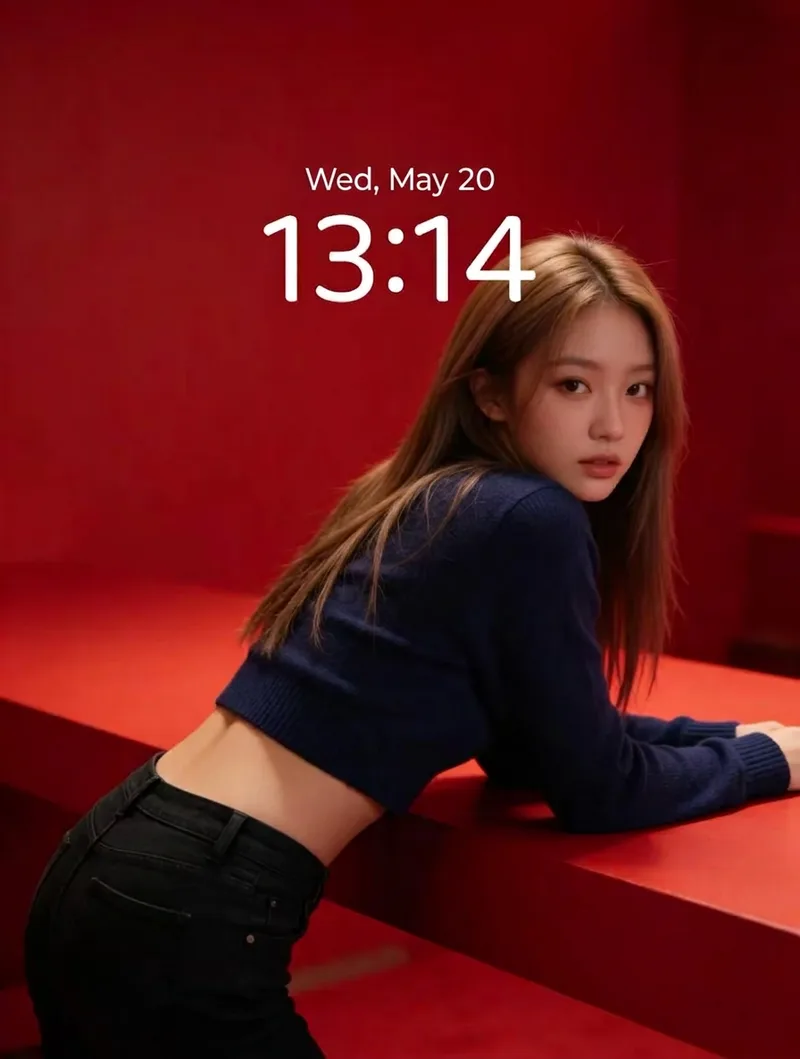
ImageRed Immersive Fashion Portrait
Turn any portrait description into a vertical magazine-grade fashion portrait. It applies a default baseline template: a minimalist red monochrome immersive scene with red steps and walls, soft studio lighting, realistic skin texture, film grain, top one-third negative space, and no text or watermarks. The portrait DNA (young Asian female, light brown long hair, dark blue cropped knit sweater, black jeans) is systematically reused to ensure the same face and styling across batches. You can customize the portrait appearance/clothing, wall material and red tones, number of steps, pose and gaze, lighting type, texture intensity, negative space position, aspect ratio, and quantity. Defaults to a 3:4 vertical format and 1 image, generated directly using the best image model.
 Image
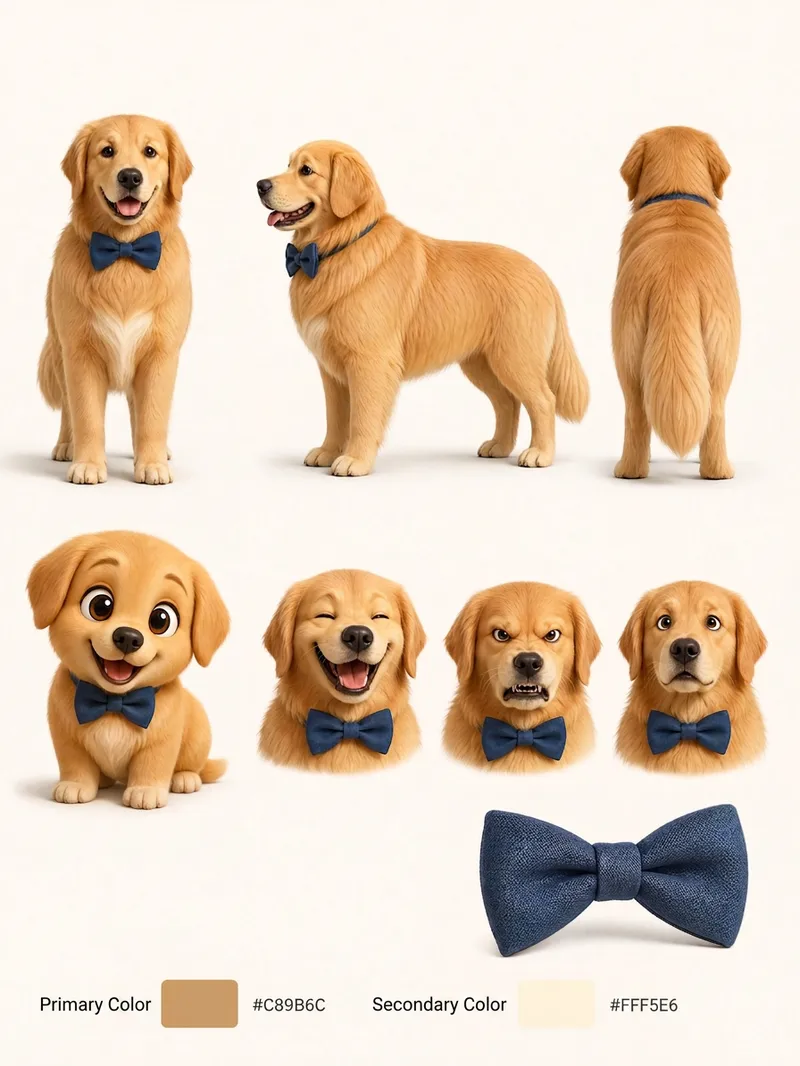
ImagePet Cartoon Character Sheet
Turn an existing realistic depiction of your pet into a consistent, expandable cartoon character sheet. Use it as a stable visual reference for creating stickers, memes, comics, or animations. Before using this Skill, prepare a pet profile with realistic reference images, fur color, body type, distinctive features, accessories, and other details. The generated result will aim to preserve the character’s recognizability and maintain consistent details. The final result is a multi-view character sheet featuring front, side, and back views, a full-body chibi view, different emotional expressions, and signature accessories such as collars or tags. It also preserves the relationships between the primary and secondary colors. You can choose a 2D flat cartoon style, suitable for memes, stickers, and comics, or a 3D cartoon rendering style, suitable for animation, games, or 3D merchandise. If no style is specified, 2D is used by default. The generated cartoon character is also recorded in the pet profile, making it easier to maintain the same art style, fur colors, and accessory settings in future meme creation. This helps prevent character distortion or inconsistent styling from one creation to the next.
Information
- Version
- v4
- Last updated
- Runtime credits
- Usage-based
- Models
- Auto
- Use cases
- Images & design
- What you get
- Image
- Visual styles
- MinimalistEditorialPhotorealistic
