
Product Photo Studio: Main + Lifestyle
One phone photo to 2 Etsy, Amazon & Daraz listing images
Product Photo Studio: Main + Lifestyle
One phone photo to 2 Etsy, Amazon & Daraz listing images
Showcase
Description
For Etsy, Amazon, Shopify, Daraz and Instagram sellers who shoot products on a phone. Upload one product photo and get 2 matched images that keep your product exactly as it is (shape, colour, label, logo): 1) a clean white-background main image ready for Amazon and Etsy, 2) a lifestyle scene matched to your product. Light on credits. Not for people, worn clothing, or blurry photos.
Recommended by
Dancang
Why we love this skill
Turns one phone photo into two ready-to-publish listing visuals: a clean marketplace hero shot and a category-matched lifestyle image. Its standout strength is strict product fidelity, preserving shape, materials, colours, labels, logos, and proportions while improving presentation.
Best for
Etsy, Amazon, Shopify, Daraz, and Instagram sellers creating product images from phone photos.
How to use this Skill
Provide your input
Upload one clear product photo. You may also provide the product name and a preferred lifestyle vibe.
Run the Skill
The tool creates two matched square images while preserving the product’s visible shape, colors, labels, and logos: one on white and one in a lifestyle scene.
Review your result
Receive two listing-ready product images: a clean main image and a lifestyle gallery image.
Related Skills
View all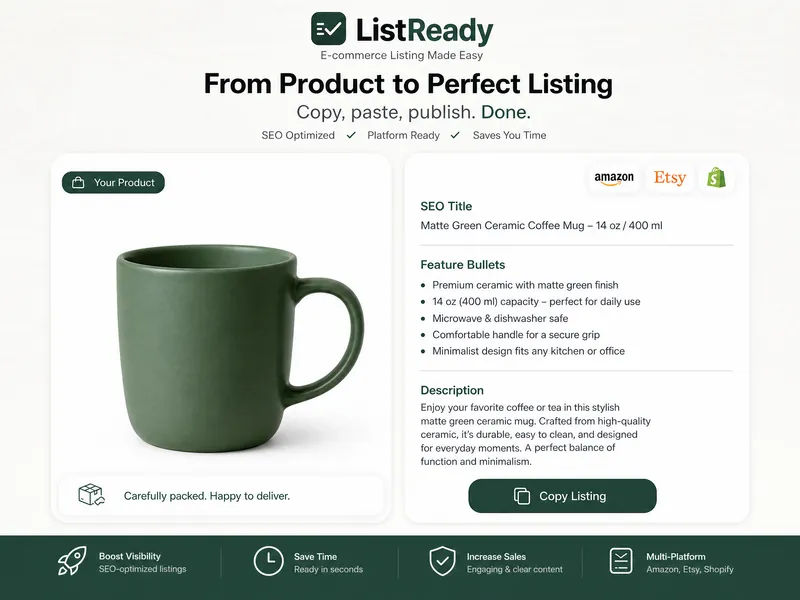 Image
ImageProduct Photo → Marketplace Ready List
Turn one phone photo into a complete marketplace-ready listing: studio product images plus SEO title, description, and feature bullets for Amazon, Etsy, or Shopify — in a single run.
 Image
ImageAI Product Photo Studio
Turn your product photos into premium, advertising-ready visual concepts with professional creative direction. Upload a product image alone or combine it with people, environments, mood references, composition examples, or your own creative idea. The skill analyzes each reference by role, protects the product’s identity, branding, labels, visible text, colors, proportions, and packaging details, then guides you through a short adaptive creative brief. Choose from photorealistic, premium studio, lifestyle, editorial, still life, minimal, luxury, surreal, UGC-style, cinematic, and other visual directions — with or without people. You receive 5 genuinely different creative concepts and 5 detailed English production prompts designed for high-end image generation. Every concept prioritizes natural product integration, realistic lighting, coherent shadows and reflections, accurate materials, believable scale and perspective, and strong commercial composition. Human scenes are directed toward natural anatomy, realistic hands, authentic interaction, and detailed skin texture without artificial plastic or waxy results. Optional image generation, variations, revisions, and quality-control workflows help you refine selected concepts into polished product visuals for social media, e-commerce, marketplaces, websites, campaigns, and brand content.
 Image
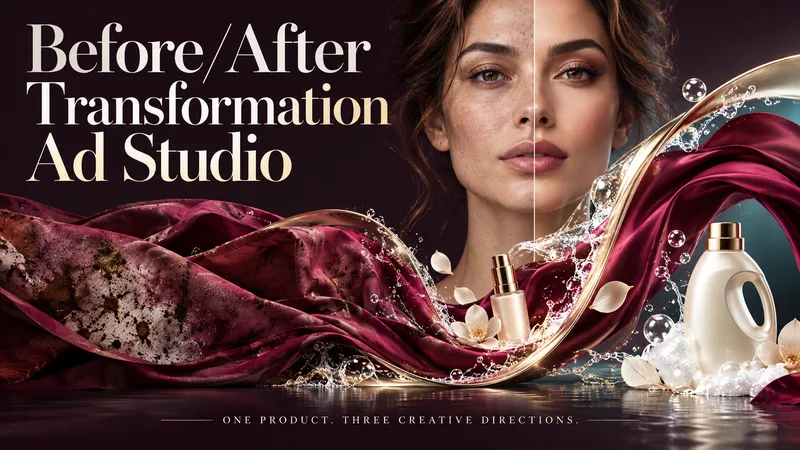
ImageBefore/After Transformation Ad Studio
Make the transformation the hero. Turn a single product photo into bold before-and-after advertising visuals with expressive art direction, striking compositions, and a transformation that takes center stage. From cosmetics and personal care to cleaning and fitness, this skill explores your product’s uses and develops creative ways to visualize its relevant benefits. YOUR PRODUCT. YOUR CREATIVE DIRECTION. Start with a photo. The skill researches the product, then helps you choose the scene, materials, visual elements, format, and text style. Prefer a surprise? Let AI take the creative lead. THREE CONCEPTS. THREE DISTINCT VISUAL IDEAS. Explore three tailored concepts with complete image-generation prompts. Think flowing fabric reveals, sculptural environments, dramatic close-ups, glass transitions, or an unexpected world built around your product. Each concept offers a different visual story. BEFORE & AFTER, FRONT AND CENTER. Large, clearly readable transformation scenes lead the composition. Product placement, atmosphere, and typography work together to make the change stand out—even on a phone screen. YOU APPROVE. THEN IT CREATES. Review the prompts, request adjustments, and select one concept or all three. Image generation begins only after your approval, using the capabilities available in your workspace. BUILT AROUND YOUR PREFERENCES. Choose square, portrait, landscape, or custom dimensions. Add a bold headline, keep the copy minimal, or let the visuals speak. The workflow adapts to your language, while production prompts are written in English by default. Upload your product. Shape the scene. Bring the transformation into focus.
Information
- Version
- v3
- Last updated
- Runtime credits
- Usage-based
- Models
- Auto
- Use cases
- Images & designMarketing & growthE-commerce & sales
- What you get
- Image
