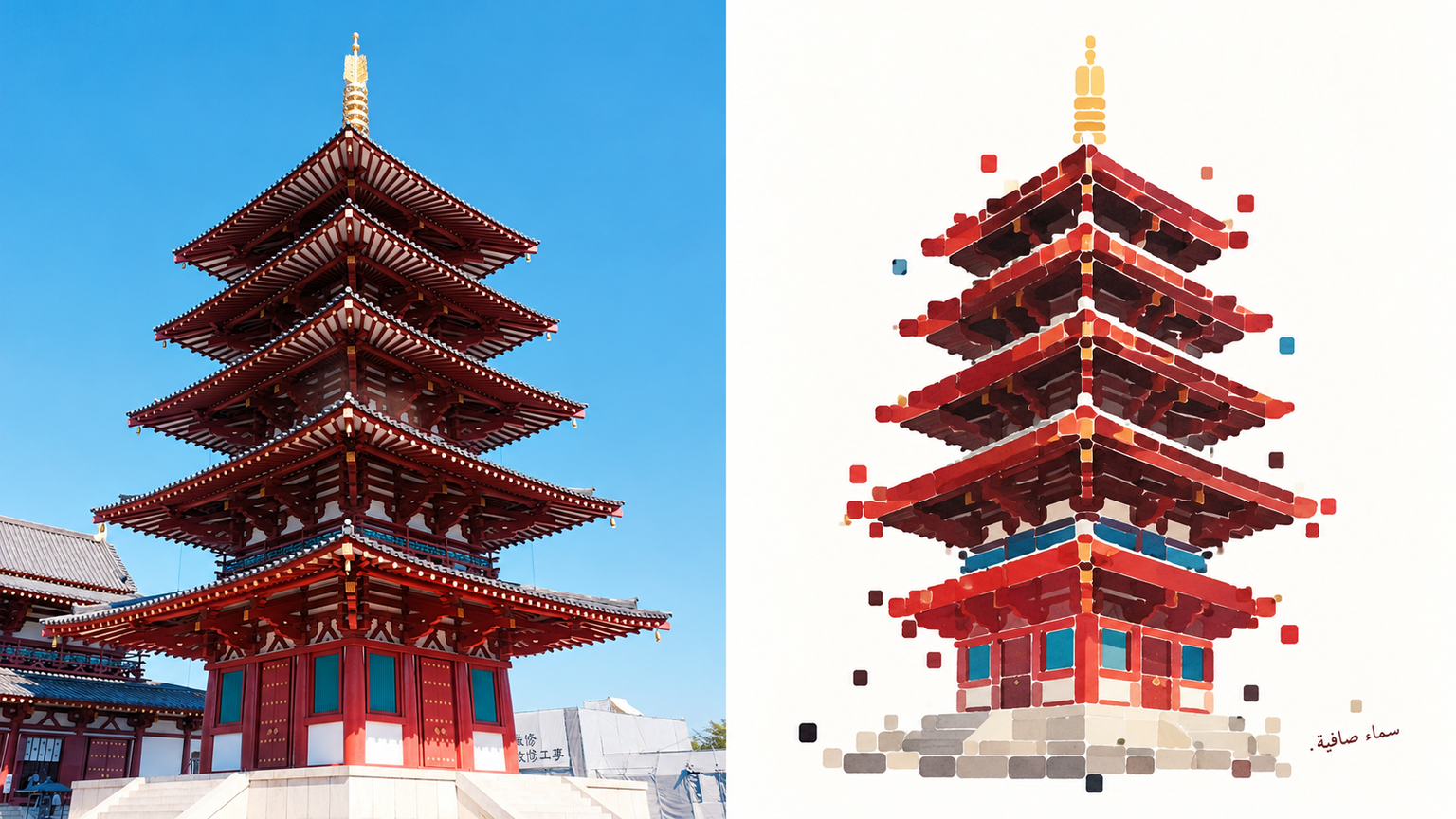
Floating Block Island by xiaoxiaodong
Created by xiaoxiaodong
Floating Block Island by xiaoxiaodong
Created by xiaoxiaodong
Showcase
Description
Transform your photo subject and the ground beneath it into a floating square island. The top half is the original photo, while the bottom half is entirely redrawn into large, rounded rectangular flat color blocks stacked horizontally and slightly offset with no photo texture remaining. Edges feature no outlines, instead breaking into a ring of outward-drifting small squares that shrink and thin out further from the center. Dark blocks contain thin white lines resembling cascading water, accented by delicate dark strokes. The palette uses only one bright color, one dark color, and a few mid-tones, heavier at the bottom with marker-like water stains along the edges. The entire composition floats on a white background with quiet handwritten text in the lower right. Avoid using photos where facial details or photo textures must be preserved, complex horizons, complete streetscapes, neat pixel grids, outlines, realistic watercolor washes, or many colors.
Best for
Creators looking to transform photo subjects into clean, design-forward floating island illustrations.
How to use this Skill
Provide your input
Provide a photo or image, preferably with a clear subject and a small patch of ground at the feet.
Run the Skill
The subject and ground are refined into a centered, compact floating block island using a few flat color blocks, scattered small squares, and clean handwritten text on a clean white background.
Review your result
Receive a completed PNG illustration with the photo subject redrawn as a flat, lightweight floating block island.
Related Skills
View all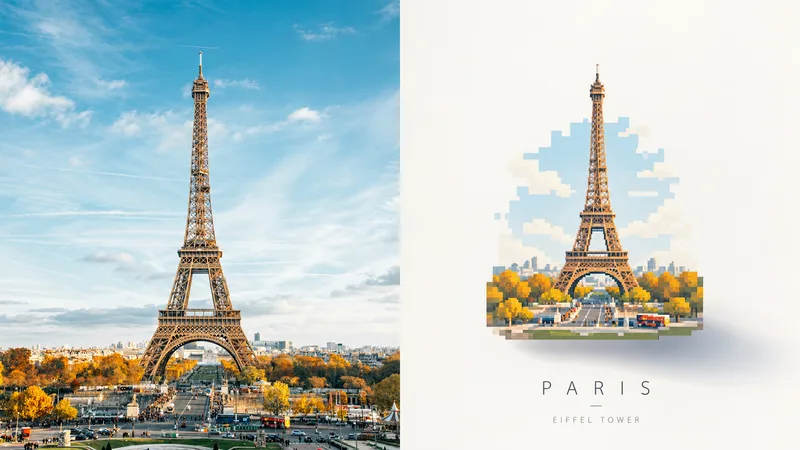 Image
ImageFloating Pixel Art by xiaoxiaodong
Perfect for turning photo subjects into a floating, pastel pixel art piece. The top half shows the original photo; the bottom half redraws the subject as a self-contained small art piece centered in a large expanse of light negative space, with a soft shadow offset from the piece at the bottom right that fades into the distance. The artwork uses uniform pixel grids, breaks curves into horizontal and vertical steps, merges details into grouped rectangles, and features no black outlines. Colors are sampled from the photo into four to six high-lightness pastel shades, with a small amount of muted dark tones and a single highlight, resulting in clean and flat color blocks. A thin, light sans-serif caption may appear outside the artwork. Avoid photos that require clear facial recognition or fine textures, scenes intended to fill the entire frame, or cartoon styles, smooth curves, plastic textures, and old paper textures.
 Image
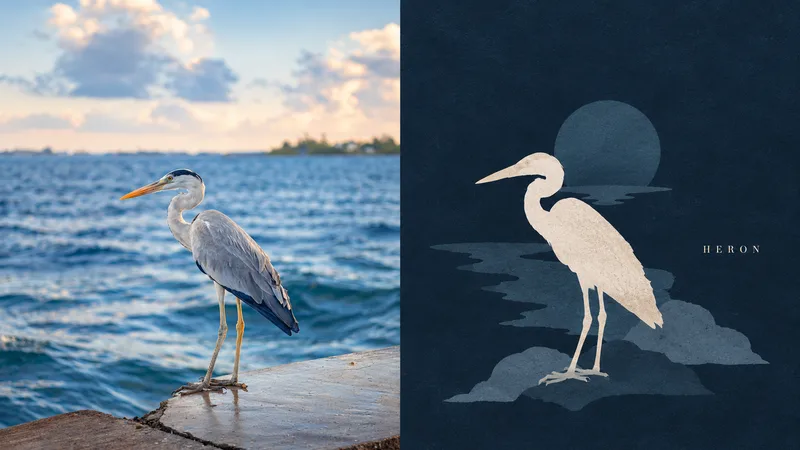
ImageDark Silhouette by xiaoxiaodong
Ideal for turning a main subject and a few nearby items into a dark-background silhouette still life. The top half shows the original photo; the bottom half converts them into front-facing or profile flat silhouettes with no outlines and almost no internal details, staggered in height and overlapping in a cluster like quiet objects on a tabletop. The background color deepens the darkest tone of the photo, and the silhouettes are rendered as low-saturation pink-gray blocks with only one accent brightened to near warm white as if illuminated. The entire surface features fine, dry-gouache-like textures. The silhouette group leans slightly to one side, leaving empty space on the other side featuring a slender serif uppercase word. Avoid photos requiring perspective, 3D lighting, or clear facial features, as well as entire streets, full rooms, bright backgrounds, pure black backgrounds, gradients, outlines, and high-saturation colors.
 Image
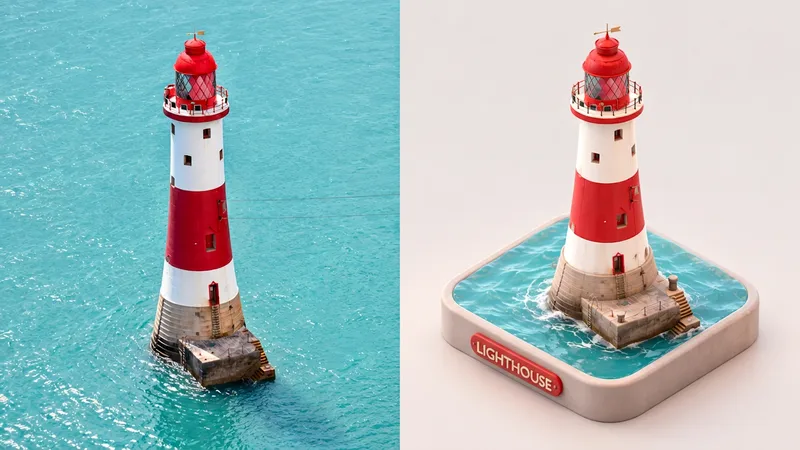
ImageMini Diorama | xiaoxiaodong
Perfect for turning the main subject of a photo along with the ground beneath it into a miniature model. The upper half shows the original photo; the lower half extracts the subjects and places them on a rounded square base, viewed from an elevated angle with the base edges fully visible. All volumes are smooth and chunky with rounded corners, resembling soft-clay figurines. Leaves appear as clusters of small spheres, and clutter is organized into neat accessories. The surface is matte, featuring soft diffuse lighting and subtle ground-contact shadows. The color palette draws from pink-toned harmonious colors extracted from the photo, set against a grayish-white base and a clean, light-colored background. A matching rounded 3D text label appears on the front. This style avoids entire streets, large landscapes, or full interiors; it requires photos with clear appearances and realistic textures, and is unsuited for eye-level front elevations, flat vectors, glossy plastic, or highly saturated candy colors.
Information
- Version
- v3
- Last updated
- Runtime credits
- Usage-based
- Models
- Auto
- Use cases
- Images & design
- What you get
- Image
- Visual styles
- Flat
