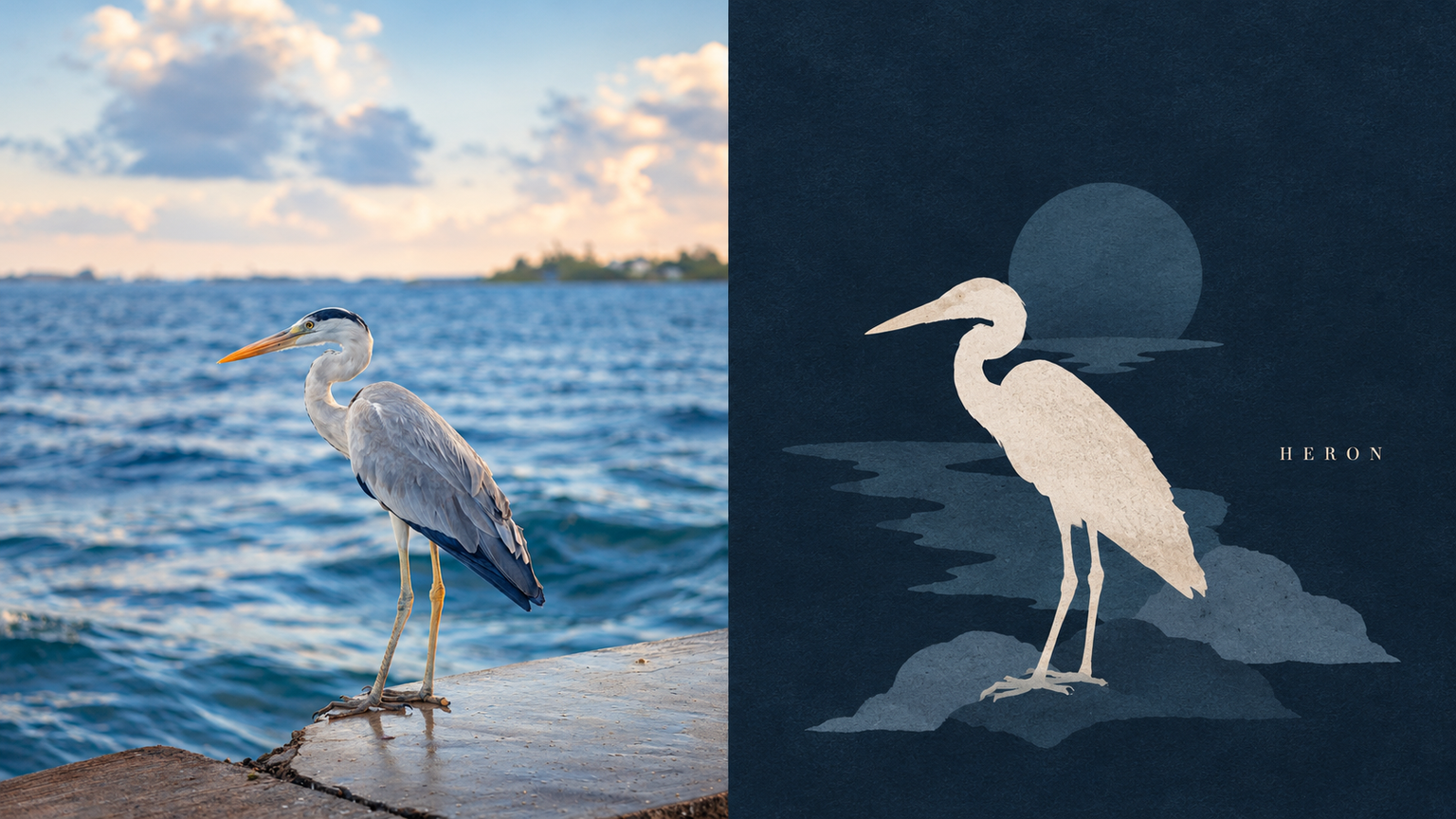
Dark Silhouette by xiaoxiaodong
Created by xiaoxiaodong
Dark Silhouette by xiaoxiaodong
Created by xiaoxiaodong
Showcase
Description
Ideal for turning a main subject and a few nearby items into a dark-background silhouette still life. The top half shows the original photo; the bottom half converts them into front-facing or profile flat silhouettes with no outlines and almost no internal details, staggered in height and overlapping in a cluster like quiet objects on a tabletop. The background color deepens the darkest tone of the photo, and the silhouettes are rendered as low-saturation pink-gray blocks with only one accent brightened to near warm white as if illuminated. The entire surface features fine, dry-gouache-like textures. The silhouette group leans slightly to one side, leaving empty space on the other side featuring a slender serif uppercase word. Avoid photos requiring perspective, 3D lighting, or clear facial features, as well as entire streets, full rooms, bright backgrounds, pure black backgrounds, gradients, outlines, and high-saturation colors.
Recommended by
Dancang
Why we love this skill
Transforms photos into flat silhouette compositions on dark backgrounds, establishing a restrained narrative through a single warm-white focal point, low-saturation layered shapes, and tiny serif text. Its uniqueness lies in using overlap and negative space to replace details and lighting, presenting a hand-cut poster texture.
Best for
Ideal for visual creators who want to transform a single subject and nearby objects into a quiet, minimalist silhouette composition.
How to use this Skill
Provide your input
Provide a clear photo or image featuring a distinct subject.
Run the Skill
Organizes the subject and nearby objects into flat silhouettes on a dark background, arranged with staggered overlapping.
Review your result
Receive a finished PNG featuring the original photo on top and a textured still-life silhouette composition with a single highlight and serif text below.
Related Skills
View all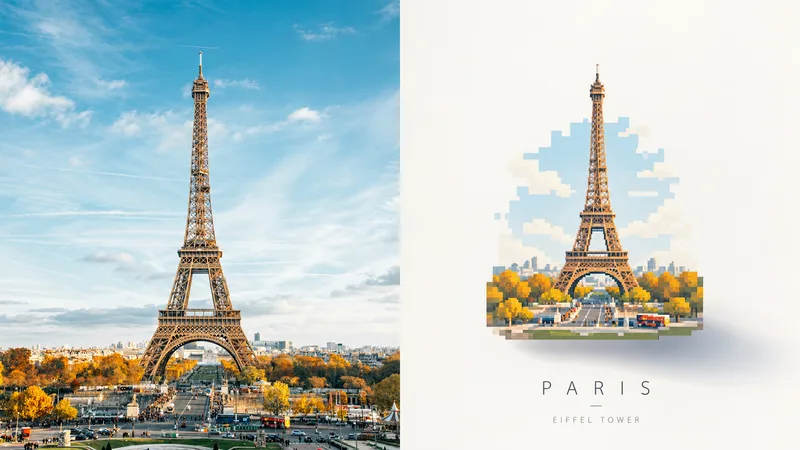 Image
ImageFloating Pixel Art by xiaoxiaodong
Perfect for turning photo subjects into a floating, pastel pixel art piece. The top half shows the original photo; the bottom half redraws the subject as a self-contained small art piece centered in a large expanse of light negative space, with a soft shadow offset from the piece at the bottom right that fades into the distance. The artwork uses uniform pixel grids, breaks curves into horizontal and vertical steps, merges details into grouped rectangles, and features no black outlines. Colors are sampled from the photo into four to six high-lightness pastel shades, with a small amount of muted dark tones and a single highlight, resulting in clean and flat color blocks. A thin, light sans-serif caption may appear outside the artwork. Avoid photos that require clear facial recognition or fine textures, scenes intended to fill the entire frame, or cartoon styles, smooth curves, plastic textures, and old paper textures.
 Image
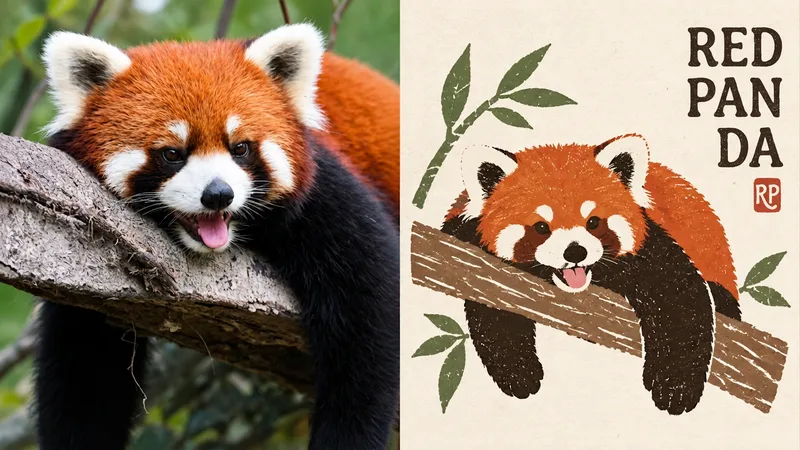
ImageFolk P306 | xiaoxiaodong
Ideal for distilling an ordinary photo into a folk pattern designed to be preserved for a long time. The top half shows the original image; the bottom half uses a paper-cut silhouette, broad areas of flat color, and a few interior carved lines. Forms may overlap slightly, preserving the naive quality of folk motifs. Symbols are small and blank space is abundant, with an off-center layout and paper texture and misregistration along the edges. Text appears as a small note beside a handmade stamp. The palette is simple yet lively: powder blue, off-white, botanical green, coral red, warm yellow, and ochre, with clear visual hierarchy. Avoid complete scenes, smooth vector graphics, commercial cartoon styling, 3D, and a cheap merchandise aesthetic.
 Image
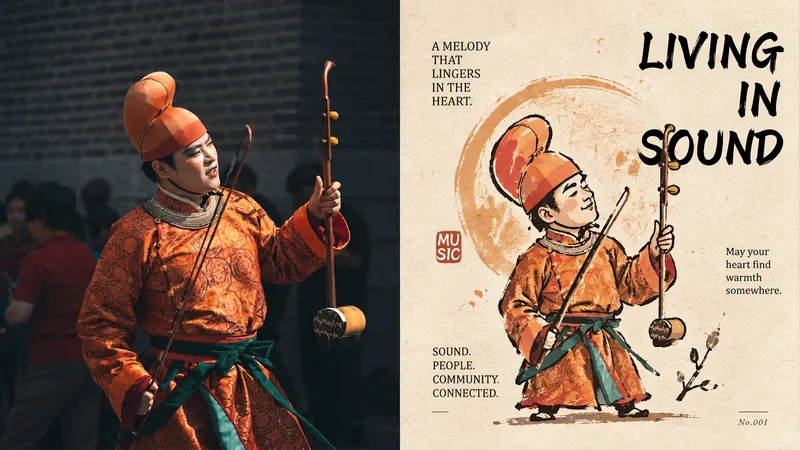
Imagexiaoxiaodong P320 Silhouette
For turning an ordinary photo into a distinctive character captured by an artist—not a commercial mascot. The top half is the original image; the bottom half first establishes a silhouette, then layers broken, overflowing, and not-quite-closed gesture lines over it. Proportions may be rounded or slightly distorted. A circle, star, or sprig of a plant can support the identity, but must not become the background. Ink lines sit on paper, loose yet controlled, forming a small collectible icon. Use a warm, limited palette: warm yellow, ochre, soft orange, off-white, dark brown, and deep red, with a small amount of cool color for balance. Avoid smooth vector shapes, excessive retouching, cute IP, and complete scenes.
Information
- Version
- v3
- Last updated
- Runtime credits
- Usage-based
- Models
- Auto
- Use cases
- Images & design
- What you get
- Image
- Visual styles
- Flat
