YouMind
Sign in

Pixel Art

Explore free Pixel Art image prompts from YouMind's AI prompt library, grouped under styles. Every prompt is curated from real creative workflows and ready to copy, adapt, and reuse.

Prompt to ImageImage to Prompt
GPT Image 2
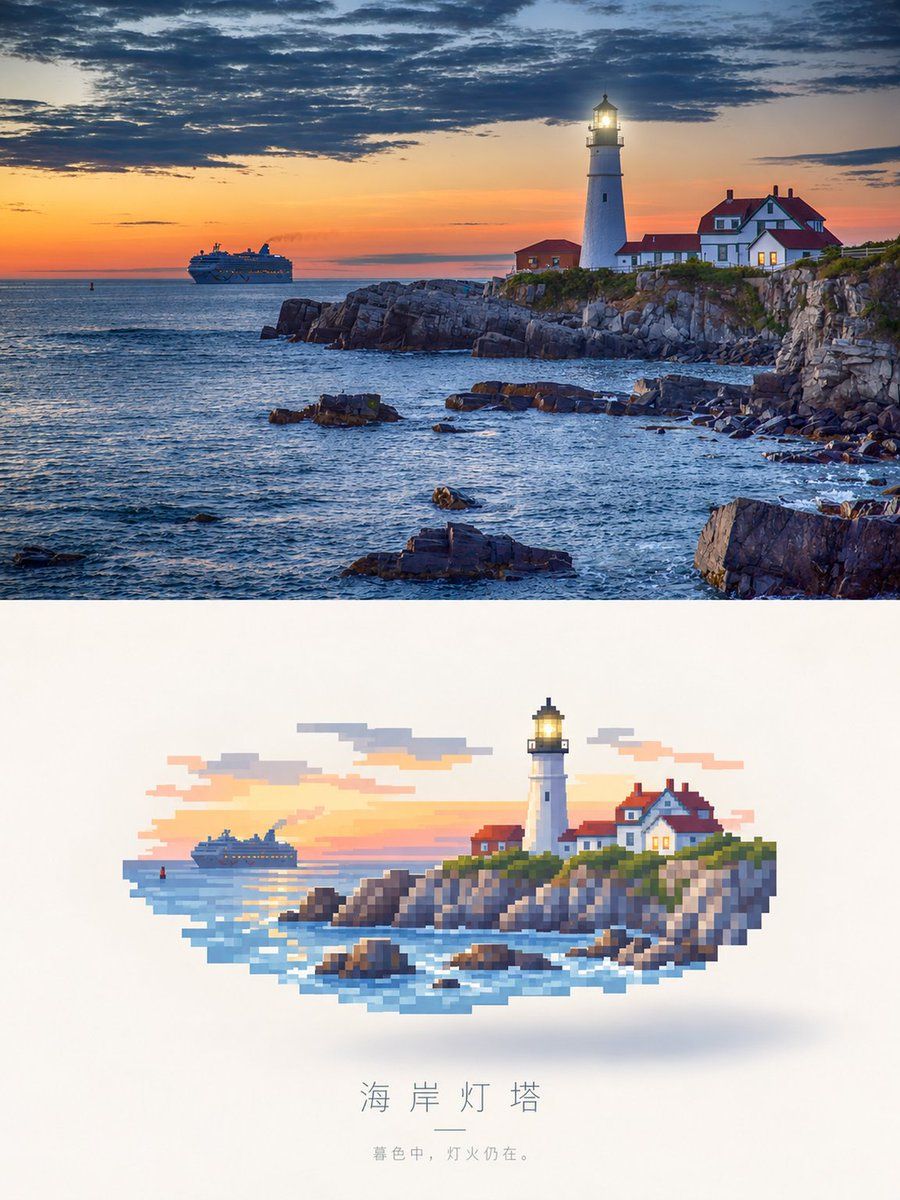
Photorealistic Lighthouse to Pixel Art
View full prompt & copy

Create a vertical two-panel comparison image. The top panel is a photorealistic landscape of a white lighthouse with an illuminated lamp, standing on a rocky coastal cliff next to red-roofed keeper houses at sunset. A cruise ship sails in the distance under a dramatic sky filled with dark clouds and orange light. The bottom panel shows the exact same scene reimagined as a floating pixel art illustration centered on a clean white background. The pixel art features chunky square blocks, a soft drop shadow beneath it, and a color palette matching the photo above. Below the pixel art, include the Chinese title '海岸灯塔' followed by a small horizontal line and the subtitle '暮色中,灯火仍在。'

Generate image
GPT Image 2.5
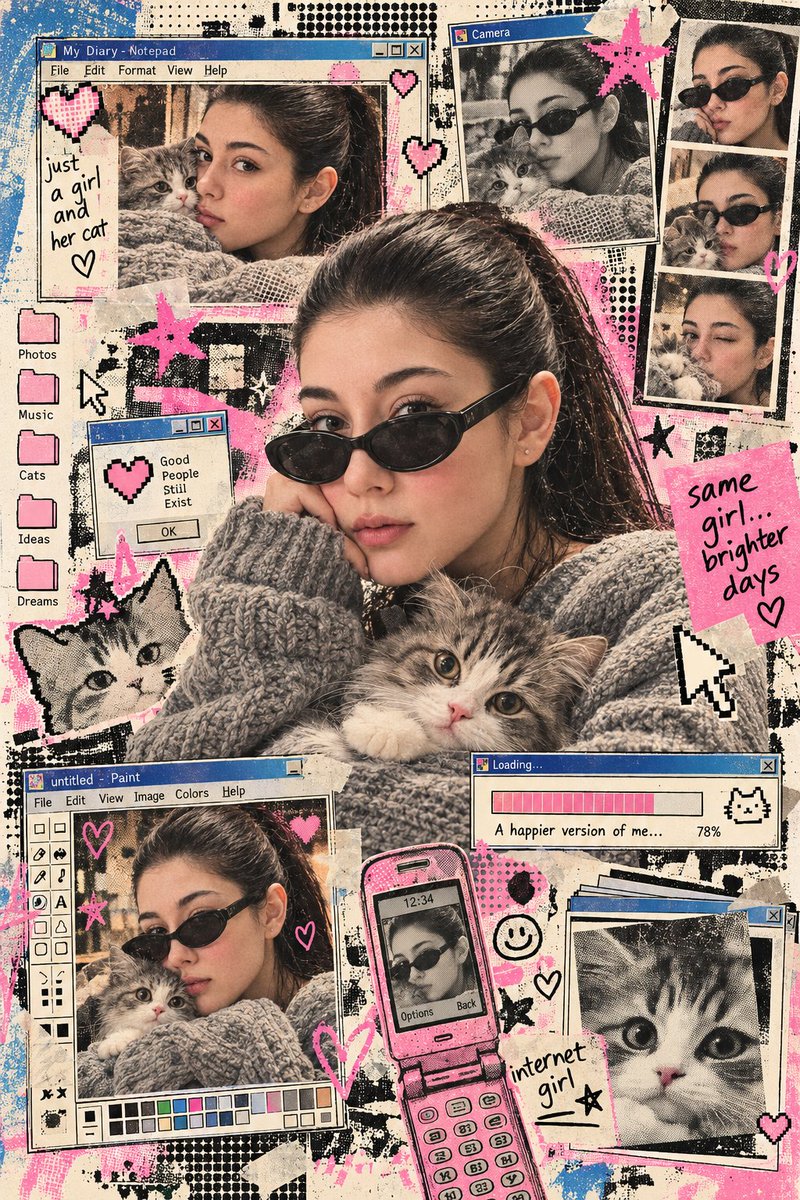
Early Internet Nostalgia Portrait with Kitten
View full prompt & copy

Using the uploaded reference image, preserve the exact same face, identity, facial features, and natural skin texture of the subject in an early internet nostalgia visual concept. Combine editorial image-making with retro digital print aesthetics: halftone dot grid screen, Risograph grain, ink bleed, early GUI interface fragments, 8-bit pixel geometry, soft airbrush gradients, and stencil overspray texture. Build the layout with browser-window frames, pixel icons, loading bars, dialog boxes, folders, cursors, or chat-window shapes. Keep the composition graphic, layered, playful, and slightly imperfect, with a mix of analog print noise and primitive digital design. Dress the subject in an oversized chunky grey knit sweater with black oval sunglasses. Include an adorable fluffy grey-and-white kitten clearly. Use vintage cream, faded bubblegum pink, muted blue, charcoal black, and subtle beige tones.

Generate image
GPT Image 2.5
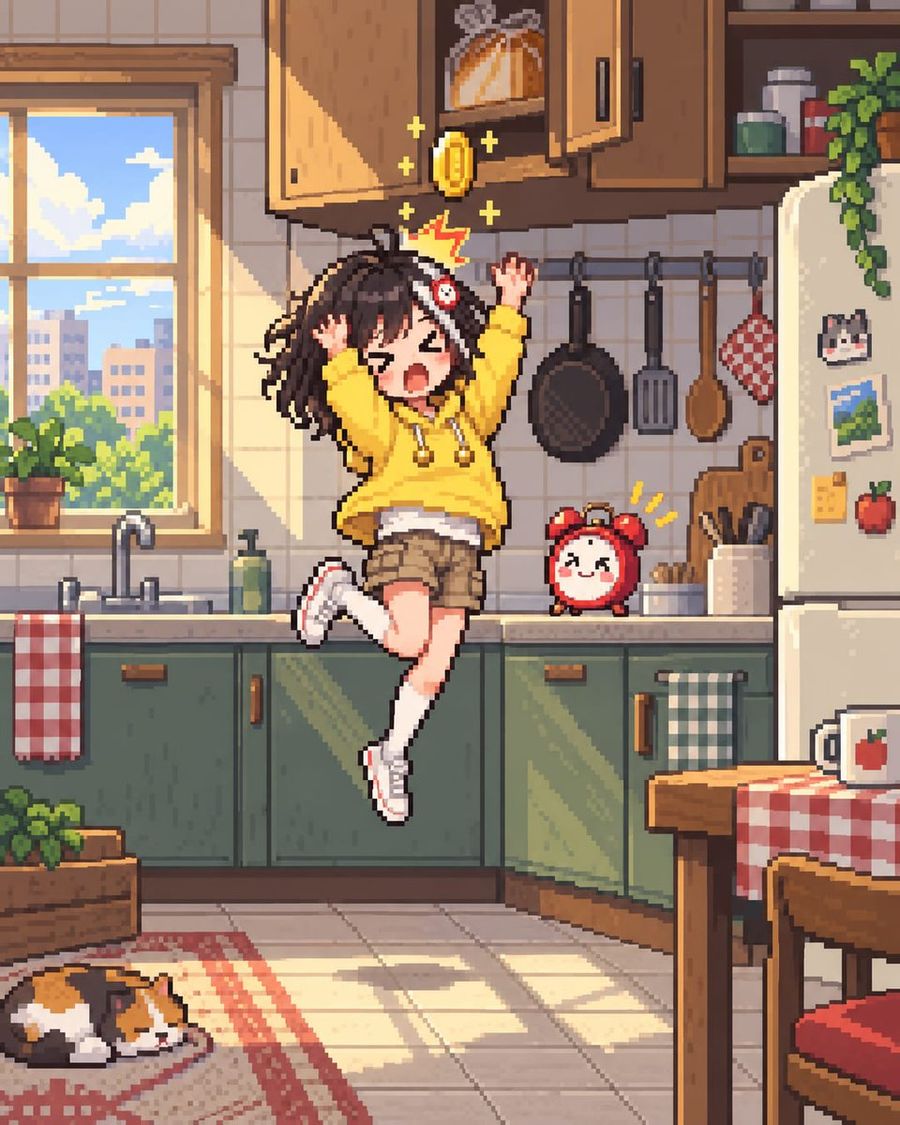
16-Bit Pixel Art Girl Hitting Head
View full prompt & copy

True 16-bit SNES-era pixel art: every pixel a clearly visible square block, limited ~32-color palette, no anti-aliasing, no gradients, no blur, side-view platformer framing, pixel-tile background. A cute anime girl with messy dark brown hair wearing a yellow hoodie and khaki shorts is jumping in the air inside a cozy kitchen. She has just hit her head on an open upper wooden cabinet, causing a golden coin to pop out above her head along with a red jagged impact symbol and yellow sparkles. Her eyes are closed tight in pain or excitement, mouth open shouting. To her right sits a small round red alarm clock with a happy face. The kitchen features green lower cabinets, a white refrigerator covered in magnets (cat, landscape, apple), hanging cooking utensils (pan, spatula, spoon), a window showing a city skyline, and a calico cat sleeping on a rug in the bottom left corner.

Generate image
GPT Image 2
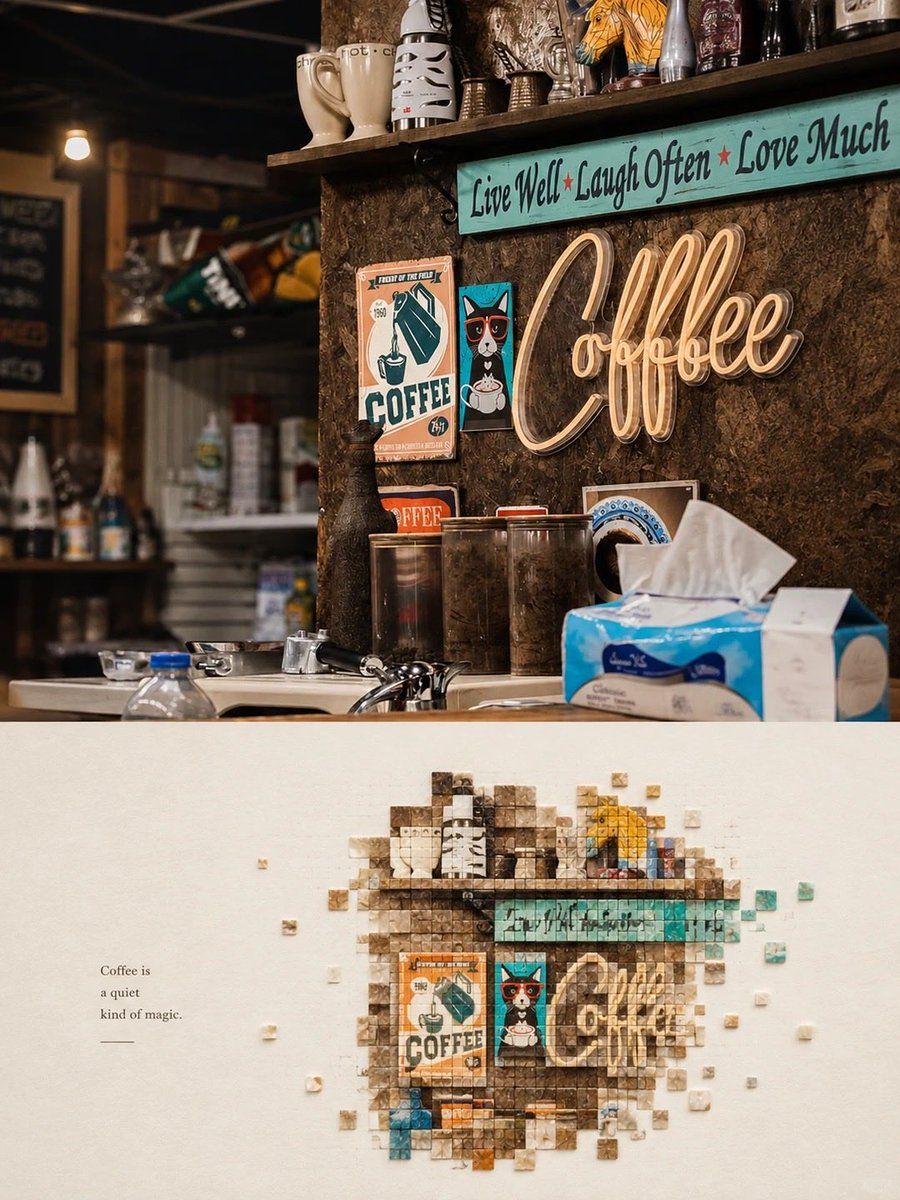
Mosaic Art Poster: Coffee Shop Scene
View full prompt & copy

Create a vertical minimalist mosaic art poster inspired by the reference images. Combine a realistic photograph in the top half with a creative pixel-mosaic artwork in the bottom half, using the same main subject and matching colors. Top section: A cozy vintage coffee shop interior with a rustic wooden counter, dark textured walls, warm ambient lighting, shelves filled with ceramic mugs and collectibles, retro coffee posters, a glowing cursive neon “Coffee” sign, and a turquoise inspirational sign above it. Create a nostalgic café atmosphere with rich brown tones, teal accents, warm highlights, realistic textures, cinematic lighting and shallow depth of field. Bottom section: On a clean, warm ivory textured paper background, recreate the main café scene as an artistic mosaic made of hundreds of tiny square tiles. Arrange the tiles to form the recognizable coffee sign, turquoise quote board, retro posters, mugs and dark wooden wall. Use varying shades of brown, cream, teal, orange and muted blue. Let a few small square tiles float outward around the mosaic, creating a dissolving pixel effect. Leave generous negative space around the artwork. Add a small elegant caption on the left: “Coffee is a quiet kind of magic.” Keep the design refined, balanced and modern. Alternative subject: Apply the same technique to a bright red takeaway cup with the words “Hello Sweet Summer,” held against a sunny beach background with turquoise ocean waves, sparkling water and a pale blue sky. In the lower half, reconstruct the cup and beach colors using tiny square mosaic tiles, with scattered red, blue, beige and white pixels. Add delicate handwritten text on the side: “Same Sun, New Stories.” Style: premium contemporary editorial poster, photorealistic top section, intricate square-tile mosaic below, minimalist cream background, sophisticated color harmony, realistic textures, clean composition, vertical 4:5 ratio, sharp details, no watermark.

Generate image
GPT Image 2
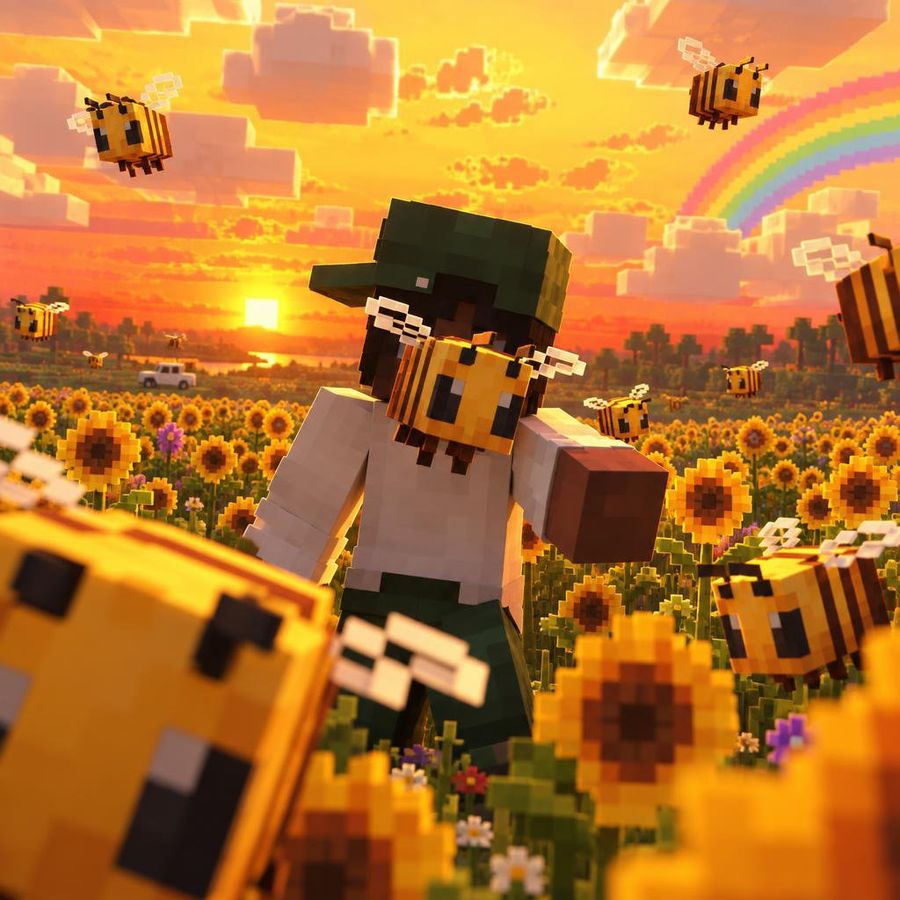
Minecraft Character in Sunflower Field
View full prompt & copy

A hyper-realistic, cinematic close-up shot of a Minecraft-style character standing in a vibrant field of sunflowers during a golden sunset. The character is constructed from blocky voxels, featuring dark skin, a full black beard, and wearing a green cap with a white t-shirt and green pants. He is holding a large, blocky bee gently against his face. Surrounding him are numerous other flying bees with translucent wings, rendered with realistic motion blur and depth of field. In the background, there is a pixelated rainbow arching across an orange sky filled with blocky clouds, a distant tree line, and a small white pickup truck on a dirt road. The lighting is warm and volumetric, creating a nostalgic and peaceful atmosphere.

Generate image
GPT Image 2
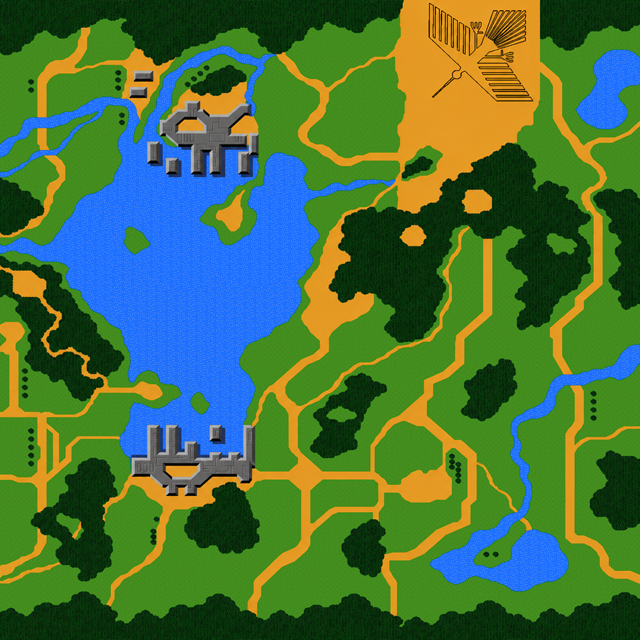
Seamless Retro Game Map Texture Generator
View full prompt & copy

Using the provided reference image, which contains five vertical strips of a retro pixel-art game map separated by white gaps, transform it into a single seamless square tile. Remove all white separator lines and extend the terrain features (green forests, blue water bodies, orange roads, and grey castle structures) horizontally to fill the empty space between the strips. Ensure that the edges of each strip blend naturally into the adjacent ones to create a continuous, unified landscape texture without visible seams or missing data.

Generate image
By @ص
GPT Image 2.5
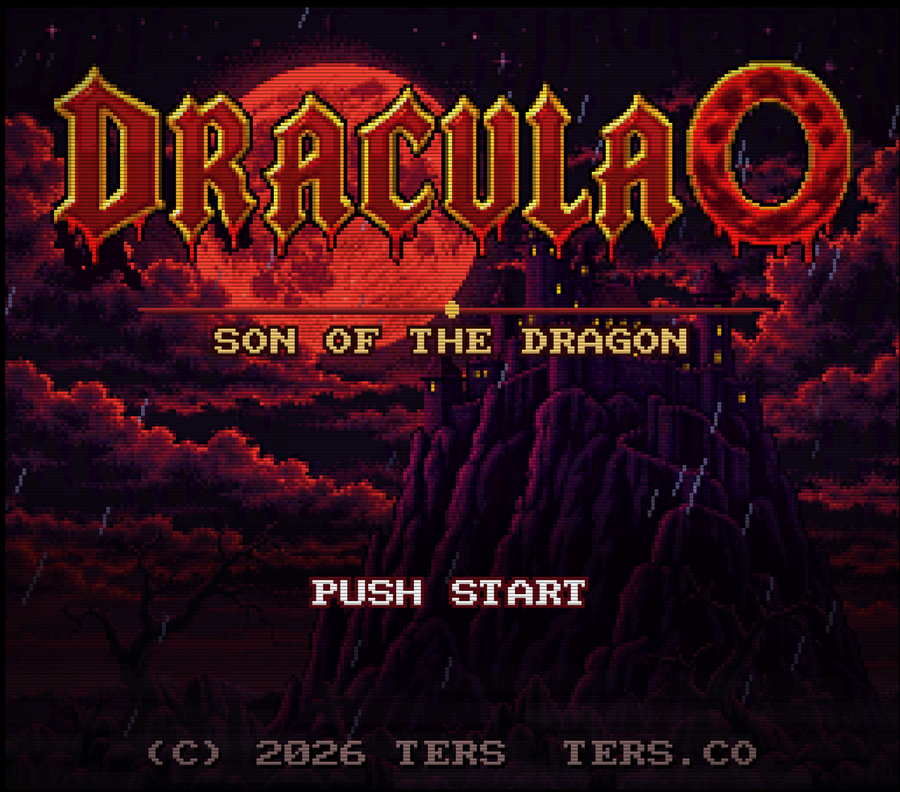
Retro SNES Dracula Title Screen
View full prompt & copy

Create a retro SNES-style title screen for the game "DRACULA 0 - Son of the Dragon". The image should feature a dark, ominous background with a large, blood-red moon partially obscured by jagged, purple mountains and swirling red clouds. In the foreground, depict a gothic castle silhouette perched atop one of the peaks. The main title "DRACULA 0" should be displayed in large, ornate, dripping red letters with gold outlines at the top center. Below it, place the subtitle "SON OF THE DRAGON" in smaller, pixelated gold text. At the bottom center, include the prompt "PUSH START" in white pixel font. Add copyright information "(C) 2026 TERS TERS.CO" at the very bottom in small grey text. Ensure the entire image has a distinct 16-bit pixel art aesthetic.

Generate image
GPT Image 2
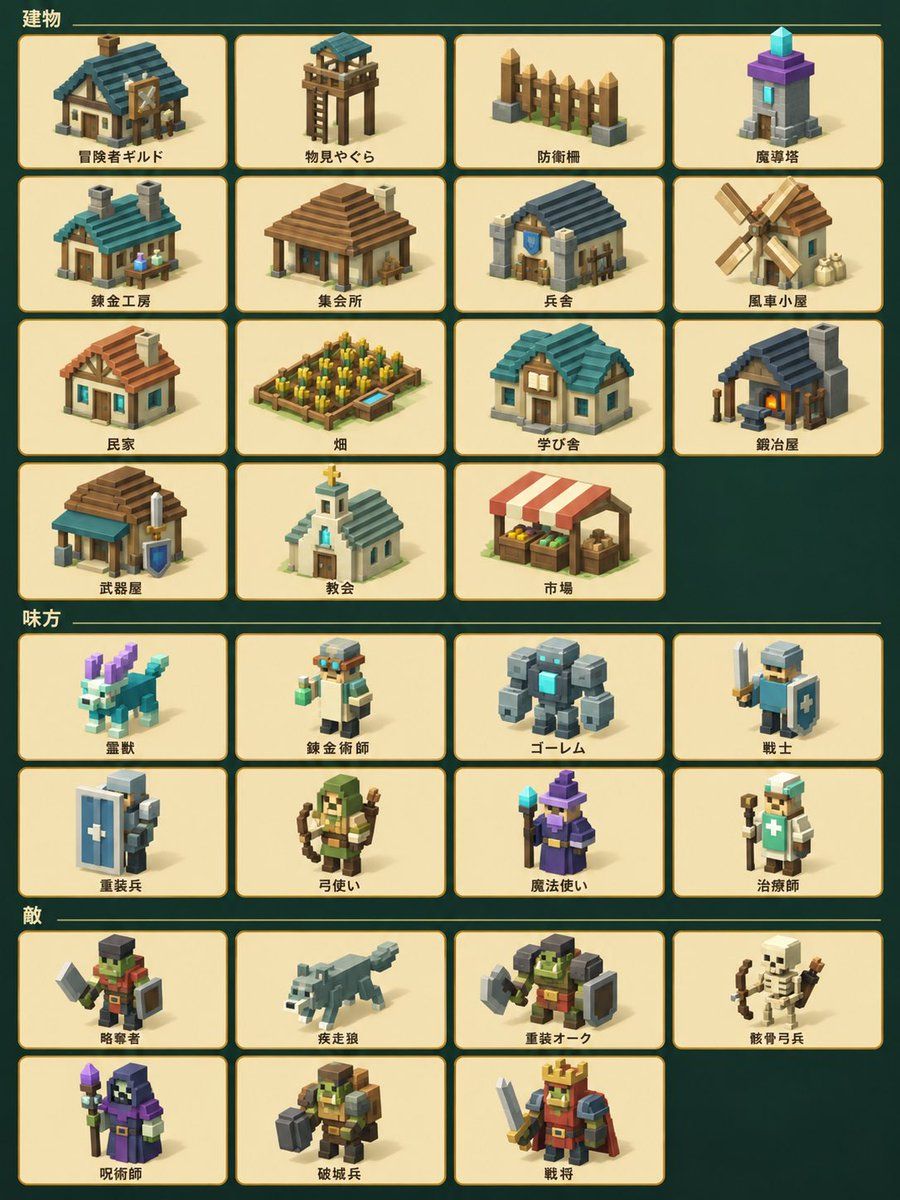
High-Quality Voxel Game Asset Sheet
View full prompt & copy

Using the provided reference image, regenerate all isometric pixel art icons with significantly higher quality and detail. Keep the exact same layout, grid structure, background color, and Japanese text labels unchanged. Upgrade each icon from simple low-poly blocks to richly detailed voxel-style illustrations with proper shading, textures, and distinct features (e.g., add windows/doors to buildings, weapons/shields to characters, fur details to animals). Maintain the same character designs and building types but make them look more polished and professional.

Generate image
GPT Image 2.5
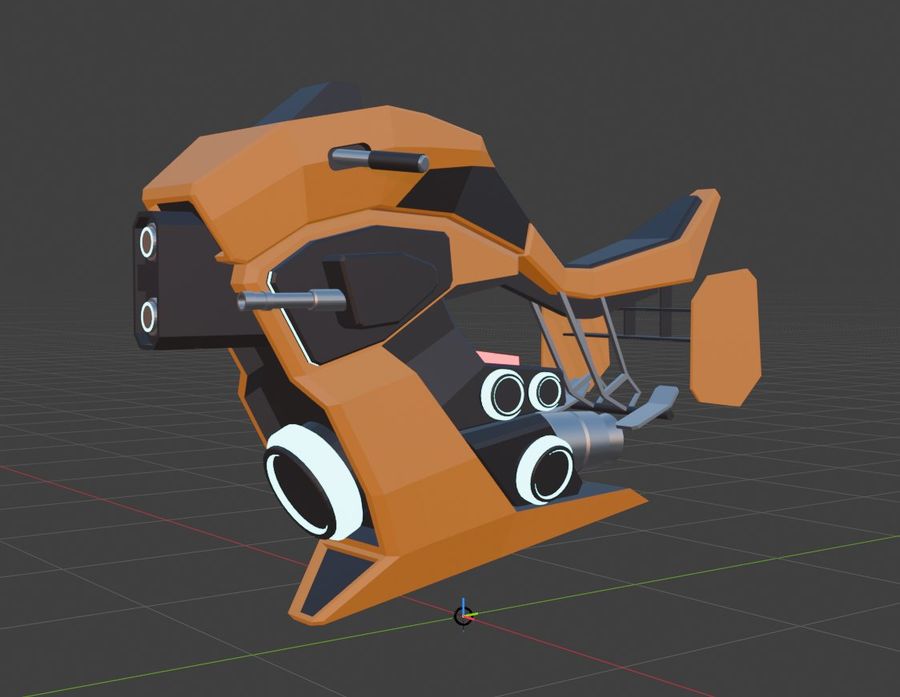
Futuristic Orange Sci-Fi Hoverbike
View full prompt & copy

Goal: Create a 3D model render of a futuristic sci-fi hoverbike. Canvas: A square aspect ratio, rendered against a dark grey viewport background with a perspective grid floor and red/green axis lines typical of 3D modeling software like Blender or Unity. Layout: The vehicle is centered in the frame, angled slightly to show its left side profile and front. It floats just above the grid surface. Sections: The bike features a sleek, angular design with a dominant matte orange body color contrasted by black panels and silver metallic accents. Visual style: Low-poly aesthetic with sharp edges and flat shading. Clean, studio-like lighting that highlights the geometric forms without complex reflections. Subject details: The front section has a prominent black nose cone with two circular white headlights stacked vertically. Below this, a large central intake ring is visible. The mid-section includes a black panel with a horizontal silver handlebar extending outwards. The rear section features a raised seat area with a black cushion and an orange backrest structure. Underneath the main body, there are three distinct circular thruster nozzles arranged horizontally, glowing with a soft white light inside. A small pink rectangular detail sits near the center. The overall shape suggests advanced propulsion technology rather than traditional wheels. Constraints: Maintain the specific low-poly geometry style. Ensure the grid floor looks like a standard 3D editor viewport.

Generate image
GPT Image 2.5
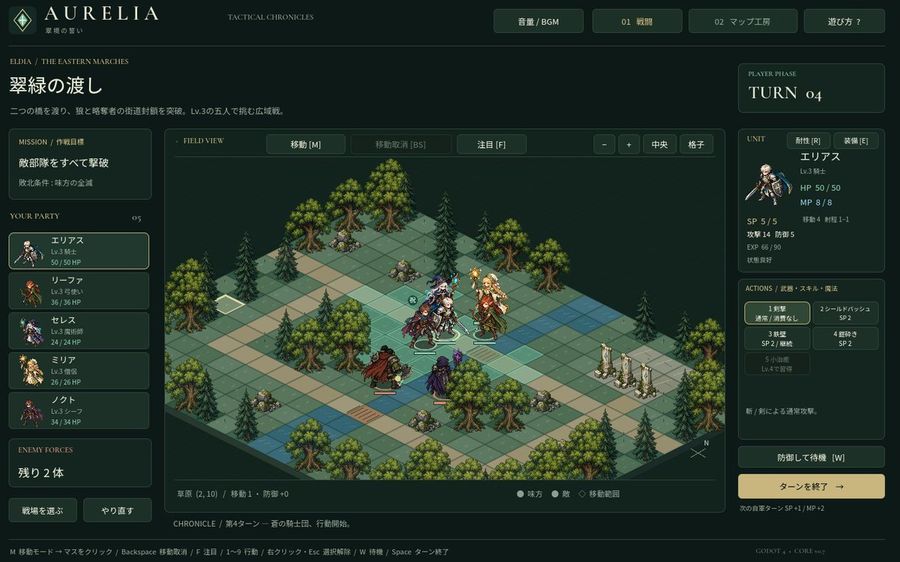
Tactical RPG Interface Mockup
View full prompt & copy

Goal: Create a high-fidelity mockup of a tactical RPG (SLRPG) battle interface, specifically resembling the aesthetic of 'Aurelia'. Canvas: A widescreen desktop UI layout with a dark forest-green and gold color scheme. Layout: - Top Header: Logo 'AURELIA' on the left, navigation buttons 'Volume/BGM', '01 Battle', '02 Map Workshop', and 'Help?' on the right. - Left Sidebar: Mission briefing text in Japanese ('翠緑の渡し'), followed by a vertical list of 5 party members with small portraits and HP bars. Bottom section shows 'Enemy Forces' count. - Center Stage: An isometric grid map featuring grassy tiles, pine trees, rocks, and stone pillars. Several pixel-art style character sprites are positioned on the grid. - Right Sidebar: Turn counter ('TURN 04'), detailed stats for the selected unit (Elias), including HP/MP/SP and attack/defense values. Below this is an action menu with 5 skill slots and a large 'End Turn' button. - Footer: A status bar displaying tile information and keyboard shortcuts. Visual Style: Dark fantasy UI design, crisp typography, isometric perspective, retro-modern hybrid look. Text content: Use Japanese labels for all UI elements as seen in the reference image.

Generate image
GPT Image 2.5
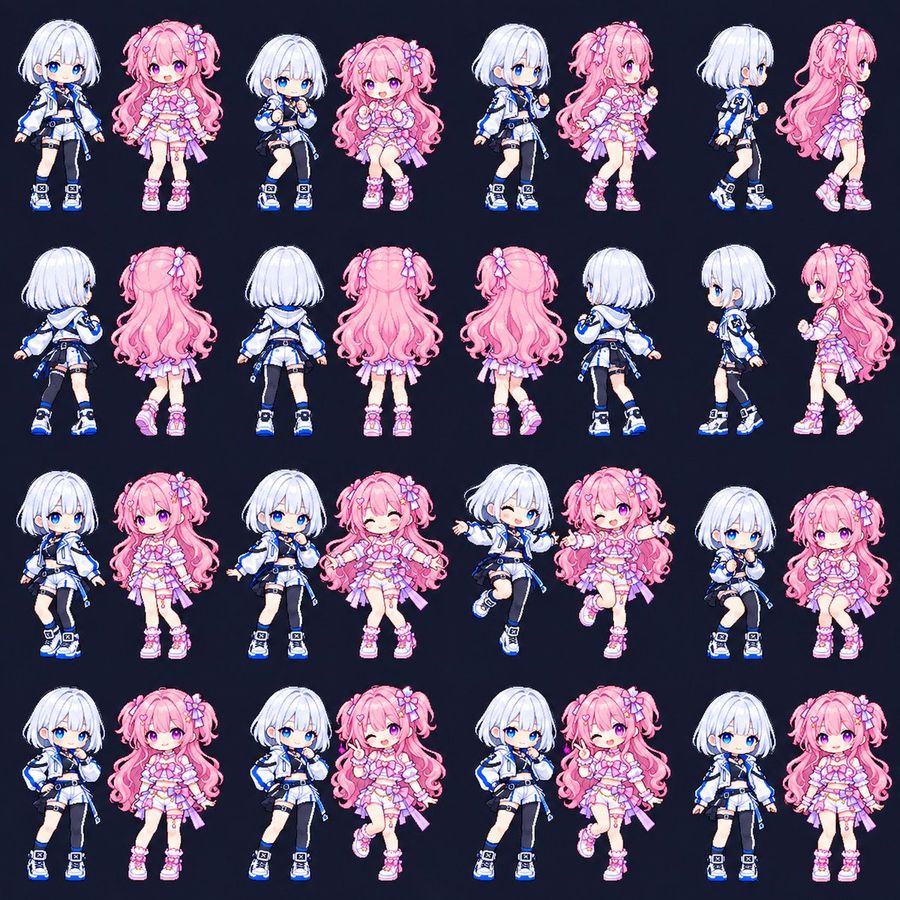
Chibi Game Sprite Sheet Duo
View full prompt & copy

Goal: Create a square pixel-art character sprite sheet for a cute anime game, featuring two chibi magical-idol girls: a petite girl with short white bob hair, bright blue eyes, a white-and-blue techwear jacket, cropped top, shorts, one black thigh-high stocking, belts, straps, and chunky blue sneakers and a petite girl with long fluffy pink twin tails, pink-purple eyes, flower and bow hair accessories, a frilly pastel pink idol dress with ribbons, garters, and chunky pink sneakers. Canvas: Square 1:1 sprite-sheet canvas, dark navy background, no borders, no labels, no UI, no shadows except subtle pixel-art grounding. Arrange the characters in an evenly spaced grid with 4 rows and 8 columns, showing exactly 32 separate full-body chibi sprites. Layout and count: The sheet must contain exactly 32 discrete sprite poses. Row 1 has 8 sprites: white-haired front idle, pink-haired front idle, white-haired seated/knees-up pose, pink-haired seated/knees-up pose, white-haired three-quarter walking pose, pink-haired three-quarter walking pose, white-haired right-facing side walk, pink-haired right-facing side walk. Row 2 has 8 sprites: white-haired back-left view, pink-haired back-left view, white-haired full back view, pink-haired full back view, pink-haired full back view with slight shift, white-haired back-right walking view, white-haired left-facing side view, pink-haired left-facing side view. Row 3 has 8 sprites: white-haired front relaxed pose, pink-haired front relaxed pose, white-haired hand-to-mouth shy pose, pink-haired arms-open wink pose, white-haired jumping wink pose, pink-haired jumping arms-open wink pose, white-haired seated cute pose, pink-haired seated cute pose. Row 4 has 8 sprites: white-haired hand-on-hip pose, pink-haired neutral front pose, white-haired shy hand-near-face pose, pink-haired one-leg-up peace-sign wink pose, white-haired confident hand-on-hip pose, pink-haired peace-sign wink pose, white-haired front idle, pink-haired front idle. Visual style: High-quality 2D chibi pixel art with crisp outlines, soft anime shading, tiny game-sprite proportions, oversized heads, small bodies, expressive glossy eyes, clean cel-shaded highlights, pastel candy colors, and a polished gacha-game aesthetic. Keep the sprites consistent in scale, outfit design, face style, and line thickness across all poses. Character details: The white-haired girl uses a cool palette of white, black, and electric blue, with a short rounded bob, blue eyes, sporty futuristic jacket, asymmetrical black stocking, utility straps, and blue-accented sneakers. The pink-haired girl uses a warm pastel palette of pink, lavender, and white, with very long curly twin tails, bow and flower clips, frilly layered skirt, heart-like accessories, ribbons, lace accents, and pink platform sneakers. Constraints: Use cute chibi pixel-art game sprite sheet. Preserve the dark navy background and evenly spaced grid. Do not add text, logos, watermarks, weapons, props, scenery, or extra characters. The final image should look like an animation-ready character sheet for a small 2D game or GIF sprite set.
Generate image
GPT Image 2.5
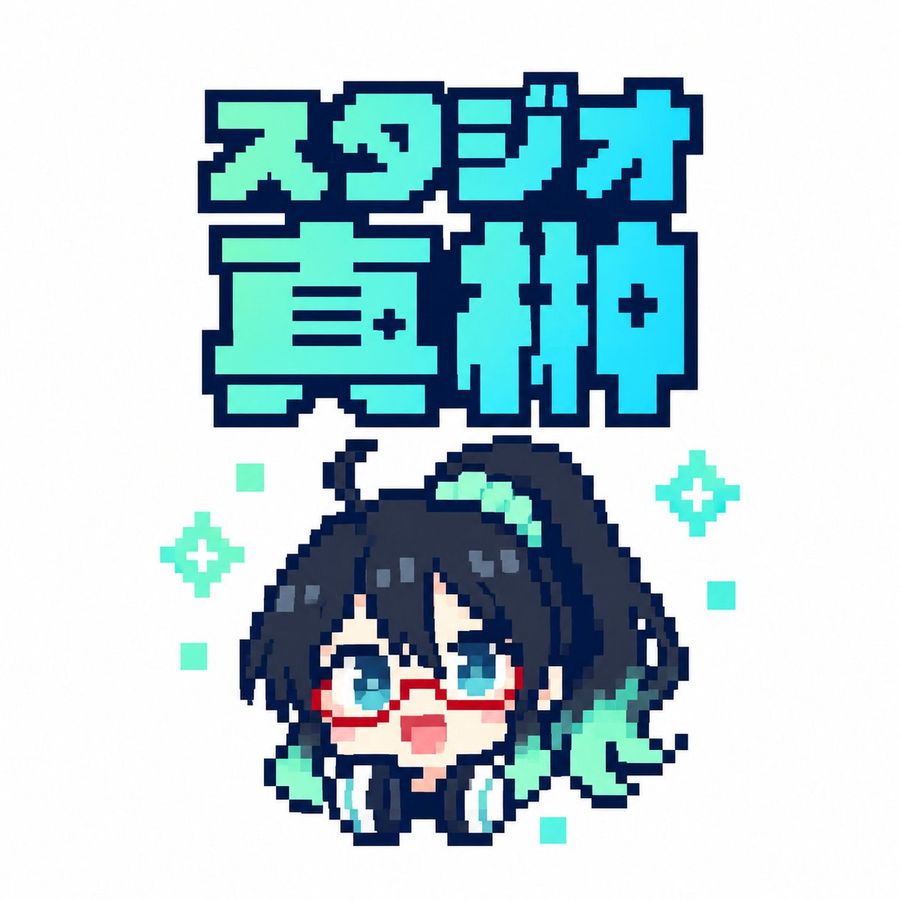
Pixel Art Japanese Studio Mascot Logo
View full prompt & copy

Create a square 1:1 pixel-art logo on a clean white background. At the top, place a large two-line Japanese title in chunky 8-bit block lettering reading スタジオ直紬; the first line is smaller and reads “スタジオ”, the second line is much larger and reads “直紬”. Use a bright cyan-to-mint gradient fill with a very thick dark navy pixelated outline and squared corners, like retro game title typography. Centered below the title, draw one chibi anime mascot head and shoulders in crisp pixel art: a cute surprised character with dark navy black messy hair, long side locks, a high side ponytail sweeping to the right, teal hair highlights, big cyan-blue eyes, red rectangular glasses, a small open pink mouth, pale skin, and oversized black headphones with cyan ear pads around the neck. Add mint-green accent shapes in the hair and beside the face, including a ribbon-like teal shape on the right. The character should look upward with an excited, surprised expression. Use a limited palette of dark navy outlines, cyan, turquoise, mint, white, pale peach, and red glasses. Keep the entire image sharp, low-resolution, and intentionally pixelated with no antialiasing, no shadows, and no photorealism. Count and place the decorative background pixels exactly: 2 mint four-point sparkle icons, one on the left side of the character and one on the right side; and 5 small mint square pixels scattered around the character, with one upper-left, one mid-left, one lower-left, one mid-right, and one lower-right. Maintain generous white margins and a centered sticker-like composition.

Generate image
GPT Image 2
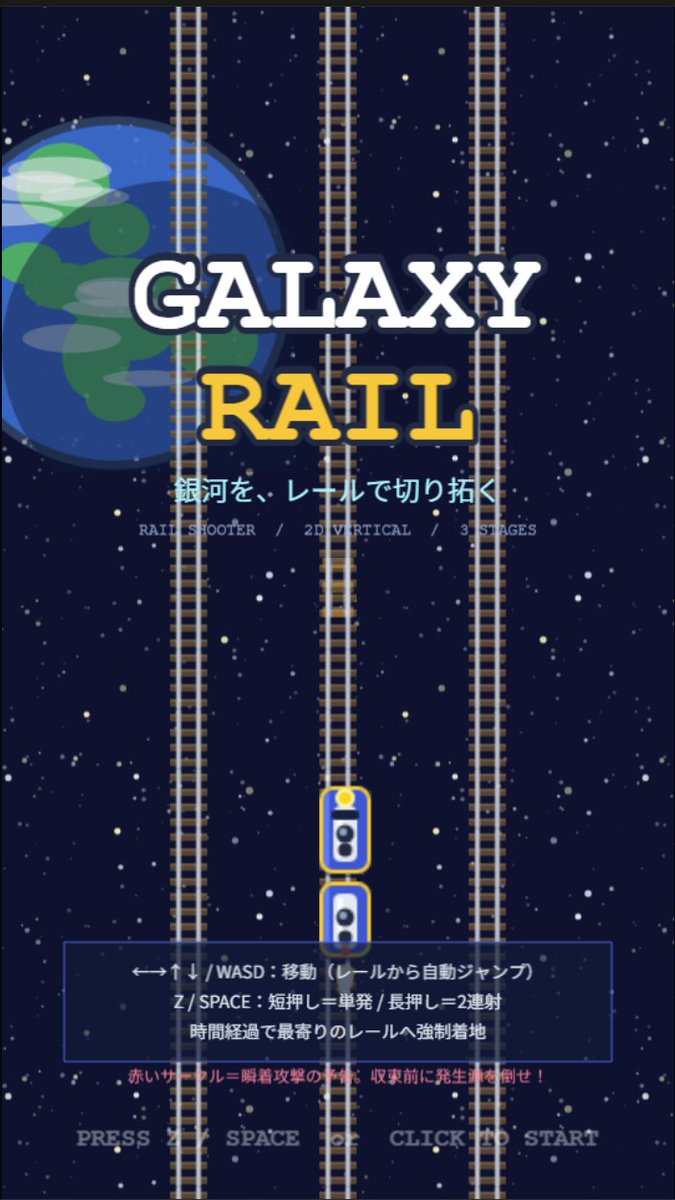
Galaxy Rail Title Screen
View full prompt & copy

Goal: Create a retro 2D vertical arcade game title screen for a rail shooter called GALAXY RAIL, with a space-and-railroad theme and Japanese UI text. Canvas: Portrait mobile game splash screen, 9:16 aspect ratio, pixel-art inspired but clean vector-like illustration, dark navy outer-space background filled with many small white and pale yellow stars. Layout: Center the title in the upper-middle. Place a large partially cropped Earth-like blue planet on the left behind the title, occupying about one third of the image height, with simple green landmasses and translucent cloud streaks. Add exactly 3 vertical railroad tracks running from top to bottom: one left track partly over the planet, one center track, and one right track; each track has gray rails and many brown sleepers. Put exactly 2 small train/player cars on the lower center track, stacked vertically with rounded white bodies, blue windows, yellow outlines, and a yellow headlight on the top car. Text content: Main title text is two lines: “GALAXY” in large white slab-serif letters with a dark navy outline, and “RAIL” below in large golden yellow slab-serif letters with a dark navy outline. Under the title, show the Japanese tagline 銀河を、レールで切り拓く in bright cyan. Beneath it, add small gray feature text: “RAIL SHOOTER / 2D VERTICAL / 3 STAGES”. In the lower third, add a translucent dark blue rectangular instruction panel with a thin blue border. Inside the panel, show three Japanese instruction lines: “←→↑↓ / WASD:移動(レールから自動ジャンプ)”, “Z / SPACE:短押し=単発 / 長押し=2連射”, and “時間経過で最寄りのレールへ強制着地”. Below the panel, add a small red warning line: “赤いサークル=瞬着攻撃の予兆。収束前に発生源を倒せ!” At the very bottom, centered, show pale gray prompt text: PRESS Z SPACE OR CLICK TO START. Visual style: Retro arcade title screen, simple 2D game mockup, crisp shapes, slightly pixelated typography, high contrast, deep-space palette of navy, white, cyan, yellow, gray, and red. The composition should feel like a vertical rail shooter prototype splash screen. Constraints: Use exactly 3 full-height vertical tracks, exactly 2 train cars, one planet on the left, one instruction panel, and no characters or extra UI windows. Keep all text legible and centered, with no logos or watermarks.

Generate image
GPT Image 2.5
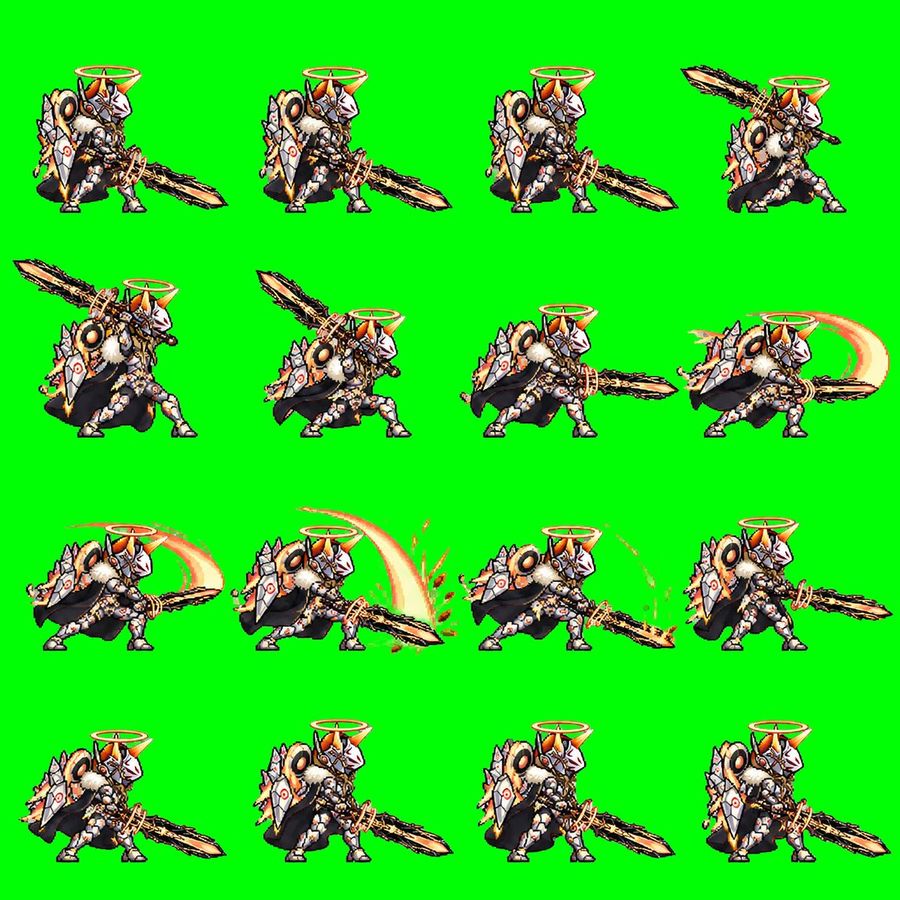
Chibi Knight Attack Sprite Sheet
View full prompt & copy

Goal: Create a pixel-art 2D game sprite sheet for an animated attack sequence featuring Quorila Ketel, a chibi armored holy beast-knight with a huge jagged sword. Canvas: Square 1:1 image, bright solid chroma-key green background (#00ff00), no transparency, no border, no text. Arrange the sprites in an evenly spaced 4-by-4 grid for exactly 16 discrete animation frames. Subject details: The character is a compact fantasy creature-warrior facing mostly right, with white and silver segmented armor, orange-gold accents, black cape or dark fur mass behind the body, large round shoulder details, spiked shield-like armor plates, small sturdy legs, and an orange glowing halo ring floating above the helmet. The helmet has a white faceplate, orange horn-like crest, and ornate mechanical/angelic details. The weapon is a massive rough-edged black-and-gold sword, almost as long as the character, held low or swung in broad arcs. Use crisp retro pixel art with heavy black outlines, detailed dithering, high contrast, and a JRPG / mobile game battle sprite style. Layout and frame count: Use exactly 16 frames, arranged left to right, top to bottom. Each frame shows the same character at the same scale with enough spacing so frames do not touch. Frame descriptions: 1. Idle ready stance, sword angled down to the right, character standing compactly. 2. Ready stance with the sword extended farther forward and low to the right. 3. Similar forward-ready pose, body leaning slightly, sword low and long to the right. 4. Wind-up pose, sword lifted high behind and above the character toward the upper right. 5. Strong wind-up, sword raised diagonally up-left, body crouched and preparing to strike. 6. Mid wind-up, sword crossing above the shoulder, character crouched lower. 7. Horizontal attack start, sword thrusting straight to the right, body leaning forward. 8. First slash follow-through, add a pale orange crescent motion trail behind the sword on the right. 9. Wide slash continuation, large orange arc sweeping behind the character and sword. 10. Peak slash impact, large bright crescent arc above and behind the blade with small orange debris or sparks near the ground. 11. Low follow-through, sword dragging or sweeping along the ground to the right with orange dust, sparks, and curved particles. 12. Recovery pose, character pulling the sword back in front, no large arc. 13. Return-to-idle frame with sword low and character settling. 14. Idle stance with sword down-right, close to the initial pose. 15. Idle stance with slight breathing variation, halo steady above helmet. 16. Final idle frame, sword down-right and character fully reset. Visual style: Low-resolution pixel sprite aesthetic, sharp edges, no antialiasing blur, detailed armor highlights, warm orange glow on halo and slash effects, black shadow shapes under the cape/body, consistent scale and perspective across all frames. Constraints: Do not add labels, frame numbers, UI, watermark, or background scenery. Keep the background pure green for chroma keying. The image must read as a usable sprite sheet for a GIF or game animation.

Generate image
GPT Image 2.5
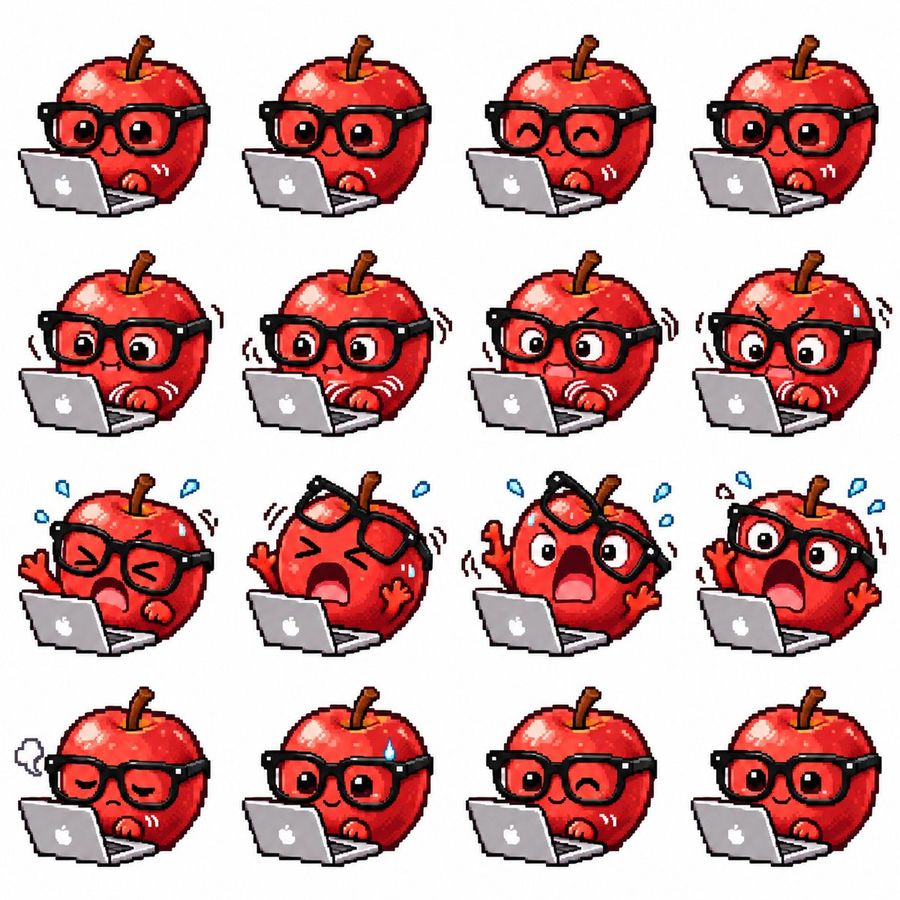
Apple Mascot Pixel Sprite Sheet
View full prompt & copy

Goal: Create a cute pixel-art sprite sheet for a GIF animation featuring a glossy red apple mascot working on a silver laptop with a white apple logo. Canvas: Square white background, clean margin, arranged as an exact 4×4 grid with 16 separate sprites. Each sprite is the same character at roughly the same scale, front-facing three-quarter view, with the laptop in front. Use crisp low-resolution pixel art, chunky black outlines, no shadows on the background, bright saturated colors, and transparent-looking white spacing between cells. Character details: The character is a round shiny red apple with a brown stem, red highlights, tiny red hands, and oversized thick black square glasses. Keep the laptop open in every frame, positioned at the lower left/front of the apple. Make the style expressive, sticker-like, and suitable for animation frames. Sprite count and poses: Include exactly 16 sprites in a 4-row by 4-column layout, left to right and top to bottom: 1) neutral focused face, round open eyes, small smile, one hand near keyboard; 2) similar focused typing pose with slightly different hand position; 3) happy closed-eye smile while typing; 4) calm open-eyed smile; 5) surprised concentration with widened eyes and small straight mouth, motion lines by hands; 6) worried typing with wide eyes and hand vibration lines; 7) anxious shocked face with furrowed brow, open mouth, shaking glasses, fast typing motion lines; 8) more intense panic, big round eyes, furrowed brows, trembling motion lines; 9) squeezed-shut eyes, alarmed open mouth, blue sweat drops, one hand raised; 10) extreme panic with glasses lifted crooked above eyes, huge open mouth, both hands raised, blue sweat drops; 11) shocked scream with one lens/side of glasses tilted upward, wide eyes, raised arms, sweat drops; 12) panic scream with glasses still on, eyes huge, raised hand, sweat drops; 13) exhausted sad face with drooping eyelids, small frown, grey sigh cloud to the left; 14) relieved but nervous smile with one blue sweat drop on forehead; 15) playful wink with small smile, relaxed typing; 16) final calm happy open-eyed smile, similar to the starting pose. Visual style: Retro game sprite sheet, 32-bit pixel art feeling, glossy highlights on the apple, thick black outlines, subtle dithering and blocky pixel edges, cute emoji-like expressions, minimal props besides the laptop, motion lines drawn as pixel strokes. Constraints: Do not add text labels, frame numbers, borders, watermarks, or extra characters. Keep exactly 16 discrete apple-laptop sprites in the grid.

Generate image
GPT Image 2.5
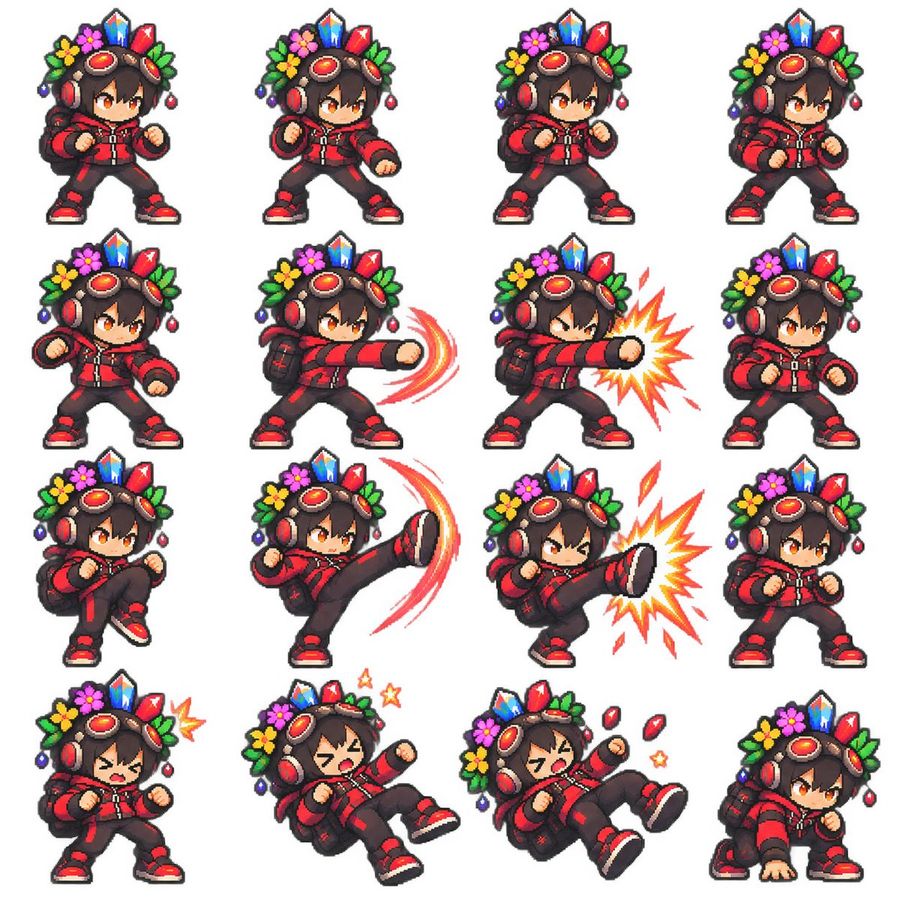
Chibi Pixel Fighter Sprite Sheet
View full prompt & copy

Goal: Create a clean pixel-art fighting game sprite sheet featuring one chibi adventurer character in multiple combat poses. Canvas: Square 1:1 image on a plain white background, arranged as a neat 4 by 4 grid with even spacing and no borders, labels, shadows, watermark, or UI. The final sheet contains exactly 16 separate sprites. Character design: A small chibi fighter with oversized head, short body, orange eyes, dark brown tousled hair, and a determined anime expression. The character wears a red and black streetwear combat outfit: red hooded jacket with black panels and zipper details, black pants with red accents, red-and-black sneakers, fingerless gloves, and a small black backpack. On the head are large red headphones and bronze steampunk goggles with red lenses. A decorative crown-like headdress sits behind the goggles, made of bright crystals, flowers, leaves, and dangling beads: blue crystal in the center, red crystals on the sides, green leaves, yellow and pink flowers, and small purple/red ornaments. Use thick dark pixel outlines, crisp 16-bit/32-bit game sprite rendering, saturated colors, tiny highlight pixels, and transparent-sprite-like isolation against white. Pose layout: Include exactly 16 sprites in a 4-column by 4-row grid. Row 1: 1) neutral fighting stance facing slightly right with both fists raised, 2) forward punch wind-up with one fist extended slightly, 3) ready stance with fists up and feet apart, 4) guarded stance turned slightly right. Row 2: 5) low guarded stance with left fist forward, 6) straight punch to the right with red curved motion trails, 7) powerful straight punch to the right with a yellow-orange starburst impact effect, 8) compact defensive stance with fists close to chest. Row 3: 9) knee raised preparing to kick, 10) high side kick to the right with red-orange crescent motion trail, 11) high side kick landing with a large yellow-orange impact burst, 12) neutral battle stance variant. Row 4: 13) hurt or startled pose with eyes squeezed shut and a small yellow impact mark near the head, 14) knocked-back falling pose with mouth open, one leg lifted, and two small yellow stars, 15) stronger knocked-back pose with mouth open, red crystal fragments flying, and small yellow stars, 16) crouched landing pose with one hand on the ground and eyes focused. Effects: Use only three visible effect types: red curved motion trails for attacks, yellow-orange comic impact bursts, and tiny star/crystal hit effects. Keep all effects pixelated and consistent with the sprite style. Constraints: The sheet must look like a polished retro fighting-game sprite set, not a modern vector illustration. Keep the same character design, scale, colors, and headdress details across all 16 poses. Avoid text, extra characters, background scenery, blur, gradients outside pixel-art shading, or inconsistent costume details.

Generate image
Loading more prompts

FAQ

Where do YouMind prompts come from?
YouMind curates high-signal AI prompt examples from creator communities and public creative workflows. The library focuses on prompts that are useful to inspect, reuse, and adapt.
How are image prompt categories organized?
Image prompts are grouped into use cases, styles, and subjects. Use cases describe the job to be done, styles describe the visual treatment, and subjects describe what the image is mainly about.
How are prompts assigned to categories?
YouMind uses AI to analyze each image prompt, its title, metadata, and generated result when available, then assigns the closest categories. Editors can refine categories as the taxonomy evolves.
What is YouMind?
YouMind is an AI workspace for turning research, ideas, and creative references into usable outputs. The prompt library is one public part of that workflow, built to help creators learn from strong examples faster.