
Style Prism Pro
Map reference styles to new image prompts
Style Prism Pro
Map reference styles to new image prompts
Showcase
Description
Style Prism Pro is a reference-image style transfer workflow. Upload any style reference image, and it will break the image down across six dimensions—color, lighting, materials, composition, typography, and atmosphere—into a 《Style Spectrum Profile》 decoupled from its specific content. After you confirm and establish it as the style baseline, add your new theme and optional copy to create a 《Transfer Blueprint》. Then choose a transfer strength—close match, balanced, or interpretive—and turn it into a rigorously structured prompt ready for use with mainstream AI image-generation tools. When needed, you can also generate an image preview instantly. It is suited to design and creative work where you want to reuse the visual feel of an image but find it difficult to describe the style in words.
Best for
Designers and content creators who want to reuse a reference image’s visual feel, create a new theme, and generate image prompts.
How to use this Skill
Provide your input
Upload a style reference image and provide the new theme you want to create. You may also add copy and choose a style transfer strength.
Run the Skill
Confirm the style analysis of the reference image, then combine it with the new theme to generate a transfer plan and prompts for image-generation tools.
Review your result
Get a reusable style profile, transfer blueprint, and final prompt. When supported, you can also generate a preview image.
Related Skills
View all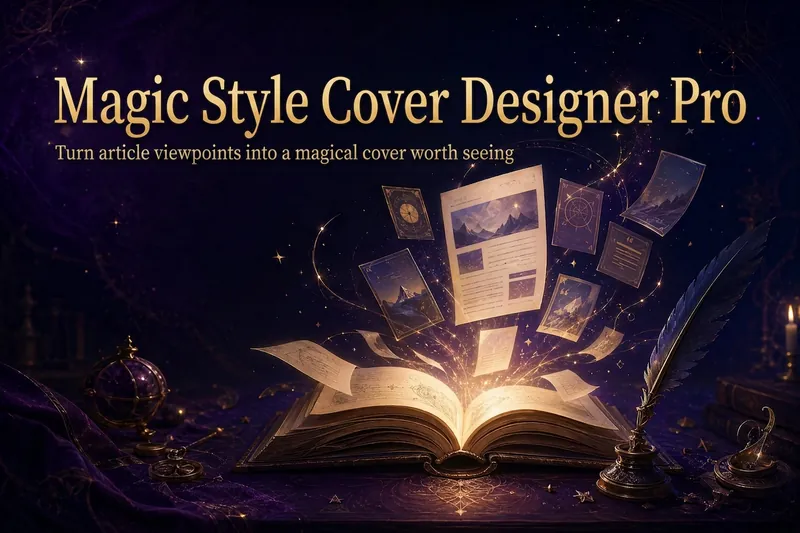 Image
ImageMagic Cover Designer Pro
Turn an article title into a magical cover that makes its ideas stand out. “Magic Cover Designer Pro” is not a random image generator. It is a visual content packaging workflow: “content understanding → title confirmation → visualizing ideas → platform adaptation → cover generation.” It helps preserve the real title and subtitle while transforming an article’s core ideas, emotions, and narrative relationships into vivid, engaging magical visuals with a distinct identity. It supports Twitter long-form posts or Threads, WeChat Official Account articles, Xiaohongshu Notes, product introductions, knowledge sharing, growth retrospectives, and personal brand content. The Skill first identifies the article’s original title, original subtitle, and core idea. The original title is used as the default main cover title, while the original subtitle is prioritized as the cover subtitle. The core idea does not directly replace the cover text; instead, it guides the choice of subject, symbols, composition, lighting, and visual metaphors. It matches visual strategies to different content types: practical breakdowns use magical blueprints or step-by-step scrolls; growth retrospectives use journeys and illuminated paths; contrarian ideas use light-and-shadow conflicts or broken seals; product introductions use magical workshops and core devices; knowledge sharing uses academy archives and spellbooks; and case studies use before-and-after changes and narrative scenes. When a title is too long, it provides both the original-title version and a concise version for you to confirm, without rewriting it on its own. When there is no subtitle, it first offers candidate copy instead of placing an unconfirmed idea directly into the image. Its default visual language combines retro fantasy with magical journaling: deep purple, midnight blue, black-brown, antique bronze, and warm gold, along with parchment, quill pens, spellbooks, sealing wax, stardust, and other tactile elements. It can also draw shared colors, materials, lighting, and narrative qualities from reference images, but it does not copy the specific composition, people, logos, or distinctive elements of any single image. For each platform, it adapts the aspect ratio, text density, subject size, whitespace, and thumbnail legibility to real reading contexts. It is suitable for knowledge creators, personal brands, product authors, and content creators who want to build a consistent visual identity. It does not fabricate numbers, results, identities, or brand endorsements, and it does not promise viral performance. It simply helps the visuals support real content more accurately and vividly.
Light-and-Dark Zen Framing
Turn your written concept or reference image into a “light-and-dark framed Zen” scene: dark architecture or structures form a natural frame in the foreground, leaving an open, bright space within. A person or subject stands in the light at a small scale, as a silhouette or in muted colors, while crisp, elongated geometric shadows reinforce a sense of order and solitude. The overall style emphasizes high-contrast lighting, near-black shadows, restrained colors, ample negative space, and a tranquil, minimalist visual experience. It is suited to creating a meditative, ceremonial, and East Asian Zen atmosphere, while also extending to modern urban or Western classical settings. During generation, the architectural context is naturally matched to the subject’s identity, era, and cultural character—for example, a monk in a Zen temple corridor, a scholar in an academy, a samurai in a Japanese garden, a historical figure in a classical courtyard, or an urban professional in a glass-curtain-wall space—while preserving any scene you explicitly specify. For uploaded images, the composition can be reconstructed around a dark frame, bright area, subject in light, and long shadows while preserving the subject’s identity and approximate pose as much as possible. If the original image lacks spatial structure suitable for reconstruction, the style will not be forced onto it. Suitable for text-to-image, image-to-image, and style transfer; not suitable for highly saturated color images, standard black-and-white filters, or photo-realistic commercial portraits.
 Image
ImageBatch Article Illustration 2.0
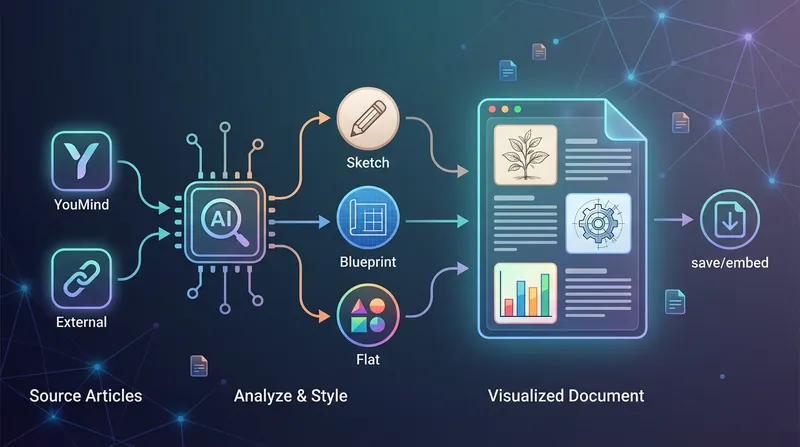
This is an intelligent visual enhancement tool designed for content creators. It deeply understands the flow of your text and automatically creates high-quality supporting illustrations for key paragraphs of your articles. Whether your content resides in a personal knowledge base or you need to process externally imported long-form articles, it accurately identifies core concepts, turning abstract text into concrete visual language and significantly improving the reading experience and shareability of your content. The tool offers three distinct visual styles to suit different creation scenarios: a fresh and lively minimalist hand-drawn style fits essays and popular science; a rigorous and professional architectural blueprint style is the ideal choice for technical documents and research reports; and a modern flat illustration style perfectly matches the aesthetic needs of social media accounts and knowledge notes. For long-form content, it also intelligently suggests illustration layouts to ensure a reasonable visual distribution with key points highlighted. During generation, you can flexibly choose how images are produced. You can have the generated illustrations seamlessly embedded directly into the original document paragraphs for automated layout, or you can opt to receive a standalone image resource package for manual distribution. This end-to-end collaboration, from content analysis to visual generation, makes your writing more impactful and complex ideas instantly clear.
Information
- Version
- v3
- Last updated
- Runtime credits
- Usage-based
- Models
- Auto
- Use cases
- Writing & contentImages & design
- What you get
- DocumentImagePrompt
