QINGGUO MENG
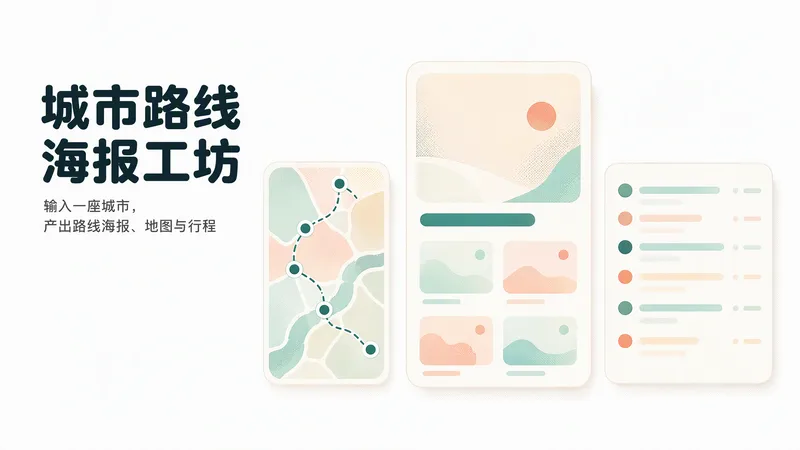
城市旅行攻略工坊 Pro|路线海报·地图·行程
输入一座城市,或你已有的旅行计划、路线与参考图,生成原创主题路线海报、城市总览示意图与可复制的按天行程。技能会核验地点与信息来源、规划四条候选主题路线、给出交通与预算口径、雨天与低步行量替代方案、导航检索清单与预约提醒。 默认四张主题海报(3:4)加一张总览示意图(4:3),默认简体中文;先出主海报预览和内容清单,确认后生成其余。只给城市时默认两日可调整示例,不自动生成十天长计划。图片以示意插画或授权素材呈现,不冒充实拍;资料缺口标注「待确认」,不虚构链接、票价、营业时间或景点。不自动预订、购票、发消息或发布社交平台,不承诺收益、官方合作或全路线安全保证。 安装兑换价格:3366 积分(付费)。
 Image
ImageWeChat Post Card Studio
Want to create WeChat visual content but not sure how to combine topic selection, copywriting, and layout? Enter a topic, a note, or reference material, and WeChat Post Card Studio will organize the content, design the visuals, and create an original visual post set optimized for mobile reading. Core features: • Topic planning: Refine broad directions into specific content angles. • Visual set generation: By default, four standalone images—a cover, two content cards, and a summary card. • Multiple styles: Warm white hand-drawn, clean knowledge cards, and humorous comics. • Series consistency: Keep the colors, fonts, characters, and reading rhythm consistent. • Reference design: Analyze general characteristics of a reference image and recreate the content and layout. • Publishing support: Provide three title options, a short caption, natural engagement questions, and page-by-page copy. • Targeted revisions: Adjust the text, colors, or visuals as requested. Suitable for creators focused on everyday observations, emotional expression, workplace communication, practical checklists, and accessible knowledge. By default, it generates a cover preview first and continues with the full set after confirmation. You can also explicitly request all images at once. The default format is 3:4 portrait and can be adjusted to fit your publishing needs. AI-generated text, facts, and images still require human review. Image generation, search, and output dimensions depend on the capabilities available on your account. No guarantees are made regarding traffic, follower growth, or revenue, and content is not automatically published to WeChat.
 Image
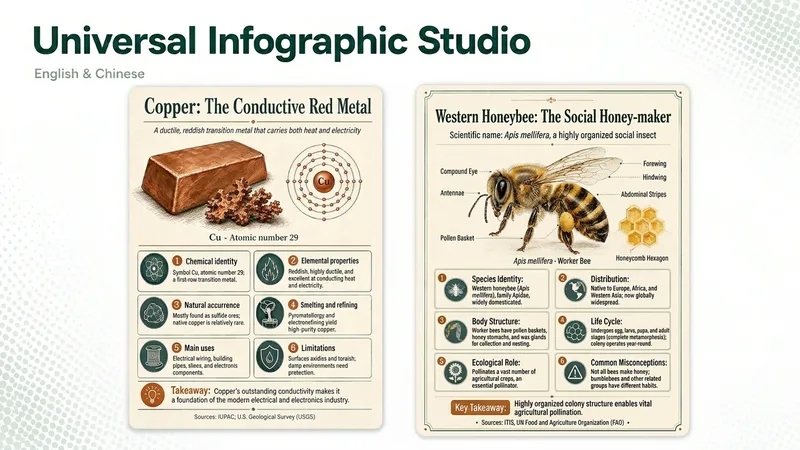
ImageUniversal Infographic Studio
Universal Infographic Studio turns a topic—or material you supply—into one clear, structured knowledge infographic. Give it a subject, or paste a document, article, or image you want explained; it returns a finished infographic image, the exact on-image text in copyable form, and the sources it used. It works in English and Chinese, follows the language of your topic, and defaults to a museum field-guide look in a single 3:4 poster with four to six knowledge modules. Figures such as percentages and rankings appear with their context, and every point is checked before it is drawn. When image generation is unavailable, you receive a complete render prompt instead. Turn a topic—or an article, document, or image you provide—into one clear, structured knowledge infographic. Give it a subject or source material, and you’ll receive a finished infographic, the on-image text in copyable form, and the sources actually used. It supports English and Chinese, follows the topic’s language by default, and uses a Museum field-guide style in a single 3:4 image with four to six knowledge modules. Percentages, rankings, and other figures are labeled with their context, and every point is checked before drawing. If image generation is unavailable, it returns a complete render prompt. AI-generated text, data, and illustrations should be reviewed before publication. AI-generated text, data, and illustrations still require human review before publication.