
Split-Screen Science Pro
Compare one topic in a split-screen poster
Split-Screen Science Pro
Compare one topic in a split-screen poster
Showcase
Description
Enter a topic, existing materials, or two sets of items to automatically create an original split-screen comparison science poster: cool gray on the left and warm ivory on the right, with a fictional adult shown in a side-by-side half-body comparison at the center by default, paired points on both sides, and English annotations. It works well for comparisons in nutrition, lifestyle habits, material properties, technology solutions, environmental choices, and other educational topics. It includes fact-checking and source labeling, a precise list of English text for the image, original visual composition, and an item-by-item visual review after generation. Titles, food or item names, and annotations in the image default to English.
Recommended by
淡苍
Why we love this skill
Turns complex topics into clear split-screen science posters with English annotations, consistent comparisons, verified sources, original layouts, and detailed post-generation review.
Best for
Ideal for content creators, educators, and research editors who need clear comparison science posters.
How to use this Skill
Provide your input
Provide a topic, existing materials, or two sets of items to compare. You may also add the audience, aspect ratio, number of points, central subject, and visual references.
Run the Skill
The system organizes comparison dimensions and source material, structures paired explanations, creates an original split-screen poster, and checks the in-image text, pairings, and necessary limitations.
Review your result
Get a comparison science poster, along with a copyable list of in-image text, a brief explanation, and the sources actually used.
Related Skills
View all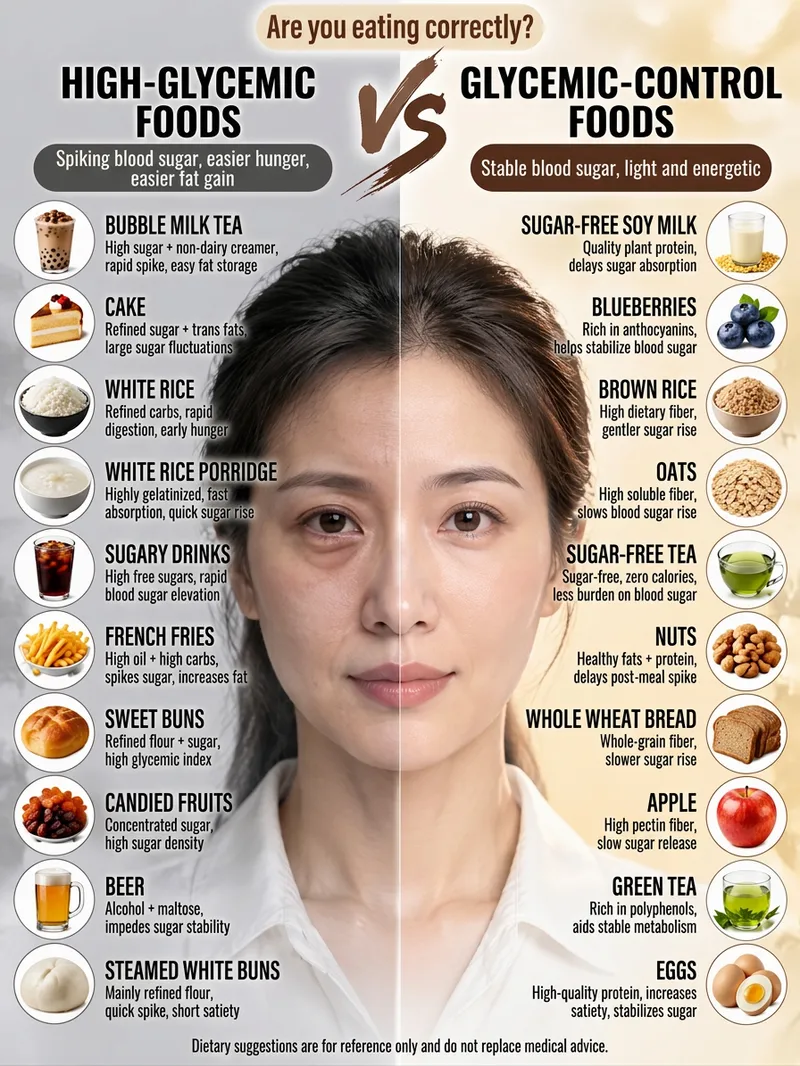 Image
ImageViral Comparison Infographics
Best for: Wellness, food therapy, and health education creators; beauty, skincare, haircare, and appearance-care creators; and weight loss, blood sugar control, and nutrition creators. How to monetize: Create “wellness comparison” series for Xiaohongshu, Douyin, and WeChat Channels using graphic posts and short-video carousels. Promote health supplements, food, haircare, and skincare products through product sales, storefront commissions, sponsored campaigns, and livestream traffic. Advantage: Change the keyword and get a new piece of content, with extremely low daily production costs. Just enter a topic keyword, such as “haircare,” “blood sugar control,” “slimming the face,” or “eye care.” The skill automatically analyzes the topic, names the pros and cons, determines the visual subject, writes the content, and consolidates image-generation prompts to create a viral educational infographic featuring a “split-screen layout + real-person half-face comparison + two-column checklist.”
 Image
ImageNutrition Poster Generator
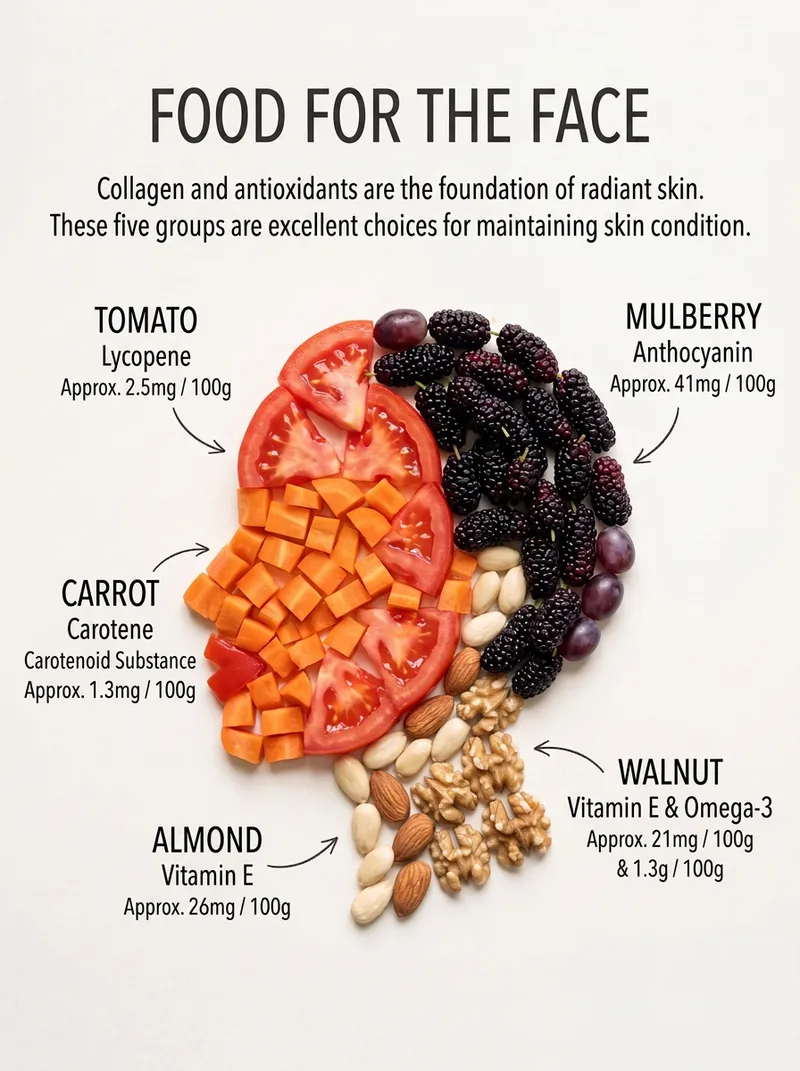
For: wellness and nutrition education creators on Xiaohongshu, Douyin, WeChat Channels, and WeChat Official Accounts; fitness and fat-loss bloggers, nutritionists, and health consultants creating content series on muscle gain, blood sugar control, liver health, and more; operators of wellness accounts for middle-aged and older audiences, creating content about the heart, eyes, gut, and bones that is suitable for sharing in family groups; maternal and child health, women’s health, beauty, and skincare bloggers covering topics such as women, pregnancy, skin, and hair; restaurants, healthy food brands, ingredient retailers, pharmacies, postpartum care centers, and gyms creating storefront posters, community education content, and product detail images; and educators, teachers, and parents creating nutrition lessons and classroom illustrations. Enter a topic such as “Foods Your Brain Needs” to automatically generate a nutrition education poster with five ingredients arranged into an organ outline, labeled nutrition data, support for Simplified Chinese, Traditional Chinese, and English, and multiple aspect ratios.
 Image
ImageOne-Click Ingredient Breakdown
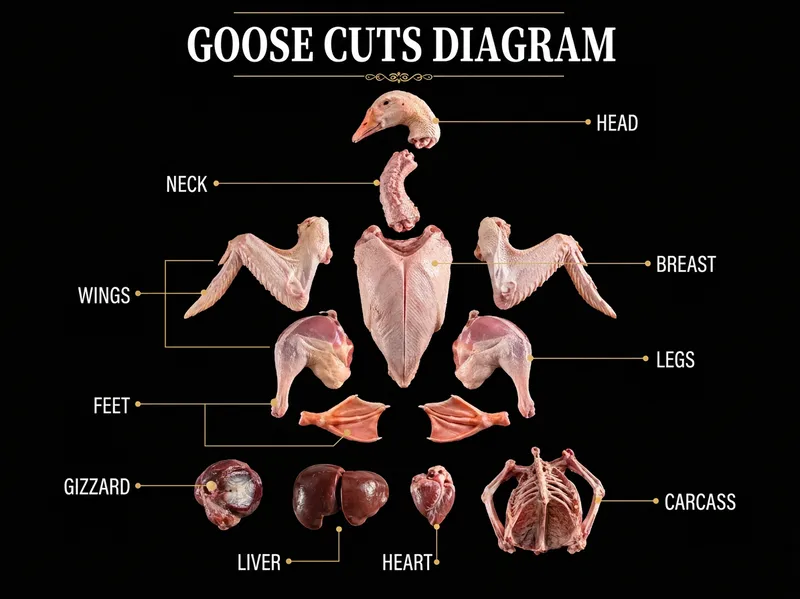
Best for: 1. Food, lifestyle, and restaurant-review bloggers on Xiaohongshu, Douyin, WeChat Channels, Bilibili, and YouTube. 2. Text-and-image creators running accounts focused on knowledge sharing and follower growth. 3. Restaurant owners, kitchen teams, and baking and Western cuisine training institutions. 4. Fresh-food e-commerce businesses, community group-buying organizers, market vendors, and butcher and fish shops. 5. Nutritionists, fitness coaches, and home cooking enthusiasts. Just enter an ingredient name—whether it’s a whole chicken or fish, beef, lamb, pork, bok choy, pumpkin, bananas, or mushrooms. The system automatically breaks it down into all its parts, groups them by texture and preparation method, and generates a complete set of visually consistent black-and-gold infographic posters: ① Overview poster: all parts arranged in an exploded-view layout, with gold lines pointing to their names; ② Four detail posters: close-ups of each part + texture and flavor + 4 best preparation methods + 4 suitable dishes + one professional tip. Pure black backgrounds, large white serif headlines, fine gold lines, and a commercial food photography look create a cohesive set with a strong series feel. Custom image ratios are supported, with 3:4 as the default, as well as custom on-image text languages, with Simplified Chinese as the default.
Information
- Version
- v4
- Last updated
- Runtime credits
- Usage-based
- Models
- Auto
- Use cases
- Writing & contentImages & designResearch & analysis
- What you get
- DocumentImage
- Visual styles
- MinimalistEditorialFlat
