Your Free Infographic Prompt Expert
Infographic layouts, copy, and prompts for Xiaohongshu
Your Free Infographic Prompt Expert
Infographic layouts, copy, and prompts for Xiaohongshu
Showcase
Description
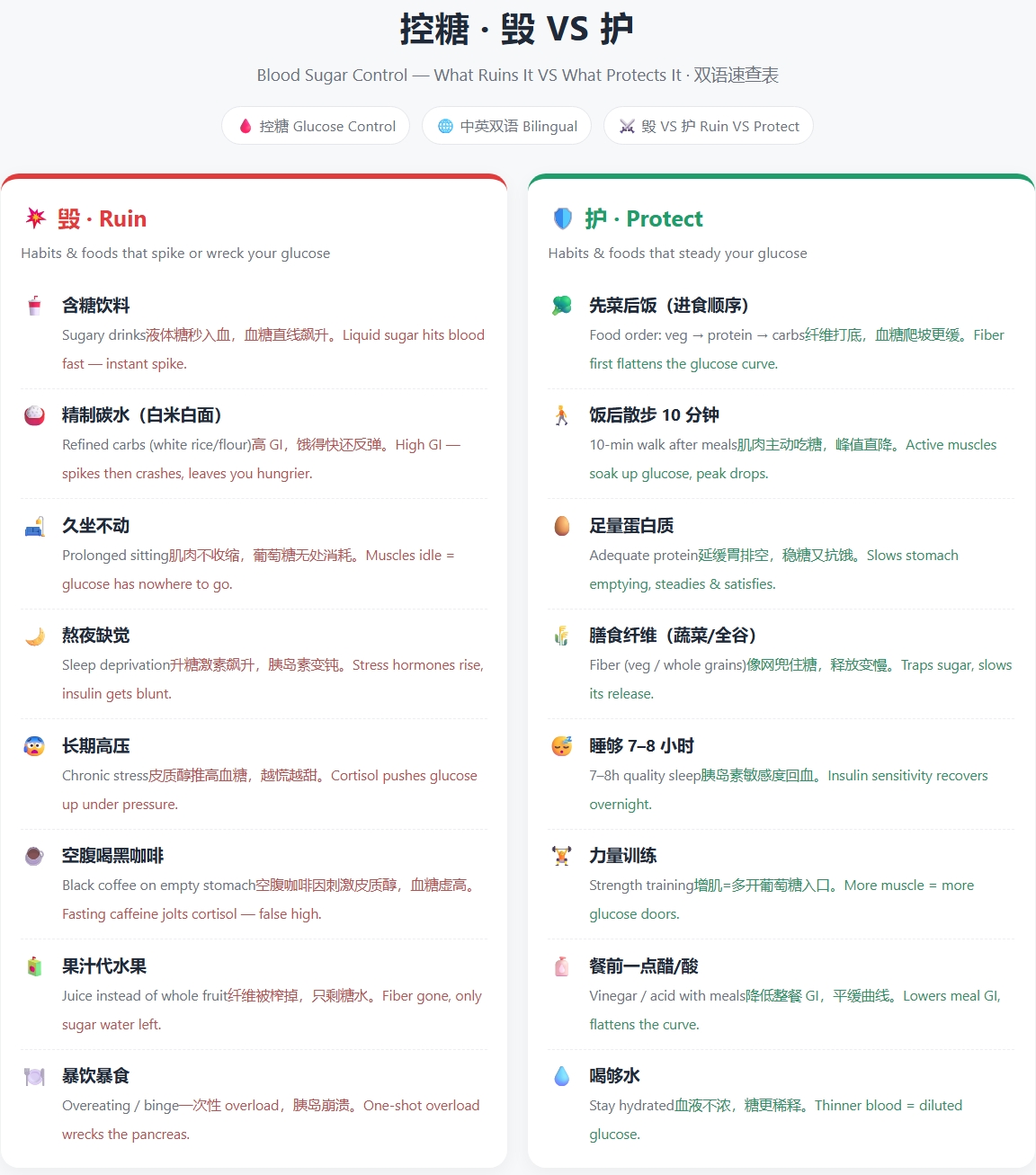
Knowledge Infographic Studio: Enter a topic or source material to get a structured knowledge infographic plan with a “layout framework + ready-to-copy Chinese and English text + image-generation prompts.” Use it with external AI tools such as 即梦, 通义, or GPT Image to create the image. Supports high-performing “Damage VS Protect” side-by-side comparisons. Use when users mention infographics, knowledge cards, educational long-form images, knowledge infographics, infographic, comparison images, split-screen layouts, or Damage VS Protect. We don’t create the images, but we provide the plan and prompts to make your infographics more professional! Anyone creating content for social media probably knows the feeling: You see someone else’s hair-care “Damage VS Protect” comparison image get thousands of likes, and you want to make one too. Then you open your design software—how should the layout be divided? What should the text say? How do you write the prompt? After a lot of trial and error, either the image comes out wrong or every generation costs hundreds of credits. When the end of the month comes, it really hurts. What you’re missing isn’t design taste—it’s a structure you can copy directly. That’s exactly what this skill does: Give it one keyword, such as “hair care” or “blood sugar control,” and it locks in the layout, prepares every word to appear on the image, and hands you a precise bilingual Chinese-English prompt. Take it to any image-generation AI to create the image in one click: **reliable structure, a consistent series style, and not a single credit spent**. Another skill for this kind of “high-performing comparison image” costs 4,688 credits to redeem. Ours is free and provides an equally effective “Damage VS Protect” split-screen structure—the image-generation step is simply handled by the AI you already use, so you can save those credits for what really matters.
Recommended by
Dancang
Why we love this skill
A low-cost infographic workflow with no image generation or credits used: get the layout, bilingual on-image copy, prompts, fixed four-zone structure, 4–6 knowledge modules, and “Damage VS Care” split screens in one go.
Related Skills
View all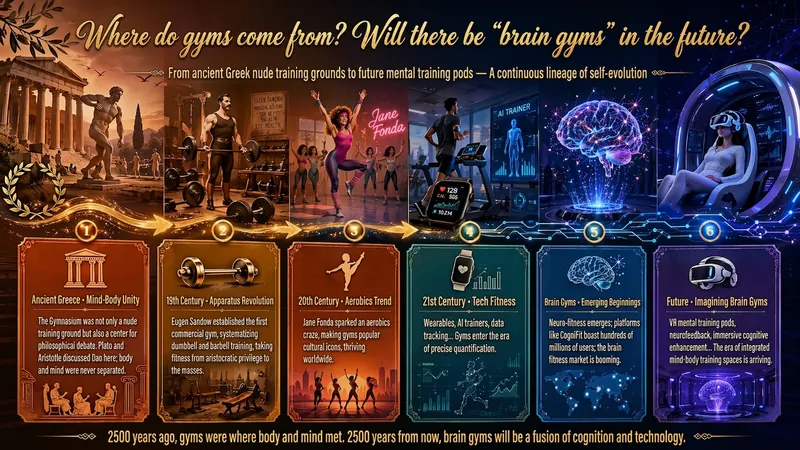
Idea to Infographic
A single image, a single sentence is all it takes. Have you ever had this experience—you have a great idea and want to turn it into an infographic like the ones big accounts post, but: - Open an AI image tool, rewrite prompts over and over, and the result either has terrible layout or completely mismatched style. - Tried several prompt templates, each requiring three or four adjustments, and half an hour later you're still not done. - Want styles like financial literacy, Chinese classic, science, tech... each time you have to research colors and layouts from scratch. Now you don't have to. 「Idea to Infographic」automates all of this: You say "make an emotion management infographic," and it decides whether to use a warm Chinese style or a healing scientific style, searches and organizes core knowledge points, breaks them into 6-8 module cards, assembles the optimal prompt, and quality-checks—if it fails, it automatically redoes; if it passes, it hands it right to you. Four killer capabilities, all built-in: 🧠 **Style Engine** — Not a rigid four-choice. If your topic matches financial literacy, it automatically goes with deep blue gold; if it matches Chinese classics, it uses rice paper and ink; if it matches technology, it uses cyan neon. For topics outside these four? It automatically synthesizes a new style. Coffee encyclopedia → food warm tones; exercise and fitness → vibrant orange gray. No style it can't handle. 🔍 **Content Brain** — You give a word, it searches the web to fill out content; you give a paragraph, it extracts the core; you give nothing but a topic, it organizes everything clearly. All three input methods are supported—the simpler, the more effortless. 📐 **Layout Adviser** — Progressive ladders, side-by-side comparisons, causal chains, overarching-subcategory radiation... Five logical patterns automatically matched. Not just stuffing text into an image, but actually designing an infographic. ✅ **Self-Inspection** — After generating, it automatically checks layout, text density, image-to-text ratio, and style match. If there's an issue, it adjusts and regenerates, up to two times. You don't need to know how to write prompts; you just need to know how to speak. **Who is this Skill for?** - Social media creators who need to produce images daily but don't want to learn design. - Knowledge commerce creators who want to visualize course content but lack a designer. - Corporate trainers who need professional infographics but lack budget for outsourcing. 🔍 - Anyone who wants to turn an idea into a great image. In a word: You have the idea, it has the image. All the hassle in between, it handles for you.
 Image
ImageViral Comparison Infographics
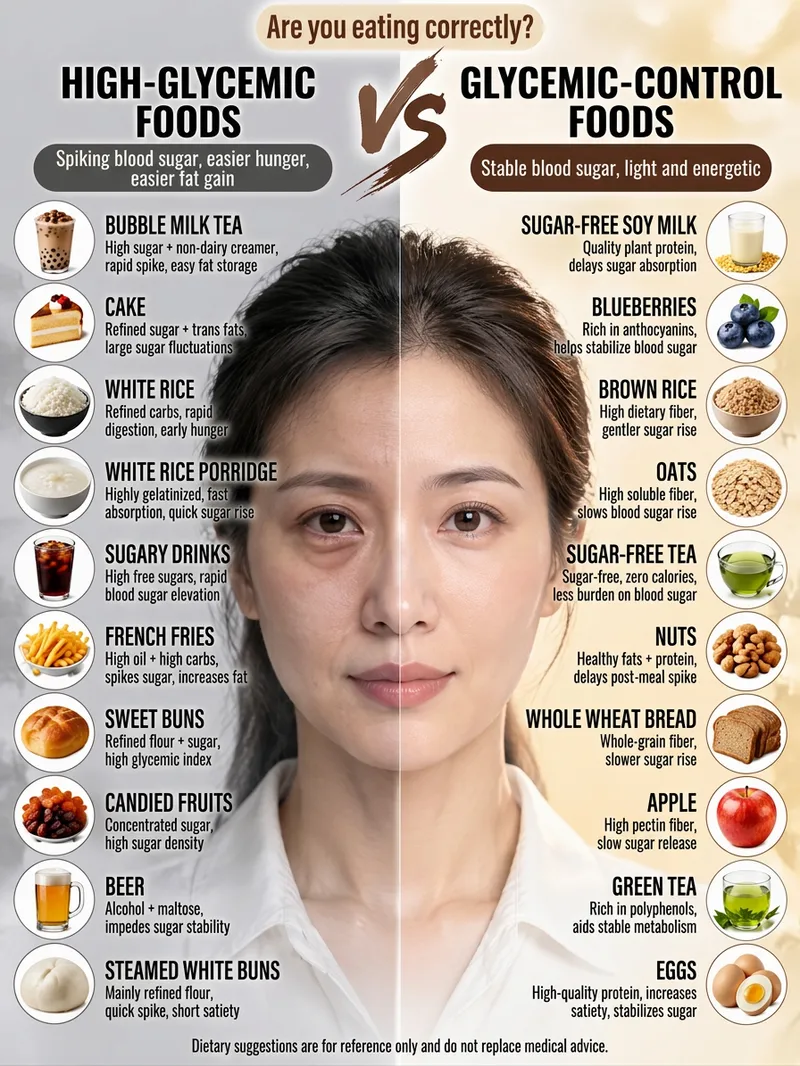
Best for: Wellness, food therapy, and health education creators; beauty, skincare, haircare, and appearance-care creators; and weight loss, blood sugar control, and nutrition creators. How to monetize: Create “wellness comparison” series for Xiaohongshu, Douyin, and WeChat Channels using graphic posts and short-video carousels. Promote health supplements, food, haircare, and skincare products through product sales, storefront commissions, sponsored campaigns, and livestream traffic. Advantage: Change the keyword and get a new piece of content, with extremely low daily production costs. Just enter a topic keyword, such as “haircare,” “blood sugar control,” “slimming the face,” or “eye care.” The skill automatically analyzes the topic, names the pros and cons, determines the visual subject, writes the content, and consolidates image-generation prompts to create a viral educational infographic featuring a “split-screen layout + real-person half-face comparison + two-column checklist.”
 Image
ImageUniversal Infographic Studio
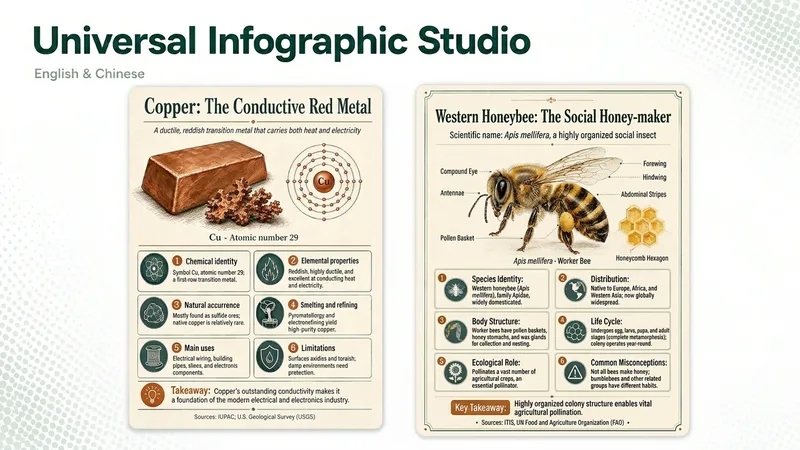
Universal Infographic Studio turns a topic — or material you supply — into one clear, structured knowledge infographic. Give it a subject, or paste a document, article, or image you want explained; it returns a finished infographic image, the exact on-image text in copyable form, and the sources it used. It works in English and Chinese, follows the language of your topic, and defaults to a museum field-guide look in a single 3:4 poster with four to six knowledge modules. Figures such as percentages and rankings appear with their context, and every point is checked before it is drawn. When image generation is unavailable, you receive a complete render prompt instead. Turn a topic, article, document, or image you provide into one clear, structured knowledge infographic. Give it a subject or source material to receive a finished infographic, copyable text from the image, and the sources actually used. It supports English and Chinese, follows the language of the topic by default, and uses a museum field-guide style in a single 3:4 image with four to six knowledge modules. Figures such as percentages and rankings are labeled with their context, and every key point is checked before rendering. If image generation is unavailable, it returns a complete render prompt. AI-generated text, data, and illustrations should be reviewed before publication. AI-generated text, data, and illustrations still require human review before publication.
Information
- Version
- v3
- Last updated
- Runtime credits
- Usage-based
- Models
- Auto
