Hanfu Dress-Up
Studio-quality Hanfu photos in two minutes
Hanfu Dress-Up
Studio-quality Hanfu photos in two minutes
Showcase
Description
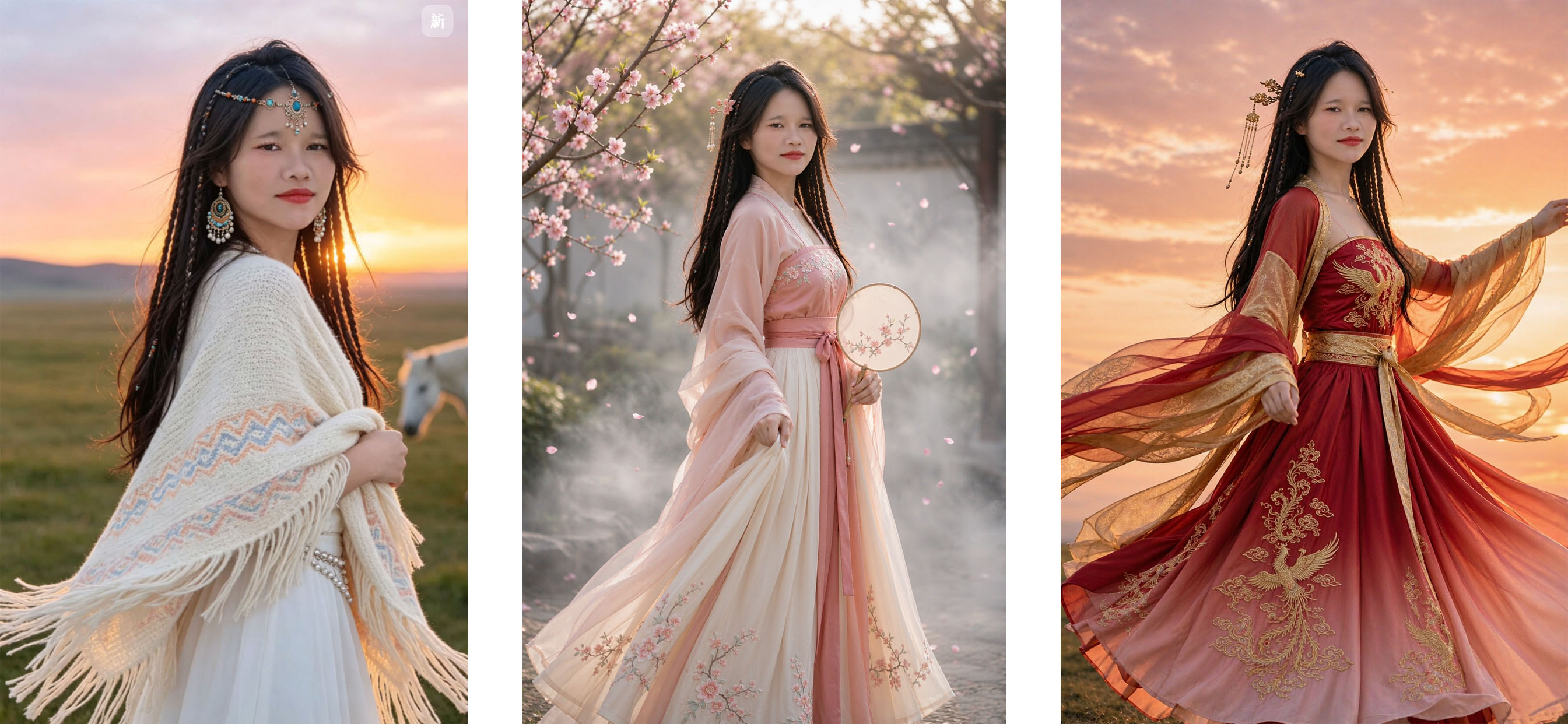
Hanfu Photo Expert: Users upload a personal photo to instantly change into Hanfu portraits—options include Peach Blossom Spring Embroidery, Moon-White Flowing Gauze, Green Magnolia Shadow, Golden Peony, Cinnabar Crane, Lotus Root Butterfly Whisper, Clear Water Hibiscus, Amber Autumn Begonia, Banquet Ink Gold, Silver Moon Rainbow Dress, Phoenix Feather Cloud Mist, Jade Dew White Plum, and more. Outfits, hairstyles, poses, and backgrounds can be fully customized, and multiple sets can be generated at once. Default 3:4 vertical format with custom options. Triggered when users say "Hanfu photoshoot," "change into Hanfu," "traditional Chinese photoshoot," "wear Hanfu," "Hanfu photo," "hanfu," etc. Core constraints: facial features remain consistent with the original person without beautification or distortion, only clothing is replaced without retaining the original outfit, hairstyles default to traditional styling with the option to keep the original hair, and the same face is maintained across multiple sets.
Why we love this skill
Skip the photo studio or makeup artist appointments. Generate multiple sets of Hanfu portraits quickly using just a single personal photo. With unique facial consistency and format control, you can customize 12 sets of ruqun, hairstyles, poses, and scenes, changing only the outfit and setting while keeping your face intact.
Best for
Ideal for users who want to transform personal photos into traditional Hanfu portraits.
How to use this Skill
Provide your input
Upload a personal or authorized photo and specify the Hanfu style, hairstyle, pose, background, and aspect ratio if desired.
Run the Skill
Select or describe the desired Hanfu photoshoot plan, keeping your facial features consistent while changing the outfit and scene.
Review your result
Receive one or more Hanfu photoshoot images in a default 3:4 vertical format featuring various clothing combinations.
Related Skills
View all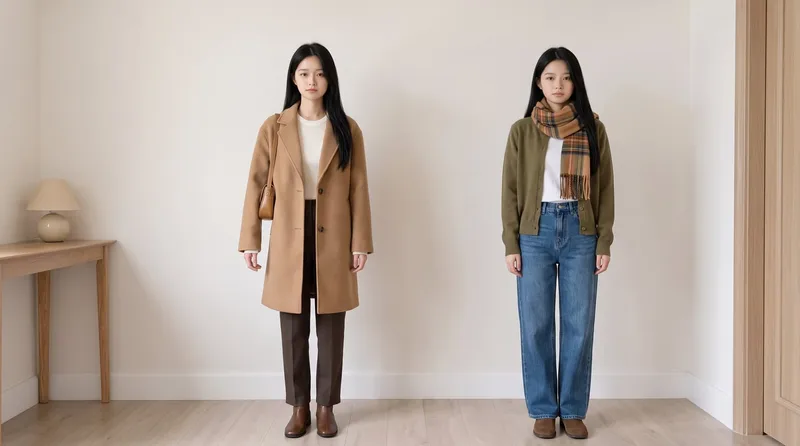 Image
ImageSame Model, New Outfits
AI virtual fitting room: Upload a person photo (+ clothing photo) to generate e-commerce-ready outfit swaps with the same face kept consistent across images and clothing reproduced faithfully. Supports: outfit swaps (one person, one scene, multiple outfits), scene swaps (one person, one outfit, multiple scenes), and full-season batches (a complete set of product detail images in one go); it also supports pet outfit swaps and pure white e-commerce backgrounds. Trigger when users say “change the outfit,” “try on clothes,” “help me change the clothes and generate an image,” “clothing product detail images,” “model photos,” “lookbook,” “styling images,” “wholesale market product images,” “on-model images,” “dress the pet,” or “change the scene while keeping the clothes unchanged.” Core rules: three locks (identity/clothing/scene), change only one thing per image, lock clothing down to the buttons, and keep colors neutral without color casts. The default canvas matches the uploaded image, and the aspect ratio can also be customized.
 Image
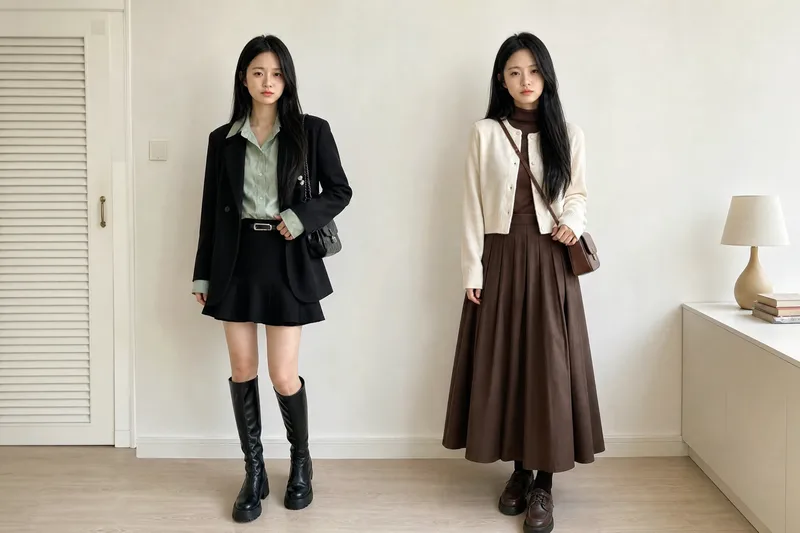
ImageVirtual Outfit Try-On
Uses the user-uploaded person photo as the sole source for the person, generating photorealistic images of that person wearing multiple different outfits. It strictly preserves real identity features—no face swapping or facial feature changes. The GPT image model is used by default, and the number of outfits is confirmed with the user before generation. Best for: fashion e-commerce owners, brick-and-mortar clothing store owners, and fashion influencers who sell through livestreams
 Image
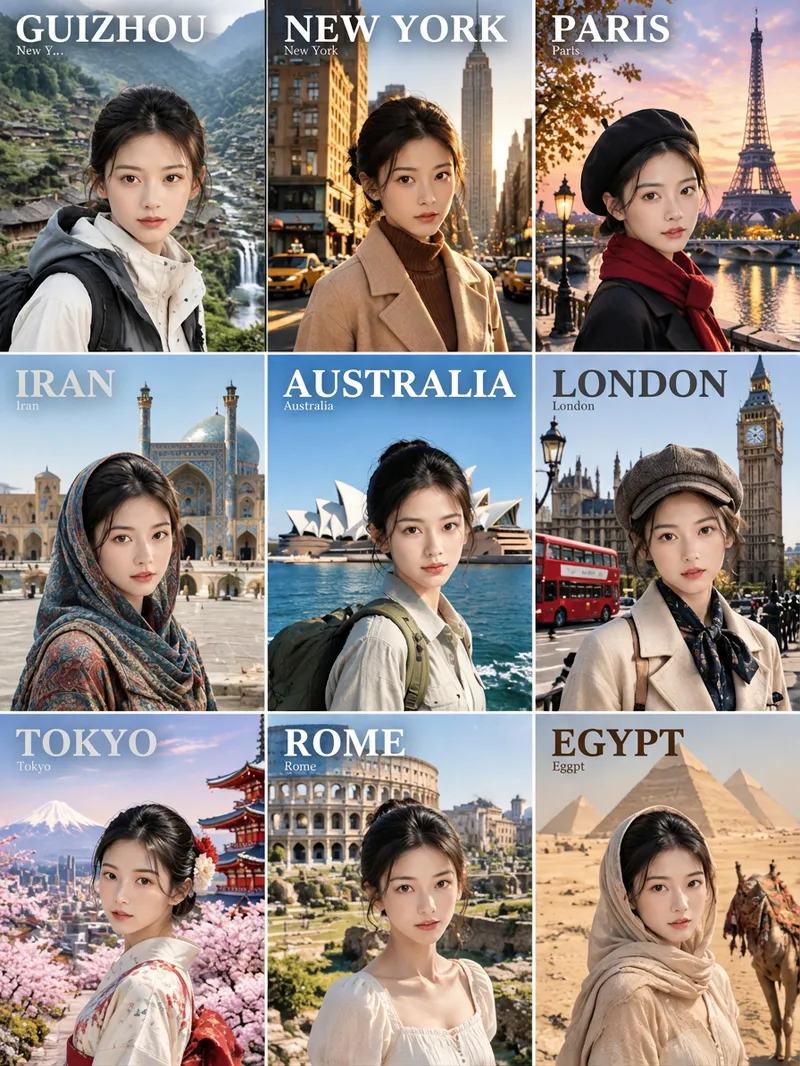
Image9-Grid Travel Portraits
Punk style, phone wallpaper, and social media ready. Combine a portrait photo with a real location to generate multi-style portraits that preserve facial structure while accurately depicting real landmarks. By default, it outputs a 3:4 nine-grid containing nine styles: traditional costume, retro backlit qipao, oil painting, magazine cover, punk, mosaic, time travel, vintage dress, and realistic travel. It can also output single images or custom styles, with support for specified landmarks, aspect ratios, and text languages (default is text-free). It calls Nano Banana Pro by default, with inpainting and panel-by-panel review. Have you ever wondered what you would look like standing beneath the Xi'an City Wall, by the West Lake in Hangzhou, or in the Old Town of Lijiang? ✦ Still you: facial features, hairstyle, and vibe remain consistent, with only clothing, art style, and lighting changing ✦ Accurate landmarks: realistic architectural forms without generic substitutes ✦ Flexible choices: generate a 9-grid all at once, or pick your favorite styles individually
Information
- Version
- v2
- Last updated
- Runtime credits
- Usage-based
- Models
- Auto
- Use cases
- Images & designLifestyle & entertainment
- What you get
- Image
- Visual styles
- PhotorealisticTraditional Chinese
