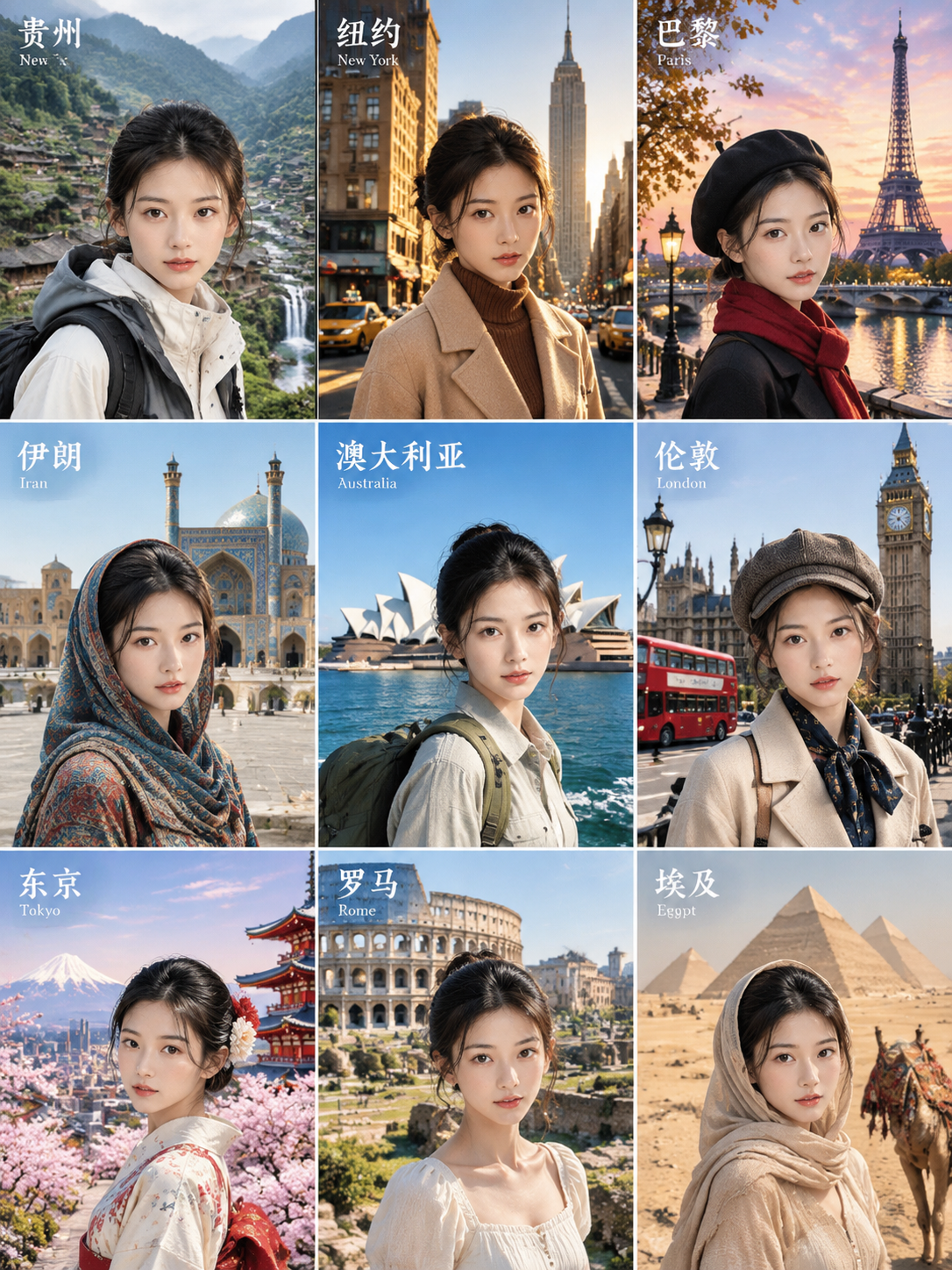
9-Grid Travel Portraits
Photo + place, 9 styles of portraits
9-Grid Travel Portraits
Photo + place, 9 styles of portraits
Showcase
Description
Punk style, phone wallpaper, and social media ready. Combine a portrait photo with a real location to generate multi-style portraits that preserve facial structure while accurately depicting real landmarks. By default, it outputs a 3:4 nine-grid containing nine styles: traditional costume, retro backlit qipao, oil painting, magazine cover, punk, mosaic, time travel, vintage dress, and realistic travel. It can also output single images or custom styles, with support for specified landmarks, aspect ratios, and text languages (default is text-free). It calls Nano Banana Pro by default, with inpainting and panel-by-panel review. Have you ever wondered what you would look like standing beneath the Xi'an City Wall, by the West Lake in Hangzhou, or in the Old Town of Lijiang? ✦ Still you: facial features, hairstyle, and vibe remain consistent, with only clothing, art style, and lighting changing ✦ Accurate landmarks: realistic architectural forms without generic substitutes ✦ Flexible choices: generate a 9-grid all at once, or pick your favorite styles individually
Recommended by
Dancang
Why we love this skill
Transforms a single photo and location into nine regional style portraits of the same person. It goes beyond simple filters, emphasizing authentic landmark verification, consistent facial structure, and text control to produce credible, recognizable travel visuals even for lesser-known spots.
Best for
Ideal for users who want to combine portrait photos with travel destinations to create multi-style regional portraits and social media visuals.
How to use this Skill
Provide your input
Upload one or more portraits and provide a real place name. You can optionally specify landmarks, styles, output mode, aspect ratio, and text settings.
Run the Skill
Generates a 3x4 grid, single image, or multiple images by combining the person and location while applying selected styles and preserving facial identity.
Review your result
Receive a 3:4 grid or multiple stylized regional portraits featuring real landmarks and local settings, ready for sharing, wallpapers, or creative expression.
Related Skills
View all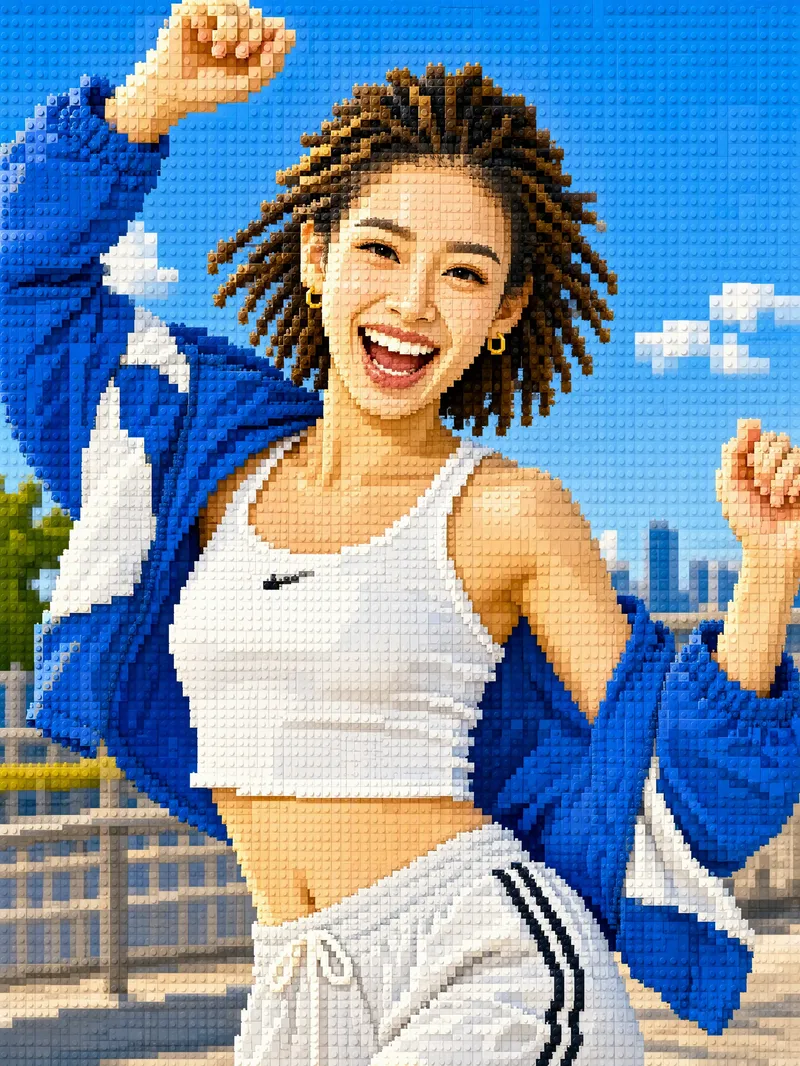 Image
ImageTurn Photos into Mosaic Art
Mosaic transformation magic: reassemble your photo into a work of mosaic art. 12 styles: pixel blocks, tiles, ancient Roman mosaic, stained glass, honeycomb hexagons, polka dots, LEGO, cross-stitch, low-poly, gold leaf, 8-bit, and paper-cut collage. Choose a style, or let it automatically create a combination with the greatest differences. True to your appearance: faces and key areas are recreated with finer color blocks, while the composition, pose, and clothing stay the same—it's still clearly the same person at a glance. Choose any aspect ratio: 3:4 by default, or switch to 1:1, 9:16, 16:9, and more. Choose the number of images: generate 1 to 9 at a time, each in a different style with the same subject. Works across models: ready to use with mainstream image-generation models. Great for profile pictures, social media covers, short-video covers, personal IP visuals, and custom gift artwork.
 Image
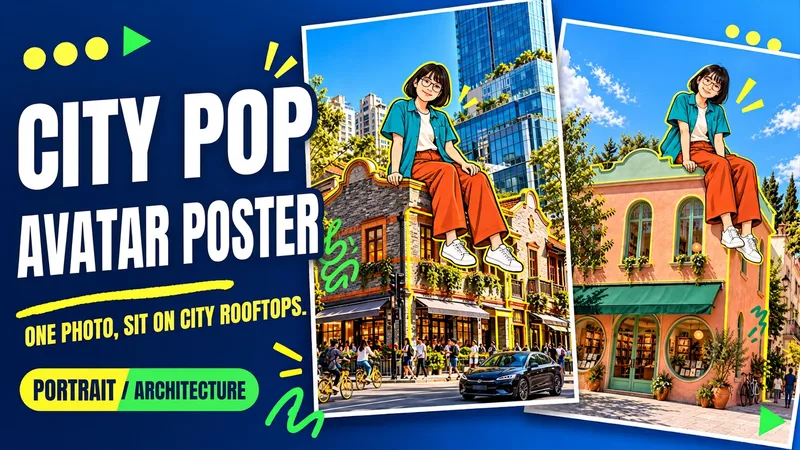
ImageUrban Pop Double
Upload a photo of yourself and provide a city, landmark, or building image to create a personalized Urban Pop poster. In a realistic street scene, a giant cartoon double that preserves cues from your hairstyle, glasses, and outfit sits on a rooftop. Bright yellow architectural outlines, bold city lettering, and colorful graffiti give travel and everyday photos a trendier visual expression. Choose from three starting options: a person photo plus a city name; a person photo plus a landmark name; or a person photo plus a building image. Without a city name, you can also create an untitled poster centered on the building you provide. The default format is 3:4 portrait, with options to change the aspect ratio, title, props, and pose. After generation, check the person’s features, the building’s appearance, the sitting support, and the text, then revise any issues. Requires an image generation or editing environment that supports reference images. The person is reinterpreted as a cartoon, and the pose is reconstructed, so photo-level identity consistency is not guaranteed. Display materials feature original AI-generated fictional people and buildings; city examples are AI-generated photography-style street scenes. Availability and usage costs depend on the actual platform.
 Image
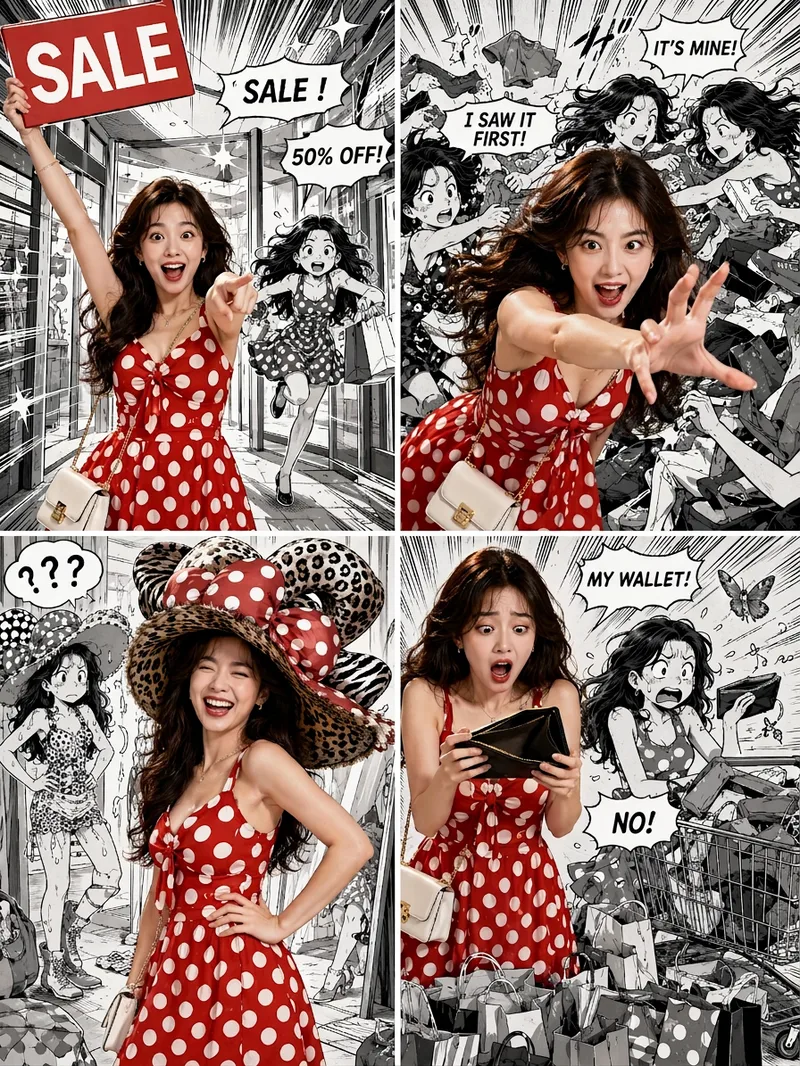
ImageViral Comic Selfie
Turn a photo of a person into a story-driven four-panel pop comic: preserve the character’s facial features, hairstyle, skin tone, body type, and overall presence, with the same protagonist appearing across four connected scenes. The finished image uses a 3:4 portrait 2×2 collage layout, with each panel in a separate 3:4 frame and divided by thin white borders, creating a striking contrast between “realistic, colorful character × black-and-white comic storyboard backgrounds.” You can upload one or more photos and specify a theme, plot, four-panel beats, style, or text for speech bubbles and signs. The Skill organizes connected scenes from opening to climax, turning point, and ending, and aims to render the specified text accurately. If you upload only photos without additional instructions, it creates a fitting four-panel story based on the environment, lighting, occasion, and the person’s presence in the photos. Without a photo, it can also generate a consistent, realistic protagonist. The final deliverable is always one four-panel collage image rather than separate finished images, accompanied by a description of the theme and scene beats. You can continue refining the story theme, four-panel pacing, or text in the image, or recreate an enlarged version of a specific panel while preserving the character’s appearance.
Information
- Version
- v3
- Last updated
- Runtime credits
- Usage-based
- Models
- Auto
- Use cases
- Images & designLifestyle & entertainment
- What you get
- Image
- Visual styles
- RetroFuturisticOil painting
