
Object Knowledge Infographic
Turn a name into a Chinese infographic
Object Knowledge Infographic
Turn a name into a Chinese infographic
Showcase
Description
Enter the name of an object, optionally with an article, notes, or image. The skill first defines the single question the infographic should answer, then verifies the facts, chooses a four-, six-, or nine-panel layout based on the amount of information, finalizes the text for each panel, generates the image, and checks each panel. You’ll receive a 3:4 portrait Chinese knowledge infographic, a one-sentence explanation, copyable image text, and real sources. If image generation is unavailable, it provides a complete, copyable image-generation prompt. Simplified Chinese is used by default; Traditional Chinese and landscape aspect ratios are also supported.
Recommended by
Dancang
Why we love this skill
A rigorous editorial workflow for Chinese knowledge infographics: define the subject and core question, verify facts and scope, then lay out and review every panel. It favors evidence-backed, checkable modules over cramming nine panels.
Best for
For anyone who wants to turn an object’s key facts into an easy-to-read knowledge infographic, especially for learning, public education, and content creation.
How to use this Skill
Provide your input
Provide an object name. If needed, attach an article, notes, or image, and specify what you want to learn, your preferred text format, or aspect ratio.
Run the Skill
The skill narrows the topic and core question, verifies facts and sources, then plans the layout, finalizes the text, and generates and checks the infographic.
Review your result
Get a knowledge infographic with a brief explanation, copyable image text, and sources. If an image cannot be generated, you’ll receive a complete image-generation prompt.
Related Skills
View all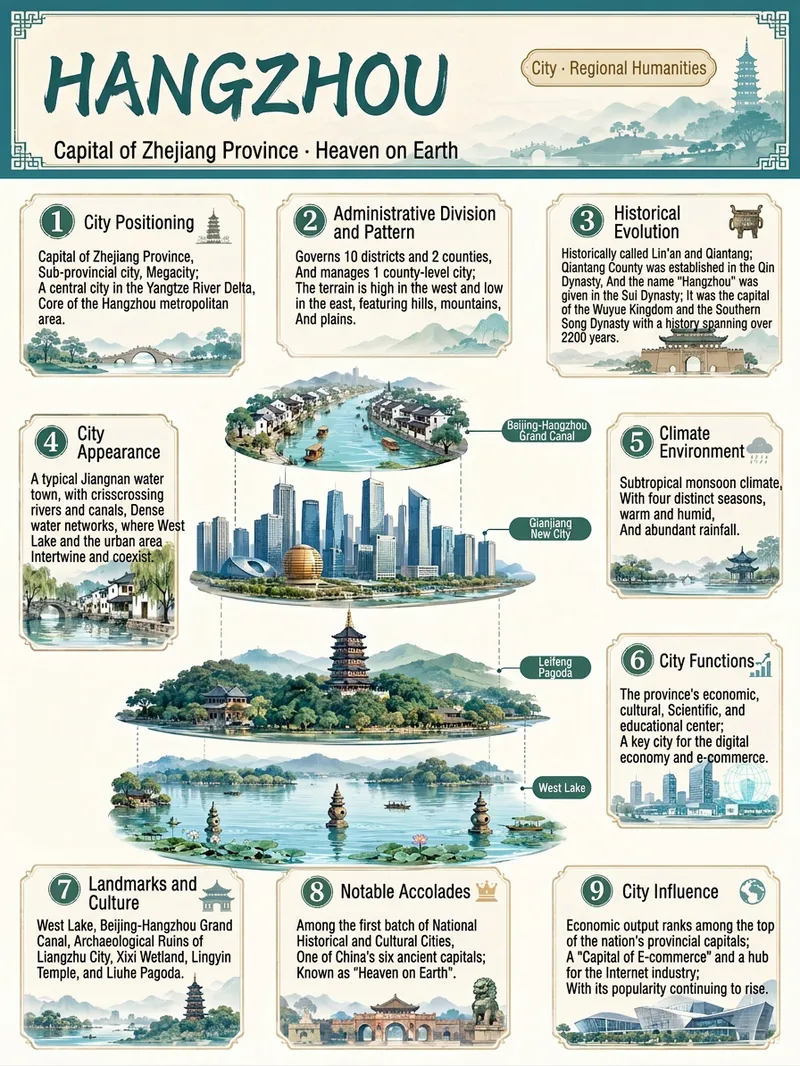 Image
ImageEverything Infographic Maker
Enter an object name to generate a vertical Chinese nine-panel object breakdown infographic for topics including organisms, machinery, plants, celestial bodies, vehicles, buildings, food, and more. Even with only an object name, the skill identifies suitable category labels, visual expression, and information priorities based on the object's features, using a vertical layout and Chinese by default. The design includes a title label at the top, a centered exploded, layered, or cutaway-style subject, and nine information modules arranged around it. These help readers quickly understand the object through its classification, structure, principles, environment, functions, related things, unique features, and relationship to humans. Different categories are matched with corresponding stable themes to maintain a consistent, readable educational layout. Before generation, key facts such as scientific names, numbers, and parameters are checked. The content is condensed into clear Chinese copy, then paired with an illustration or engineering diagram style suited to the object type to create an infographic with legible text and an orderly layout. You can also specify the audience, purpose, visual style, language, or aspect ratio to better fit presentation, teaching, and educational communication scenarios.
 Image
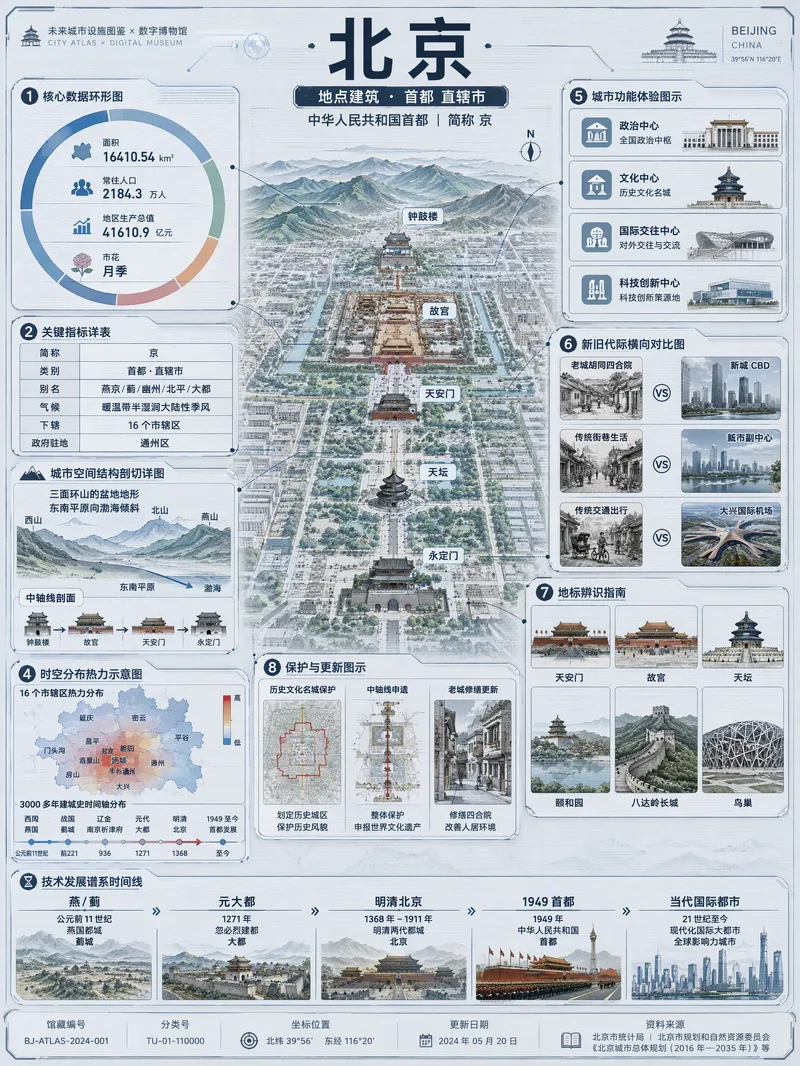
ImageViral Info Atlas Maker
Quickly turn any subject name into a technology-inspired natural history atlas poster that combines rich information with strong visual appeal. Whether it’s a living thing, mineral or material, man-made object, place or building, cultural concept, or historical figure, the Skill organizes content for display and sharing based on your audience, focus, and language requirements. The Skill first uses real-time web research to verify definitions, key data, structure and composition, distribution, applications, evolution, identifying features, and more. It then arranges the content into a 3:4 vertical infographic. The poster centers on a specimen-style subject, surrounded by nine adaptive information modules covering core metrics, structural analysis, spatial and temporal distribution, context and use cases, comparisons, identification points, conservation or maintenance tips, and a development timeline. Module themes and information priorities are adjusted to fit the type of subject. The finished piece uses light gray-blue technical cardstock, precise linework, low-saturation cyan and blue washes, and a semi-transparent scanned texture. The result combines the visual style of a future-city infrastructure atlas with a digital museum display panel, while retaining the subject label at the top and a collection records area at the bottom. For obscure subjects or when information is limited, speculative content is distinguished with visual prompts. It is suitable for science education, exhibition introductions, knowledge sharing, and social media publishing.
 Image
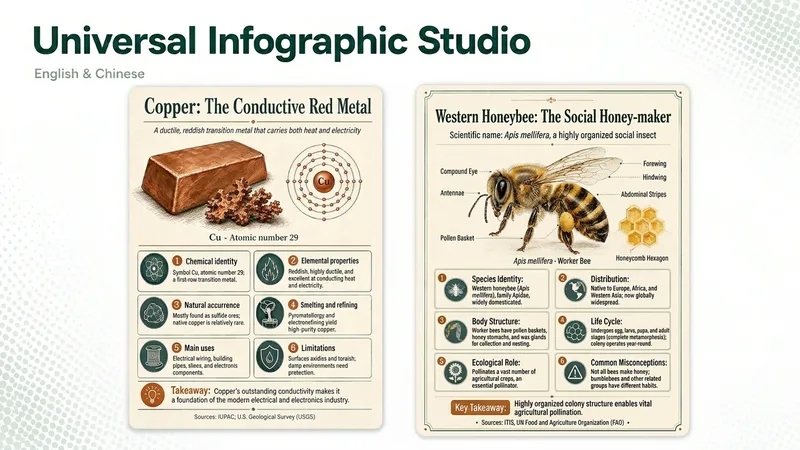
ImageUniversal Infographic Studio
Universal Infographic Studio turns a topic — or material you supply — into one clear, structured knowledge infographic. Give it a subject, or paste a document, article, or image you want explained; it returns a finished infographic image, the exact on-image text in copyable form, and the sources it used. It works in English and Chinese, follows the language of your topic, and defaults to a museum field-guide look in a single 3:4 poster with four to six knowledge modules. Figures such as percentages and rankings appear with their context, and every point is checked before it is drawn. When image generation is unavailable, you receive a complete render prompt instead. Turn a topic, article, document, or image you provide into one clear, structured knowledge infographic. Give it a subject or source material to receive a finished infographic, copyable text from the image, and the sources actually used. It supports English and Chinese, follows the language of the topic by default, and uses a museum field-guide style in a single 3:4 image with four to six knowledge modules. Figures such as percentages and rankings are labeled with their context, and every key point is checked before rendering. If image generation is unavailable, it returns a complete render prompt. AI-generated text, data, and illustrations should be reviewed before publication. AI-generated text, data, and illustrations still require human review before publication.
Information
- Version
- v4
- Last updated
- Runtime credits
- Usage-based
- Models
- Auto
- Use cases
- Images & designResearch & analysisLearning & education
- What you get
- ImagePrompt
- Visual styles
- MinimalistFlatPaper art
