YouMind
Sign in

Product

Explore free Product image prompts from YouMind's AI prompt library, grouped under subjects. Every prompt is curated from real creative workflows and ready to copy, adapt, and reuse.

Prompt to ImageImage to Prompt
GPT Image 2
GPT Image 2 Liquor Poster Design Prompt
View full prompt & copy

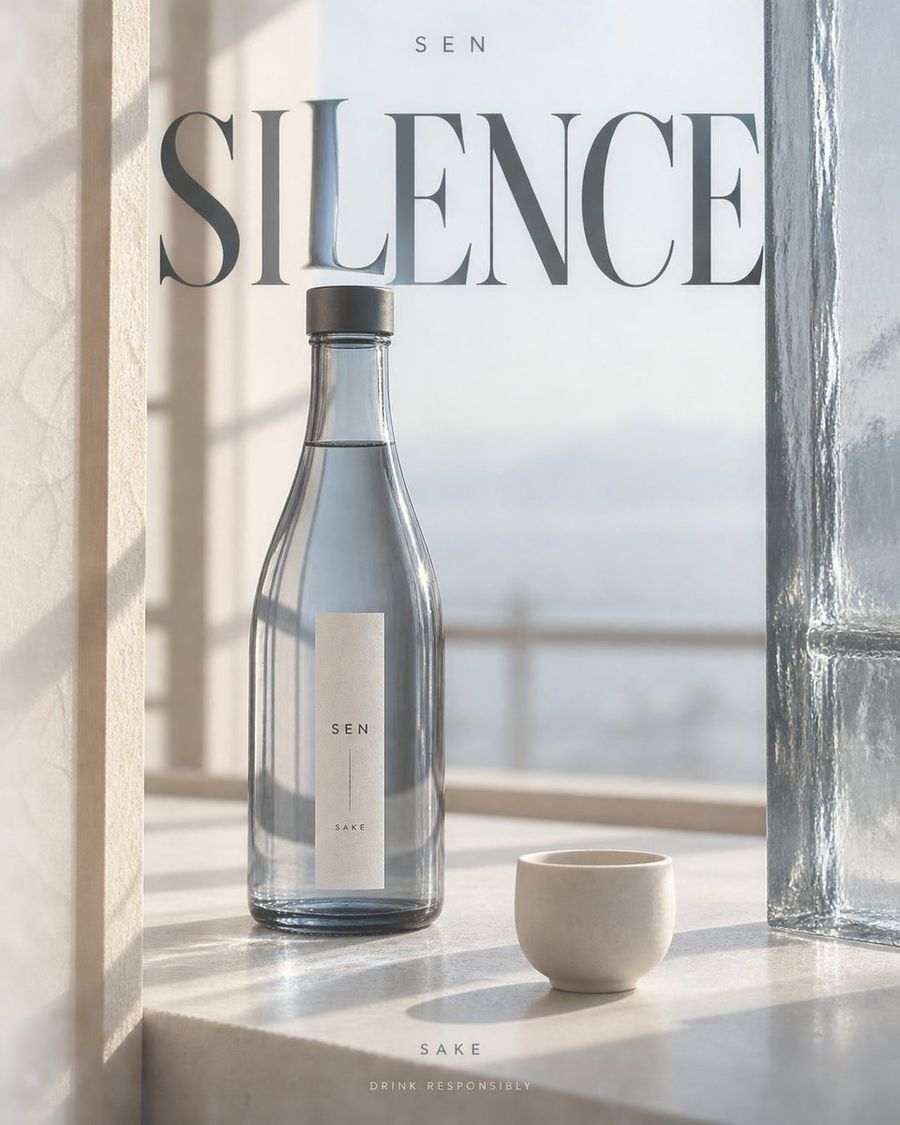
[Brand]: HOLLOW [Product]: Short-shouldered transparent square bottle with amber whisky, black cap [Title]: EMBER [Category]: WHISKY [Side Materials]: Dark oak cross-section / Thick-walled amber glass [Scene & Camera]: Wine cellar oak countertop, low-angle three-quarter view, warm side backlighting [Optical Event]: The liquid locally tints the title amber and slightly magnifies it; restrained caustics appear on the surface [Main Color]: Amber Brown Create a 4:5 vertical liquor advertising poster, outputting one independent finished piece at a time. Fixed visual language: Realistic commercial still-life photography, warm ivory negative space, huge high-contrast serif titles, restrained editorial layout. Use the wine bottle and transparent medium to refract text, combined with bright channels formed by side materials; avoid neon, glowing outlines, generic e-commerce cards, or golden luxury decorations. Arrange [Product] according to [Scene & Camera]. Let [Side Materials] enter the frame as close-ups with partial cropping, forming asymmetric vertical negative space; openings can slowly expand/contract with the camera, do not make them mirror-image door frames. The bottle occupies about half to two-thirds of the screen height, fully recognizable within the negative space, with slight occlusion from one side material; upper part must have breathing room. Side materials must come from the storage, packaging, or drinking context of this liquor type; do not add irrelevant caves, flower fields, or uniformly copied photographic backgrounds. Place the large title [Title] across layers in the middle-upper area, letting a small segment of strokes pass behind the wine bottle or transparent medium, undergoing local magnification, displacement, or color filtering in [Optical Event]. Parts of the text not passing through the medium remain normally clear; distortion is limited to the translucent area, do not twist the entire title into waves. Use [Main Color] as the only strong color, with warm ivory and charcoal black as auxiliaries; liquid translucency, glass thickness, contact shadows, condensation, and projections must be believable; do not draw optical effects as lasers. Place [Brand] at the top in a small, sparse sans-serif font; place [Category] and "Drink Responsibly" at the bottom as two lines of small text. Bottle labels use only brand and category, leaving clean information density. Only the above text is allowed in the entire image; do not automatically add slogans, vintages, alcohol content, awards, origins, prices, or unprovided product claims. No people in the scene, do not express excessive drinking. Preserve delicate natural material textures and precise glass highlights; avoid heavy CGI, floating products, extra bottles, random letters, glare stacking, collages, and watermarks. Scene, camera, bottle shape, and optical events change with variables, but the visual language of warm ivory negative space, serif main titles, and localized refraction remains consistent.
Generate image
GPT Image 2.5
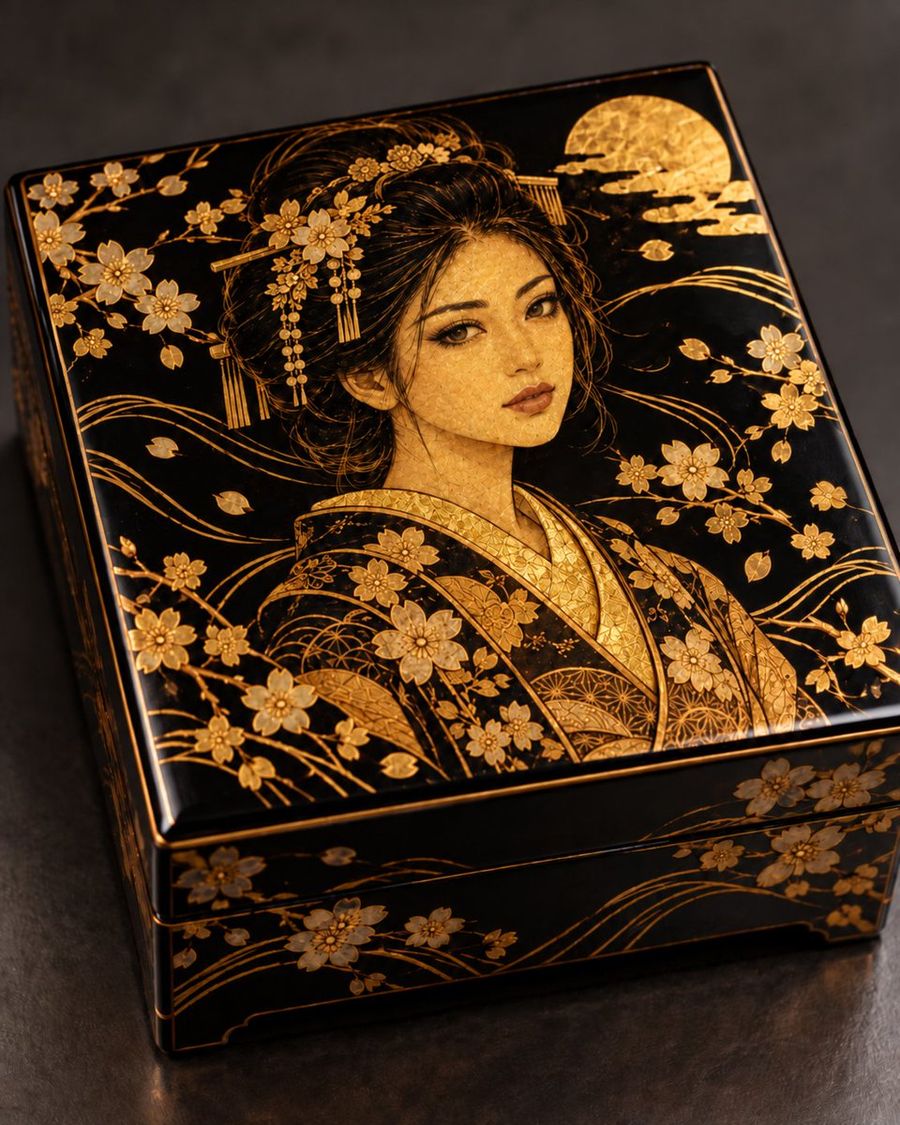
Black Lacquer Box with Gold Geisha
View full prompt & copy

A high-angle, close-up product shot of a luxurious Japanese black lacquer box (jubako) featuring intricate gold leaf and maki-e detailing. The lid displays a stunning illustration of a geisha with an elegant updo adorned with ornate kanzashi hairpins and dangling beads. She wears a kimono patterned with delicate cherry blossoms and geometric textures. Surrounding her are sweeping golden wind motifs, scattered sakura petals, and a large textured full moon in the upper right corner. The sides of the box continue the floral and wave patterns. The object sits on a dark, matte surface under soft studio lighting that highlights the metallic sheen of the gold against the deep black background.

Generate image
GPT Image 2
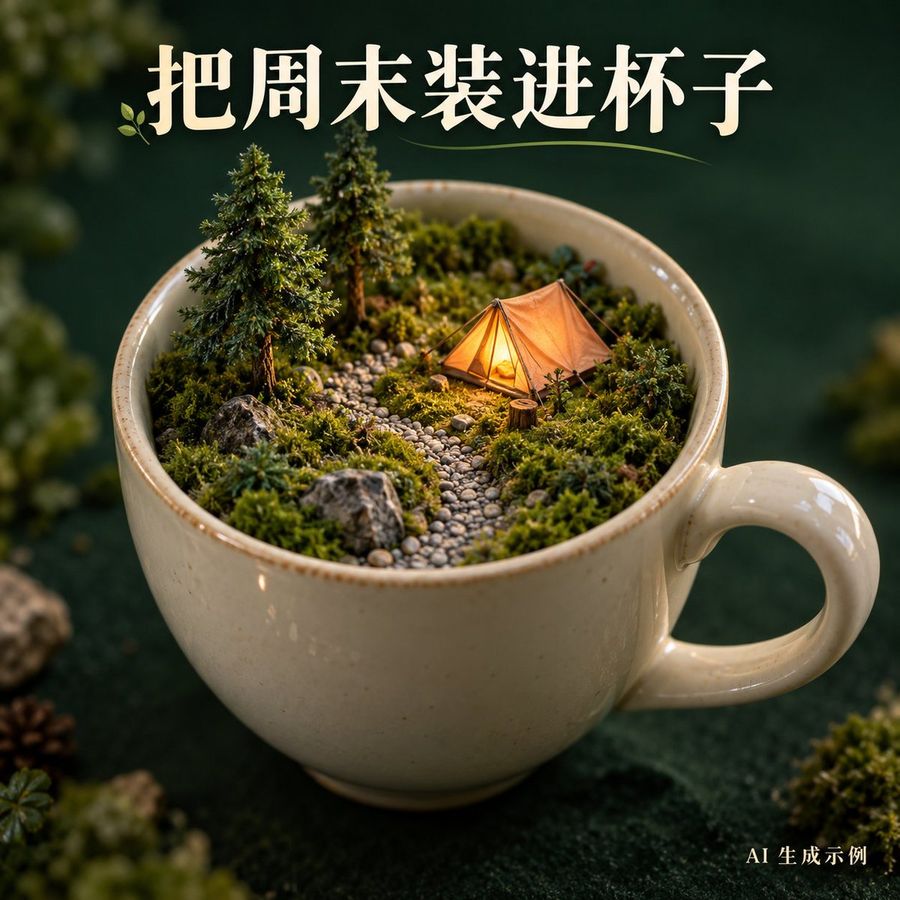
Surreal Camping Scene Inside Teacup
View full prompt & copy

Generate a 1:1 square surreal miniature scene poster. A large cream-white ceramic teacup occupies the center, inside is not liquid but a small moss forest, two small pine trees, a warm orange tent, and a curved gravel path form a complete campsite. Tent emits warm soft light, no open fire, no people. Cup placed against deep ink-green background, three-quarters side overhead view, handle clear and intact, macro photography, realistic ceramic glaze and moss details, shallow depth of field. Large text at top "Pack the weekend into a cup", small text bottom right "AI Generated Example". Text clear, no logos, URLs, prices, or other text.

Generate image
GPT Image 2
Dark Silhouette Poster Design from Photo
View full prompt & copy

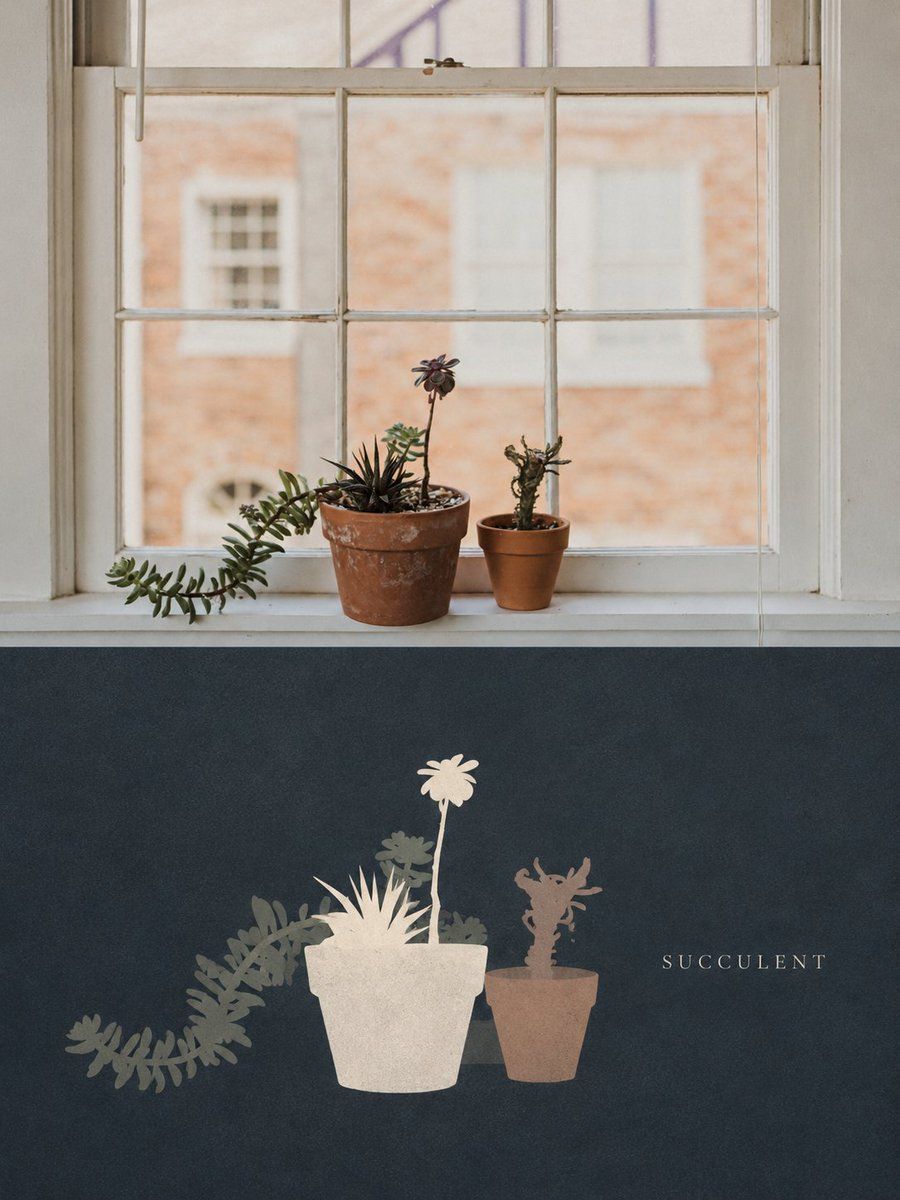
Please turn each uploaded photo into an independent high-end design poster, do not stitch images together, output each photo separately. Use a 3:4 vertical composition, split into two halves like a folded card, with the fold line exactly on the horizontal centerline, both halves equal height, do not draw the fold line itself. Top half retains the original photo, preserving subject identity, structure, pose, realistic texture, natural lighting, and original color atmosphere, only applying slight high-end color grading to give it an art magazine, indie publication, and exhibition image quality. To fit the aspect ratio, naturally extend the environment background but do not stretch, distort, or change the subject; crop as panorama, leave sky above the subject's head, do not crop the top. No text in the top half, all text appears only in the bottom half. Bottom half extracts only the most recognizable **subject, outline, structure, pose, and narrative relationships** from the photo, reconstructing them as a **Flat Silhouette Still Life on a Dark Ground**. Do not copy the photo completely, but compress the subject and a few adjacent items into flat silhouettes without outlines or internal details, making the correspondence with the top photo immediately identifiable. **Must have several unoutlined flat silhouettes overlapping into a cluster standing on a solid dark background, with only one block noticeably brightest, popping out as if lit**, this defines the style, missing it fails. Bottom half requires new artistic judgment. Even if the original has poor composition, messy background, or small subject, save it by **removing environment, converting to front/side view, moving scattered items close into a cluster**; arrange silhouettes of varying heights staggered, as if quietly placed on an invisible surface. If the photo is a scene (street, corridor, landscape, interior), take only the most representative single object or fragment, do not draw the rest, do not draw the whole scene. Form focuses on **unoutlined front/side silhouette blocks**: each shape expressed with one color block, soft edges with slight hand-cut undulations, almost no internal structure, only using darker same-color small blocks where necessary to indicate openings, gaps, or turns. People, animals, buildings, objects, plants, and landscapes are unified into flat front or side silhouettes, depth read only through occlusion and color shade, no perspective or projection. Texture is **fine dry-brush gouache granules**: dark background and each silhouette covered with very fine powdery speckles, making color surfaces soft and slightly velvety; stop here, no scratches, stains, folds, or aging effects. Composition uses **a medium-sized silhouette cluster + large dark negative space**. Bottom half drawn as **panorama**, as if photographer stepped back, subject complete with empty space around, smaller than intuition suggests; **leave sky** above subject, like mounting header wider than footer, nothing touches the central fold. Silhouette cluster slightly off-center, base line on invisible horizontal, other side left for text. Prefer things quietly crowded together rather than spread across the canvas. Color extracted from the top photo's most emotional hues, remixed into **deep ground plus low-saturation pink-grey blocks**: darkest photo color further dimmed keeping some hue as majority background; other colors desaturated mixed with grey/white becoming soft pink-grey blocks; only one block lifted brightest near warm-white, sole highlight. Adjust warmth/coolness per photo, avoid pure black, high saturation, and gradients. Text minimal editorial intervention, any language, no fixed title. Only one short name or word taken from specific things, places, actions, or details in the photo, no subtitles or second lines; text very small, much smaller than subject, using **thin serif uppercase glyphs** in dark space beside silhouette cluster, color one shade lighter than brightest, separated by quiet distance. No generic inspirational slogans. Overall like a still life illustration in indie publication or art postcard: dark ground, unoutlined silhouettes, overlapping layers, one bright color plane and thin small text composing quiet, warm, slightly nocturnal atmosphere. Avoid full scene replication, filled backgrounds, cartoonish feel, template poster look, avoid isolated silhouettes, adding outlines, multiple equally bright blocks without focus, 3D lighting, vivid candy colors, and overly neat vector edges.

Generate image
GPT Image 2
Handmade Paper Collage Morning Coffee Illustration
View full prompt & copy

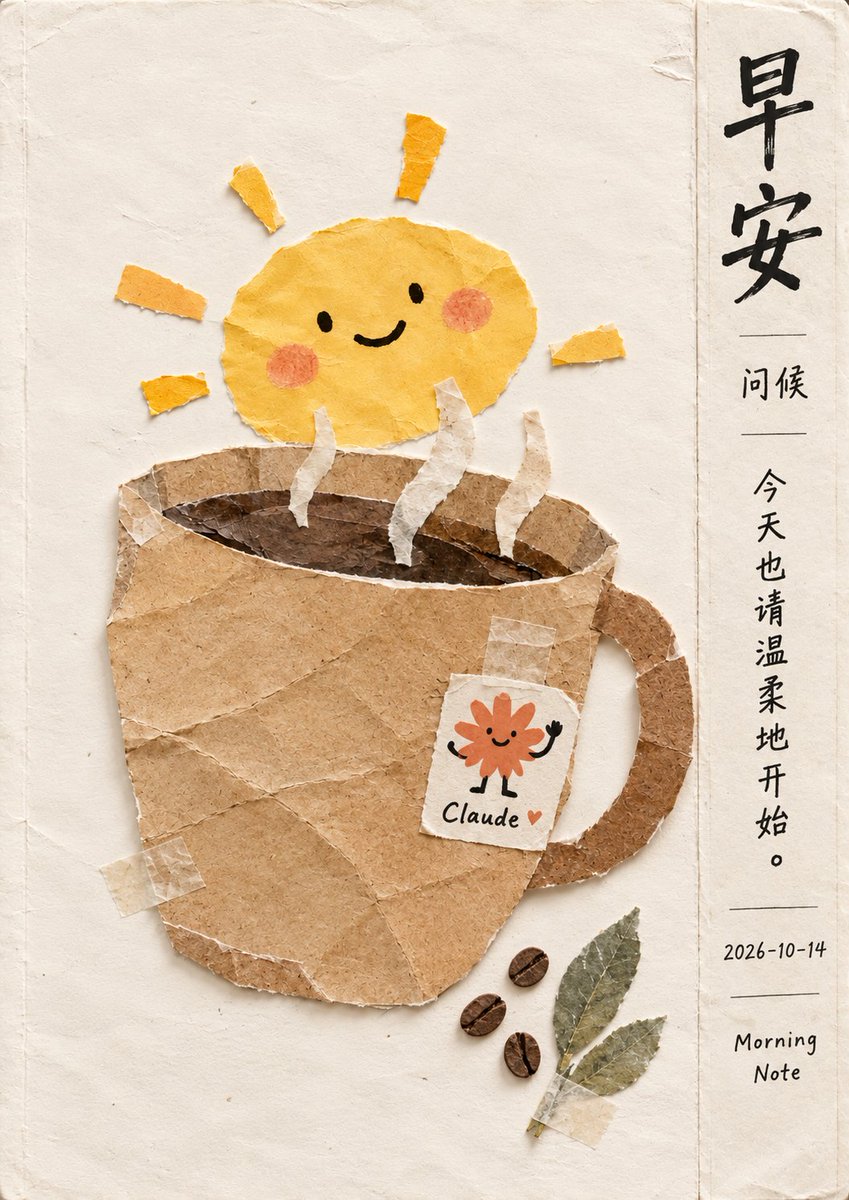
Create a vertical digital collage illustration in a warm, handmade paper-cut style. The background is a textured off-white paper surface with subtle creases and torn edges. In the center, there is a large coffee mug made of brown kraft paper with visible tape marks. Rising from the mug are three wavy strips of white paper representing steam. Above the mug sits a cheerful yellow sun character made of crumpled yellow paper, featuring simple black dot eyes, a curved smile, and pink circular cheeks. Attached to the side of the mug is a tea bag tag made of white paper with a small orange flower doodle and the text 'Claude' written in a handwritten font. At the bottom right, there are three dark brown coffee beans and two green dried leaves taped onto the background. On the right side, there is a vertical column of Chinese calligraphy text: '早安' (Good Morning) at the top, followed by smaller text '问候' (Greetings), then a sentence '今天也请温柔地开始。' (Please start gently today as well). Below that is the date '2026-10-14' and the English text 'Morning Note'. The overall aesthetic should be cozy, tactile, and artistic.

Generate image
GPT Image 2.5
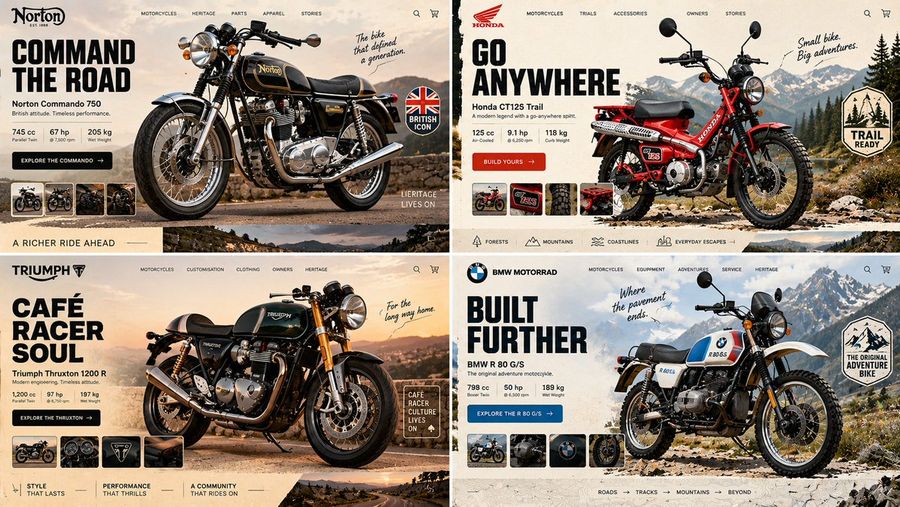
Classic Motorcycle Landing Page Prompt
View full prompt & copy

16:9, 2x2 grid, do this for an unusual but real classic motorcycles INPUT = [ TOPIC / HERO_OBJECT / BRAND_TEMPERAMENT / VIEWPORT / GRAVITY_LAW ] Run HERO_PRODUCT_GRAVITY: TOPIC_DNA := infer the category from TOPIC alone — what's sold, who buys it, what its shelf looks like HERO_DNA := ONE photographic hero object, cut out, oversized, 30–40% of frame; real material response — specular on foil, matte on paper, subsurface scatter on skin or fruit BRAND_DNA := derive the palette FROM the object — 1 dominant, 1 accent pulled from a hue the object actually contains, 1 near-neutral ground LIGHT_ANCHOR := decide key light position ONCE (upper-left or upper-right); every shadow — object, cards, pills, floating confetti — falls the same direction at the same angle and softness GRAVITY_LAW := the hero is either GROUNDED (contact shadow touching a visible surface plane) or SUSPENDED (ambient occlusion beneath, blur growing with height) — never both, never floating with a hard cast shadow and no plane to cast it onto DEPTH_ORDER := ground wash < decorative rays/confetti < hero object < UI chrome. Nav, cart and buttons are ALWAYS in front, never occluded TYPE_LOGIC := one display face for the headline (heavy — pick condensed OR wide, not both), one neutral for everything else; headline ≤ 6 words, body renders as legible micro-type, never enlarged gibberish IMPERFECTION := exactly one element breaks its bounding box — a badge rotated 4–7°, a sticker overlapping the product silhouette, a stray mark in the gutter FRAME := desktop 16:10, 64–80px outer gutter; the bottom edge reveals the top 15% of the next section so the page reads as scrollable MOOD := appetite, immediacy, one unmistakable action Render: one screen where the product's own light governs every pixel of interface around it. Forbidden — objects: stock-photo humans, lorem blocks at display size, a second competing hero Forbidden — look: conflicting shadow directions, cut-out halo or chewed edges, cast shadows on flat 2D illustration, palette colors absent from the object, three type families, nav bar sitting behind the product

Generate image
GPT Image 2.5
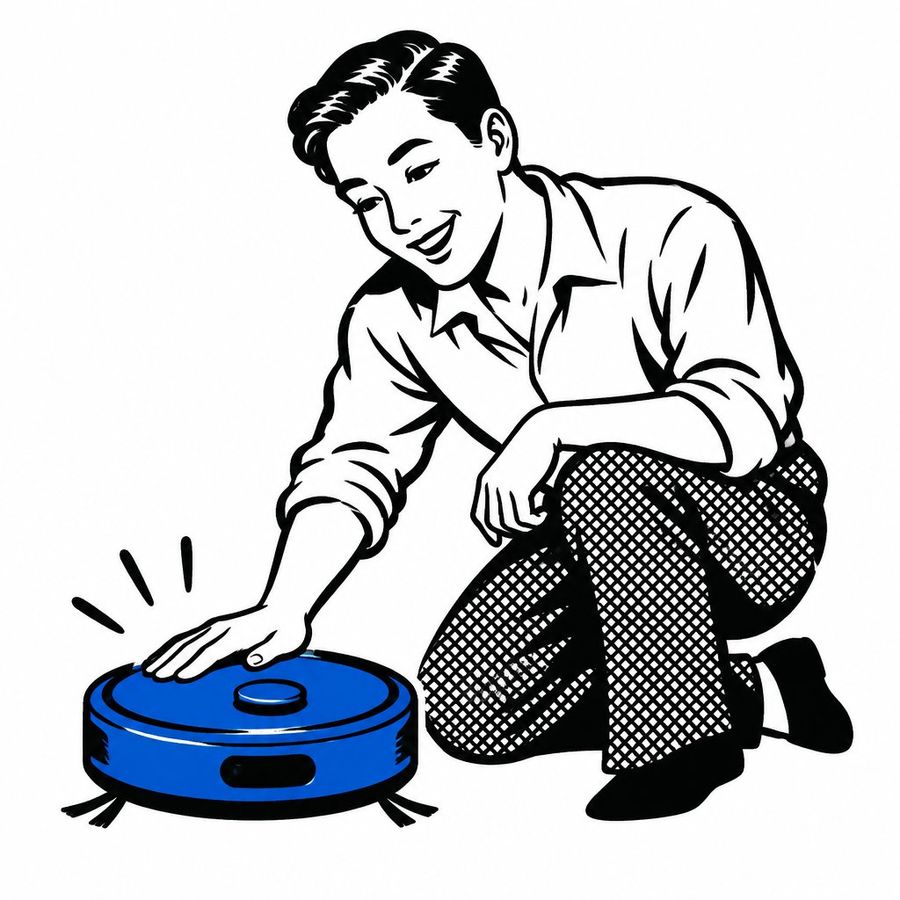
Showa-Era Robot Vacuum Ad
View full prompt & copy

A retro Showa-era Japanese advertisement illustration featuring a smiling man crouching down to gently touch a bright blue robotic vacuum cleaner. The artwork is rendered in a vintage manga style with bold black ink outlines and halftone dot shading on the trousers. The man has neatly combed dark hair, wears a light-colored collared shirt with rolled-up sleeves, checkered pants, and dark shoes. He looks down at the device with an expression of delight and curiosity. Three small motion lines radiate from his hand where it touches the top button of the robot. The background is plain white.

Generate image
GPT Image 2.5
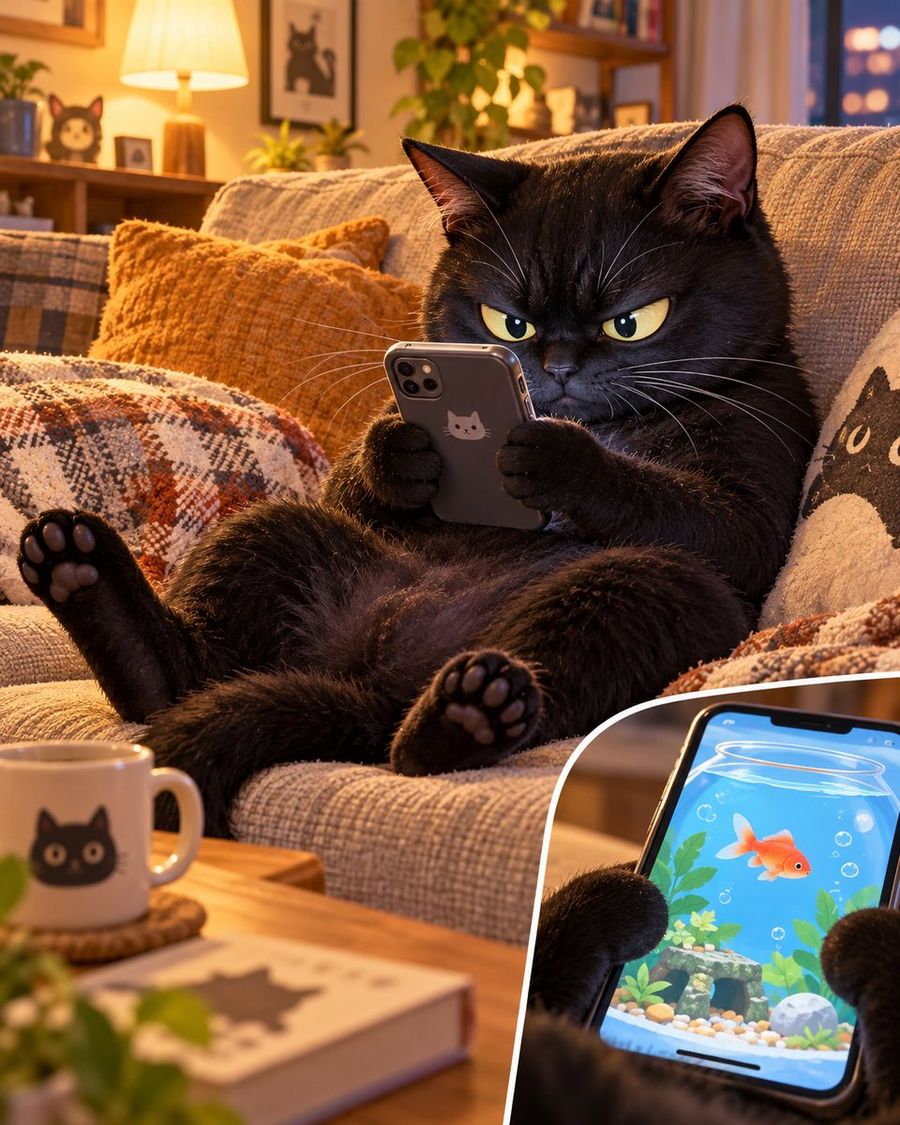
Serious Black Cat Playing Mobile Game
View full prompt & copy

A hyper-realistic, high-resolution photograph of a fluffy black cat lounging on a cozy beige sofa. The cat is holding a smartphone with both front paws, its expression intensely focused and slightly grumpy with narrowed yellow eyes. In the bottom right corner, there is a circular inset close-up showing the phone screen displaying a mobile game featuring a goldfish in a bowl. The background is a warm, inviting living room with soft lighting, including a lamp, houseplants, and decorative pillows.

Generate image
GPT Image 2.5
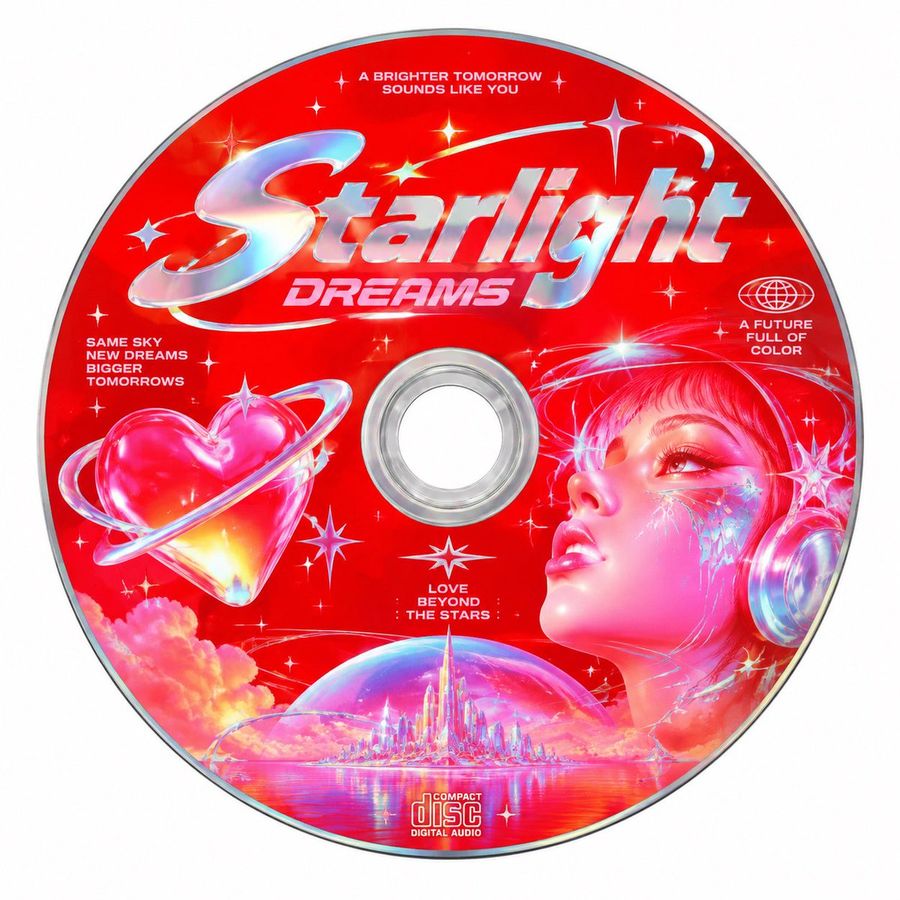
Retro-Futuristic Starlight Dreams CD Label
View full prompt & copy

Design a circular CD label with a vibrant red background. In the center, place large chrome-style text reading Starlight Dreams. Above this, add smaller white text: A BRIGHTER TOMORROW SOUNDS LIKE YOU. To the left of the center hole, include a glossy pink heart encircled by a transparent ring, resembling a planet. Below the heart, list these phrases in small white font: SAME SKY NEW DREAMS BIGGER TOMORROWS. On the right side, depict a stylized female face in profile looking upward, rendered in glowing pinks and blues with digital star accents on her cheek. She wears futuristic headphones. Above her head, place a globe icon and the text: A FUTURE FULL OF COLOR. At the bottom center, show a crystalline cityscape inside a bubble floating on water, with the text above it: LOVE BEYOND THE STARS. Finally, at the very bottom edge, include the standard 'Compact Disc Digital Audio' logo.

Generate image
GPT Image 2.5
Snow Globe Brand Miniature World
View full prompt & copy

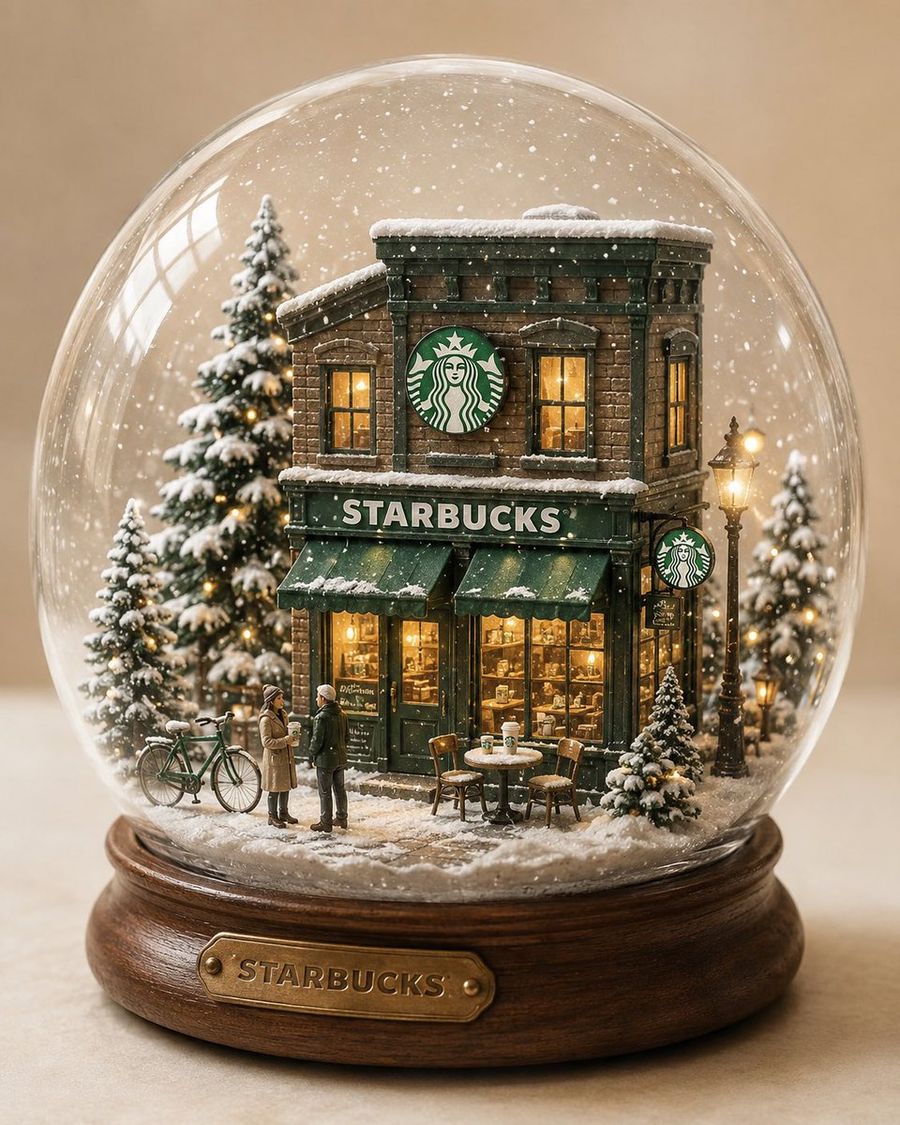
“A highly detailed miniature [STORE / BRAND] store inside a beautiful glass snow globe. Signature architecture + logo preserved. Cozy winter street scene with snow-covered trees, tiny street lamps, benches, bicycles and miniature brand props. Warm glowing windows contrasting with the cool snowy environment, 1-2 tiny people for scale. Realistic glass reflections, delicate falling snow, handcrafted miniature details, wooden base, cinematic product photography, soft studio lighting, cream background, whimsical yet premium, 4:5.”

Generate image
GPT Image 2.5
iOS Share Sheet Pop-Out Effect
View full prompt & copy

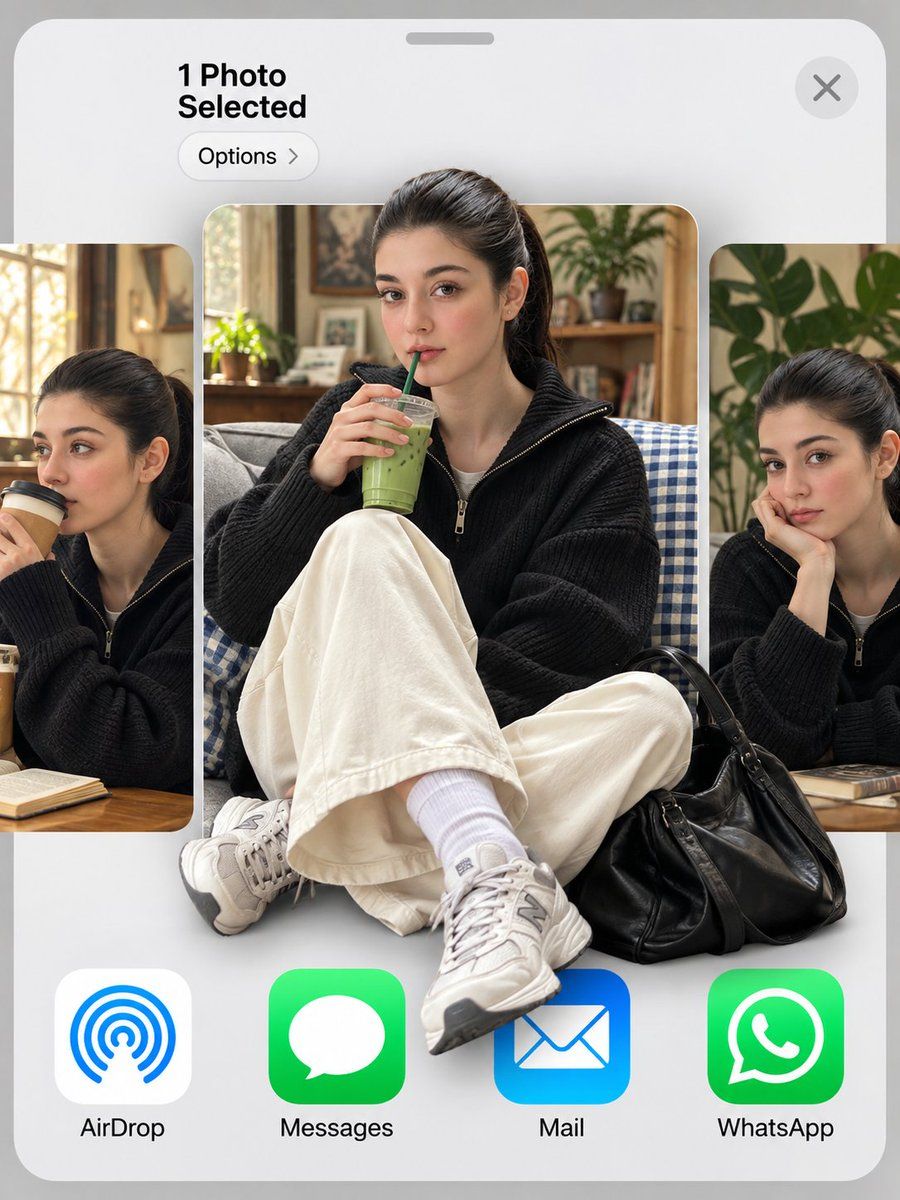
Use my uploaded photo as the face reference. 3:4 vertical. An iOS share sheet on a light grey background: top left reads "1 Photo Selected" with an "Options >" pill below it, a round X close button top right, then a horizontal carousel of three photo thumbnails, and a bottom row of app icons labeled "AirDrop", "Messages", "Mail", "WhatsApp". Center thumbnail: the man in reference, keeping his exact face, hairstyle and identity, sitting cross-legged on a grey couch with a blue gingham blanket, holding an iced matcha latte with a green straw, looking at the camera. He wears a black baseball cap with a white NY logo, thin round gold wire glasses, an oversized cream shirt with a grey knit sweater draped over his shoulders, wide black trousers, white socks and black leather penny loafers, with a red crochet drawstring bag at his feet. 3D pop-out effect: his cap breaks out above the thumbnail's top edge, and his loafers and the red bag spill out over the app icons below. Side thumbnails, partially cropped: the same man sipping a takeaway coffee on the left, and resting his chin on his hand beside a monstera plant on the right. Soft indoor daylight, realistic skin texture.

Generate image
GPT Image 2.5
Four Jewel Case CDs: Stickers, Gold, Rose, Galaxy
View full prompt & copy

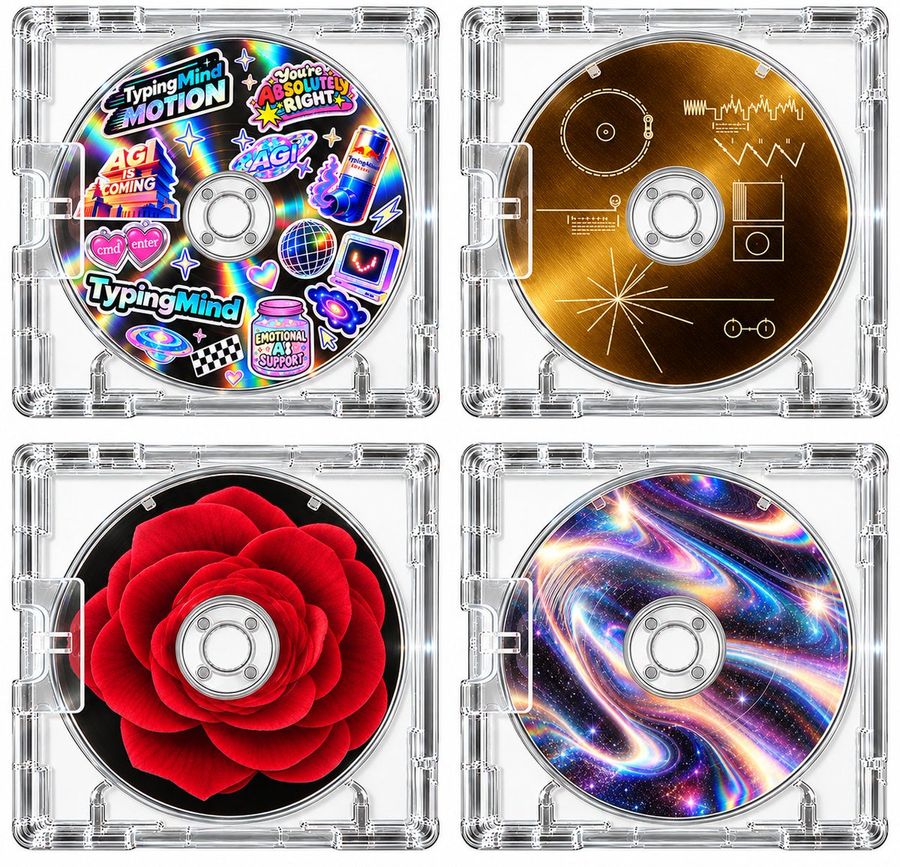
Generate a high-resolution image of four distinct CD/DVD discs housed in clear, glossy plastic jewel cases arranged in a 2x2 grid. Top-Left Disc: A vibrant 'sticker-bomb' aesthetic on a holographic rainbow background. It features multiple colorful stickers including text like 'TypingMind MOTION', 'You're ABSOLUTELY RIGHT', 'AGI IS COMING', and 'EMOTIONAL AI SUPPORT'. Other elements include a disco ball, a Red Bull can, a laptop with a smiley face, hearts, stars, and a checkered flag. Top-Right Disc: A sleek, brushed gold metallic surface featuring minimalist white line-art diagrams resembling technical schematics or circuit board traces. Bottom-Left Disc: A photorealistic, deep red rose bloom centered against a solid black background. Bottom-Right Disc: A psychedelic, swirling galaxy pattern with iridescent colors (pinks, blues, purples) and star-like sparkles. All discs have standard central hubs with silver rings and are encased in transparent plastic boxes with visible hinges and corner details.

Generate image
GPT Image 2
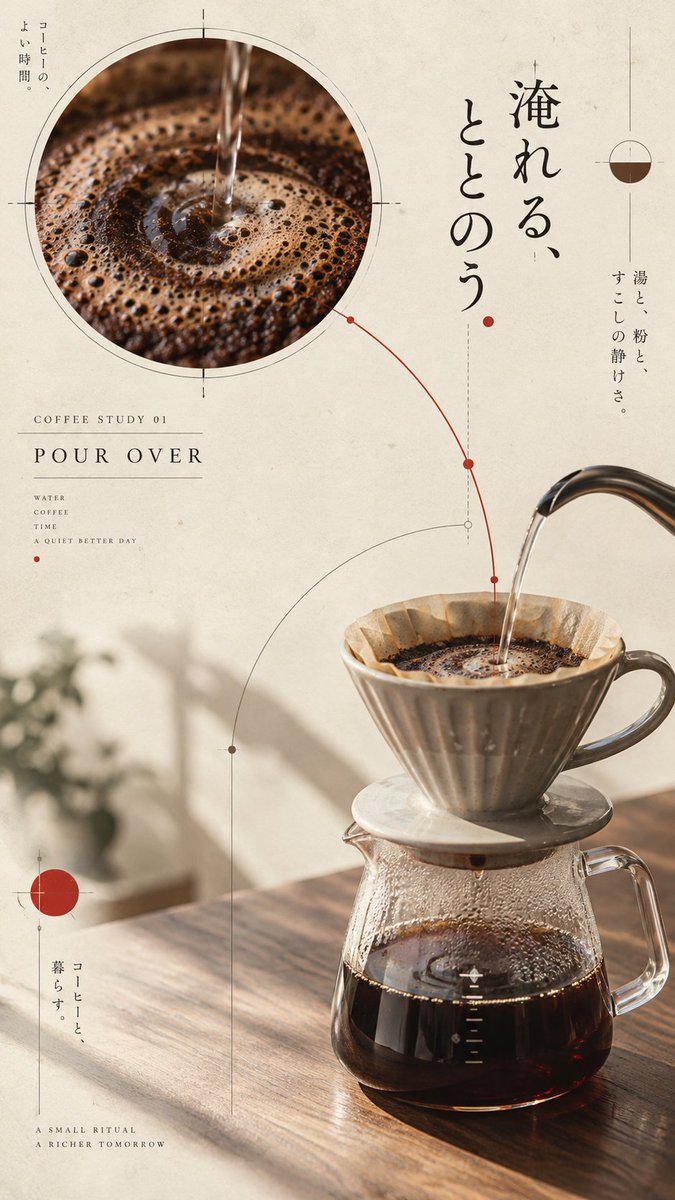
GPT-Image Coffee Japanese Editorial Poster Prompt
View full prompt & copy

Create 4 independent "Japanese Editorial Coffee Posters" belonging to the same series, but each must have different subject representations, composition paths, and visual events; do not just change colors or brand names. All four images share the visual language of modern Japanese museum publications, independent design exhibition posters, and restrained editorial design. The aspect ratio is unified as 9:16 vertical portrait, output independently without collage. The background is unified as warm ivory paper with very subtle real paper fibers and low-intensity printing grain. Use a palette of warm ivory, ink black, coffee brown, and a touch of dark vermilion; neon, high-saturation gradients, and commercial gloss are prohibited. All posters use a few circular visual anchors, thin measurement lines, arcs, registration marks, and structural markers. Lines must serve the subject and reading path, not become random decoration. Text uses only short, readable English labels; do not generate long pseudo-text, random logos, QR codes, or watermarks. Image 1: Pour-over coffee. Ceramic dripper and glass server in a calm three-quarter tabletop view. Top left features a large circular detail showing coffee bloom and concentric ripples; bottom right shows real equipment; water flow is translated into a measurement arc. Add short label "COFFEE STUDY 01 / POUR OVER". Image 2: Cold brew coffee. Transparent tall cup of iced coffee on the left, add a vertical slice showing layers of coffee, ice, and reflections; use fine vertical lines to establish a cool rhythm. Add short label "COFFEE STUDY 02 / COLD BREW". Image 3: Latte. Handmade ceramic cup at bottom right, behind it place an offset disc cropped by the edge, echoing milk foam swirls; add two small material detail circles. Add short label "COFFEE STUDY 03 / MILK FORM". Image 4: Coffee beans and tools. Roasted beans, hand grinder, metal scoop, and folded paper bag form a diagonal object map in isometric three-quarter view; thin outlines and route nodes connect objects, retaining large white space. Add short label "COFFEE STUDY 04 / ORIGIN / TOOL / ROAST". All four images must maintain realistic textures of coffee, glass, ceramic, metal, paper, and wood; clear subjects, natural lighting, mature editorial typography. Prohibit ordinary cafe menus, messy collages, fixed grids, average layouts, cheap plastic 3D, complex UI, garbled text, excessive props, and watermarks. Final output is 4 independent 9:16 posters, maintaining series unity while ensuring distinct differences in subject, composition, visual focus, and interaction mechanisms.

Generate image
GPT Image 2.5
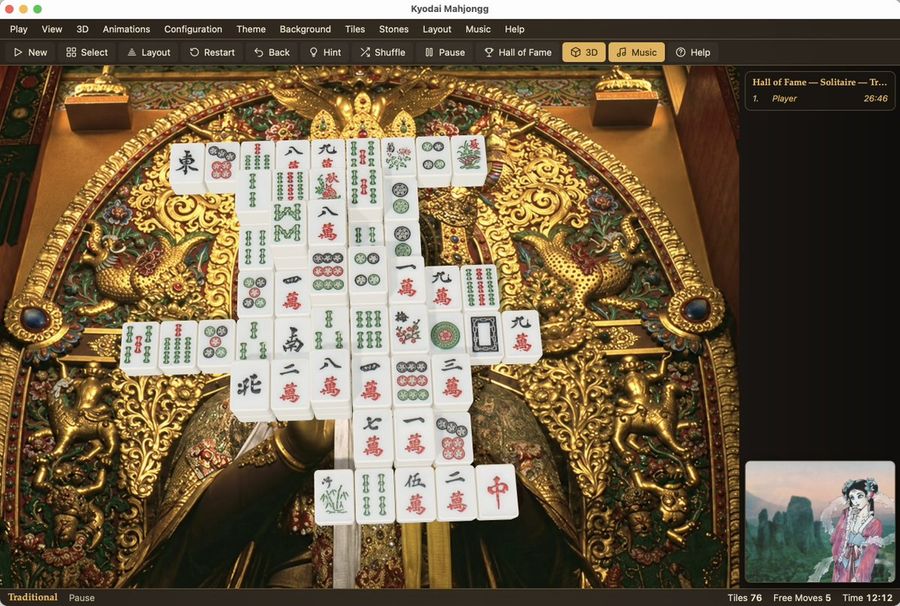
Kyodai Mahjongg Game Interface
View full prompt & copy

Goal: Create a photorealistic, high-resolution screenshot of the 'Kyodai Mahjongg' game interface running on macOS. Canvas: A wide desktop window with a dark grey title bar and menu strip at the top. Layout: The main play area occupies the center-left. A sidebar for 'Hall of Fame' is on the right. A small preview thumbnail is in the bottom-right corner. A status bar runs along the very bottom. Visual style: Photorealistic rendering of physical objects (mahjong tiles) against a highly detailed, ornate background. The lighting should be soft and realistic, highlighting the texture of the gold carvings and the smooth surface of the tiles. Subject details: - Background: An extremely intricate, golden Japanese-style carving or tapestry featuring mythical creatures (dragons/phoenixes), floral patterns, and deep relief textures. It looks like a museum artifact. - Tiles: A pyramid-like stack of white mahjong tiles with traditional red, green, and black engravings (characters, bamboo, circles). They are arranged in a specific solitaire layout. - UI Elements: Standard macOS traffic light buttons (red, yellow, green) in the top left. Menu items: Play, View, 3D, Animations, Configuration, Theme, Background, Tiles, Stones, Layout, Music, Help. Toolbar icons below that. Text content: Title bar reads "Kyodai Mahjongg". Sidebar header reads "Hall of Fame — Solitaire — Tr...". Bottom status bar reads "Traditional", "Pause", "Tiles 76", "Free Moves 5", "Time 12:12".

Generate image
GPT Image 2
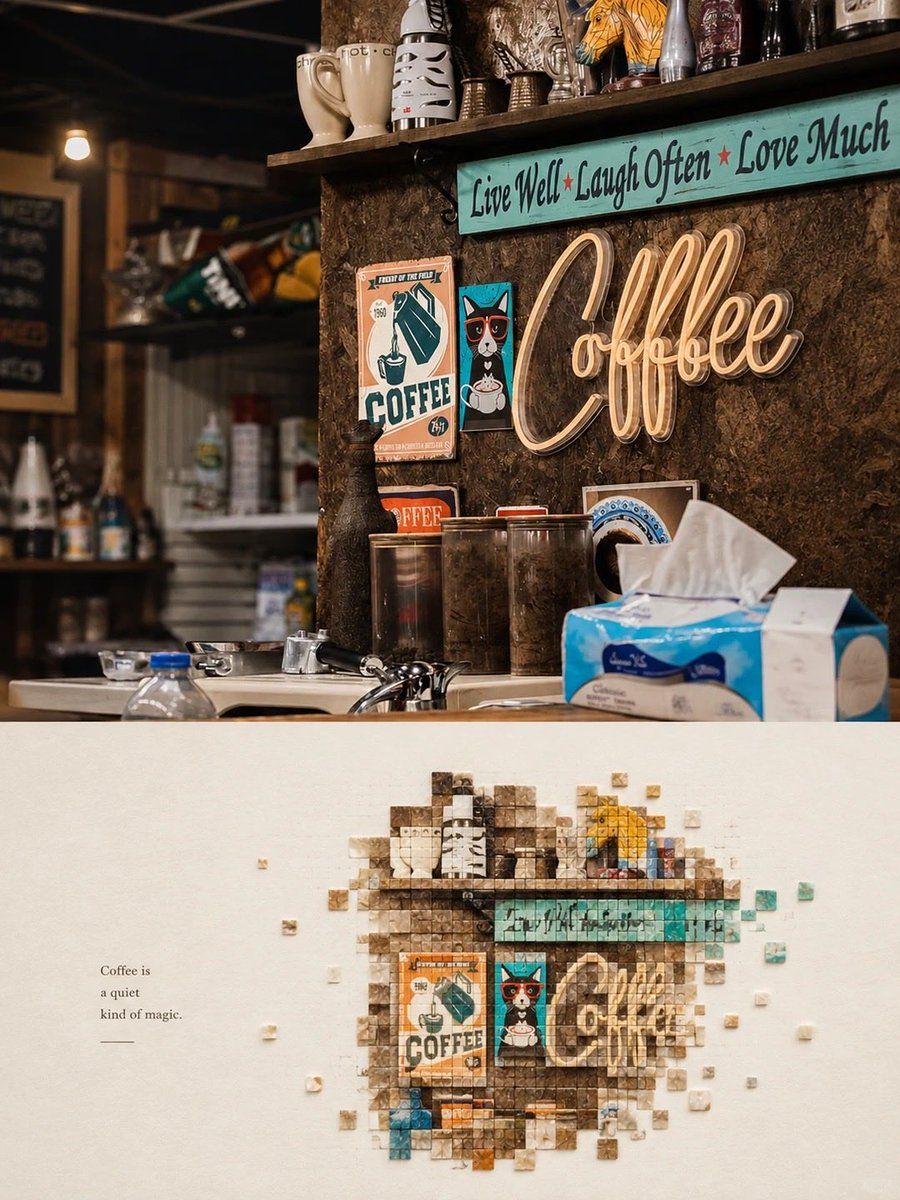
Mosaic Art Poster: Coffee Shop Scene
View full prompt & copy

Create a vertical minimalist mosaic art poster inspired by the reference images. Combine a realistic photograph in the top half with a creative pixel-mosaic artwork in the bottom half, using the same main subject and matching colors. Top section: A cozy vintage coffee shop interior with a rustic wooden counter, dark textured walls, warm ambient lighting, shelves filled with ceramic mugs and collectibles, retro coffee posters, a glowing cursive neon “Coffee” sign, and a turquoise inspirational sign above it. Create a nostalgic café atmosphere with rich brown tones, teal accents, warm highlights, realistic textures, cinematic lighting and shallow depth of field. Bottom section: On a clean, warm ivory textured paper background, recreate the main café scene as an artistic mosaic made of hundreds of tiny square tiles. Arrange the tiles to form the recognizable coffee sign, turquoise quote board, retro posters, mugs and dark wooden wall. Use varying shades of brown, cream, teal, orange and muted blue. Let a few small square tiles float outward around the mosaic, creating a dissolving pixel effect. Leave generous negative space around the artwork. Add a small elegant caption on the left: “Coffee is a quiet kind of magic.” Keep the design refined, balanced and modern. Alternative subject: Apply the same technique to a bright red takeaway cup with the words “Hello Sweet Summer,” held against a sunny beach background with turquoise ocean waves, sparkling water and a pale blue sky. In the lower half, reconstruct the cup and beach colors using tiny square mosaic tiles, with scattered red, blue, beige and white pixels. Add delicate handwritten text on the side: “Same Sun, New Stories.” Style: premium contemporary editorial poster, photorealistic top section, intricate square-tile mosaic below, minimalist cream background, sophisticated color harmony, realistic textures, clean composition, vertical 4:5 ratio, sharp details, no watermark.

Generate image
Loading more prompts

FAQ

Where do YouMind prompts come from?
YouMind curates high-signal AI prompt examples from creator communities and public creative workflows. The library focuses on prompts that are useful to inspect, reuse, and adapt.
How are image prompt categories organized?
Image prompts are grouped into use cases, styles, and subjects. Use cases describe the job to be done, styles describe the visual treatment, and subjects describe what the image is mainly about.
How are prompts assigned to categories?
YouMind uses AI to analyze each image prompt, its title, metadata, and generated result when available, then assigns the closest categories. Editors can refine categories as the taxonomy evolves.
What is YouMind?
YouMind is an AI workspace for turning research, ideas, and creative references into usable outputs. The prompt library is one public part of that workflow, built to help creators learn from strong examples faster.