YouMind
Sign in

App / Web Design

Explore free App / Web Design image prompts from YouMind's AI prompt library, grouped under use cases. Every prompt is curated from real creative workflows and ready to copy, adapt, and reuse.

Prompt to ImageImage to Prompt
GPT Image 2.5
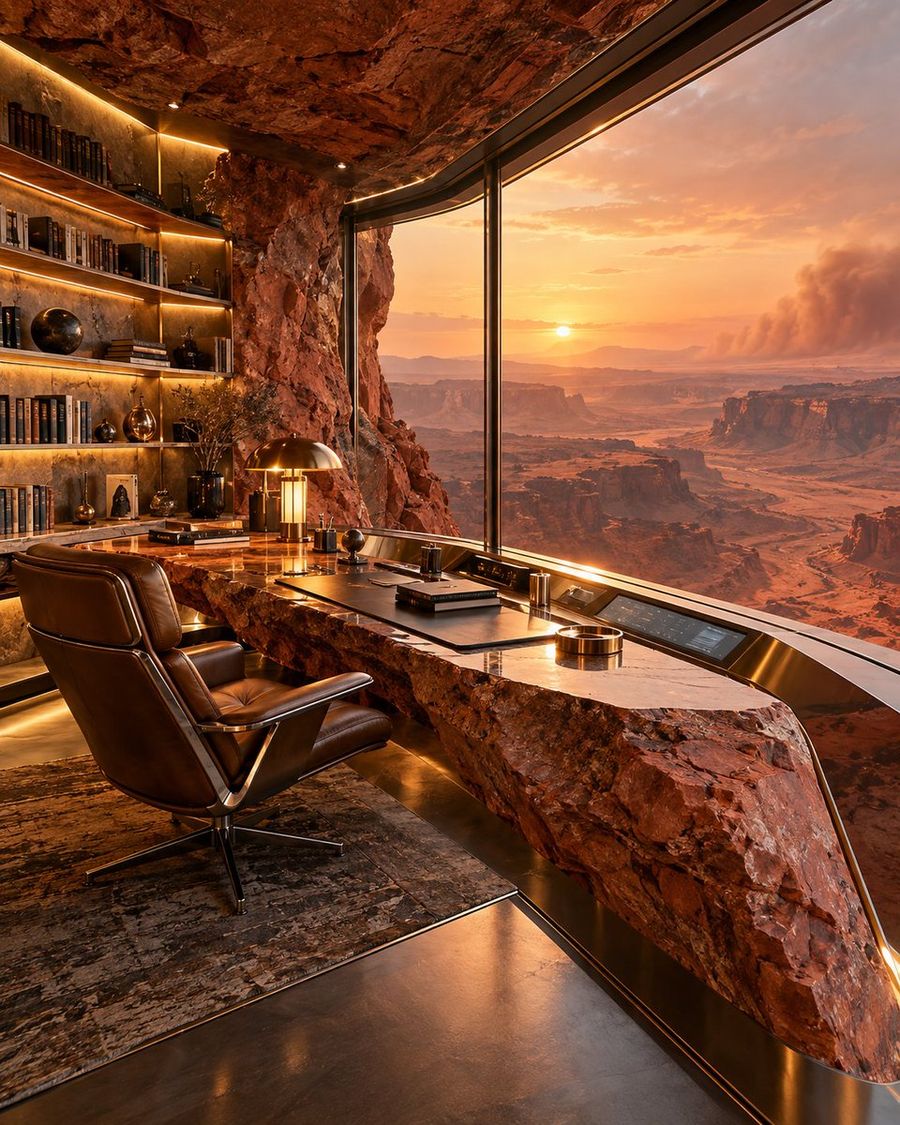
Luxury Canyon Study
View full prompt & copy

A hyper-realistic, wide-angle interior shot of a luxurious study carved directly into the side of a red sandstone cliff. The room features a massive floor-to-ceiling curved glass window on the right, offering a breathtaking panoramic view of a desert canyon landscape at sunset with golden light streaming in. On the left, built-in wooden bookshelves are filled with leather-bound books and small artifacts, illuminated by warm integrated LED strip lighting. In the center stands a unique desk made from a rough-hewn slab of natural rock topped with polished wood, holding a brass banker's lamp, a stack of books, and a modern tablet interface. A high-end brown leather executive chair sits on a textured rug in the foreground. The ceiling is raw, rugged stone, contrasting with the sleek modern furniture and flooring.

Generate image
GPT Image 2.5
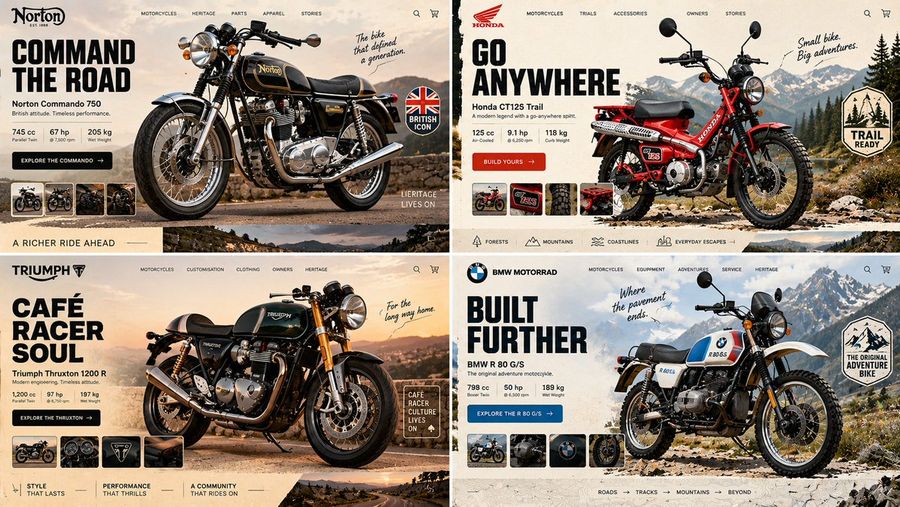
Classic Motorcycle Landing Page Prompt
View full prompt & copy

16:9, 2x2 grid, do this for an unusual but real classic motorcycles INPUT = [ TOPIC / HERO_OBJECT / BRAND_TEMPERAMENT / VIEWPORT / GRAVITY_LAW ] Run HERO_PRODUCT_GRAVITY: TOPIC_DNA := infer the category from TOPIC alone — what's sold, who buys it, what its shelf looks like HERO_DNA := ONE photographic hero object, cut out, oversized, 30–40% of frame; real material response — specular on foil, matte on paper, subsurface scatter on skin or fruit BRAND_DNA := derive the palette FROM the object — 1 dominant, 1 accent pulled from a hue the object actually contains, 1 near-neutral ground LIGHT_ANCHOR := decide key light position ONCE (upper-left or upper-right); every shadow — object, cards, pills, floating confetti — falls the same direction at the same angle and softness GRAVITY_LAW := the hero is either GROUNDED (contact shadow touching a visible surface plane) or SUSPENDED (ambient occlusion beneath, blur growing with height) — never both, never floating with a hard cast shadow and no plane to cast it onto DEPTH_ORDER := ground wash < decorative rays/confetti < hero object < UI chrome. Nav, cart and buttons are ALWAYS in front, never occluded TYPE_LOGIC := one display face for the headline (heavy — pick condensed OR wide, not both), one neutral for everything else; headline ≤ 6 words, body renders as legible micro-type, never enlarged gibberish IMPERFECTION := exactly one element breaks its bounding box — a badge rotated 4–7°, a sticker overlapping the product silhouette, a stray mark in the gutter FRAME := desktop 16:10, 64–80px outer gutter; the bottom edge reveals the top 15% of the next section so the page reads as scrollable MOOD := appetite, immediacy, one unmistakable action Render: one screen where the product's own light governs every pixel of interface around it. Forbidden — objects: stock-photo humans, lorem blocks at display size, a second competing hero Forbidden — look: conflicting shadow directions, cut-out halo or chewed edges, cast shadows on flat 2D illustration, palette colors absent from the object, three type families, nav bar sitting behind the product

Generate image
GPT Image 2.5
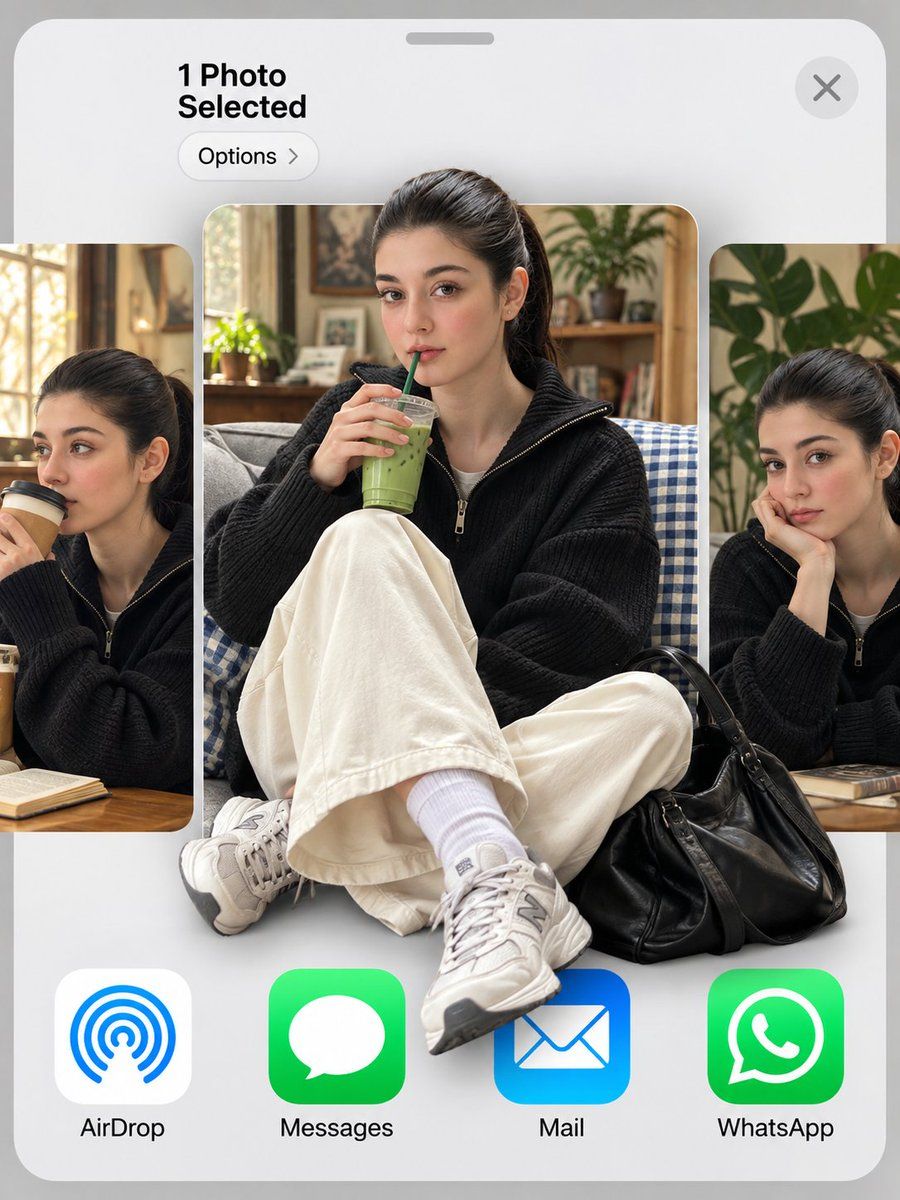
iOS Share Sheet Pop-Out Effect
View full prompt & copy

Use my uploaded photo as the face reference. 3:4 vertical. An iOS share sheet on a light grey background: top left reads "1 Photo Selected" with an "Options >" pill below it, a round X close button top right, then a horizontal carousel of three photo thumbnails, and a bottom row of app icons labeled "AirDrop", "Messages", "Mail", "WhatsApp". Center thumbnail: the man in reference, keeping his exact face, hairstyle and identity, sitting cross-legged on a grey couch with a blue gingham blanket, holding an iced matcha latte with a green straw, looking at the camera. He wears a black baseball cap with a white NY logo, thin round gold wire glasses, an oversized cream shirt with a grey knit sweater draped over his shoulders, wide black trousers, white socks and black leather penny loafers, with a red crochet drawstring bag at his feet. 3D pop-out effect: his cap breaks out above the thumbnail's top edge, and his loafers and the red bag spill out over the app icons below. Side thumbnails, partially cropped: the same man sipping a takeaway coffee on the left, and resting his chin on his hand beside a monstera plant on the right. Soft indoor daylight, realistic skin texture.

Generate image
GPT Image 2.5
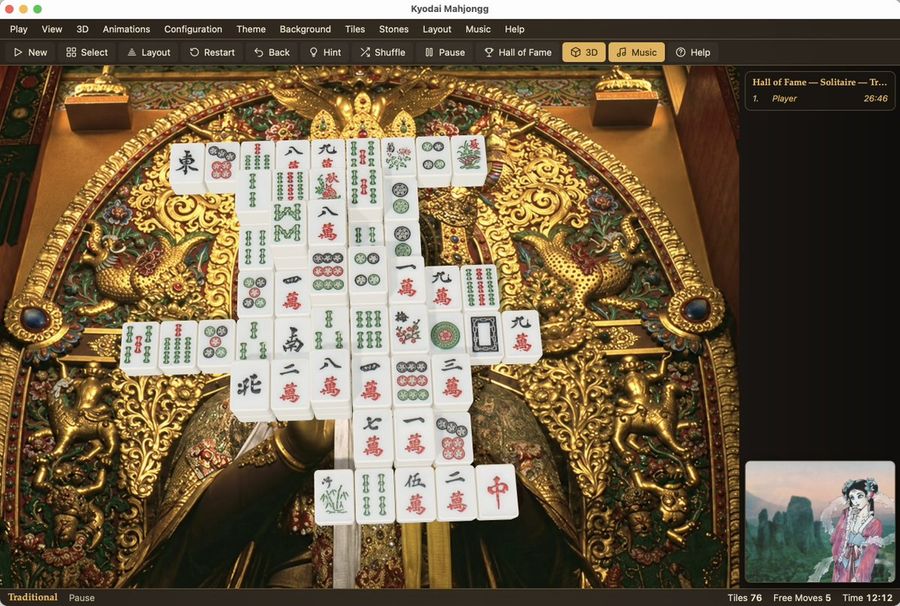
Kyodai Mahjongg Game Interface
View full prompt & copy

Goal: Create a photorealistic, high-resolution screenshot of the 'Kyodai Mahjongg' game interface running on macOS. Canvas: A wide desktop window with a dark grey title bar and menu strip at the top. Layout: The main play area occupies the center-left. A sidebar for 'Hall of Fame' is on the right. A small preview thumbnail is in the bottom-right corner. A status bar runs along the very bottom. Visual style: Photorealistic rendering of physical objects (mahjong tiles) against a highly detailed, ornate background. The lighting should be soft and realistic, highlighting the texture of the gold carvings and the smooth surface of the tiles. Subject details: - Background: An extremely intricate, golden Japanese-style carving or tapestry featuring mythical creatures (dragons/phoenixes), floral patterns, and deep relief textures. It looks like a museum artifact. - Tiles: A pyramid-like stack of white mahjong tiles with traditional red, green, and black engravings (characters, bamboo, circles). They are arranged in a specific solitaire layout. - UI Elements: Standard macOS traffic light buttons (red, yellow, green) in the top left. Menu items: Play, View, 3D, Animations, Configuration, Theme, Background, Tiles, Stones, Layout, Music, Help. Toolbar icons below that. Text content: Title bar reads "Kyodai Mahjongg". Sidebar header reads "Hall of Fame — Solitaire — Tr...". Bottom status bar reads "Traditional", "Pause", "Tiles 76", "Free Moves 5", "Time 12:12".

Generate image
GPT Image 2
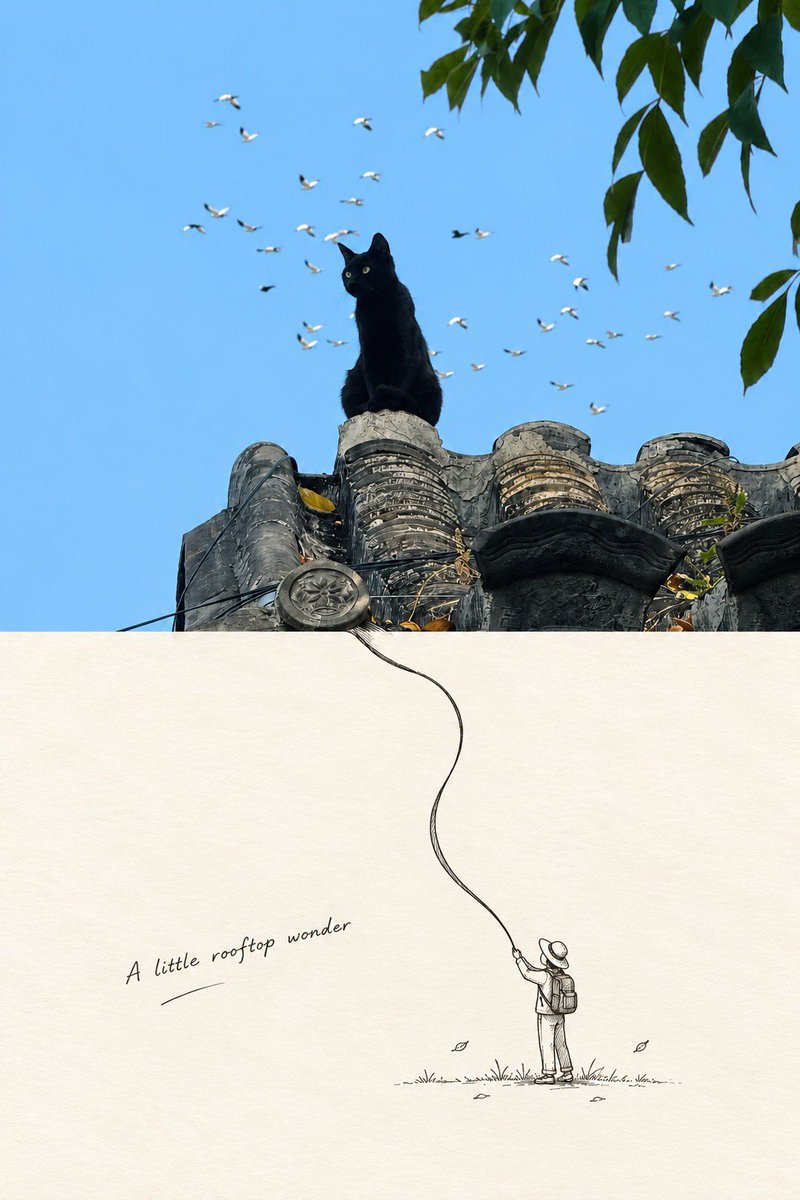
Minimalist Editorial Art Poster with Photo and Ink Illustration Split
View full prompt & copy

Use the uploaded image as the primary visual reference. Create a premium minimalist editorial art poster combining photorealistic nature photography with delicate hand-drawn ink illustration. COMPOSITION: Strict vertical 2:3 format with an exact 50/50 horizontal split. The upper half features realistic photography; the lower half features minimalist illustration on warm ivory paper. Maintain a clean, precise division. UPPER HALF — PHOTOGRAPHY: Preserve the original subject's identity and defining characteristics. Use natural lighting, intricate textures, authentic colors, cinematic depth, and a peaceful, nostalgic atmosphere inspired by premium travel photography. LOWER HALF — ILLUSTRATION: Seamlessly continue elements from the photograph into a delicate black-and-white pen-and-ink illustration. Use fine lines, subtle crosshatching, and a minimalist Japanese editorial aesthetic. Include a tiny human figure only when appropriate. Add sparse environmental details and generous negative space. PAPER TEXTURE: Use warm ivory handmade paper with subtle grain and natural fibers, avoiding pure white. TYPOGRAPHY: Add one short, original poetic English phrase in elegant handwritten cursive, with a subtle underline. Use understated dark-gray ink and position it naturally within the lower half's negative space. ART DIRECTION: Japanese minimalist design, quiet luxury, poetic storytelling, soft nostalgia, organic transitions, and collectible art-print quality. IMPORTANT: Adapt naturally to the uploaded subject without introducing unrelated elements. Keep the upper half richly detailed and the lower half airy and understated. Ensure authentic hand-drawn linework, balanced composition, and legible typography. No logos, watermarks, borders, clutter, or extra text. OUTPUT: One high-resolution vertical 2:3 poster with an exact 50/50 split between photorealistic photography and minimalist ink illustration.

Generate image
GPT Image 2
Nokia Phone Diary Aesthetic Prompt
View full prompt & copy

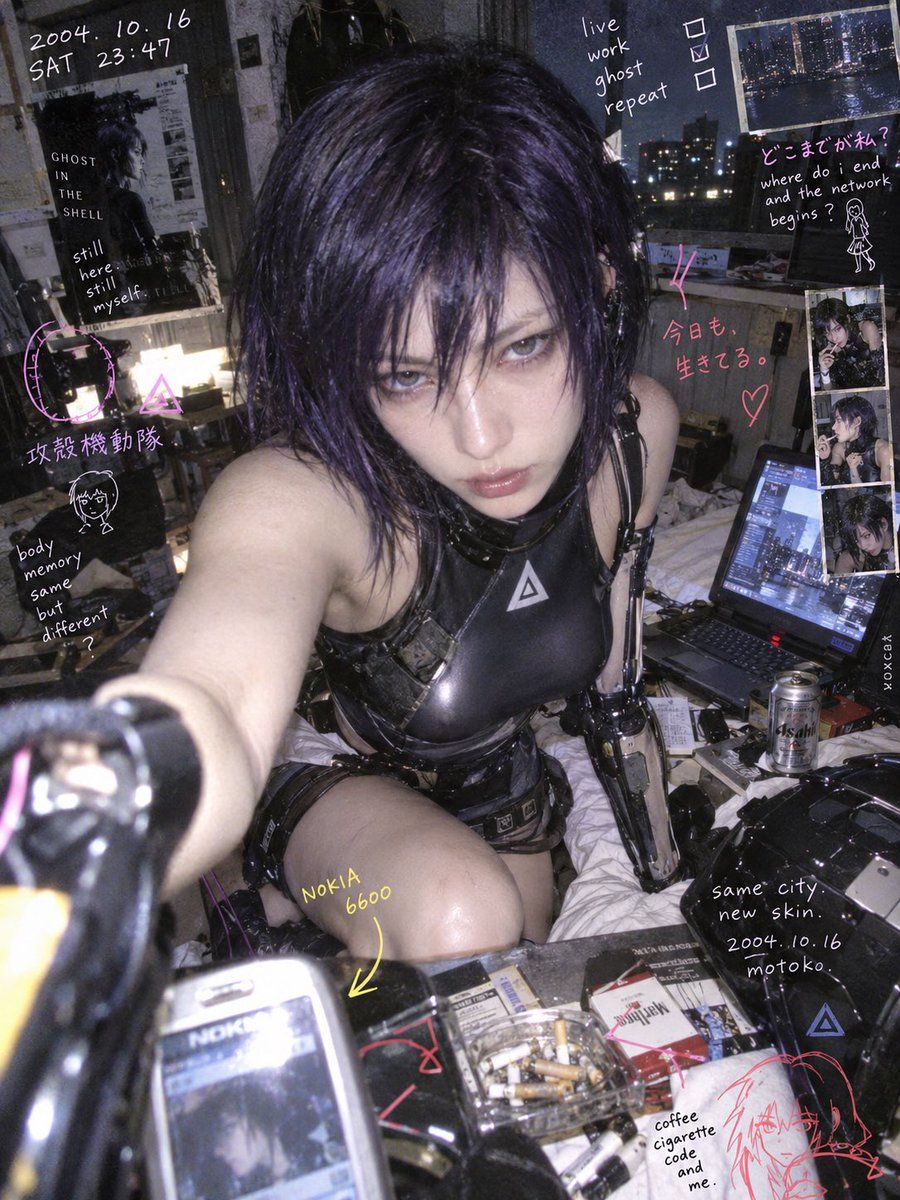
[Character Description], clearly adult realism, preserving facial structure, hairstyle, hair color, eyes, character's main colors, iconic clothing contours, and identity accessories. 2000s old Nokia mobile phone photography × private handwritten diary × analog scrapbook × experimental fashion photography. The character is placed in a real everyday space, completing an action that feels lived-in or slightly unconventional. Action, expression, camera position, shot size, clothing details, and space are autonomously designed by the model based on the character's identity. Close-up direct flash snapshot, slight wide-angle distortion, low pixel count, JPEG compression, partial defocus, direct flash highlights, and rough digital colors. The character retains realistic facial structure and natural skin texture, presenting a moment where the action is happening. Colorful handwritten doodles, simple symbols, date codes, and private notes are directly overlaid on the photo surface. Some lines extend along the character's body contours, some marks emphasize eye contact, gestures, and action direction; small photo fragments and paper edges form scrapbook layers. Handwritten content naturally derives from the character's identity and current situation. The photographic subject is clear, with manual markings interwoven with the real space. Colors are autonomously organized based on the character's main colors and ambient light, presenting an experimental fusion of colorful private imagery and handwritten records. 3:4 vertical format, extremely small vertical lowercase signature "voxcat" on the right edge.

Generate image
GPT Image 2.5
Photorealistic Character Reference Sheet Generator
View full prompt & copy

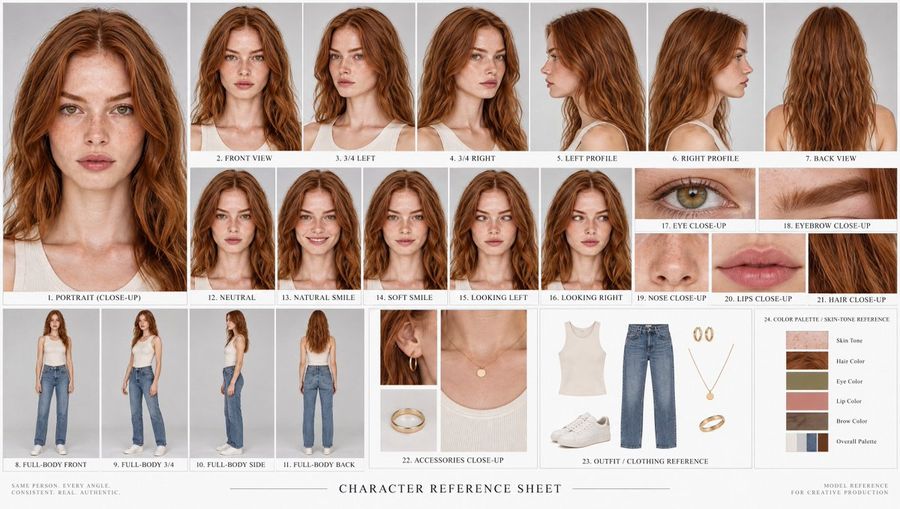
Using the provided reference image as the sole identity source, generate a comprehensive character reference sheet featuring the exact same person in multiple views and expressions. The output must be a clean, professional grid layout on a white background. Layout & Content Requirements: 1. Top Row (Angles): Start with a large close-up portrait on the left labeled "1. PORTRAIT (CLOSE-UP)". Follow this with 6 smaller headshots showing different angles: "2. FRONT VIEW", "3. 3/4 LEFT", "4. 3/4 RIGHT", "5. LEFT PROFILE", "6. RIGHT PROFILE", and "7. BACK VIEW". 2. Middle Section (Expressions & Details): Include 5 frontal face variations labeled "12. NEUTRAL", "13. NATURAL SMILE", "14. SOFT SMILE", "15. LOOKING LEFT", and "16. LOOKING RIGHT". To the right of these, create a cluster of extreme close-ups for facial features: "17. EYE CLOSE-UP", "18. EYEBROW CLOSE-UP", "19. NOSE CLOSE-UP", "20. LIPS CLOSE-UP", and "21. HAIR CLOSE-UP". 3. Bottom Left (Full Body): Show 4 full-body shots wearing casual clothing (white tank top and blue jeans) labeled "8. FULL-BODY FRONT", "9. FULL-BODY 3/4", "10. FULL-BODY SIDE", and "11. FULL-BODY BACK". 4. Bottom Right (References): Create three distinct panels: - "22. ACCESSORIES CLOSE-UP": Showing gold hoop earrings, a thin necklace, and a ring. - "23. OUTFIT / CLOTHING REFERENCE": Flat-lay style images of the white ribbed tank top, blue straight-leg jeans, and white sneakers. - "24. COLOR PALETTE / SKIN-TONE REFERENCE": A vertical list of color swatches extracted from the subject's skin, hair, eyes, lips, brows, and overall palette. Style & Constraints: - Maintain photorealistic quality with soft studio lighting. - Ensure the subject's identity (face structure, freckles, hair texture/color) remains perfectly consistent across all 24 numbered sections. - Use small, sans-serif black text for labels beneath each image section. - Add footer text: "SAME PERSON. EVERY ANGLE. CONSISTENT. REAL. AUTHENTIC." on the bottom left and "MODEL REFERENCE FOR CREATIVE PRODUCTION" on the bottom right.

Generate image
GPT Image 2
Pixar-Style Elderly Woman Character Sheet
View full prompt & copy

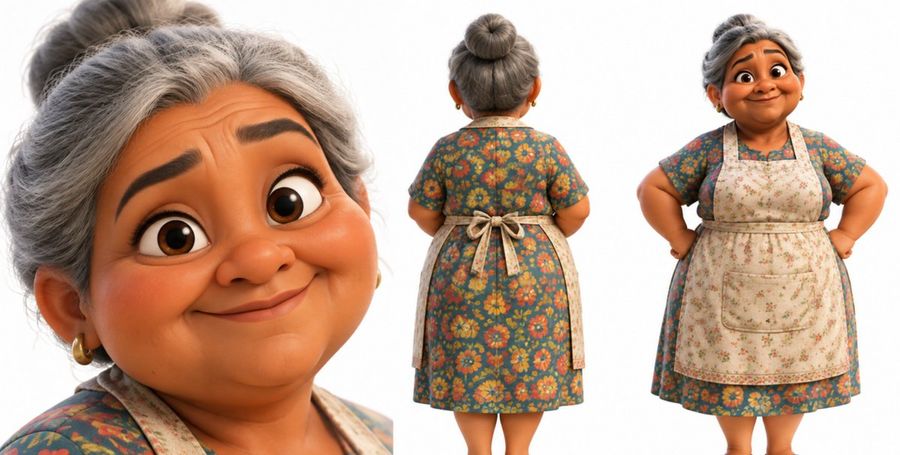
A character design sheet featuring three views of a stylized 3D animated elderly woman, rendered in a Pixar-like aesthetic against a plain white background. On the left is a large close-up portrait of her face; she has warm brown skin, silver-gray hair pulled back into a high bun, thick dark eyebrows, and large expressive brown eyes looking slightly upward with a gentle smile. She wears small gold hoop earrings. In the center is a full-body rear view showing her outfit: a knee-length dress with short sleeves featuring a dense floral pattern of orange, yellow, and red flowers on a teal-green background, covered by a beige apron with a subtle floral print tied in a bow at the lower back. On the right is a full-body front view where she stands confidently with hands on hips, wearing the same floral dress and apron which has a large central pocket. The lighting is soft and even, highlighting the smooth texture of the skin and fabric.

Generate image
GPT Image 2.5
AI Interface Screenshot: Marble Statue Workout
View full prompt & copy

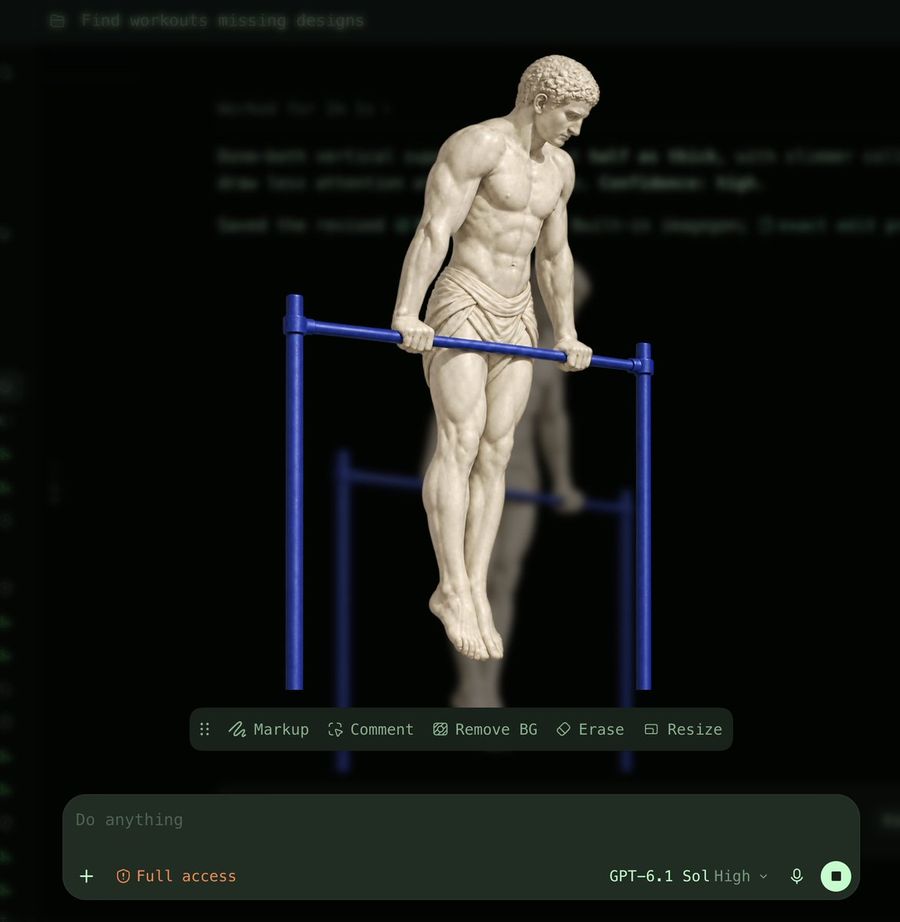
A high-resolution screenshot of a dark-mode AI image generation interface. The central subject is a classical white marble statue of a muscular male figure, resembling an ancient Greek athlete, performing a dip exercise on a set of bright blue parallel bars. The statue wears a draped loincloth and has detailed curly hair. Behind the main subject, there is a blurred, semi-transparent duplicate of the same scene. The background features faint, out-of-focus lines of code or text in green. At the top left, a folder icon sits next to the text "Find workouts missing designs". Below the artwork, a floating toolbar contains five options with icons: "Markup", "Comment", "Remove BG", "Erase", and "Resize". At the bottom of the screen is a large input field containing the placeholder text "Do anything", a plus sign, and orange text reading "Full access". To the right of the input field are the model settings "GPT-6.1 Sol High", a microphone icon, and a square stop button.

Generate image
GPT Image 2
Add Trash and Dirt to Neon Arcade Scene
View full prompt & copy

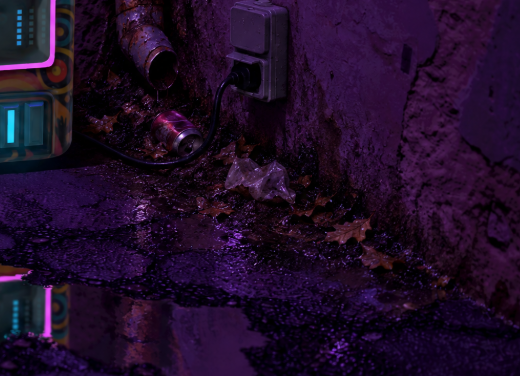
Using the provided reference image of a neon-lit arcade corner, transform the scene by adding realistic environmental storytelling elements. Specifically, generate a pile of trash and dirt buildup at the base of the wall where it meets the floor. Include a rusted metal pipe protruding from the wall, a discarded crushed aluminum can, crumpled plastic wrappers, and scattered dead leaves. Add a weathered electrical outlet box with a black cord plugged into it. Ensure the new objects have wet, reflective surfaces that match the existing puddle reflections on the cracked asphalt ground.

Generate image
GPT Image 2.5
Flat Illustration: Couple Drinking Tea
View full prompt & copy

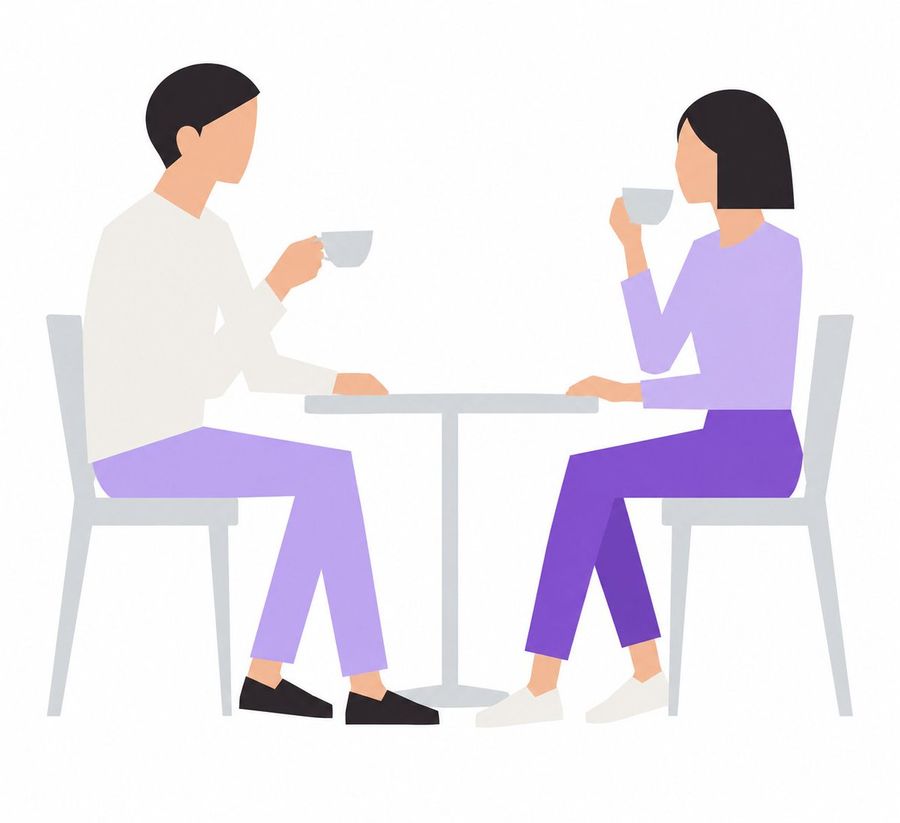
A flat vector illustration of a man and a woman sitting at a small round table, drinking tea. The man on the left has short black hair, wearing a white long-sleeved shirt and light purple trousers with black shoes. He is holding a grey teacup in his right hand. The woman on the right has a black bob haircut, wearing a lavender long-sleeved top and dark purple trousers with white shoes. She is raising a grey teacup to her mouth with her right hand. They are seated on simple grey chairs against a plain white background. Minimalist corporate art style, faceless characters, clean lines, pastel color palette.

Generate image
GPT Image 2.5
Geometric Alphabet with Color Accents
View full prompt & copy

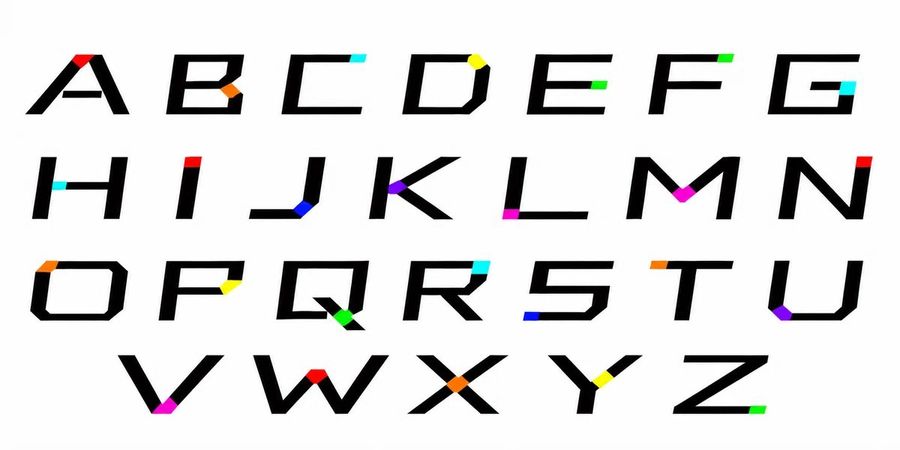
Create a typography specimen sheet displaying the complete uppercase English alphabet (A-Z) arranged in four rows on a clean white background. The font style is a bold, geometric sans-serif with sharp angles and uniform stroke width. Each letter features a single, small colored square or rectangular accent placed at a specific terminal point, joint, or corner of the glyph. These accents vary in color across the set, including bright red, cyan, yellow, lime green, orange, magenta, purple, and blue. The layout should be spacious and grid-like, showcasing the unique 'glitch' or 'highlighted node' aesthetic of this custom typeface design.

Generate image
GPT Image 2.5
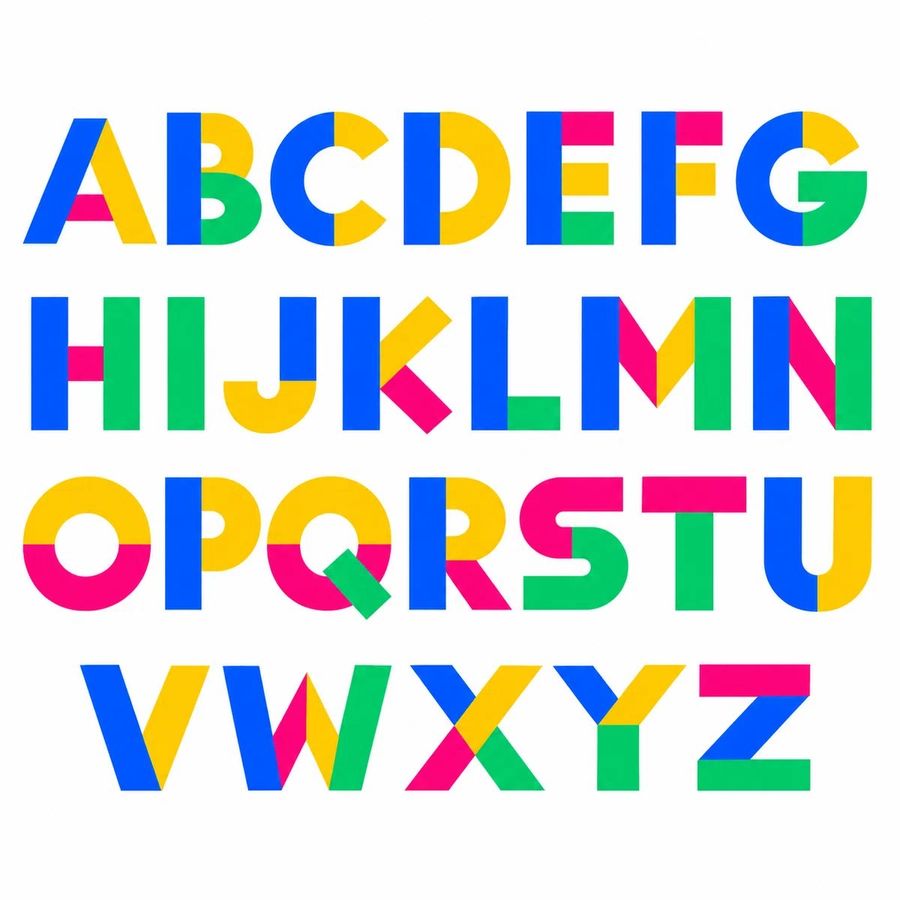
Colorful Geometric Alphabet Font Specimen
View full prompt & copy

A typography specimen sheet displaying the complete uppercase English alphabet from A to Z, arranged in four horizontal rows on a plain white background. The font style is bold, geometric, and sans-serif, characterized by a vibrant multi-color design where each letter is constructed from distinct segments of primary colors: bright cyan blue, sunny yellow, vivid magenta pink, and grassy green. The letters are large, evenly spaced, and centered within the frame. Row 1 contains A through G; Row 2 contains H through N; Row 3 contains O through U; Row 4 contains V through Z. Each character features unique color combinations for its strokes or shapes (e.g., 'A' has a blue left leg, yellow right leg, and pink crossbar; 'B' has a blue spine with yellow and green loops). The overall aesthetic is playful, modern, and high-contrast.

Generate image
GPT Image 2.5
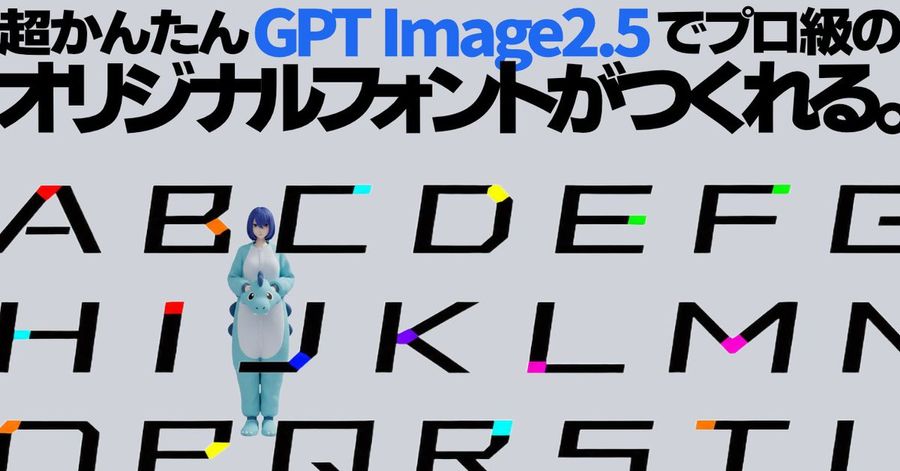
GPT Image 2.5 Custom Font Showcase
View full prompt & copy

A wide, horizontal digital graphic featuring a custom typography showcase. The background is a solid light grey. At the top, large bold Japanese text reads '超かんたんGPT Image2.5でプロ級のオリジナルフォントがつくれる。' (Super easy! You can make professional-grade original fonts with GPT Image2.5). The phrase 'GPT Image2.5' is highlighted in blue, while the rest of the text is black. Below the headline, three rows of uppercase alphabet letters are displayed: Row 1 contains A through G, Row 2 contains H through N, and Row 3 contains O through U. These letters are designed in a sharp, geometric sans-serif style with distinct colored accents on specific strokes: A has a red triangle, B has an orange dot, C has a cyan square, D has a yellow circle, E has a green rectangle, F has a lime green square, G has a dark green accent, H has a cyan bar, I has a red bar, J has a blue curve, K has a purple diamond, L has a pink corner, M has a magenta V-shape, N has a dark blue diagonal, O has an orange segment, P has a yellow dot, Q has a cyan tail, R has a blue leg, S has a cyan curve, T has an orange crossbar, and U has a teal bottom. Standing in front of the letter 'J' in the second row is a small 3D-rendered character wearing a fluffy light-blue dinosaur onesie (kigurumi) with a white belly and spikes down the back. The character has short blue hair and holds their hands together at the chest.

Generate image
GPT Image 2
GPT Image 2 Abstract Line Art Prompt
View full prompt & copy

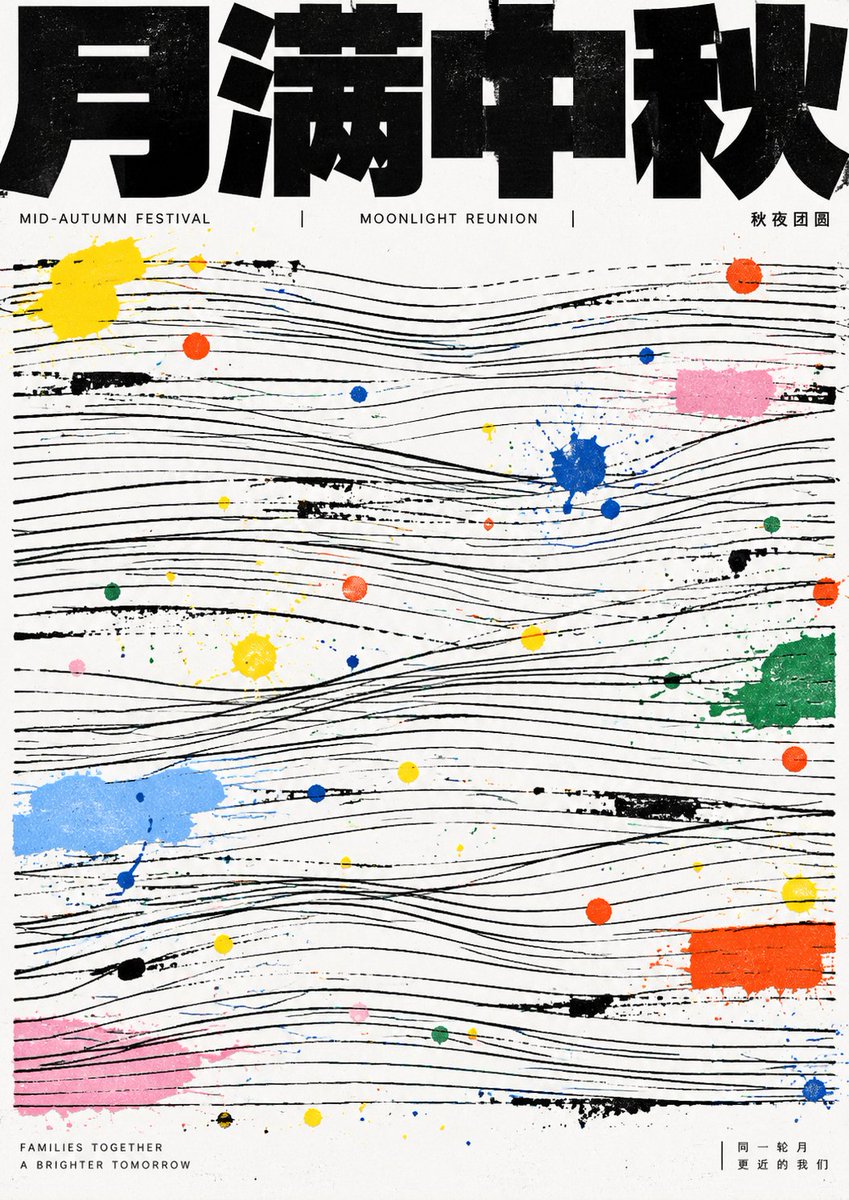
First distill the theme into a readable strong title, a few information lines, and a linear structure that can fill the screen; the first glance must be a very heavy, very black bold text block at the top, appearing cropped and pressing down on a large area of fine lines below, with the title looking like architectural beams rather than decorative characters. The main image does not appear as realistic objects but is translated into multiple groups of horizontal, slightly undulating, manually misaligned parallel thin lines, with breaks, crossings, local tilts, and incomplete alignment between line groups, forming an underlying grid where readable order and improvisational imbalance coexist. Theme energy intervenes in the line field through scattered paint dots, short scratches, and small color blocks, using a few high-saturation primary colors juxtaposed with light gray, light pink, light blue, green, and orange, resembling traces left by manual splashing or misregistration after printing; color dots vary greatly in size, ranging from needle-tip dots to fingertip-sized patches, distributed seemingly randomly but creating pauses, accents, and jumps around the rhythm of the lines. The text system uses extreme compression hierarchy: the main title is a heavy sans-serif black block, wide glyphs, uniform strokes, compressed inner white, straight ends, tight connections; any writing system should maintain this heavy sans-serif black block style. The background remains unadorned white paper, without gradients, shadows, photographic texture, exquisite illustrations, symmetrical decoration, or soft beautification, letting black order and colorful accidents jointly constitute the theme. —————— Theme: Mid-Autumn Festival Total 10 images Each is a different creative based on this aesthetic DNA
Generate image
Loading more prompts

FAQ

Where do YouMind prompts come from?
YouMind curates high-signal AI prompt examples from creator communities and public creative workflows. The library focuses on prompts that are useful to inspect, reuse, and adapt.
How are image prompt categories organized?
Image prompts are grouped into use cases, styles, and subjects. Use cases describe the job to be done, styles describe the visual treatment, and subjects describe what the image is mainly about.
How are prompts assigned to categories?
YouMind uses AI to analyze each image prompt, its title, metadata, and generated result when available, then assigns the closest categories. Editors can refine categories as the taxonomy evolves.
What is YouMind?
YouMind is an AI workspace for turning research, ideas, and creative references into usable outputs. The prompt library is one public part of that workflow, built to help creators learn from strong examples faster.