
Xiaohongshu Hand-Drawn Infographics
Turn full copy into hand-drawn cards
Xiaohongshu Hand-Drawn Infographics
Turn full copy into hand-drawn cards
Showcase
Description
Provide a complete piece of copy, choose the number of images and an aspect ratio (3:4 / 1:1 / 16:9), and generate Xiaohongshu infographics in a “hand-drawn knowledge card” style. The Skill includes a consistent visual system: bright, translucent pure-white paper texture with fine fibers, minimal speckling, and a clean, airy feel; bright yellow hand-drawn brush lettering for main titles; a gray brush-stroke subtitle band; a red stamp in the upper-right corner; a vertical capsule-shaped color label in the upper-left corner; colorful rounded module panels; and newly designed flat vector hand-drawn cartoon characters, along with a rich variety of icons and charts. During processing, it first organizes a “typesetting copy draft” that preserves the full text word for word for your confirmation. Once confirmed, it generates the images. Each module includes an icon or chart, keeping the visuals clear and readable while adding artistic character.
Related Skills
View all Image
ImageHand-Drawn Infographic Collage
Enter a topic or a piece of educational copy to generate a vertical infographic in a hand-drawn collage notebook style, featuring large brushstroke titles, macaron-colored torn-paper sticky notes, clear handwritten text hierarchy, and cartoon characters with white sticker-style outlines that match the content. Ideal for long-form Xiaohongshu educational graphics about insurance, health, work, and general knowledge. The process runs in two steps: first, it produces a layout script and image-generation prompt for your review; then it generates the final image and performs a quality check.
 Image
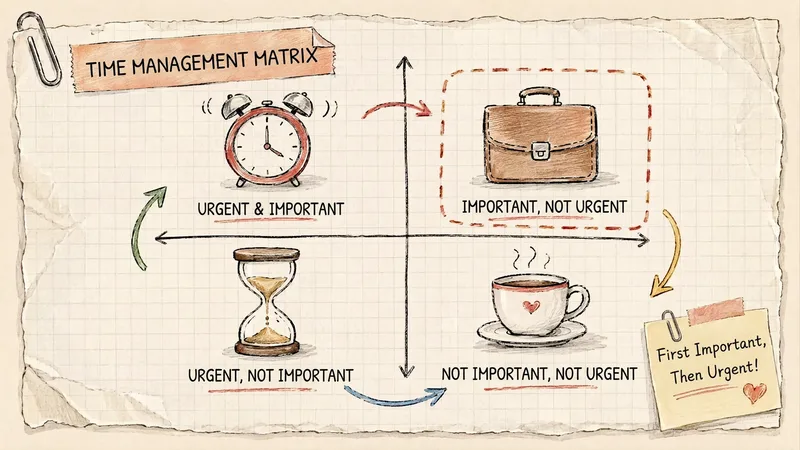
ImageGrid Paper Sketch Infographic
Turn any topic into a hand-drawn science infographic in a grid-paper journal style, or transform an existing image into the same style with one click. It includes seven-dimensional style definitions, bilingual style prefixes, a negative checklist, and a self-checklist. First, confirm the topic and canvas (3:4 portrait / 16:9 landscape / 1:1 square), or read the original image you provide. It then generates a complete image-generation prompt for your confirmation before creating the image. Afterward, it checks each item on the list and automatically redraws anything that does not meet the requirements. Ideal for public account layouts, Xiaohongshu creators, professionals making PPTs, and teachers creating visual learning materials.
 Image
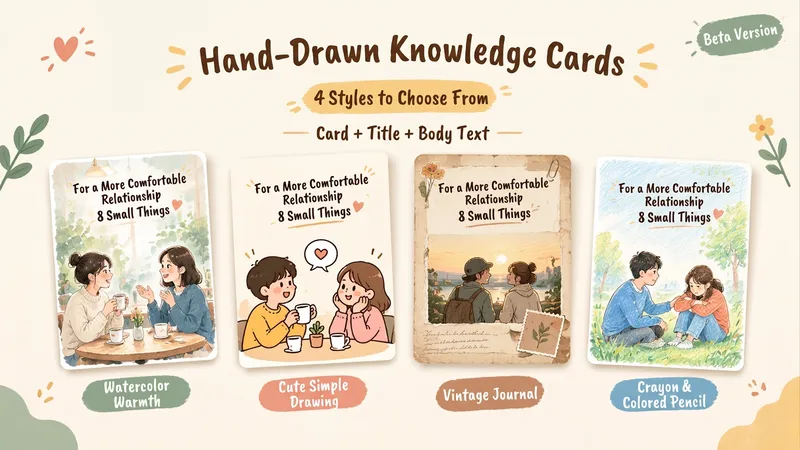
ImageHand-Drawn Knowledge Cards | 4 Styles
This Skill helps you turn a topic and reference content into a 2:3 vertical Chinese hand-drawn knowledge card, complete with a title, body copy, and hashtags for posting. Choose from four visual styles: warm watercolor, cute simple line art, vintage journal, or crayon and colored pencil. It first shows sample images for you to choose from. Once selected, you can reuse the same series settings for the next card and continue with a new topic. Ideal for visual-content creators who regularly share knowledge about relationships, emotions, personal growth, and everyday life. You’ll receive a card PNG, post copy, editable text, series settings, and records of checks for text, content, and layout readability.
Information
- Version
- v6
- Last updated
- Runtime credits
- Usage-based
- Models
- Auto
