
WeChat Group Review Assistant
Turn chat logs into sheets, images, or PDFs
WeChat Group Review Assistant
Turn chat logs into sheets, images, or PDFs
Showcase
Description
Too many groups, too many messages, and no time to scroll? Hand them over to the one-click review assistant. Send in your exported, copied, or screenshotted WeChat group chat logs, and it will automatically organize them into a clear summary and export them to your desired format. What you get: 🔥 Hot topics: What people are talking about and who disagrees 💡 Key insights: Valuable experiences and methods worth saving ❓ FAQs and answers: Which questions are solved and which are unanswered 🔗 Resources and links: Tools, files, and URLs shared in the group 📌 Action items and deadlines: Who is doing what and when ⚠️ Disputes and risk warnings: Potential ads, traffic generation, or misinformation 📈 Trends and content ideas: Angles you can directly use for content creation Three output formats to choose from: 📊 Excel spreadsheet: A separate sheet for each section, filterable and copyable 🖼️ Long image: Great for sharing in groups, on Moments, or on Xiaohongshu 📄 PDF: Perfect for archiving and forwarding to colleagues
Recommended by
Dancang
Why we love this skill
Safely organizes user-provided WeChat group logs into structured reviews and generates tables, long images, or PDFs instantly. It respects privacy by not reading or monitoring WeChat directly, handling data desensitization and screenshot transcription securely.
Best for
Ideal for individuals, teams, and content curators who need to quickly organize and review WeChat group information.
How to use this Skill
Provide your input
Provide your manually exported, copied, or screenshotted WeChat group chat logs, supporting text, CSV, and images.
Run the Skill
The assistant organizes the chat content, summarizing topics, key points, Q&A, resources, action items, and disputes, while noting data scope and missing content.
Review your result
Receive structured review results that can be exported as Excel spreadsheets, long images, or PDFs for easy filtering, sharing, and archiving.
Related Skills
View all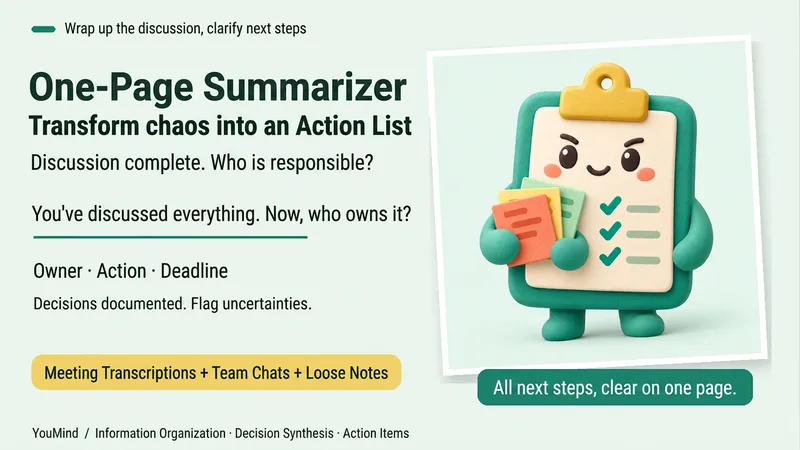 Research
One-Page Action Planner
The meeting is over, the chat has filled several screens, yet nothing is moving forward. Bring in meeting transcripts, chat logs, scattered notes, or multiple documents, and the One-Page Action Planner will organize them into one page: the current situation, decided items, blockers, and who will do what next—and when. Each action includes an owner, timing, status, and source. Agreed decisions are preserved, personal suggestions are marked separately, and conflicting information or missing owners and dates are labeled “To confirm.” It will not make decisions for the team just to fill in a table. Useful for post-meeting follow-up, project handoffs, organizing multiple sources, and personal planning. It ends by highlighting one question that most urgently needs confirmation, making the next step clearer. Supports text and attachments, screenshots, audio transcripts, and links that the current platform can read; when something cannot be read, it will say so clearly. “One page” refers to a compact reading structure; the actual length varies with the complexity of the materials.
 Research
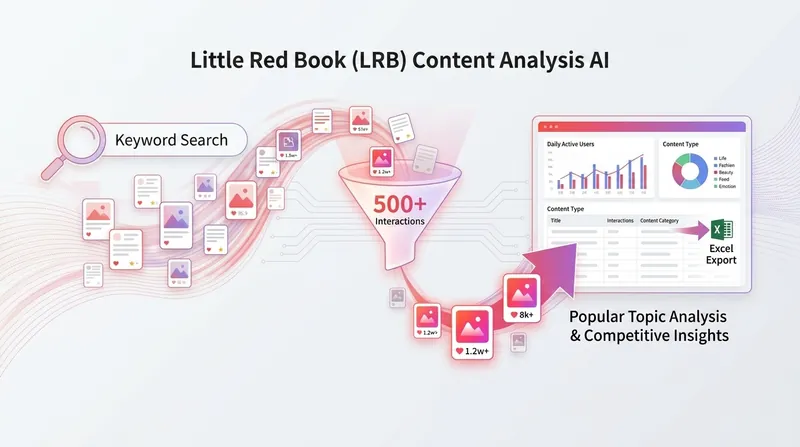
Xiaohongshu Trend Analysis 3.0
Capture Xiaohongshu's real-time traffic secrets and get content creation guidance based on what's trending now. This tool uses the current system time to accurately collect real-time hot trends for the day, week, or month, covering major fields such as beauty, fashion, food, home, digital, and workplace. By deeply scanning a large number of popular topics, it highlights emerging trend signals and automatically marks the freshness and activity status of the data, ensuring you get first-hand market insights. Beyond data collection, it also deeply breaks down the success logic of viral posts. From formulas for eye-catching titles to content narrative structures, visual styles, and engagement mechanics, it comprehensively analyzes the creative patterns behind recent high-performing content. Whether you want to break through with immediate traffic or plan long-term content, you'll gain highly valuable topic suggestions and scheduling plans. Each report includes detailed creative strategy recommendations, turning complex trends into actionable content templates. The system sends instant creation reminders for new hot topics within 24 hours and provides timeliness warnings for topics whose momentum is leveling off, helping creators stay on top of the fast-changing social platform and boost the viral potential of their posts.
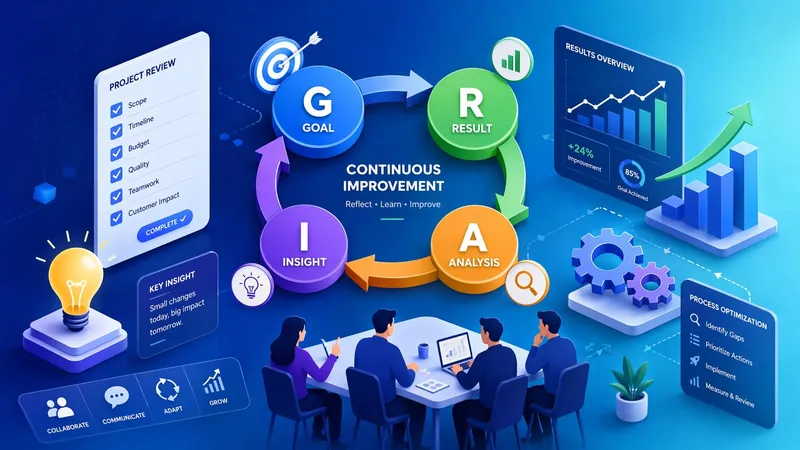
Retrospective Master
Tired of project retrospectives being just a formality? This smart retrospective assistant supports all scenarios including learning, technology, product, marketing, and management. It features a built-in six-fold quality protection mechanism that automatically prevents shallow analysis and blame-shifting, forcing deep root cause analysis to ensure meaningful retrospectives. Three start modes are available: new retrospective with step-by-step guidance, conversational retrospective that auto-extracts historical information, and quick import and parsing of project documents. Flexibly choose between quick mode and deep mode. Generate six key deliverables with one click: structured retrospective reports, improvement suggestion lists, action plans, trend analysis tables, and experience knowledge base entries. Upgrade your retrospectives from "post-mortem summaries" to a "continuous evolution engine", turning every experience into organizational wisdom!
Information
- Version
- v4
- Last updated
- Runtime credits
- Usage-based
- Models
- Auto
- Use cases
- Presentations & reportingResearch & analysis
- What you get
- ReportImageData
