
One-Page Action Planner
Turn messy materials into clear next steps
One-Page Action Planner
Turn messy materials into clear next steps
Showcase
Description
The meeting is over, the chat has filled several screens, yet nothing is moving forward. Bring in meeting transcripts, chat logs, scattered notes, or multiple documents, and the One-Page Action Planner will organize them into one page: the current situation, decided items, blockers, and who will do what next—and when. Each action includes an owner, timing, status, and source. Agreed decisions are preserved, personal suggestions are marked separately, and conflicting information or missing owners and dates are labeled “To confirm.” It will not make decisions for the team just to fill in a table. Useful for post-meeting follow-up, project handoffs, organizing multiple sources, and personal planning. It ends by highlighting one question that most urgently needs confirmation, making the next step clearer. Supports text and attachments, screenshots, audio transcripts, and links that the current platform can read; when something cannot be read, it will say so clearly. “One page” refers to a compact reading structure; the actual length varies with the complexity of the materials.
Recommended by
Dancang
Why we love this skill
Compresses scattered meeting notes, chats, and attachments into an actionable one-page checklist without turning discussion into commitments.
Best for
Team members, project leads, and individuals who need to turn meeting or project materials into clear action items.
How to use this Skill
Provide your input
Provide meeting transcripts, chat logs, notes, or other readable materials. You may also attach screenshots, audio transcripts, and links. Convert unreadable content to text or a transcript.
Run the Skill
Organize the facts, decisions, disagreements, and gaps in the materials, distinguish agreed items from suggestions needing confirmation, and retain necessary source references.
Review your result
Create a one-page action list covering the current situation, decided items, blockers, next steps, owners, timing, status, and sources, plus one priority question to confirm.
Related Skills
View all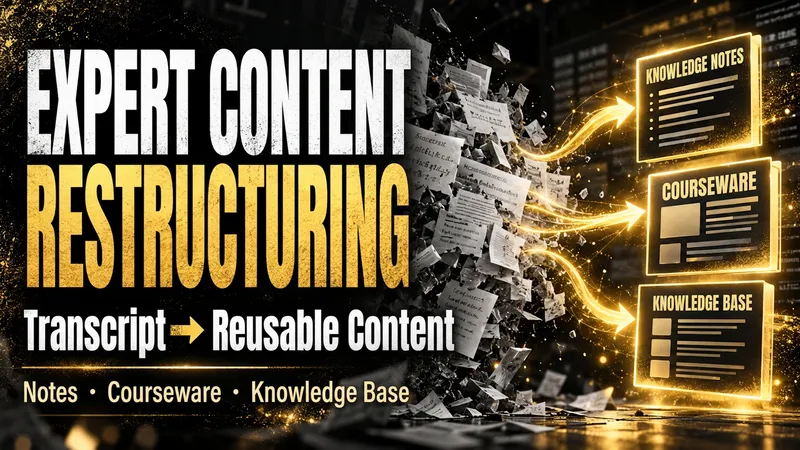
Content Reconstruction Expert
After an expert course, training session, interview, or meeting, what remains is often a long, messy transcript that is difficult to use again. The Expert Content Reconstructor fully restructures existing text into genuinely usable content deliverables. It does not produce a summary that keeps only the conclusions; it preserves definitions, explanations, examples, conditions, figures, limitations, steps, and conclusions, then reorganizes them into a clear knowledge hierarchy. You can use it to: - Turn transcripts of expert courses into reusable knowledge notes; - Turn training materials or speeches into course outlines, course content, and PPT page copy; - Turn interviews, articles, or meeting notes into structured articles, knowledge base entries, or team documents; - Organize multiple materials into searchable, traceable knowledge packages. You only need to provide the existing text and explain who will read it, how deeply it should be organized, and what output format you prefer. You will receive: - Complete knowledge notes, articles, course outlines, course content, or PPT page copy; - Clear heading levels, paragraphs, lists, and necessary terminology explanations; - Teaching notes that students can study directly, without retaining paraphrasing such as “the speaker says” or “the course will cover”; - Structured content that can be delivered directly to clients, teams, or a knowledge base; - Source logs, content ledgers, glossaries, quality reports, and retrieval chunks as needed; - No compression of useful content simply for brevity, and no added viewpoints, examples, or conclusions that are not present in the source material. Suitable for organizing existing written materials; Does not handle audio recognition or generate transcripts from audio.
Work Review MAX: Logs→Review
Does your weekly report look like this: “Moved Project A forward this week, participated in discussions for Meeting B, supported the team with Request C, delivered xx documents, and will continue next week.” Your manager glances at it and moves on. It’s not that you didn’t work hard. It’s that you wrote a log, not a review. When evaluators review promotion materials and managers read monthly reports, they care about just five things: ① Why was this work worth doing? (judgment) ② What benchmark shows that the result was good? (data anchoring) ③ Which parts did “you” do, and which were done by the team? (contribution boundaries) ④ What reusable insight did you take away from the work? (growth curve) ⑤ What do you commit to delivering next cycle? (commitment mindset) 99% of review drafts fail to make even one of these clear. They just list features: “Iterated on X,” “launched Y,” “supported Z”—like a robot. This Skill is a structured compiler I refined through frontline business reviews as an AI OPC. Paste in your raw work log exactly as it is—no matter how messy or scattered—and it will produce a complete review that meets senior-level promotion and performance-review standards: 📊 One-line overall assessment (help readers understand your value in 30 seconds) 🎯 Key achievements (STAR + judgment-based narrative, not a feature list) 📈 Data benchmark table (with baselines, definitions, and your share of the contribution) 🧠 Methodology and lessons learned (showing your growth curve) 📅 Next-cycle plan (commitment-letter format, with measurable goals + deadlines + resource needs) ⚠️ Risks and support needed (surfacing risks shows ownership) 📋 Missing-data checklist (everything you need to look up, all at once) Bonus: ✓ Review of 3 key improvement areas (showing which weaknesses in the raw material were addressed) ✓ Defense-risk forecast (which points evaluators may challenge in a promotion review + suggested responses) ✓ Reusable template variables (make a few edits and reuse it next time) How is it different from a typical “AI weekly report” Skill? Others: Rephrase your work log and output it again—it’s still a work log. This one performs structural surgery on it, upgrading it from a “feature-listing format” to a “judgment-based narrative.” What it will never do: ✗ It will not invent data—anything you didn’t provide is marked “needs to be added,” with no made-up numbers ✗ It will not write filler like “As an AI,” “In conclusion,” or “Thank you, leadership” ✗ It will not flatter you or ask, “Can you tell me more?” It gets straight to work Who should use it: People tired of weekly reports and hoping to log off early P6→P7 / M1→M2 / mid-level→senior professionals aiming for promotion Anyone facing a midyear or annual performance review with materials still unwritten Project leads who need to write quarterly reviews for managers, evaluators, or clients Anyone who works hard and wants their work to be truly seen Doing good work doesn’t automatically mean you know how to report it. With the same workload, people who know how to write effective reviews get promoted a year faster. Use it for your next weekly report and make your work visible.
Minimal Explainer Diagram
Turn selected text, articles, files, or project information into a clear, compact explainer diagram. It extracts key nodes and relationships to help you organize processes, hierarchies, comparisons, timelines, or connections between different approaches. It’s suited to project presentations, team communication, content summaries, and organizing ideas. You can specify the diagram type, focus, layout direction, or accent color. Or simply provide the material, and it will determine a suitable way to present the content. It supports flowcharts, structure diagrams, comparison diagrams, timelines, and solution relationship diagrams. Before drawing, it lets you confirm the diagram type, layout, and colors to help prevent misunderstandings about the information’s focus. The finished diagram uses a white background, generous whitespace, fine lines, and flat geometric shapes, with a single low-saturation accent color. Short node labels and clear connecting lines show the relationships. It doesn’t crowd the original text or add people and decorative illustrations, so readers can quickly understand the content structure without first reading lengthy explanations.
Information
- Version
- v2
- Last updated
- Runtime credits
- Usage-based
- Models
- Auto
- Use cases
- Presentations & reportingResearch & analysisBusiness & strategy
- What you get
- ReportDocumentPlan
