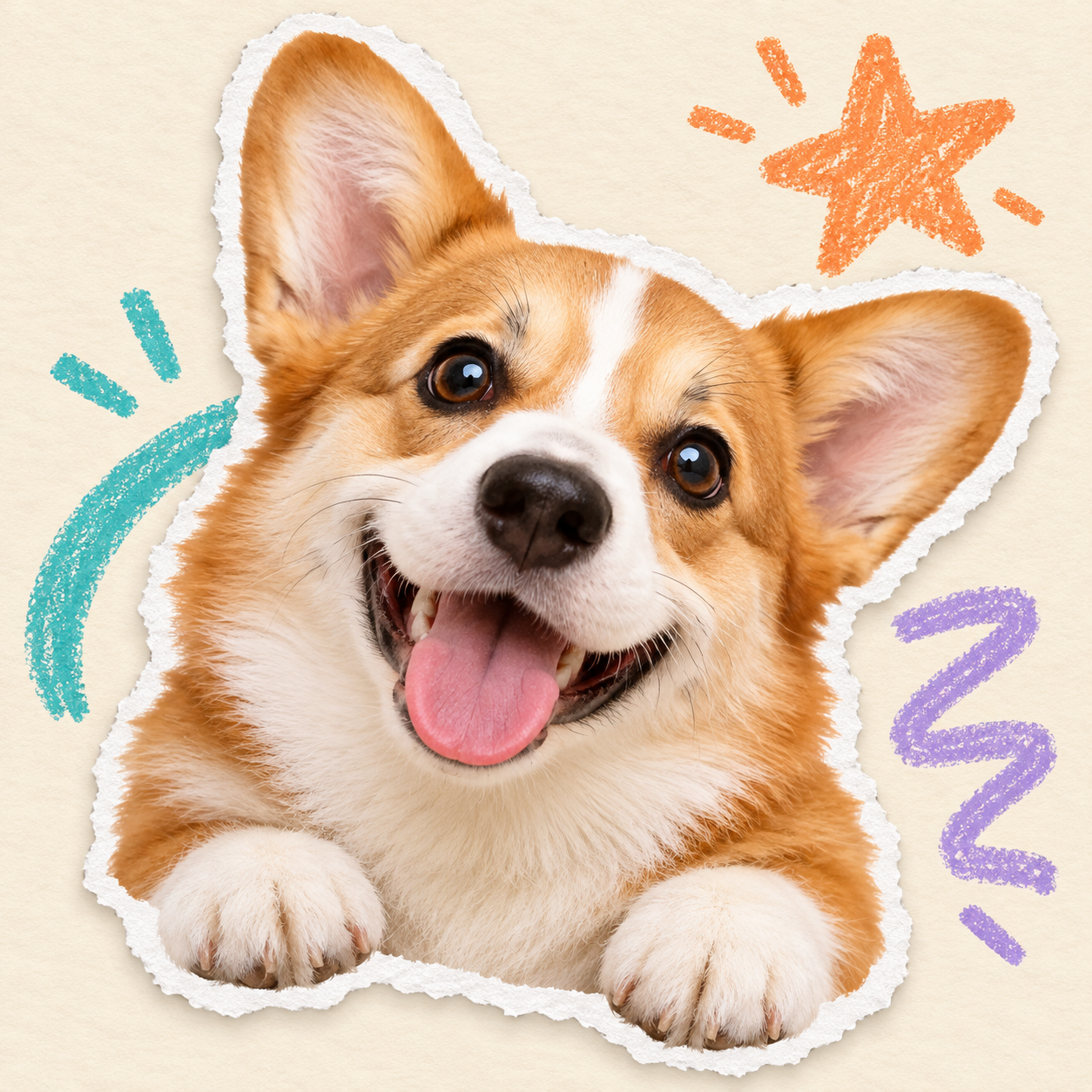
Torn Paper Doodle Album
Turn photos into vintage pastel and torn paper albums.
Torn Paper Doodle Album
Turn photos into vintage pastel and torn paper albums.
Showcase
Description
Put your favorite photos into a page of a vintage handmade album. Upload an original photo to automatically extract people, pets, or main subjects and remove the original background. Group photos will retain everyone by default. Recognizable facial features, hairstyles, clothing, poses, and handheld items are preserved, bordered with a natural white torn paper edge, and paired with a cream-white paper background, colorful crayon stars, and short handwritten phrases. Generates a 3:4 vertical album image by default. Supports text-free options, short Chinese phrases, fewer doodles, color adjustments, and aspect ratio changes. Text-free means no added album text, while original clothing text is preserved. When the subject's body is obscured, a suitable half-body composition is used without redrawing invisible limbs. Full-photo mode is also available when explicitly requested to keep the original scene. Suitable for everyday portraits, friend group photos, pet memories, and journal illustrations. Image editing may cause facial or other detail changes, and exact facial likeness is not guaranteed; generated images are checked against the original. This Skill is free to install. Credit consumption for image generation or editing is subject to the platform and model terms. Displayed samples show editing effects provided for users; full generation within YouMind has not been fully tested yet.
Recommended by
Dancang
Why we love this skill
Turn real photos into vintage albums featuring torn-paper edges and colorful crayon doodles: automatically and accurately preserves people, pets, and handheld items while removing backgrounds, blending realistic texture with handmade warmth. Get a polished, finished image simply by uploading a photo.
Best for
Ideal for users who want to turn portraits, group photos, pet pictures, or daily images into retro handmade photo album graphics.
How to use this Skill
Provide your input
Upload a photo and optionally specify whether to keep the original background, text content, doodle density, colors, or aspect ratio.
Run the Skill
Transforms people, pets, or main subjects in the photo into a torn-paper collage style, adding a cream-white paper background, colorful crayon doodles, and optional short phrases.
Review your result
Receive an edited image in a retro handmade photo album style, with the main subject highlighted and the original background removed by default.
Related Skills
View all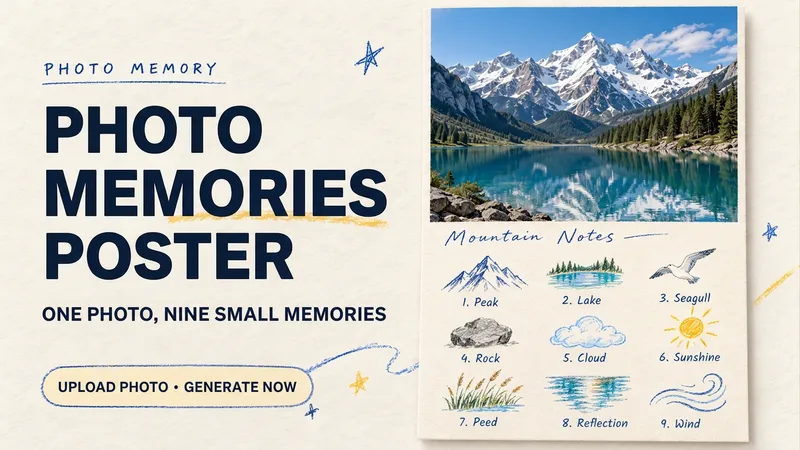 Image
ImagePhoto Memory Poster
Some photos in your album deserve to be remembered with care. Upload an original photo of a trip, a coffee break, a pet, or an everyday moment to turn it into a textured memory poster with paper grain and drawn strokes: the top half preserves the real moment, while the bottom half illustrates the details worth remembering as nine small crayon-and-colored-pencil icons. Each photo is output separately in a 3:4 portrait layout, with no multi-photo collage. The top and bottom each take up half the page, with a loose nine-grid layout, short handwritten title, and small caption, creating the feel of a private visual diary. Colors adapt to the photo instead of using a fixed scenic template. Just upload a photo and optionally add a title. The Skill extracts memorable details, creates the image, and checks the subject, nine icons, and actual layout divisions. When an image tool with reference-image support is available, it can generate the image directly. Strict layout separation and fidelity to the original photo also depend on the editing and assembly capabilities of the runtime environment; if the requirements cannot be met, this will be explained. Suitable for travel keepsakes, pet collections, lifestyle journaling, and social sharing. The showcase images are demonstrations using locally created original AI scenes, not examples from real users; on YouMind, the Skill has been trialed with input guidance for missing photos, while complete image generation still awaits testing. Image-generation usage is subject to the current platform.
 Image
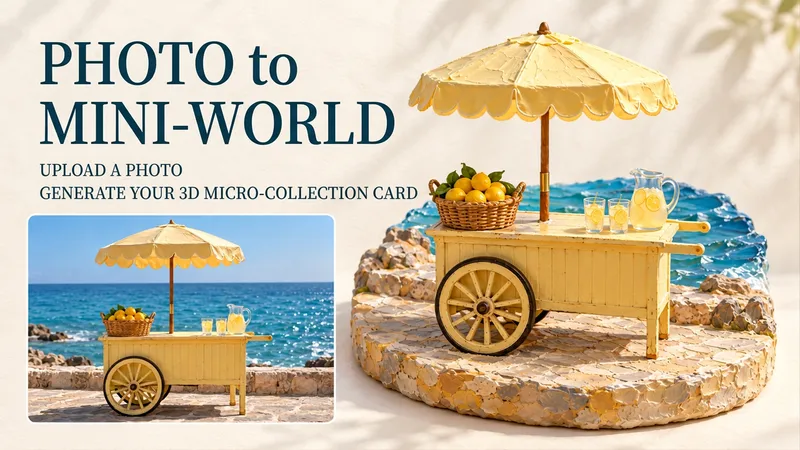
Image3D Miniature Keepsake Cards
Turn favorite street corners, beloved pets, and desserts too special to eat into exquisite miniature scenes. Upload a photo to transform its subject into a miniature scene with handcrafted textures, a dimensional base, and soft lighting, then arrange it alongside the photographic image as a collectible card. Create travel keepsakes, pet albums, or everyday collections—all starting with your own photos. Just upload one photo, and optionally add a note such as “keep the red umbrella,” “title it Summer by the Sea,” or “make it feel warmer.” Each photo produces one complete image by default in a 3:4 portrait layout. You can adjust the title, language, and mood. If you don't have a photo, you can also create an AI demo card by theme. Pick a photo from your album that you can't bear to delete and see what it looks like as a miniature world. Note: The output is an image, not a physical figurine or 3D model. Full-image generation may redraw details from the photo; to preserve the original photo exactly, use separate layout. The showcase images are newly created AI demos, and full image generation in YouMind has not yet been tested. The Skill is free to install; actual image-generation usage is subject to the platform's rules.
 Image
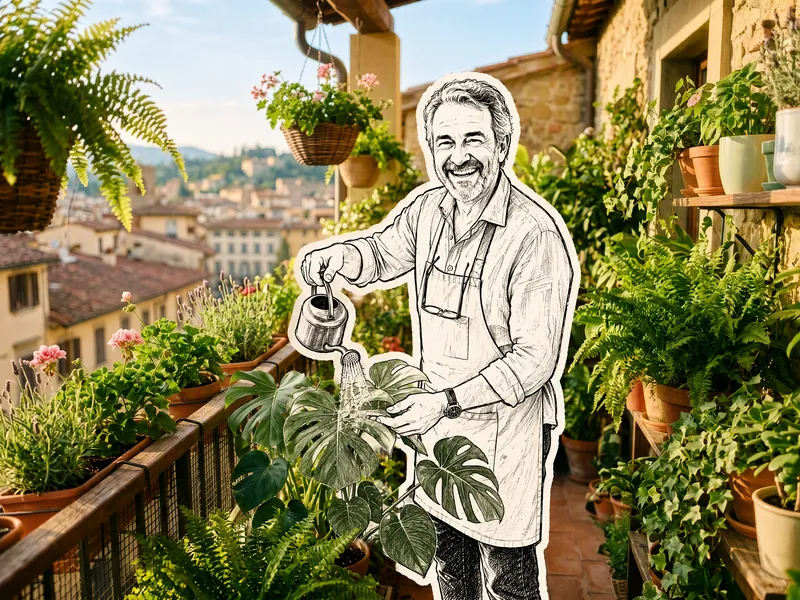
ImageHand-Drawn Doodle Sticker
Upload a photo to transform its subject—a person or pet—into a black-and-white hand-drawn doodle sticker illustration: thick black ink outlines, an off-white fill, sparse crosshatching, subtle line variation, and imperfect hand-drawn strokes. A thick, irregular off-white sticker border is added around the subject's outline. The real environment is preserved in full—furniture, objects, background, lighting, shadows, reflections, materials, camera angle, depth of field, and composition remain exactly as in the original photo. The result is a clean, editorial black-and-white doodle sticker character that blends seamlessly into a completely unedited real-photo background. The style is fixed by default, with optional adjustments to line width, fill color, hatching density, and more.
Information
- Version
- v3
- Last updated
- Runtime credits
- Usage-based
- Models
- Auto
- Use cases
- Images & designLifestyle & entertainment
- What you get
- Image
- Visual styles
- RetroCollagePaper art
