
Store Price List Design
Project list in, print-ready price list out
Store Price List Design
Project list in, print-ready price list out
Showcase
Description
Many shops still print screenshots of Excel price lists and put them on the wall, where they look crooked and uneven. After reading them, customers still have to ask, “How much is this?” Redesigning one means finding a designer and waiting three days.【Store Price List Design】 uses your services and prices to create a price list you can print right away: how to group services, which items to highlight, how to align prices, and what font size will be readable at the counter. It even specifies the print size and paper type. Not a single digit in the prices will be wrong, because the text is typeset—not drawn.
Best for
Store owners and operators who need to organize their services, create a clear price list, and print it for display.
How to use this Skill
Provide your input
Provide the store name, services and prices, units, notes, and any known details about the store type, customer base, or featured services. You may leave missing information blank.
Run the Skill
The system will verify that each price matches the correct service, organize the groups, and create printable A4 and A3 portrait HTML price lists, along with style references and printing and wall-display advice.
Review your result
Receive a price list layout with clear pricing, suitable for printing and wall display. It includes service categories, prices, notes, layout guidance, and a text-free style reference image.
Related Skills
View all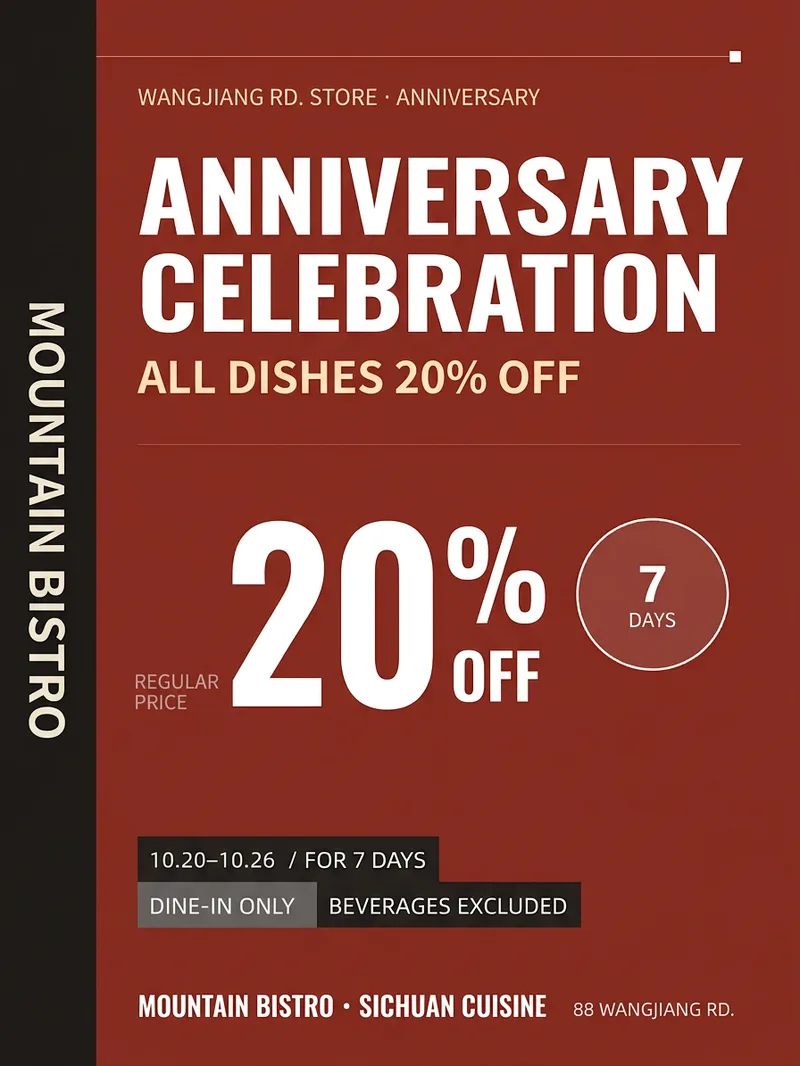 Image
ImageStore Promotion Poster
When a small store runs a promotion, the biggest challenge is often not the idea—it’s having a decent visual. Hiring a designer can start at $200 and take three days, while template-based designs can all look alike. 【Store Promotion Poster】Takes your store name, promotion details, discount, dates, and address, then creates a 3:4 vertical poster: a headline large enough to read from a distance, a highly visible price section, complete promotion rules, and space for the address and phone number at the bottom. It also provides a square image for social media and a caption. Hard rules: It only uses the information you provide. It will not invent discounts or gifts, make exclusive claims such as “lowest price,” or leave a watermark on the design.
Brand Deal Pricing Coach
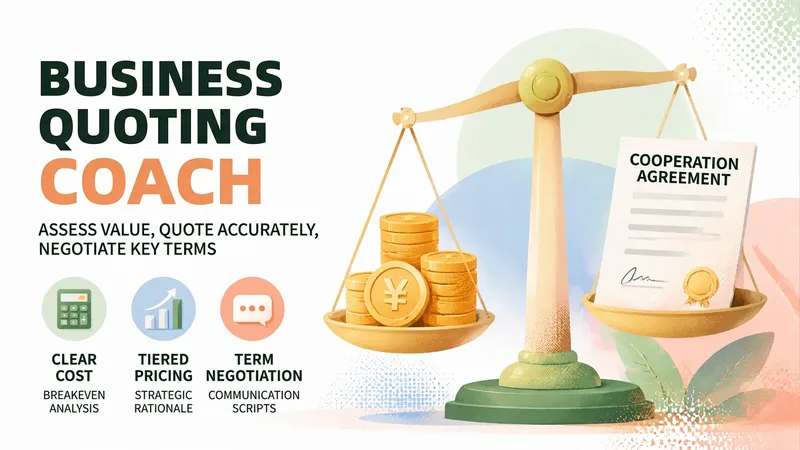
The hardest part of taking a brand deal isn't finding one—it's knowing what the deal is worth. You spend three days negotiating, then the client says, “That’s the entire budget.” You don’t know whether it’s a firm limit or a negotiation tactic. Quote too high and you may lose the deal; quote too low and you may finish the work after staying up late, only to realize you lost money. This skill brings in the knowledgeable friend who knows the business. Share the basic details of the deal—who the client is, the format, how many deliverables and revision rounds are required, and what price they offered. It will first ask for key missing information, then provide a Brand Deal Pricing Evaluation Report: ✨ Core capabilities 1. Break-even price calculation: Time costs + hard costs + taxes and commissions + revision and payment-term risks, so you can first determine “below what price am I losing money?” 2. Three pricing tiers: Floor price / target price / ideal price, with the reasoning behind each tier and the amount tied to every add-on and discount item 3. Contract checklist: Payment, advance payment, revision limits, licensing scope and duration, exclusivity period, and the right to publish the work as a case study—beginners often lose out more on terms than on price 4. Negotiation scripts: For the initial quote, “the budget is limited,” “let’s test the results first,” exclusivity requests, requests for free trial work, and more. Each scenario includes a ready-to-copy version with tone and risks noted 5. One-page quote letter: Once you reach an agreement, generate a quote letter you can send directly to the client with one click 6. Pricing archive: Remember your past deal prices and minimum hourly rate, becoming more accurate the more you use it 🛡️ Three firm principles · No invented market figures: All amounts come only from the anchors and cost calculations you provide. Estimated ranges are clearly marked as “not the market average” · No sugarcoating: If the price is below your costs, it will tell you directly, “Taking this deal means losing money,” and calculate where the loss comes from · No deciding for you: It provides analysis and supporting reasons; the decision remains yours 📱 Who it’s for Bloggers, creators, and up creators handling brand partnerships, platform deals, or sponsored content; public-account writers; Xiaohongshu and Douyin creators; as well as designers, writers, and podcast hosts taking on projects. 💡 How to use it Simply describe your deal. You can also use /报价 /还价 /条款 /出函 /复盘 /档案 for precise access. Getting one quote right can mean a difference of hundreds or even thousands.
Dish Photos to Menu
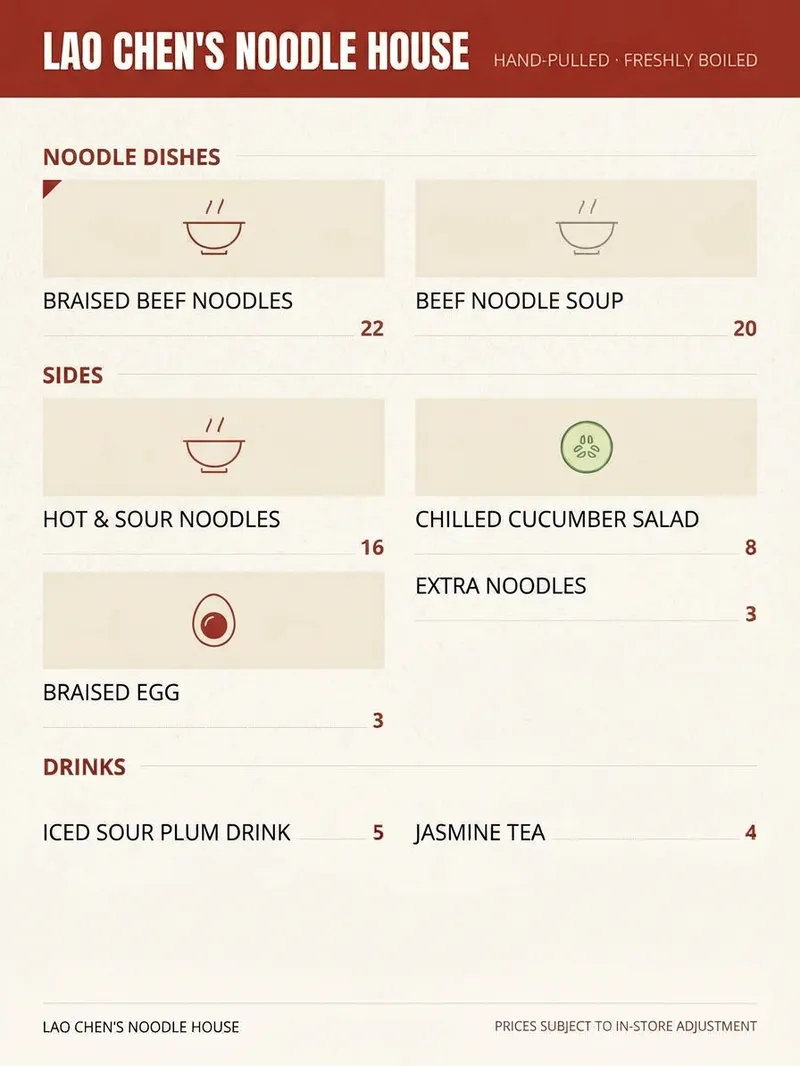
Small restaurants often rely on a Word-printed sheet or a photographed old menu, with tiny text and messy pricing. 【Dish Photos to Menu】takes your dish photos, names, and prices and arranges them into a portrait menu: a restaurant-name banner at the top, a two-column dish grid, a fine dotted line from each dish name to its price, and color blocks to highlight signature dishes. Dishes without photos are automatically shown as text entries, with no empty placeholders left behind. Hard rules: dish names and prices are kept exactly as provided; no dishes or prices are invented; “Signature” is not added unless you specify which dishes qualify.
Information
- Version
- v2
- Last updated
- Runtime credits
- Usage-based
- Models
- Auto
- Use cases
- Images & designE-commerce & sales
- What you get
- DocumentImageCode
