Split-Screen Photo Art
Upload one photo—no prompt needed
Split-Screen Photo Art
Upload one photo—no prompt needed
Showcase
Description
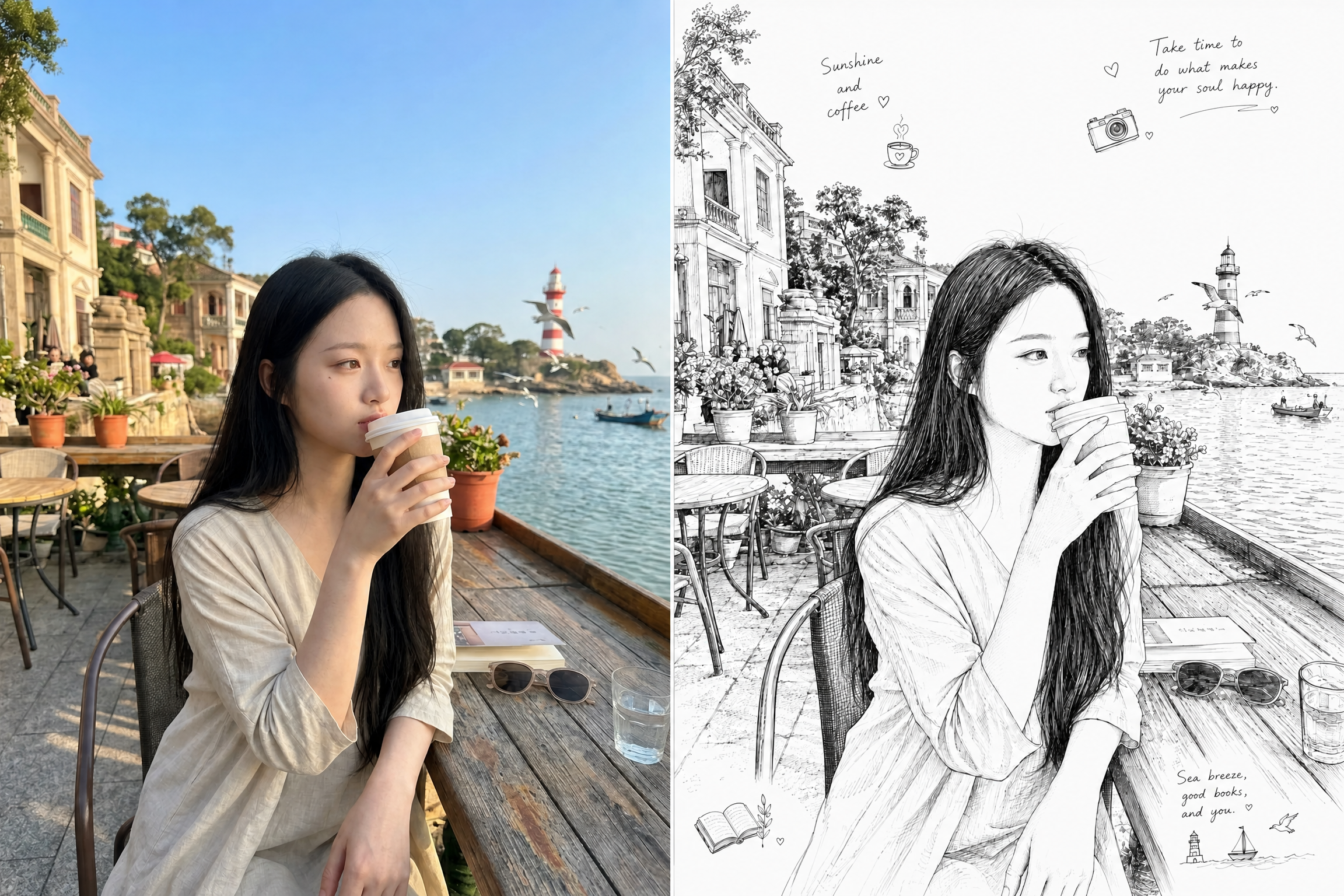
Upload a real photo to automatically create a finished split-screen image: the original photo remains on the left, while the right side shows a detailed black-and-white line illustration of the same subject in the same scene, creating a “reality vs. hand-drawn” contrast.
Recommended by
淡苍
Why we love this skill
Create a highly faithful black-and-white sketch beside the original photo—no prompt writing required. Preserve the subject, pose, and scene with a clean hand-drawn look and subtle doodle accents.
Best for
Best for creating portraits and scenes with a “reality vs. hand-drawn” effect from real photos.
How to use this Skill
Provide your input
Upload a clear photo of a person or subject. You may also include requests for slogans or decorative elements.
Run the Skill
The system automatically turns the subject and scene into a detailed black-and-white line illustration, then combines it with the original photo in a split-screen layout.
Review your result
Get a finished split-screen image: the original photo on the left and the corresponding black-and-white line illustration on the right.
Related Skills
View all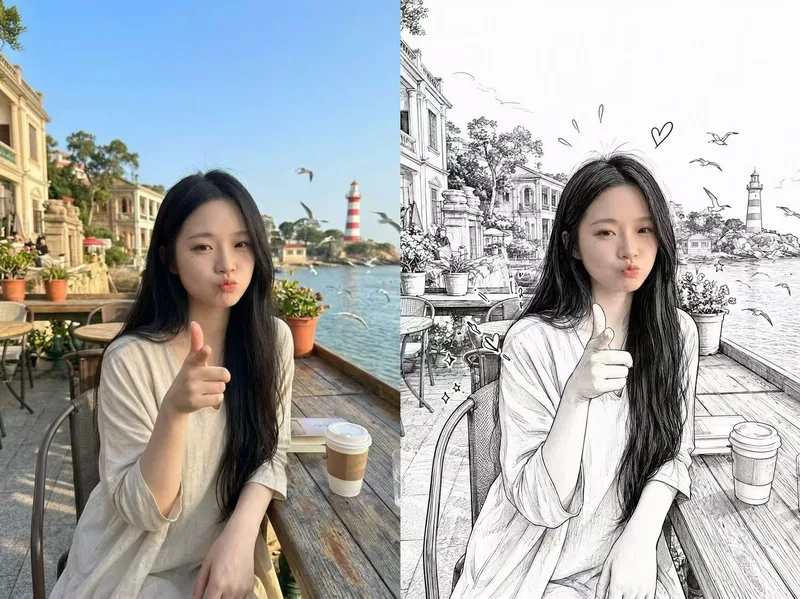 Image
ImagePhotorealistic Head, Drawn Body
Upload a real photo—no target image needed—to automatically create a finished mixed-style image with a photorealistic head and black-and-white hand-drawn illustration. The head retains photo-realistic texture and recognizable facial features (facial features stay the same, while the expression may be subtly adjusted). Everything else—including the hair and hairstyle, body and build, clothing, pose, background, and decorative elements such as hearts, stars, sparkles, and motion lines—is transformed into a black-and-white hand-drawn illustration. The body keeps realistic proportions, while the original hairstyle and pose are preserved. Ideal for turning a single photo of a person or pet into a creative image featuring a photorealistic head and hand-drawn elements in the same frame.
 Image
ImageSeamless Photo–Illustration
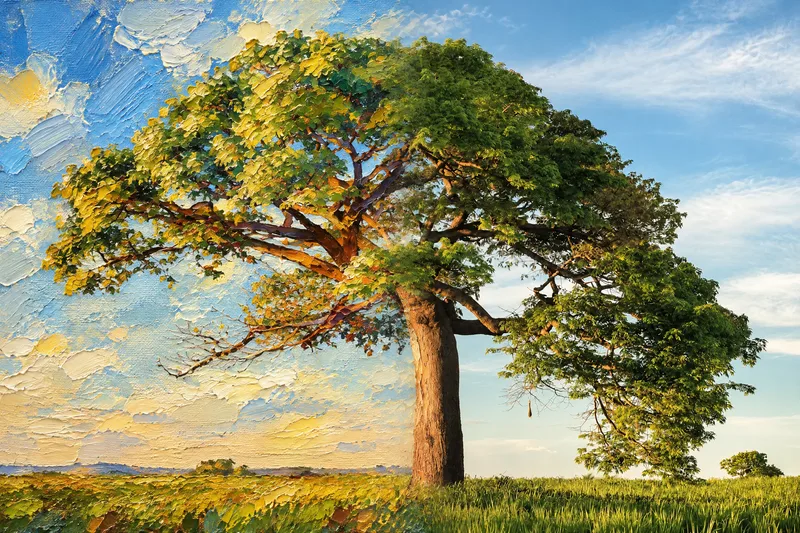
Transform photos of people, animals, pets, cars, buildings, products, food, plants, or scenes into dual-visual artwork featuring the same subject and composition in both realistic and illustrated form. One side preserves photographic texture, natural lighting, and material details, while the illustrated side clearly reflects a hand-drawn, anime, comic, watercolor, oil painting, clay, or vector illustration medium—not a simple filter effect. You can specify whether the visuals are arranged left and right or top and bottom, define where the realistic and illustrated areas appear, choose an illustration style, and set the aspect ratio. The subject’s pose, expression, facial features, structure, clothing, colors, and relationship to the scene remain coherent. People, animals, and objects transition according to their own visual centers, allowing both treatments to occur naturally within the subject rather than mechanically splitting the image. The final image emphasizes seamless integration: photographic texture gradually becomes lines, color blocks, or brushstrokes, while contours and lighting connect naturally. There are no dividing lines, hard edges, collage seams, torn-paper effects, or glowing boundaries. You’ll get a dual-visual image where the difference between the real world and the illustrated world is clear, yet no exact dividing point can be found.
 Image
ImageHalf Real, Half Outline
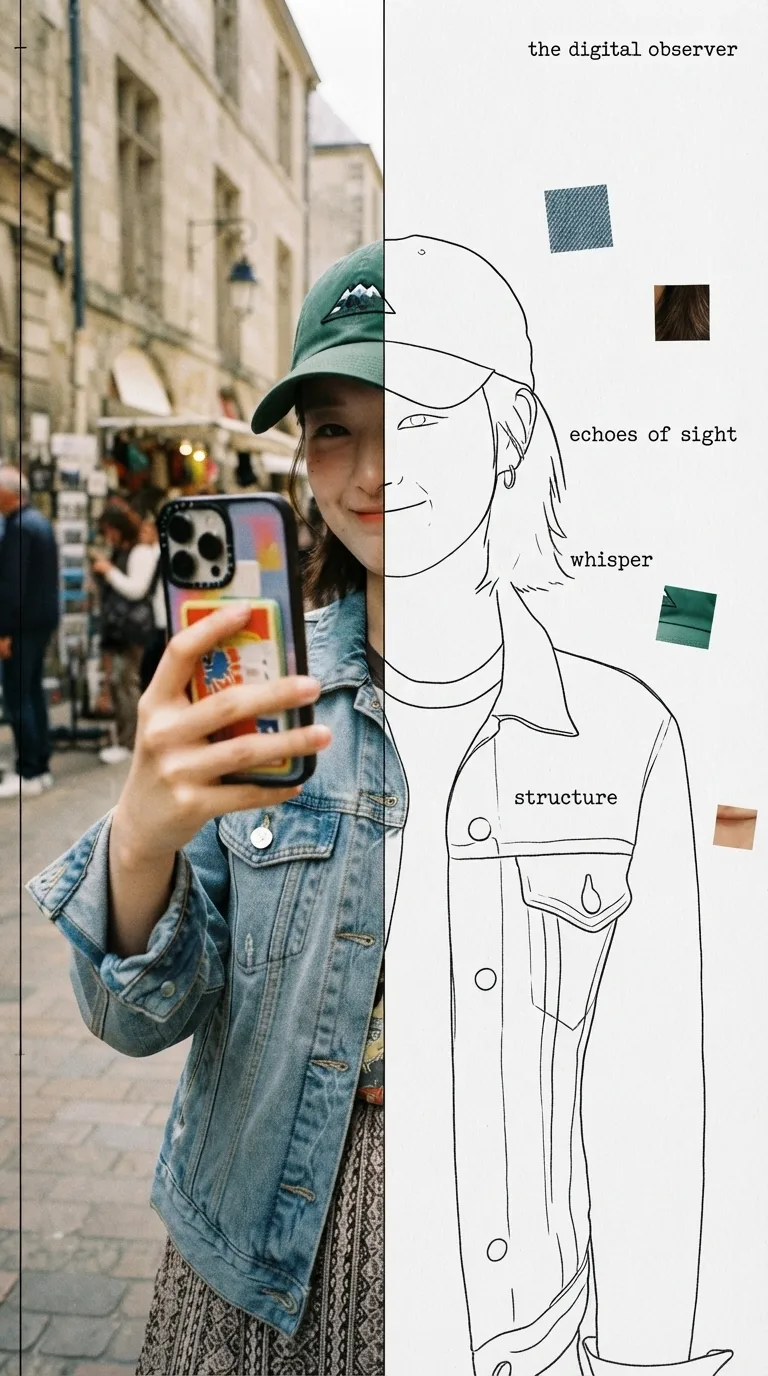
Upload a photo to automatically identify the subject and composition, then generate an experimental, specimen-style editorial poster with half a real color photo and half a hand-drawn outline on white paper: the photo area retains its true colors with reduced saturation and a film-grain feel; the white-paper mask area continues the shape of the obscured section with fine, hand-drawn black outline lines, along with 2–4 sensory or evocative keywords, 3–5 colored texture-fragment squares, a vertical binding line on the left, and a small poetic subtitle in the corner. Suitable for portraits, still lifes, animals, plants, and many other types of photos. By default, it follows the original image proportions without changing the aspect ratio, cropping, converting to black and white, or creating an infographic.
Information
- Version
- v4
- Last updated
- Runtime credits
- Usage-based
- Models
- Auto
- Use cases
- Images & design
- What you get
- Image
- Visual styles
- Hand-drawnCollage
