Seamless Photo–Illustration
Blend photos into seamless real-to-illustration art
Seamless Photo–Illustration
Blend photos into seamless real-to-illustration art
Showcase
Description
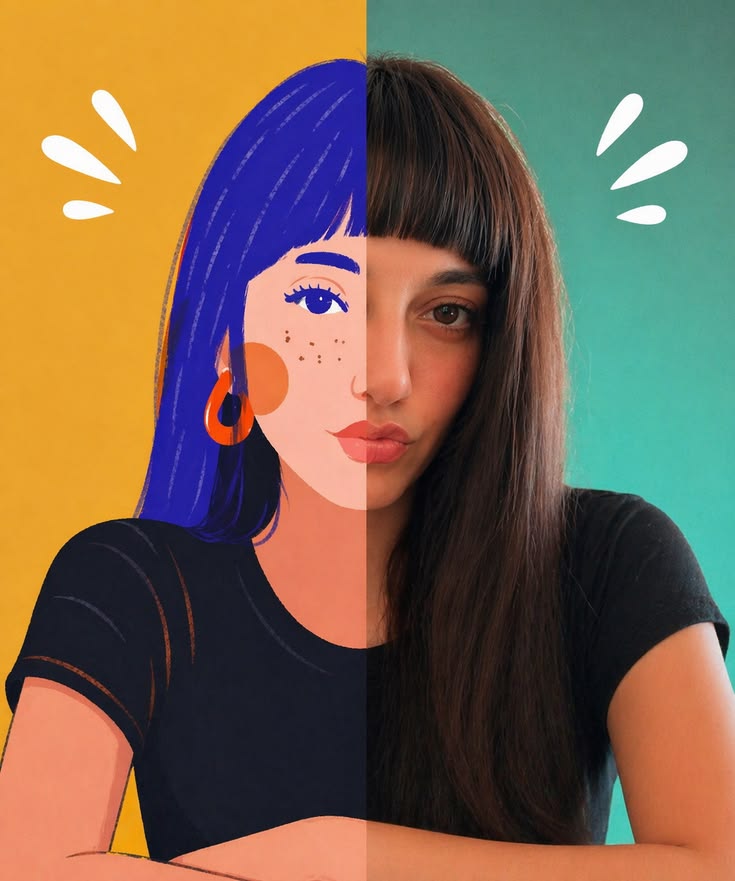
Transform photos of people, animals, pets, cars, buildings, products, food, plants, or scenes into dual-visual artwork featuring the same subject and composition in both realistic and illustrated form. One side preserves photographic texture, natural lighting, and material details, while the illustrated side clearly reflects a hand-drawn, anime, comic, watercolor, oil painting, clay, or vector illustration medium—not a simple filter effect. You can specify whether the visuals are arranged left and right or top and bottom, define where the realistic and illustrated areas appear, choose an illustration style, and set the aspect ratio. The subject’s pose, expression, facial features, structure, clothing, colors, and relationship to the scene remain coherent. People, animals, and objects transition according to their own visual centers, allowing both treatments to occur naturally within the subject rather than mechanically splitting the image. The final image emphasizes seamless integration: photographic texture gradually becomes lines, color blocks, or brushstrokes, while contours and lighting connect naturally. There are no dividing lines, hard edges, collage seams, torn-paper effects, or glowing boundaries. You’ll get a dual-visual image where the difference between the real world and the illustrated world is clear, yet no exact dividing point can be found.
Recommended by
淡苍
Why we love this skill
Featured because it goes beyond photo-to-illustration conversion, placing realistic photography and hand-drawn media within the same subject and composition. Its signature is a natural transition with no harsh dividing line.
Related Skills
View all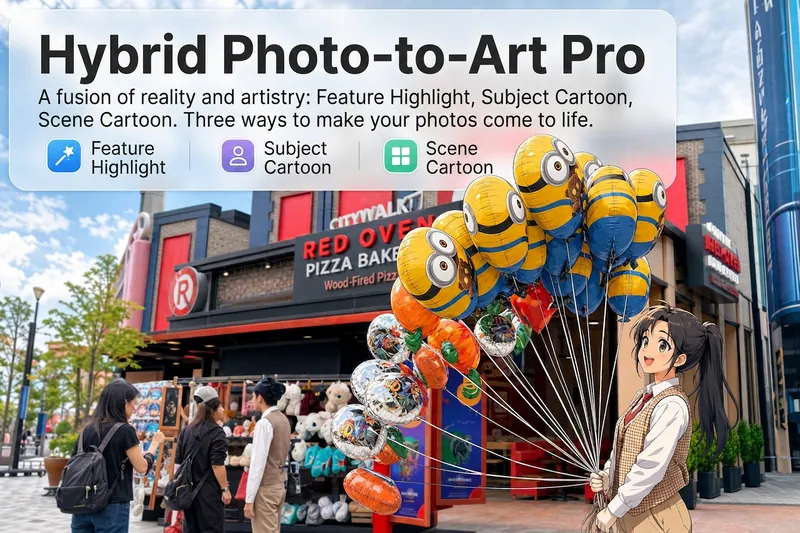 Image
ImageReality Blend Artist Pro
Upload a photo, and AI first reads it like a visual analyst across five dimensions: what the subject is, how it is composed, its color palette, where the visual focus lies, and what emotion it conveys. It then tells you where a hand-drawn treatment would have the most impact and how to make it look best. Four real-and-drawn blend modes, four ways to play: 🔹 Local Accents — Keep the overall image realistic while AI selects 2–3 local areas to replace with a hand-drawn style. Patterns on a sign, the coffee cup in someone’s hand, or a few flowers peeking out from a flower bed—just enough to give the photo a sense of life. Choose from 4 hand-drawn styles: pencil sketch / watercolor wash / sticker doodle / clay relief. 🔹 Subject Anime — Turn a person, animal, or object into an anime-style subject while keeping the background’s realistic photographic texture. Choose from 5 anime styles: action manga / American superhero comics / Ghibli-style / Korean webtoon / Chinese ink wash. It feels like an anime character has stepped into the real world. 🔹 Environment Anime — Reverse the approach: keep the subject realistic while transforming the surrounding environment into an anime style. The contrast of being in a real world surrounded by a 2D universe is instantly amplified. 🔹 Selective Color Light Trails — Convert the image to black-and-white grayscale while keeping selected objects in their original, highly saturated colors. Clean white detail outlines surround the colored objects, extending into flowing, curling, psychedelic agate-like color trails that naturally follow the scene’s direction. Retro collage × surreal art turns a single photo into a movie poster in an instant. Each mode × 2 blending methods: Gradient Feathering (a natural transition between real and illustrated, like ink spreading through paper) / Hand-Drawn Border (a white outline, like a sticker placed on the image). No blind image generation—you're in control at every step. AI analyzes first → recommends an approach → you confirm → then it generates, helping avoid wasted results. For portrait photos, faces and facial features are automatically avoided and are not replaced with hand-drawn elements. The number of local areas is limited to 2–3, with professional constraints on their position and size—the result is a finishing touch, not a collage. 4 modes · 16 styles · 2 blending methods = 32 real-and-drawn combinations. The same photo can take on completely different moods.
 Image
ImageReal-Person Doodle Portrait
Blend your real-person photo into a room or scene drawn with bold hand-drawn lines, creating a creative portrait that places a real person alongside a doodle environment. The person retains realistic photographic texture, facial features, clothing, and lighting, while the environment uses monochrome marker sketches to outline furniture, walls, and spatial contours. The result creates a striking visual effect of a “real person floating in a line-art world,” making it suitable for profile pictures, social cards, and stylized portrait artwork. You can upload a headshot, half-body photo, or full-body photo, then describe the living room, bedroom, study, café, studio, balcony, or other scene you want, along with the person’s clothing, pose, and expression. If you only have a headshot, the image can complete the body and place it in the specified space. If the original photo already includes a real environment, you can also keep the person unchanged while converting the background furniture, floor, walls, or street scene into a simple doodle line drawing, while maintaining the original composition. Deep ocean blue, burgundy, charcoal black, and other line-art colors are supported, with suitable aspect ratios matched to indoor portraits, open outdoor scenes, sports, or spacious environments. The setting will not be filled with excessive detail. Instead, it selects a few key objects and preserves negative space, making the contrast between the real person and the hand-drawn room clearer and more thoughtfully designed.
 Image
ImageSemi-Flat Illustration Maker
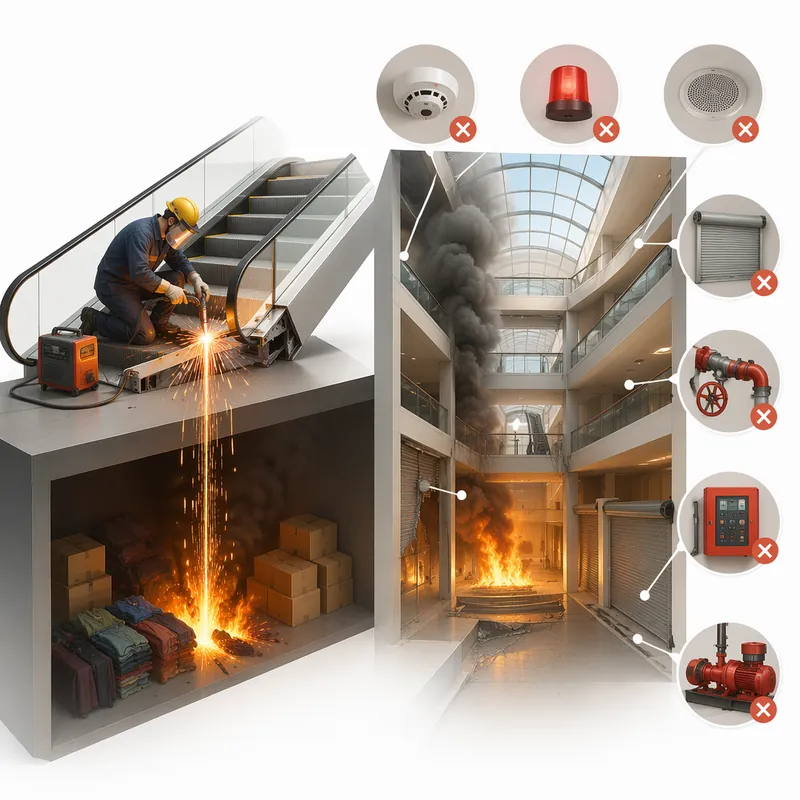
Have you ever faced challenges like these when expressing ideas visually? Your brand needs a sense of sophistication, but purely flat illustrations feel too thin, lacking warmth and texture? You want to convey product details through a realistic style, but worry the image will become too complex and distract from the content itself? Abstract concepts, emotional stories, or complex ideas never quite look right—either too obvious or too obscure? You search through asset libraries but can’t find visuals that are both modern and elegant, while accurately capturing the core meaning? What we want is a visual language that feels just right—designed yet authentic, simple and powerful yet refined and engaging. Now, all you need to do is enter a piece of text. It will generate a semi-flat realistic illustration that gives your brand, content, or concept a distinctive visual appeal. What is it? An intelligent generation tool that transforms written content into modern, semi-flat realistic illustrations. It thoughtfully combines the clean outlines of flat illustration with the soft lighting and sense of volume found in realistic styles, finding an elegant balance between “too simple” and “too complex.” How does it work? Three simple steps Enter your text—whether it’s a brand story, an emotional monologue, a product description, or an abstract philosophical concept. It captures the core meaning with precision; (Optional) Adjust your composition or color preferences—you can set the direction for the image or let it interpret your input freely; Generate—a carefully composed illustration with sophisticated colors and finely rendered texture appears instantly. No drawing experience is required. You provide what to say; it takes care of how to show it. What makes its visual language distinctive? Outlines, but not flat—It preserves the fresh, modern outlines of flat illustration while using soft shadows and subtle volume to make objects feel dimensional rather than thin; Realistic, but not photorealistic—It avoids excessive photo-level detail, retaining only the warmth created by light, shadow, and materials, so the image feels believable while leaving room for imagination; Clean, but not empty—A pure white background keeps the visual focus on the subject, ensuring the image stays clean, restrained, and centered on the message you want to convey. Every piece strikes a subtle balance between design appeal and storytelling power. Where can it be used? Visualizing brand stories—Modern illustrations tailored to your brand’s character, conveying restrained yet richly textured visual symbols; Illustrating in-depth content—Make articles, reports, or columns less dry by letting images resonate with the words; Product explanations / concept presentations—Transform complex features or abstract ideas into an intuitive, elegant visual language; Decorative art / cover design—Clean, sophisticated imagery that naturally suits books, albums, or interior decoration. What you receive is more than just an image You’ll receive a clean illustration with no text to distract from the image, along with a visual style analysis. It briefly explains why the composition, lighting, and color palette were chosen to reflect your text, helping you better understand the design logic behind the image and making it easier to explain the creative direction to your team.
Information
- Version
- v6
- Last updated
- Runtime credits
- Usage-based
- Models
- GPT Image 2.5 Flare
