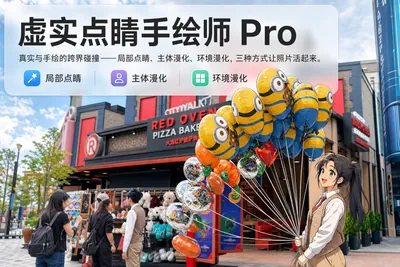
Reality Blend Artist Pro
28 AI-picked local, subject & scene effects
Reality Blend Artist Pro
28 AI-picked local, subject & scene effects
Showcase
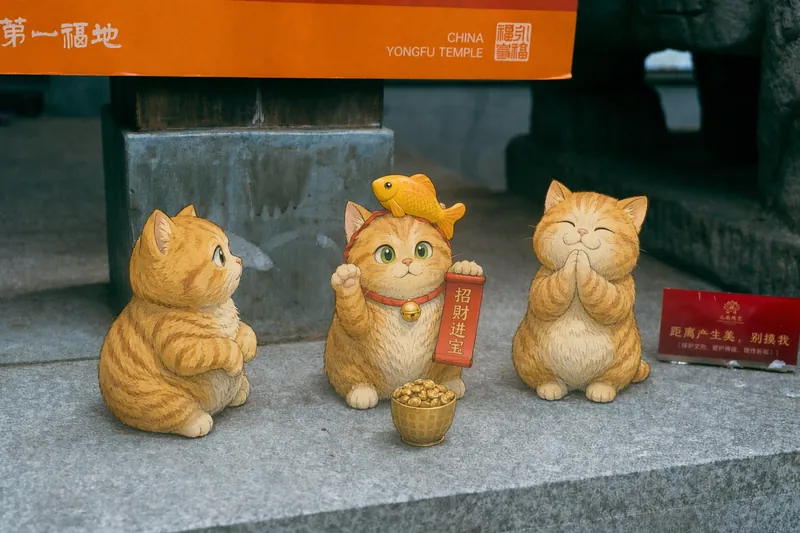
永福寺猫咪雕像手绘设计
永福寺招财猫·吉卜力漫化
永福寺猫咪雕像手绘设计
永福寺招财猫·吉卜力漫化
Description
Upload a photo, and AI first reads it like a visual analyst across five dimensions: what the subject is, how it is composed, its color palette, where the visual focus lies, and what emotion it conveys. It then tells you where a hand-drawn treatment would have the most impact and how to make it look best. Four real-and-drawn blend modes, four ways to play: 🔹 Local Accents — Keep the overall image realistic while AI selects 2–3 local areas to replace with a hand-drawn style. Patterns on a sign, the coffee cup in someone’s hand, or a few flowers peeking out from a flower bed—just enough to give the photo a sense of life. Choose from 4 hand-drawn styles: pencil sketch / watercolor wash / sticker doodle / clay relief. 🔹 Subject Anime — Turn a person, animal, or object into an anime-style subject while keeping the background’s realistic photographic texture. Choose from 5 anime styles: action manga / American superhero comics / Ghibli-style / Korean webtoon / Chinese ink wash. It feels like an anime character has stepped into the real world. 🔹 Environment Anime — Reverse the approach: keep the subject realistic while transforming the surrounding environment into an anime style. The contrast of being in a real world surrounded by a 2D universe is instantly amplified. 🔹 Selective Color Light Trails — Convert the image to black-and-white grayscale while keeping selected objects in their original, highly saturated colors. Clean white detail outlines surround the colored objects, extending into flowing, curling, psychedelic agate-like color trails that naturally follow the scene’s direction. Retro collage × surreal art turns a single photo into a movie poster in an instant. Each mode × 2 blending methods: Gradient Feathering (a natural transition between real and illustrated, like ink spreading through paper) / Hand-Drawn Border (a white outline, like a sticker placed on the image). No blind image generation—you're in control at every step. AI analyzes first → recommends an approach → you confirm → then it generates, helping avoid wasted results. For portrait photos, faces and facial features are automatically avoided and are not replaced with hand-drawn elements. The number of local areas is limited to 2–3, with professional constraints on their position and size—the result is a finishing touch, not a collage. 4 modes · 16 styles · 2 blending methods = 32 real-and-drawn combinations. The same photo can take on completely different moods.
Recommended by
Nico@YouMind
Why we love this skill
Analyze before creating: identify what to change and preserve, avoid key areas, and control local accents, anime subjects, anime environments, and selective-color light trails. 28 combinations balance narrative impact with reliable results.
Related Skills
View all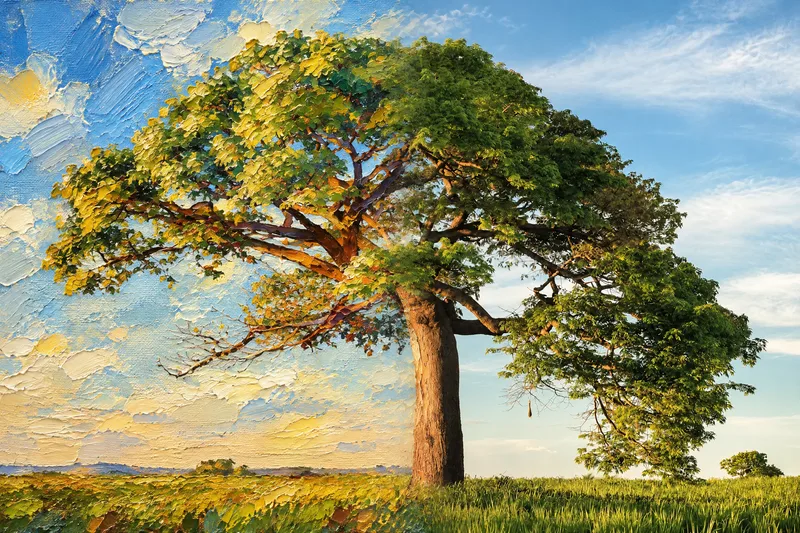 Image
ImageSeamless Photo–Illustration
Transform photos of people, animals, pets, cars, buildings, products, food, plants, or scenes into dual-visual artwork featuring the same subject and composition in both realistic and illustrated form. One side preserves photographic texture, natural lighting, and material details, while the illustrated side clearly reflects a hand-drawn, anime, comic, watercolor, oil painting, clay, or vector illustration medium—not a simple filter effect. You can specify whether the visuals are arranged left and right or top and bottom, define where the realistic and illustrated areas appear, choose an illustration style, and set the aspect ratio. The subject’s pose, expression, facial features, structure, clothing, colors, and relationship to the scene remain coherent. People, animals, and objects transition according to their own visual centers, allowing both treatments to occur naturally within the subject rather than mechanically splitting the image. The final image emphasizes seamless integration: photographic texture gradually becomes lines, color blocks, or brushstrokes, while contours and lighting connect naturally. There are no dividing lines, hard edges, collage seams, torn-paper effects, or glowing boundaries. You’ll get a dual-visual image where the difference between the real world and the illustrated world is clear, yet no exact dividing point can be found.
 Image
ImageReal-Person Doodle Portrait
Blend your real-person photo into a room or scene drawn with bold hand-drawn lines, creating a creative portrait that places a real person alongside a doodle environment. The person retains realistic photographic texture, facial features, clothing, and lighting, while the environment uses monochrome marker sketches to outline furniture, walls, and spatial contours. The result creates a striking visual effect of a “real person floating in a line-art world,” making it suitable for profile pictures, social cards, and stylized portrait artwork. You can upload a headshot, half-body photo, or full-body photo, then describe the living room, bedroom, study, café, studio, balcony, or other scene you want, along with the person’s clothing, pose, and expression. If you only have a headshot, the image can complete the body and place it in the specified space. If the original photo already includes a real environment, you can also keep the person unchanged while converting the background furniture, floor, walls, or street scene into a simple doodle line drawing, while maintaining the original composition. Deep ocean blue, burgundy, charcoal black, and other line-art colors are supported, with suitable aspect ratios matched to indoor portraits, open outdoor scenes, sports, or spacious environments. The setting will not be filled with excessive detail. Instead, it selects a few key objects and preserves negative space, making the contrast between the real person and the hand-drawn room clearer and more thoughtfully designed.
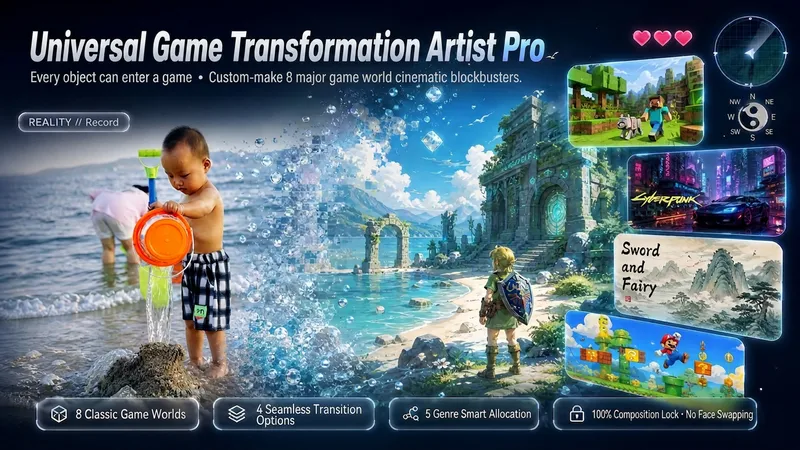
Game World Reimaginer Pro
【Everything can enter the game · No mindless face swaps · No fabricated details · Gallery-quality delivery】 Game World Reimaginer Pro is an immersive cross-genre image transformation engine built for high-quality visual remixes. It includes five intelligent subject routes (portraits/pets/vehicles/scenes/food). Upload any photo to generate a 3×3 panoramic preview matrix first, with clear Chinese labels on every panel. After you choose a style, the selected style is followed strictly, bringing everyone and everything in the scene into the game world together. All people and objects remain fully preserved under normal circumstances, with only severe unwanted clutter cleaned up. Confirm the layout (top/bottom or left/right), final aspect ratio, skill-bar HUD, and seam transition effect, then assemble everything in one click into a gallery-quality comparison poster with zero template labels! ━━━ 🎮 Four Core Features ━━━ 1. 【8 iconic game worlds · Master-level clarity】: The Legend of Zelda (bright hand-painted watercolor), Minecraft (crisp voxel blocks), Cyberpunk 2077 (authentic Night City yellow-and-blue cybernetic technology), the Wizarding World of Hogwarts (British magical castles), Chinese Paladin (traditional Eastern ink-and-gongbi painting), Nintendo Mario (vibrant 3D cartoon style), 16-bit pixel art (retro pixel graphics), and GTA (cinematic, crystal-clear sunlight). Materials are deeply reconstructed by 80% for a clean, premium look and feel. 2. 【Preserve every element · Everyone enters the game together】: All people in the scene—including the main subject, companions, customers in line, and bystanders—as well as vehicles and objects are normally retained in full and translated into the selected game world. Characters from the original image are never casually erased; only severe flaws such as trash and clutter are carefully cleaned up. 3. 【The golden rule of restraint · Keep it real】: Facial features and expressions are frozen with absolute 100% fidelity—never swap faces. Clothing receives 50% material reconstruction, while props receive 80% world-building transformation. No people or objects are invented out of thin air. 4. 【Gallery-quality delivery · Zero template labels】: The final comparison poster never adds templated labels such as “Original,” “Result,” or “REALITY.” Instead, it creates a polished artwork through pure contrasts in lighting and materials, along with aligned structural transformations—without the cheap, instructional look of a template. ━━━ 🕹️ Four-Step Delivery Process ━━━ 1. 【Subject routing and full overview】: Identify the subject type intelligently ➔ extract physically fixed anchors and all scene elements ➔ rapidly generate a 3×3 panoramic preview matrix, with clear Chinese labels on every panel. 2. 【Choose a style】: Select your preferred world from the 3×3 matrix. AI locks onto your choice and strictly avoids drifting from it. 3. 【Confirm assembly parameters】: Choose the composition (top/bottom or left/right), final aspect ratio, UI mode (skill-bar HUD or clean artwork), and seam transition effect (4 premium options). 4. 【Deliver the final poster】: Generate a gallery-quality comparison poster with zero template labels. Switch styles or seam effects and reassemble at any time. ━━━ 👥 Ideal Users and Popular Scenarios ━━━ • Gamers / Harry Potter fans / anime and gaming fans: Turn casual snapshots into adventure scenes from favorite games and magical worlds. • Social media creators / Xiaohongshu creators: Make eye-catching, seamless comparison posters and 3×3 covers, with engagement potential up to 10× higher. • Families / couples / groups of friends: Turn loved ones, children, and partners into custom magical characters and commemorative wallpapers. • Pet and street photographers: Turn cats and dogs into spirit animals or magical companions, and send everyday trains and street scenes into cyberpunk or Hogwarts worlds in an instant. ━━━ 💡 Tips and Notes ━━━ • For more impressive results, upload a real photo with a clear subject, good lighting, and distinct facial features or contours. • The final comparison poster contains no text labels such as “Original” or “Result,” preserving a pure, cinematic artwork feel. • For personal entertainment, commemorative wallpapers, and sharing visual remixes on social media only.
Information
- Version
- v15
- Last updated
- Runtime credits
- Usage-based
- Models
- Auto
