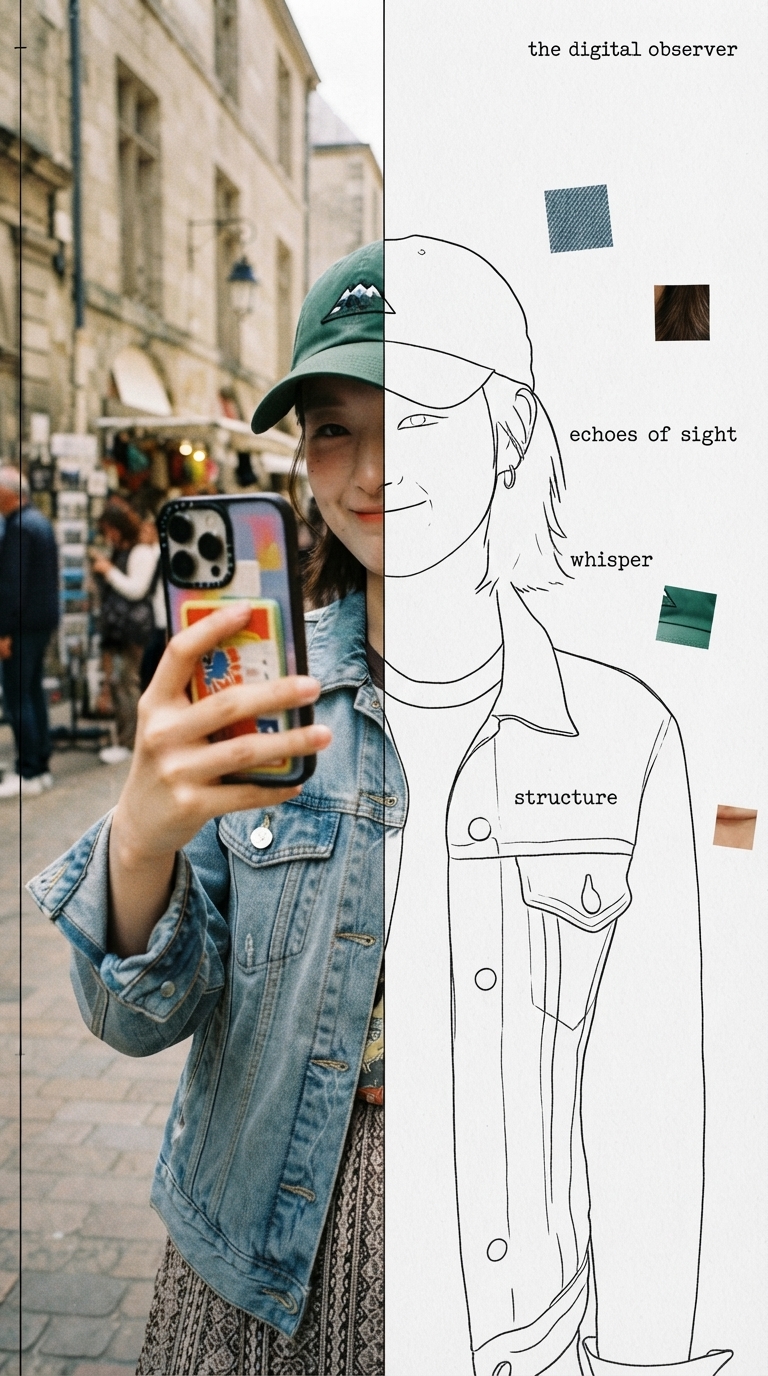
Half Real, Half Outline
Specimen-style editorial poster from one photo
Half Real, Half Outline
Specimen-style editorial poster from one photo
Showcase
Description
Upload a photo to automatically identify the subject and composition, then generate an experimental, specimen-style editorial poster with half a real color photo and half a hand-drawn outline on white paper: the photo area retains its true colors with reduced saturation and a film-grain feel; the white-paper mask area continues the shape of the obscured section with fine, hand-drawn black outline lines, along with 2–4 sensory or evocative keywords, 3–5 colored texture-fragment squares, a vertical binding line on the left, and a small poetic subtitle in the corner. Suitable for portraits, still lifes, animals, plants, and many other types of photos. By default, it follows the original image proportions without changing the aspect ratio, cropping, converting to black and white, or creating an infographic.
Recommended by
淡苍
Why we love this skill
Turns photos into restrained, experimental specimen cards, balancing low-saturation documentary imagery with hand-drawn outlines, precise labels, and floating texture fragments. Composition copy is confirmed before generation for poetic yet rigorous editorial design.
Best for
For creators who want to turn portrait, still-life, animal, plant, or scene photos into experimental editorial posters.
How to use this Skill
Provide your input
Upload a photo, and optionally specify the aspect ratio, masked half, title, or keywords.
Run the Skill
The system analyzes the photo and proposes the poster copy and composition. After you confirm or revise them, it generates the finished poster.
Review your result
Receive a specimen-style poster combining a true-color photo, white-paper hand-drawn outlines, texture fragments, and editorial layout.
Related Skills
View all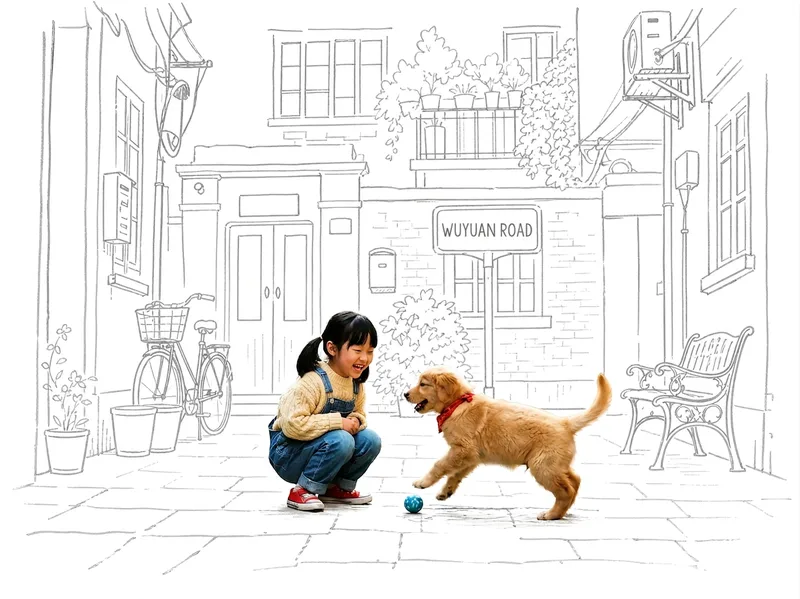 Image
ImagePhoto Meets Hand-Drawn
Turn any photo into a contrast-style poster featuring a photo-realistic subject set against a monochrome, hand-drawn line-art environment: people or other subjects are preserved 100% from the original image—no redrawing, outfit changes, or pose changes—while the surrounding scene and background are translated into casual sketch lines on warm white paper in a single ink color. The default output is a 3:4 portrait layout, with other aspect ratios available on request. Supports single-person photos, group shots, pets, still life, and other non-human subjects, as well as pure landscapes with automatic fallback processing. You can also fine-tune the line-art color, paper background color, amount of whitespace, and line weight while preserving the core structure.
 Image
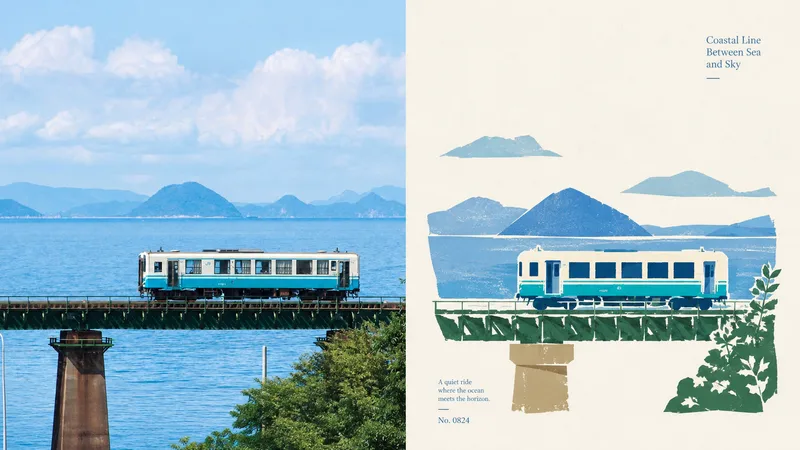
Imagexiaoxiaodong P108 Folk Cut
When the subject of a photo is highly recognizable but weakened by a complex background, excessive decoration, or ordinary filters, 108 reorganizes the information through new folk-art paper cutting: the real photo remains above, while the section below keeps only the subject, outline, pose, and narrative relationships, transforming them into flat paper-cut forms, a seal-like main visual, and printmaking texture. Best suited for Art posters, publication covers, or exhibition images that preserve the identity of a photo while adding cultural and handcrafted character. A preference for silhouettes, color blocks, engraved lines, positive and negative space, and paper grain over realistic illustration, smooth vectors, or 3D. Stable output in the same style across top-and-bottom, side-by-side, pure design, wallpaper, multiple aspect ratios, and catalog batch processing. What it solves for you Removes irrelevant backgrounds and duplicate objects so the subject is not overwhelmed by decoration. Extracts the 2–4 most distinctive colors from the photo to create vivid but restrained folk-art color blocks. Unifies the two-zone structure of every finished piece: a strict 50:50 split, with no added title bar, footer, or third band. Quick check: Is Panel 108 right for you? What you get: A complete poster with the real photo on top and a new folk-art paper-cut design below At-a-glance characteristics: A small-scale, seal-like subject; flat paper-cut color blocks; printmaking grain; and generous warm-white space How the original image is respected: Identity, structure, pose, lighting, and color are preserved; the lower section only simplifies and symbolically reconstructs them
 Image
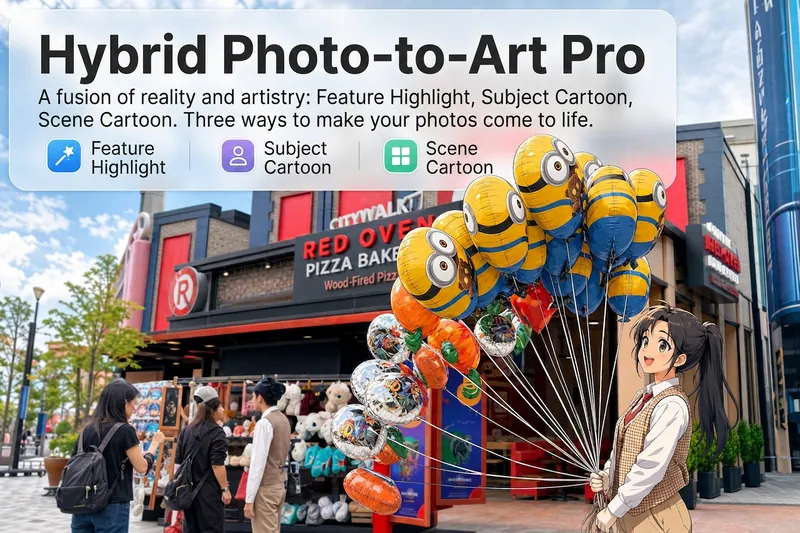
ImageReality Blend Artist Pro
Upload a photo, and AI first reads it like a visual analyst across five dimensions: what the subject is, how it is composed, its color palette, where the visual focus lies, and what emotion it conveys. It then tells you where a hand-drawn treatment would have the most impact and how to make it look best. Four real-and-drawn blend modes, four ways to play: 🔹 Local Accents — Keep the overall image realistic while AI selects 2–3 local areas to replace with a hand-drawn style. Patterns on a sign, the coffee cup in someone’s hand, or a few flowers peeking out from a flower bed—just enough to give the photo a sense of life. Choose from 4 hand-drawn styles: pencil sketch / watercolor wash / sticker doodle / clay relief. 🔹 Subject Anime — Turn a person, animal, or object into an anime-style subject while keeping the background’s realistic photographic texture. Choose from 5 anime styles: action manga / American superhero comics / Ghibli-style / Korean webtoon / Chinese ink wash. It feels like an anime character has stepped into the real world. 🔹 Environment Anime — Reverse the approach: keep the subject realistic while transforming the surrounding environment into an anime style. The contrast of being in a real world surrounded by a 2D universe is instantly amplified. 🔹 Selective Color Light Trails — Convert the image to black-and-white grayscale while keeping selected objects in their original, highly saturated colors. Clean white detail outlines surround the colored objects, extending into flowing, curling, psychedelic agate-like color trails that naturally follow the scene’s direction. Retro collage × surreal art turns a single photo into a movie poster in an instant. Each mode × 2 blending methods: Gradient Feathering (a natural transition between real and illustrated, like ink spreading through paper) / Hand-Drawn Border (a white outline, like a sticker placed on the image). No blind image generation—you're in control at every step. AI analyzes first → recommends an approach → you confirm → then it generates, helping avoid wasted results. For portrait photos, faces and facial features are automatically avoided and are not replaced with hand-drawn elements. The number of local areas is limited to 2–3, with professional constraints on their position and size—the result is a finishing touch, not a collage. 4 modes · 16 styles · 2 blending methods = 32 real-and-drawn combinations. The same photo can take on completely different moods.
Information
- Version
- v4
- Last updated
- Runtime credits
- Usage-based
- Models
- Auto
- Use cases
- Images & design
- What you get
- Image
- Visual styles
- EditorialPhotorealisticPaper art
