xiaoxiaodong P108 Folk Cut
By xiaoxiaodong
xiaoxiaodong P108 Folk Cut
By xiaoxiaodong
Showcase
Description
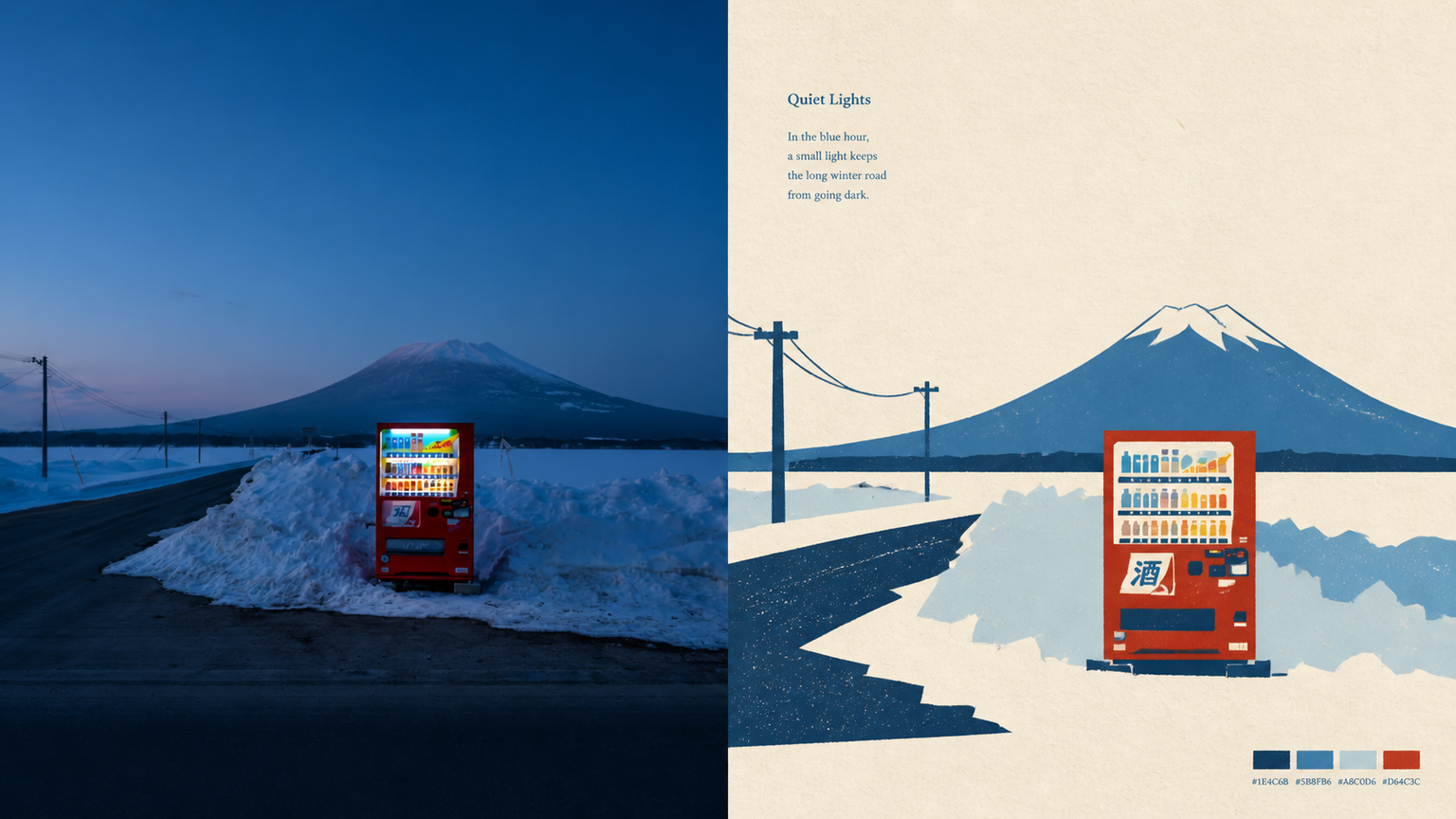
When the subject of a photo is highly recognizable but weakened by a complex background, excessive decoration, or ordinary filters, 108 reorganizes the information through new folk-art paper cutting: the real photo remains above, while the section below keeps only the subject, outline, pose, and narrative relationships, transforming them into flat paper-cut forms, a seal-like main visual, and printmaking texture. Best suited for Art posters, publication covers, or exhibition images that preserve the identity of a photo while adding cultural and handcrafted character. A preference for silhouettes, color blocks, engraved lines, positive and negative space, and paper grain over realistic illustration, smooth vectors, or 3D. Stable output in the same style across top-and-bottom, side-by-side, pure design, wallpaper, multiple aspect ratios, and catalog batch processing. What it solves for you Removes irrelevant backgrounds and duplicate objects so the subject is not overwhelmed by decoration. Extracts the 2–4 most distinctive colors from the photo to create vivid but restrained folk-art color blocks. Unifies the two-zone structure of every finished piece: a strict 50:50 split, with no added title bar, footer, or third band. Quick check: Is Panel 108 right for you? What you get: A complete poster with the real photo on top and a new folk-art paper-cut design below At-a-glance characteristics: A small-scale, seal-like subject; flat paper-cut color blocks; printmaking grain; and generous warm-white space How the original image is respected: Identity, structure, pose, lighting, and color are preserved; the lower section only simplifies and symbolically reconstructs them
Recommended by
淡苍
Why we love this skill
Transforms real photos into new folk-art paper-cut visuals while preserving a clear photo-to-design contrast. Supports vertical, horizontal, design-only, and wallpaper modes, plus batch generation and production-ready delivery.
Related Skills
View all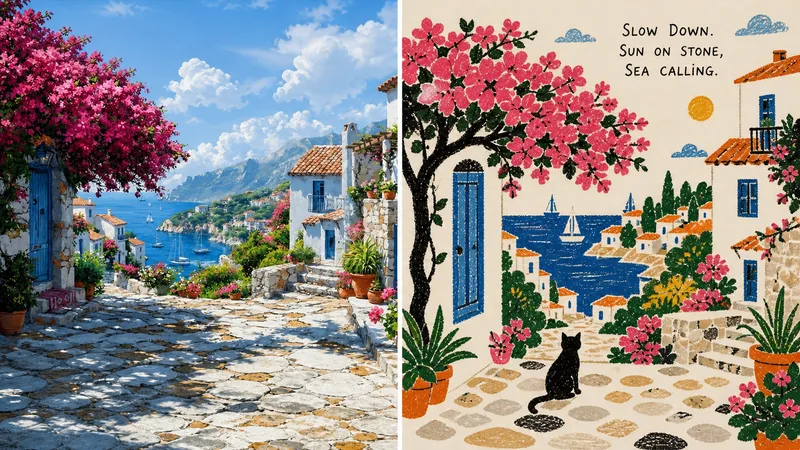 Image
Imagexiaoxiaodong Folk Art P100
Panel 100 extracts the most memorable subjects, actions, and relationships from a photo into naïve silhouettes, primitive forms, and a few folk-art symbols. Crayon, oil pastel, and rough pencil leave behind authentic grain, while the photo’s most vibrant colors are reorganized into a bright yet restrained limited palette. Great for these situations Want to preserve the story instead of depicting the photo: Remove complex backgrounds and keep only one core action, relationship, or scene. Need an authentic handmade feel: Black silhouettes retain smudges, layered strokes, breaks, and paper showing through, rather than becoming smooth digital vectors. Want vivid but not cheap-looking colors: Select a small number of the liveliest colors from the original image, then anchor the composition with warm-white paper and dark silhouettes. Need flexible delivery: Supports vertical, horizontal, design-only, multiple aspect ratios, and four-device wallpapers, as well as batch processing for image directories.
 Image
Imagexiaoxiaodong P118
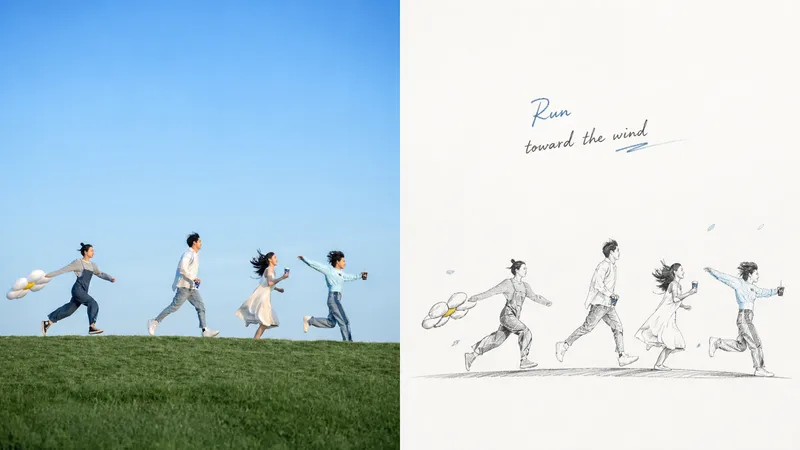
When the subject in a photo is small, the background is cluttered, or you want an ordinary photo to express itself like an independently published work, Panel 118 preserves the real photo while redirecting the design area into a graphite pencil-themed composite illustration. It first determines what is worth keeping, then rebuilds the scale, placement, and negative space. Best for Preserving a photo’s identity and texture while creating an editorial poster with independent artistic judgment. Making the subject relationships immediately clear without tracing every object or copying the original composition. Those who prefer black-and-white graphite, natural pencil strokes, and generous negative space over complex academic realism. Delivering vertical, horizontal, design-only, wallpaper, or catalog outputs in batches. What it solves for you Actively corrects subjects that are too small, cluttered backgrounds, and ordinary compositions. Builds a thematic arrangement through reduction, reorganization, cropping, and scale adjustments. Uses positive and negative shapes, density, and asymmetrical balance to make negative space part of the composition. Generates each source image independently in a single round; comparison mode uses two zones in a strict 50:50 split.
 Image
Imagexiaoxiaodong P105 | Poetic
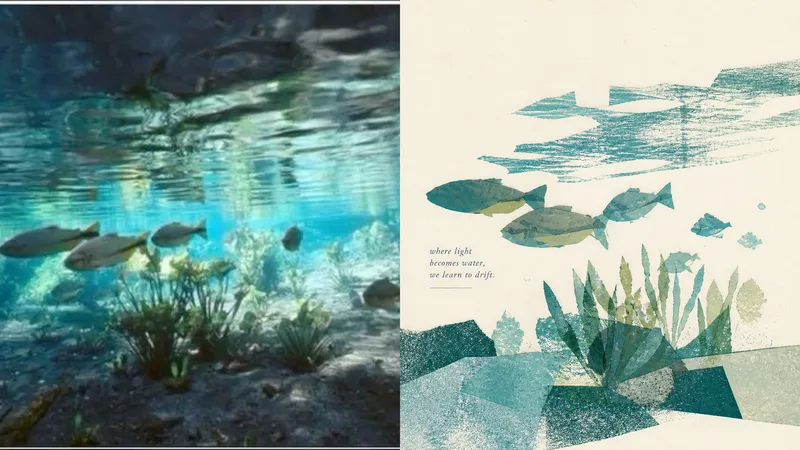
Some photos are truly moving not because they reveal every detail, but because of a gesture, a relationship, or a moment meant to stay in memory. Panel 105 is designed to turn photos like these into quiet, refined visual excerpts: it first determines what is most worth keeping, then reconstructs the image with paper pieces, color blocks, negative space, and print textures instead of mechanically tracing the original into an illustration. Best for these situations Your photo contains too much information, but you only want to preserve the emotion: Select one central subject and only a few essential supporting elements from a complex scene. You want a breathable poster or cover: Use a single visual focus and generous paper white to create rhythm between the subject, text, and negative space. You prefer real paper over a smooth digital look: Keep collage edges, grain, uneven ink, dry-brush marks, imperfect ink coverage, and subtle color-registration shifts. You need flexible delivery in one consistent style: Support top-and-bottom comparisons, side-by-side comparisons, pure design, multiple aspect ratios, four-edge wallpapers, and batch processing for image catalogs. What it solves for you No more filling the frame with cluttered backgrounds, repeated objects, and details with no narrative value. You do not have to decide which elements to keep or remove; the model makes an aesthetic selection based on the photo’s beauty and recognizability. Colors are not sampled evenly. Instead, the most memorable color relationships are preserved and refined into a soft, clear, harmonious limited palette. Get started quickly Use XXD Panel 105 to process this image, and first recommend the most suitable composition and size.
Information
- Version
- v3
- Last updated
- Runtime credits
- Usage-based
- Models
- Auto
