Image Remix: Recreate & Personalize
One source image. Five choices. A new creation.
Image Remix: Recreate & Personalize
One source image. Five choices. A new creation.
Showcase
Description
Create personalized visuals from striking reference images—for advertising, fashion concepts, editorial portraits, product scenes, and visual exploration. Image Remix analyzes what makes your reference work, then helps you adapt it to your subject, style, or product. Keep the composition and atmosphere you love while changing selected details through five guided choices. YOUR FIVE CREATIVE CONTROLS • Character / Subject — Preserve the source appearance, describe changes, or supply a reference. • Wardrobe — Keep the outfit, describe a new look, or use a clothing reference. • Environment — Preserve the setting or move the scene somewhere new. • Skin Realism — Choose smooth but realistic skin, natural texture, subtle freckles, or your own description. • Jewelry — Preserve, redesign, replace, remove, or provide a reference. HOW IT WORKS Upload a source image and make your selections. Add person, wardrobe, or product references where needed. The skill gathers any essential missing details, prepares a complete English generation prompt, explains the intended result in your language, and generates one image. CONTROL THE CHANGES. KEEP THE VISUAL IMPACT. Pose, framing, perspective, and atmosphere stay consistent unless you choose to change them. Lighting, shadows, reflections, and materials adapt to help the new elements feel naturally integrated. References have separate roles: a clothing reference guides the outfit, while a product reference guides the product’s design. This helps prevent unrelated faces, backgrounds, or accessories from carrying over. WHAT YOU RECEIVE • One personalized generated image. • A complete, reusable English image prompt. • A clear explanation in your language. Add optional instructions for lighting, framing, aspect ratio, or text. Refine the result through targeted revisions while keeping your accepted choices. Reference-guided recreation; pixel-perfect duplication is not guaranteed.
Recommended by
淡苍
Why we love this skill
An editor’s pick for controlled, high-fidelity image transformation. It preserves the source’s composition, pose, and visual character while giving you independent control over the subject, wardrobe, environment, skin realism, and jewelry, with a complete prompt and generated result.
Best for
Creators, marketers, and product teams adapting reference imagery into personalized visual concepts.
How to use this Skill
Provide your input
Provide a source image, choose how to handle the subject, wardrobe, environment, skin realism, and jewelry, and add any needed references or optional changes.
Run the Skill
The Skill analyzes the source and applies your selected changes while preserving the intended composition, pose, atmosphere, and visual relationships where possible.
Review your result
Receive one personalized generated image, a reusable English image prompt, and a concise explanation of the intended result.
Related Skills
View all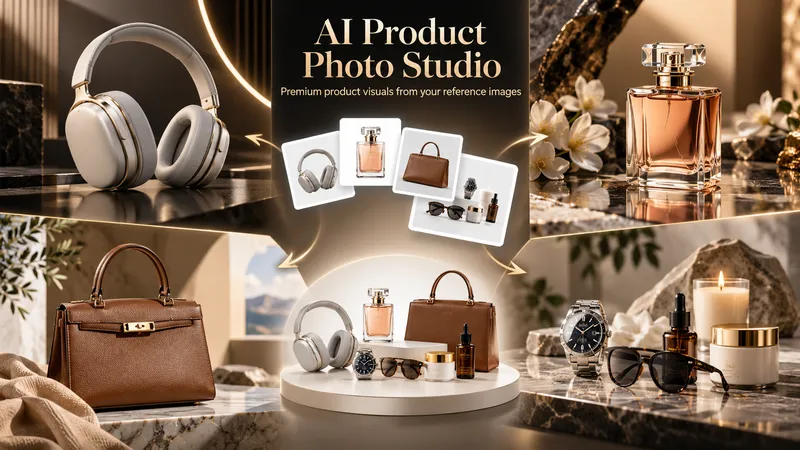 Image
ImageAI Product Photo Studio
Turn your product photos into premium, advertising-ready visual concepts with professional creative direction. Upload a product image alone or combine it with people, environments, mood references, composition examples, or your own creative idea. The skill analyzes each reference by role, protects the product’s identity, branding, labels, visible text, colors, proportions, and packaging details, then guides you through a short adaptive creative brief. Choose from photorealistic, premium studio, lifestyle, editorial, still life, minimal, luxury, surreal, UGC-style, cinematic, and other visual directions — with or without people. You receive 5 genuinely different creative concepts and 5 detailed English production prompts designed for high-end image generation. Every concept prioritizes natural product integration, realistic lighting, coherent shadows and reflections, accurate materials, believable scale and perspective, and strong commercial composition. Human scenes are directed toward natural anatomy, realistic hands, authentic interaction, and detailed skin texture without artificial plastic or waxy results. Optional image generation, variations, revisions, and quality-control workflows help you refine selected concepts into polished product visuals for social media, e-commerce, marketplaces, websites, campaigns, and brand content.
 Image
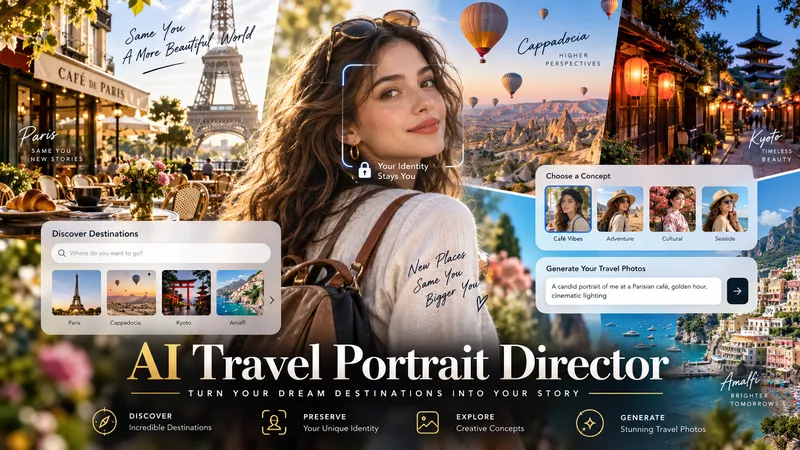
ImageAI Travel Portrait Director
Turn a single character reference into a complete AI travel-photo workflow. AI Travel Portrait Director acts as a virtual travel photographer, destination researcher, and scene director. It preserves the character’s recognizable identity while helping you create believable, destination-specific travel portraits that feel like real photography—not a person pasted onto a tourist background. The skill can: - Analyze a reference image and set identity/style controls - Research current destinations, seasonal hotspots, and photogenic locations - Adapt instantly when you already know the exact destination - Create 10 distinct photo concepts with varied poses, actions, lighting, camera angles, and outfits - Build detailed production-ready image-to-image prompts in English - Preserve facial identity across styling and location changes - Check realism, perspective, lighting, anatomy, scale, and environmental consistency - Generate selected images when supported and explicitly approved You stay in control at each important step: choose the destination, select the concepts you like, review the prompts, and decide whether to generate images. Ideal for personal travel portraits, AI influencers, virtual models, social media creators, and character-based visual projects.
 Image
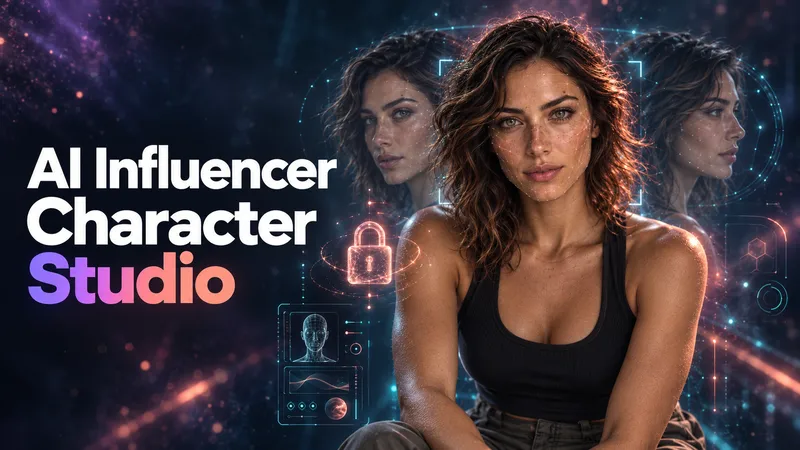
ImageAI Influencer Character Studio
Don't just generate a face. Build a character people can recognize. AI Influencer Character Studio turns an idea or style reference into an original adult AI influencer with a defined look, personality, lifestyle, and reusable reference package. Choose photorealistic, anime, 3D, comic, or illustrated styles. DEFINE THE IDENTITY Build a Character Bible: your character's facial features, hair, eyes, body proportions, distinctive marks, and signature accessories, plus reusable identity and negative prompts. BUILD THE REFERENCE SET Approve your master portrait first, then create a 10-part set covering facial angles, profile, hair, full-body views, expressions, and a lifestyle scene. Images are checked against the approved identity, with visible inconsistencies flagged for review and targeted repair. GIVE YOUR CHARACTER A LIFE Develop a niche, personality, voice, backstory, wardrobe direction, daily life, target audience, and content pillars. Create a character with a world, not just a look. CONTINUE WITHOUT STARTING OVER Receive a portable HANDOFF.md containing your character profile, image inventory, prompt log, decisions, and next-session roadmap. Bring it back to resume later or carry the documented identity into another tool. Start with a clear vision, an inspiration image, or no idea at all. Guided questions and suggested defaults help you shape the character step by step. Works in your language, with English image prompts and explanations in your language. If image generation is unavailable, you receive a copy-ready prompt package instead. For original adult characters only, not real-person replicas. Video production and social media management are not included.
Information
- Version
- v6
- Last updated
- Runtime credits
- Usage-based
- Models
- Auto
- Use cases
- Images & designMarketing & growthE-commerce & sales
- What you get
- ImagePrompt
