Photo to Oil Painting
Turn your favorite photo into an oil painting
Photo to Oil Painting
Turn your favorite photo into an oil painting
Showcase
Description
Turn your photo into a true oil painting. It's not simply adding a filter, nor is it pixel-by-pixel tracing. It's as if a painter recreated your photo in the style you choose: the composition, people, poses, and scene remain unchanged, the spirit of the subjects is preserved, but the light, color, and brushwork are all left to the chosen style. The soul of the style lives in light and color: the golden warm glow of Romanticism, the dramatic chiaroscuro of the Baroque, the wild colors of Fauvism—all truly land on the canvas. Includes 10 classic oil painting styles: Classical Realism, Impressionism, Post-Impressionism, Baroque, Romanticism, Rococo, Ukiyo-e, Fauvism, Impasto, and Academicism. Upload a photo, pick a style, and each generation produces 2 options to choose from. Not satisfied? Regenerate.
Related Skills
View all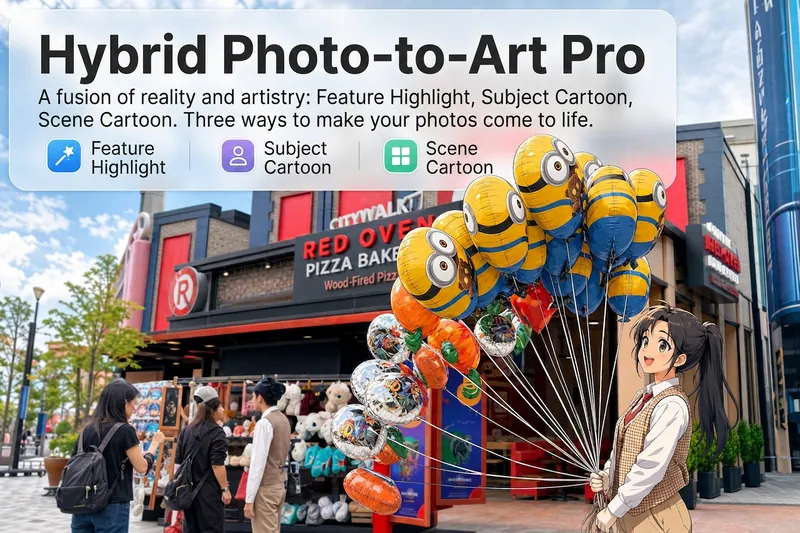 Image
ImageReality Blend Artist Pro
Upload a photo, and AI first reads it like a visual analyst across five dimensions: what the subject is, how it is composed, its color palette, where the visual focus lies, and what emotion it conveys. It then tells you where a hand-drawn treatment would have the most impact and how to make it look best. Four real-and-drawn blend modes, four ways to play: 🔹 Local Accents — Keep the overall image realistic while AI selects 2–3 local areas to replace with a hand-drawn style. Patterns on a sign, the coffee cup in someone’s hand, or a few flowers peeking out from a flower bed—just enough to give the photo a sense of life. Choose from 4 hand-drawn styles: pencil sketch / watercolor wash / sticker doodle / clay relief. 🔹 Subject Anime — Turn a person, animal, or object into an anime-style subject while keeping the background’s realistic photographic texture. Choose from 5 anime styles: action manga / American superhero comics / Ghibli-style / Korean webtoon / Chinese ink wash. It feels like an anime character has stepped into the real world. 🔹 Environment Anime — Reverse the approach: keep the subject realistic while transforming the surrounding environment into an anime style. The contrast of being in a real world surrounded by a 2D universe is instantly amplified. 🔹 Selective Color Light Trails — Convert the image to black-and-white grayscale while keeping selected objects in their original, highly saturated colors. Clean white detail outlines surround the colored objects, extending into flowing, curling, psychedelic agate-like color trails that naturally follow the scene’s direction. Retro collage × surreal art turns a single photo into a movie poster in an instant. Each mode × 2 blending methods: Gradient Feathering (a natural transition between real and illustrated, like ink spreading through paper) / Hand-Drawn Border (a white outline, like a sticker placed on the image). No blind image generation—you're in control at every step. AI analyzes first → recommends an approach → you confirm → then it generates, helping avoid wasted results. For portrait photos, faces and facial features are automatically avoided and are not replaced with hand-drawn elements. The number of local areas is limited to 2–3, with professional constraints on their position and size—the result is a finishing touch, not a collage. 4 modes · 16 styles · 2 blending methods = 32 real-and-drawn combinations. The same photo can take on completely different moods.
 Image
ImageOil Painting Creator
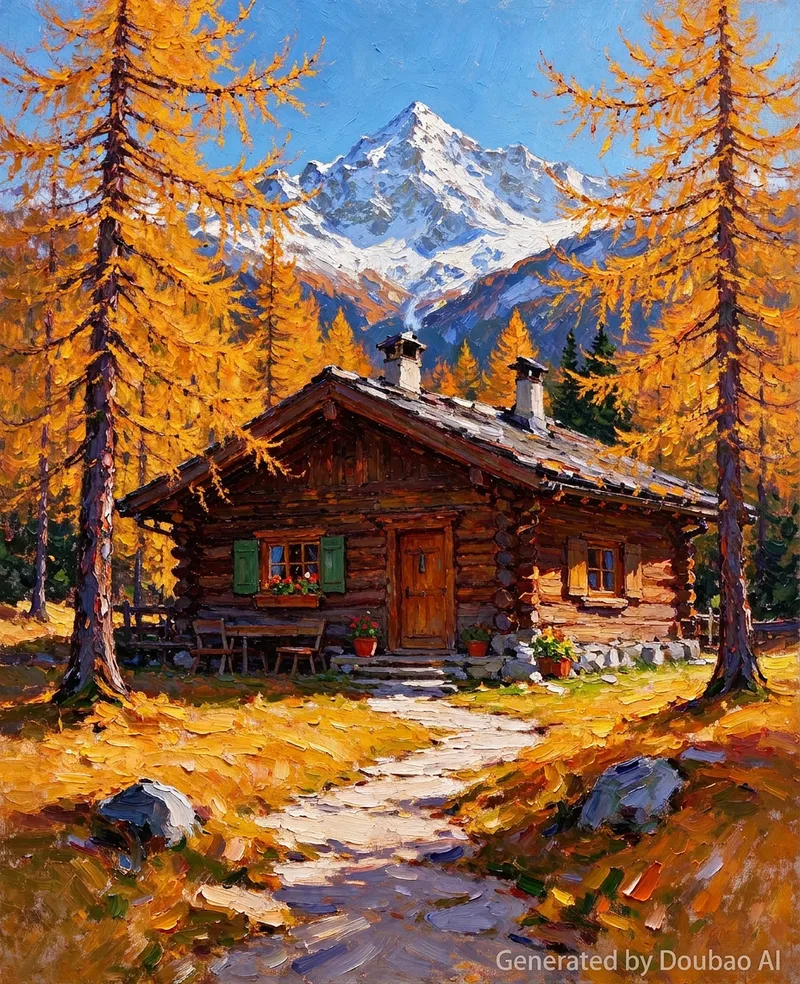
An impasto oil painting style image generation skill. Use this skill when users want to transform any theme (text description or uploaded image) into an "impasto oil painting / impressionist plein-air painting" style artwork. This style originates from an oil painting of a Mediterranean coastal stone house and flower field: thick visible brushstrokes, layered paint texture, high-saturation cobalt blue sky, orange-red terracotta tiles, red, orange, and white wildflower accents, and warm natural light. Users input a theme or upload an image, and this skill outputs professional-grade prompts ready for image generation models (bilingual in Chinese and English, text-to-image and image-to-image versions, including negative prompts). Keywords: impasto oil painting, oil painting style, impasto, impressionism, plein-air painting, brushstroke texture, style transfer, image to oil painting.
 Image
ImagePhoto to Hyperreal Impasto
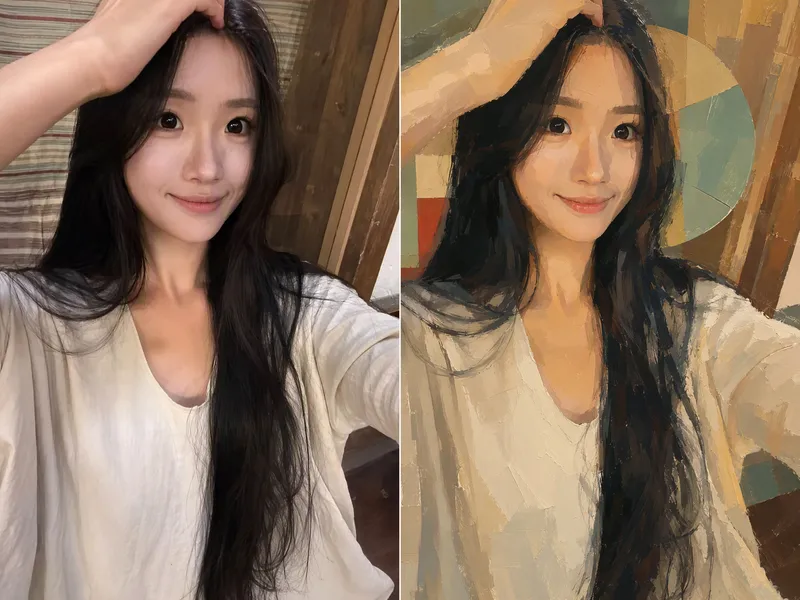
Upload a photo, and AI redraws it as a semi-realistic impasto oil-painting poster with warm, sunlit tones. The person’s appearance, expression, pose, clothing, and accessories are all preserved, while the image becomes an artistic work with visible brushstrokes, lighting, shadows, and a strong sense of design. By default, the original and edited images are shown side by side—perfect for sharing on social media.
Information
- Version
- v12
- Last updated
- Runtime credits
- Usage-based
- Models
- Auto
