Kids' Doodle Photo Magic
Real photos, untouched subjects, playful art
Kids' Doodle Photo Magic
Real photos, untouched subjects, playful art
Showcase
Description
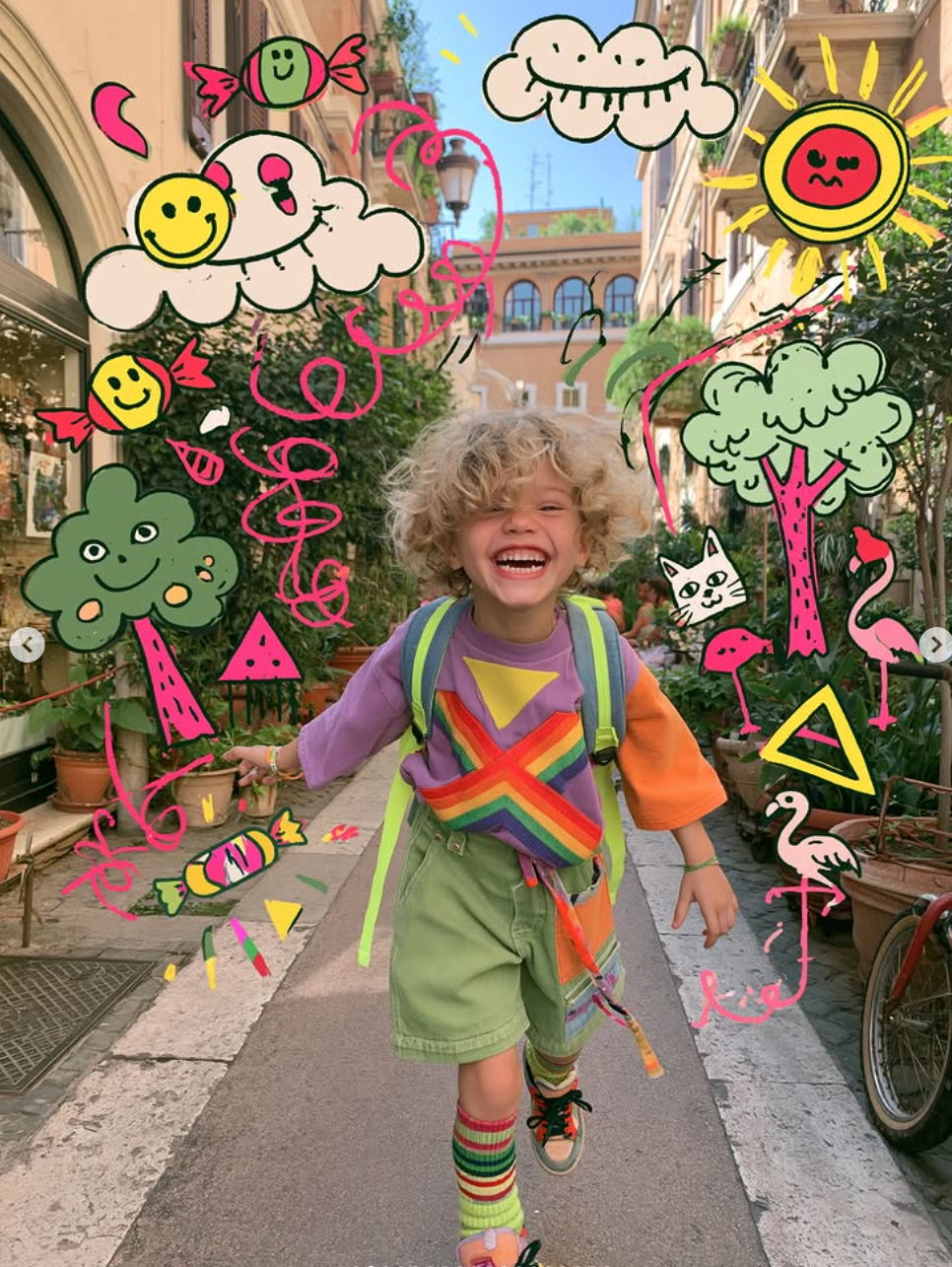
This skill is designed for content creators who want to generate "photo × children's doodles" images. Just upload a photo—family portraits, people, pets, street scenes, food, and landscapes all work. It automatically identifies the subject and areas of open space, then adds crooked suns, clouds, flamingos, cats, candy, wonky houses, little monsters, smiling faces, and more around the subject. The result looks like a child really drew directly on the photo, with authentic hand-drawn strokes. 【Use cases】 - Turn family portraits and photos of children into warm, playful keepsake posters - Turn pet photos into adorable images that look "covered in children's drawings" - Create creative covers and series graphics for Xiaohongshu, Douyin, and WeChat Moments - Give street and travel photos a childlike urban doodle style - Create visual assets for brand marketing, children's products, and parenting content
Recommended by
淡苍
Why we love this skill
Preserves the original photo while adding playful children’s doodles that interact naturally with the scene, creating editorial-quality visuals with both documentary realism and childlike charm.
Best for
Ideal for content creators, families, and brand teams making relaxed, playful photo-based visuals.
How to use this Skill
Provide your input
Upload a photo and optionally specify the aspect ratio, doodle style, density, color palette, or elements. Default settings are used when no options are provided.
Run the Skill
The system overlays childlike hand-drawn doodles in the photo's background and negative space while preserving the subject, clothing, and composition as much as possible without covering key areas.
Review your result
Creates a creative image blending a real photo with playful doodles, suitable for posters, covers, or social media visuals.
Related Skills
View all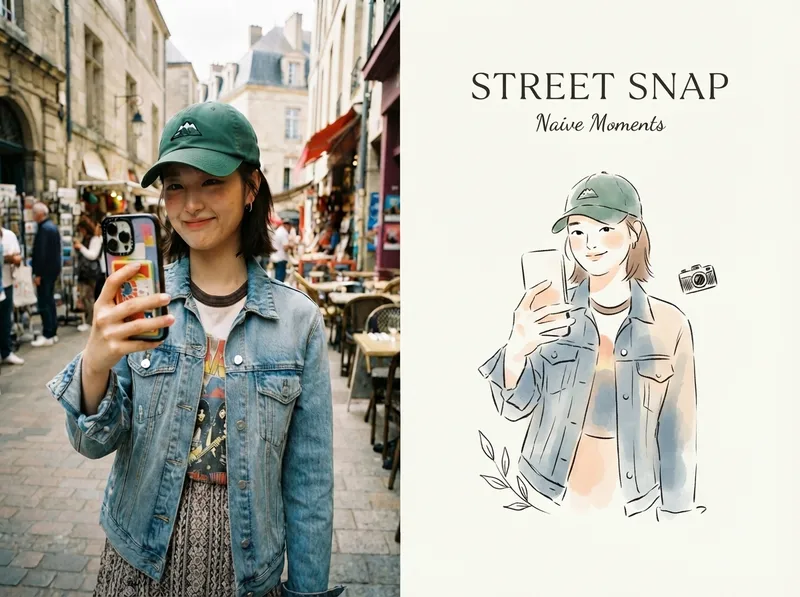 Image
ImageViral Photo Illustrator
Perfect for Xiaohongshu, Moments, WeChat Official Account covers, profile pages, and documenting travel, outfits, fitness, everyday moments, and life as it happens. Upload any portrait, street shot, food, travel, or everyday photo. AI works like an illustrator with a keen sense of negative space, extracting only the most recognizable subject, pose, and story from the image. It redraws them as a relaxed, playful illustration with hand-drawn texture, then places it beside the original to create a polished comparison poster ready to share. · Faithfully preserves the original photo with only subtle, magazine-style color grading—no distortion or face swapping · Automatically reads the photo’s mood and matches it with styles such as doodle, ink wash, sketch blocks, and thick gouache · Generous negative space + a handwritten short phrase, like an editorial illustration from an independent magazine · A soft, soothing curated palette drawn from the original image to naturally complement the photo · Defaults to a 4:3 side-by-side layout; can also be changed to top-and-bottom, portrait, or 16:9
 Image
ImageReal-Person Doodle Portrait
Blend your real-person photo into a room or scene drawn with bold hand-drawn lines, creating a creative portrait that places a real person alongside a doodle environment. The person retains realistic photographic texture, facial features, clothing, and lighting, while the environment uses monochrome marker sketches to outline furniture, walls, and spatial contours. The result creates a striking visual effect of a “real person floating in a line-art world,” making it suitable for profile pictures, social cards, and stylized portrait artwork. You can upload a headshot, half-body photo, or full-body photo, then describe the living room, bedroom, study, café, studio, balcony, or other scene you want, along with the person’s clothing, pose, and expression. If you only have a headshot, the image can complete the body and place it in the specified space. If the original photo already includes a real environment, you can also keep the person unchanged while converting the background furniture, floor, walls, or street scene into a simple doodle line drawing, while maintaining the original composition. Deep ocean blue, burgundy, charcoal black, and other line-art colors are supported, with suitable aspect ratios matched to indoor portraits, open outdoor scenes, sports, or spacious environments. The setting will not be filled with excessive detail. Instead, it selects a few key objects and preserves negative space, making the contrast between the real person and the hand-drawn room clearer and more thoughtfully designed.
 Image
ImageHand-Drawn Photo Posters
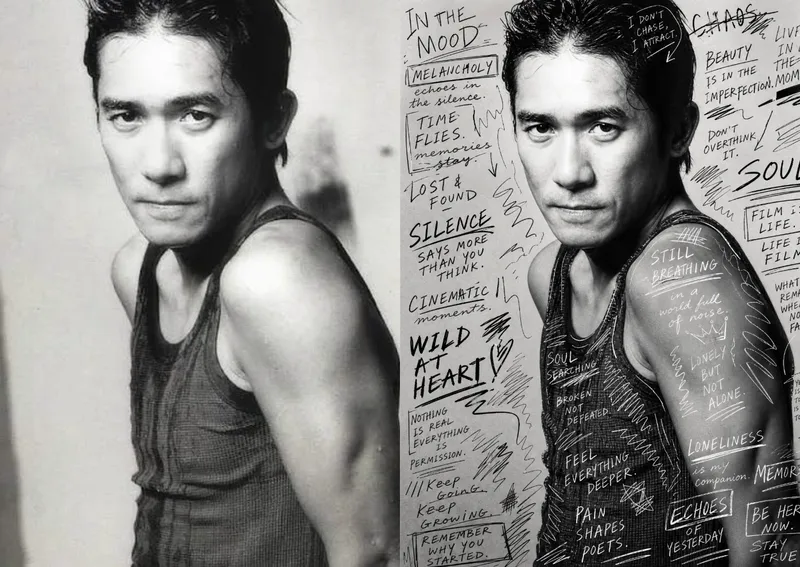
Turn an ordinary photo into a vertical art poster with an authentic hand-drawn feel. Upload a photo and describe the lettering, doodles, or theme you want to add. You’ll get handwritten copy, free-flowing lines, and stylized icons drawn directly onto the original image, preserving the photo’s subject and atmosphere while adding a natural, spontaneous creative touch. Based on the photo’s composition, subject, and overall mood, it plans a suitable 3:4 portrait layout, balances the original image with areas of negative space, and designs hand-drawn elements and lettering styles to match each placement. The results emphasize authentic physical pen strokes: lines have natural curves and texture, avoiding printed fonts, computer-generated text effects, and a digital painting look. Handwritten content defaults to English but can be changed to Chinese as needed. Along with the finished image, you’ll receive a complete, reproducible image-generation prompt and a brief creative explanation—ideal for social media visuals, personal photo posters, travel keepsakes, and artistic photos with a handcrafted feel.
Information
- Version
- v3
- Last updated
- Runtime credits
- Usage-based
- Models
- Auto
- Use cases
- Images & designMarketing & growth
- What you get
- Image
- Visual styles
- Hand-drawnPlayfulFlat
