Long-Form Carousel Splitter
Turn one long article into 6–9 swipeable slides
Long-Form Carousel Splitter
Turn one long article into 6–9 swipeable slides
Showcase
Description
Long posts rarely get read to the end, so everyone wants to split them into slides—but most people split them the wrong way: dividing by word count leaves every slide feeling like a mini essay, the first slide gives away the conclusion and stops people from swiping, and the last slide burns goodwill with a forced follow prompt. 【Long-Form Carousel Splitter】doesn’t split by word count. It splits by "how many complete ideas there are": one idea per slide, with fewer slides preferred over more. So it may first tell you, "This piece is really only enough for 7 slides," instead of forcing it into nine. It then provides a slide-by-slide storyboard: what each slide covers, which sentences to include (with word counts), visual requirements, and the most common mistake to avoid on that slide. The first slide only needs to make people stop, with the minimum necessary information. The last slide only needs to leave them with one memorable line, not a summary. It also includes a practical swipeability check: read the first line of each slide together as a standalone passage. If it sounds like a complete sentence, the breakpoints are probably right. Hard rules: It does not generate images, put text in visuals, rewrite the original copy for you, include any existing IP characters, imitate the layout of a specific account, or promise completion rates.
Recommended by
Dancang
Why we love this skill
It splits by complete ideas—not word count—to plan 6–9 cards with precise hooks, breakpoints, visuals, and swipe rhythm.
Related Skills
View all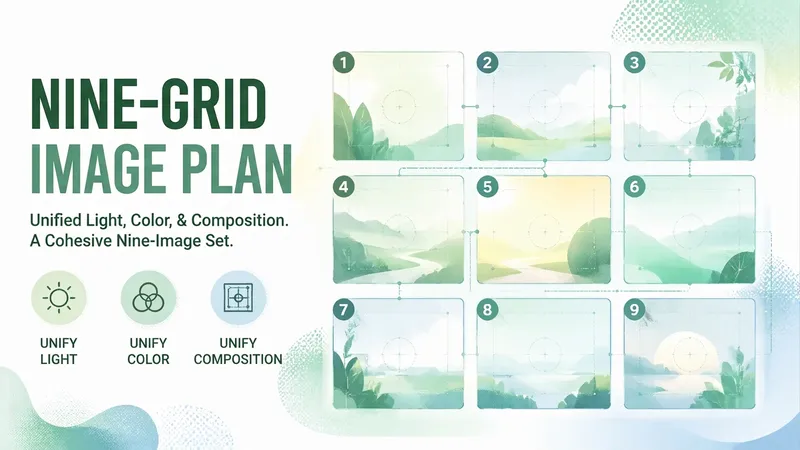 Image
Image9-Grid Visual Plan
Each of the nine images looks fine on its own, but together they look like they were made by nine different people—that’s the most common way a 9-grid layout fails. The problem is rarely that any single image looks bad. It’s that the nine images lack consistent lighting, color, and composition.【9-Grid Visual Plan】doesn’t just provide nine attractive images; it defines the relationships between them: first set one unifying theme, then assign each image a role (Image 1: hook; 2–4: development; Image 5: turning point; 6–8: payoff; Image 9: closing), and lock in the “three elements of consistency”—the same lighting (fixed direction and softness), the same color palette (with a 60/30/10 ratio and one specified color that cannot change across the nine images), and the same composition (consistent subject placement and scale). Each image includes a prompt you can copy directly for generation, specifying the subject, position, lighting, camera distance, and aspect ratio, along with the text-overlay position and character limit. Strict rules: no images are generated; no text may appear anywhere in the image (AI-generated Chinese text can be garbled and cannot be edited); no portraits of real celebrities; no existing cartoon, anime, game, or film characters; no imitation of a specific blogger or brand’s 9-grid style; and no promises of more likes or followers.
 Image
ImageOne Line to X Carousel
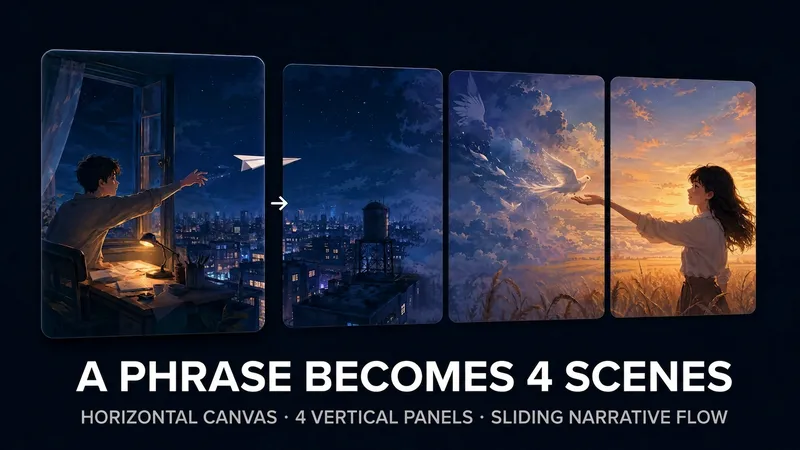
X multi-image posts now scroll horizontally: the first image appears in full, while only part of the second is visible, prompting readers to swipe left to see what follows. This skill helps you create a “pull-apart” continuous four-image sequence—four vertical images combine into one complete landscape image, and each swipe reveals another section to the right. The right edge of the first image becomes the hook that makes readers want to swipe. Three input types are supported: · One-line idea → text-to-image generation, creating a continuous four-section wide image from scratch · One image → crop it directly if possible; otherwise, use it as a reference to reconstruct four continuous scenes · 2–4 images → automatically arrange the narrative order and blend them into one stylistically consistent continuous wide image Workflow: First, you’ll review a four-panel narrative script (hook → reveal → twist → ending). Then the skill generates a 21:9 wide image and uses the companion free public image slicer to precisely cut it into 4 PNGs locally in your browser (your images are never uploaded to any server). Finally, it provides the posting order and tweet copy. The default output ratio is 4:5, with 9:16 and 1:1 also supported. No text is placed inside the images. Ideal for creators who want their X multi-image posts to inspire more “page-turning” curiosity, as well as teams creating product, story, educational, or travel content. Only want to slice an image without generating one? Send in a wide image directly, or open the slicer: https://youmind.club/a/dlJ7lVfZ9ZVqFi
 Image
Imagexiaoxiaodong P107 Image Verse
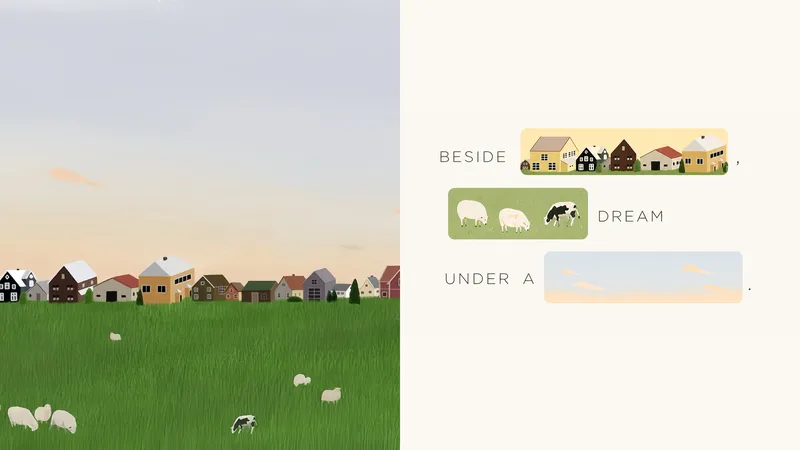
Some photos carry emotions that are difficult to express in a single caption—and those emotions should not be overshadowed by a few decorative images. Panel 107 places the original photo on one side and turns the other into a visual sentence that can genuinely be read: when the text mentions a flower, window, road, or action, that word is directly replaced by a hand-drawn image from the photo. Remove either the words or the images, and the sentence is incomplete. Best for these situations When one caption cannot express the feeling in a photo: Let the subjects, actions, and imagery from the original image truly enter the syntax and take the place of omitted words. When you do not want a “complete title plus a few small pictures” layout: The image must occupy the original position of the word, so readers complete the sentence by following the text and images together. When you want a light, fresh, yet sophisticated visual design: Organize visual poetry with bright, soft color blocks, modern hand-drawn editorial illustrations, and generous negative space. When you need flexible delivery in one consistent style: Support top-and-bottom comparisons, side-by-side comparisons, design-only layouts, multiple aspect ratios, four-sided wallpapers, and batch processing for image catalogs. What it solves for you Turns “the image is merely an illustration” into “the image is the word,” solving the problem of text and visuals telling separate stories. Automatically generates short phrases from a photo’s mood, actions, relationships, setting, or memories, then selects the words best suited for visualization. Uses a clear reading path to avoid sticker walls, card grids, and cluttered collages while preserving a light, elevated sense of space. Get started quickly Use XXD Panel 107 to process this image, and first recommend the most suitable composition and dimensions.
Information
- Version
- v2
- Last updated
- Runtime credits
- Usage-based
- Models
- Auto
