Expand Image & Change Ratio
Turn tight photos into usable layouts
Expand Image & Change Ratio
Turn tight photos into usable layouts
Showcase
Description
The composition looked too tight when you took the photo, and you only noticed it was landscape when posting to Xiaohongshu; or your poster image isn't wide enough, and stretching it makes people look distorted. 【Expand Image & Change Ratio】extends the photo outward to fill the frame: it completes cropped skies, walls, and tabletops without distorting the subject. It supports four common aspect ratios—9:16, 3:4, 1:1, and 16:9—and generates three versions at once for you to choose from. Strict rules: only expand the frame; do not alter the original content. Keep faces, product text, and logos exactly as they are. Do not invent people or signs in the expanded areas.
Recommended by
Dancang
Why we love this skill
Keeps subjects undistorted while naturally extending perspective, lighting, and depth of field for dependable portrait and square formats—with faces, product text, logos, seams, noise, and output dimensions handled carefully.
Related Skills
View all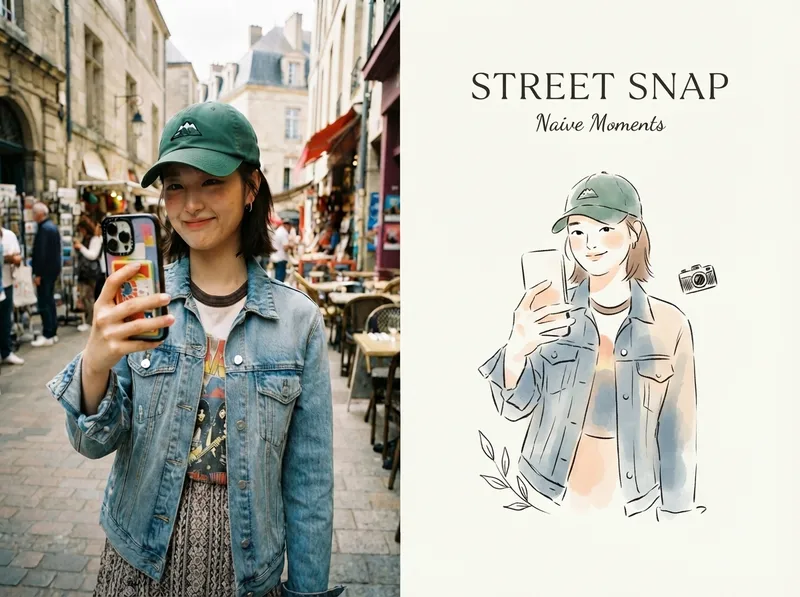 Image
ImageViral Photo Illustrator
Perfect for Xiaohongshu, Moments, WeChat Official Account covers, profile pages, and documenting travel, outfits, fitness, everyday moments, and life as it happens. Upload any portrait, street shot, food, travel, or everyday photo. AI works like an illustrator with a keen sense of negative space, extracting only the most recognizable subject, pose, and story from the image. It redraws them as a relaxed, playful illustration with hand-drawn texture, then places it beside the original to create a polished comparison poster ready to share. · Faithfully preserves the original photo with only subtle, magazine-style color grading—no distortion or face swapping · Automatically reads the photo’s mood and matches it with styles such as doodle, ink wash, sketch blocks, and thick gouache · Generous negative space + a handwritten short phrase, like an editorial illustration from an independent magazine · A soft, soothing curated palette drawn from the original image to naturally complement the photo · Defaults to a 4:3 side-by-side layout; can also be changed to top-and-bottom, portrait, or 16:9
 Image
ImageOne Line to X Carousel
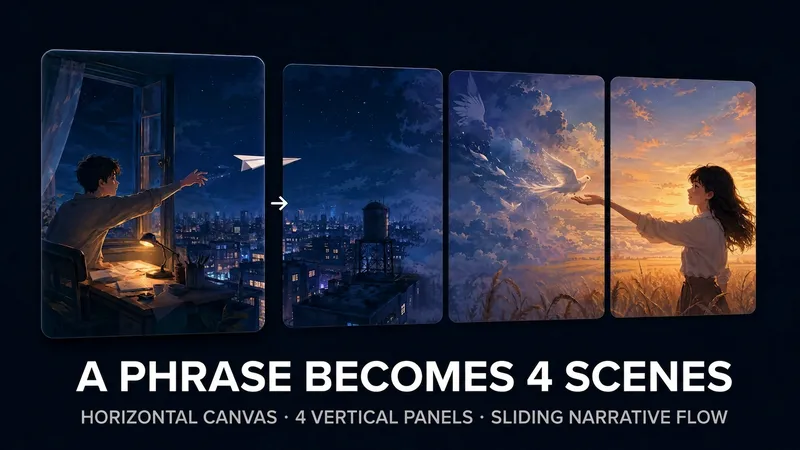
X multi-image posts now scroll horizontally: the first image appears in full, while only part of the second is visible, prompting readers to swipe left to see what follows. This skill helps you create a “pull-apart” continuous four-image sequence—four vertical images combine into one complete landscape image, and each swipe reveals another section to the right. The right edge of the first image becomes the hook that makes readers want to swipe. Three input types are supported: · One-line idea → text-to-image generation, creating a continuous four-section wide image from scratch · One image → crop it directly if possible; otherwise, use it as a reference to reconstruct four continuous scenes · 2–4 images → automatically arrange the narrative order and blend them into one stylistically consistent continuous wide image Workflow: First, you’ll review a four-panel narrative script (hook → reveal → twist → ending). Then the skill generates a 21:9 wide image and uses the companion free public image slicer to precisely cut it into 4 PNGs locally in your browser (your images are never uploaded to any server). Finally, it provides the posting order and tweet copy. The default output ratio is 4:5, with 9:16 and 1:1 also supported. No text is placed inside the images. Ideal for creators who want their X multi-image posts to inspire more “page-turning” curiosity, as well as teams creating product, story, educational, or travel content. Only want to slice an image without generating one? Send in a wide image directly, or open the slicer: https://youmind.club/a/dlJ7lVfZ9ZVqFi
 Image
ImageBring Objects to Life
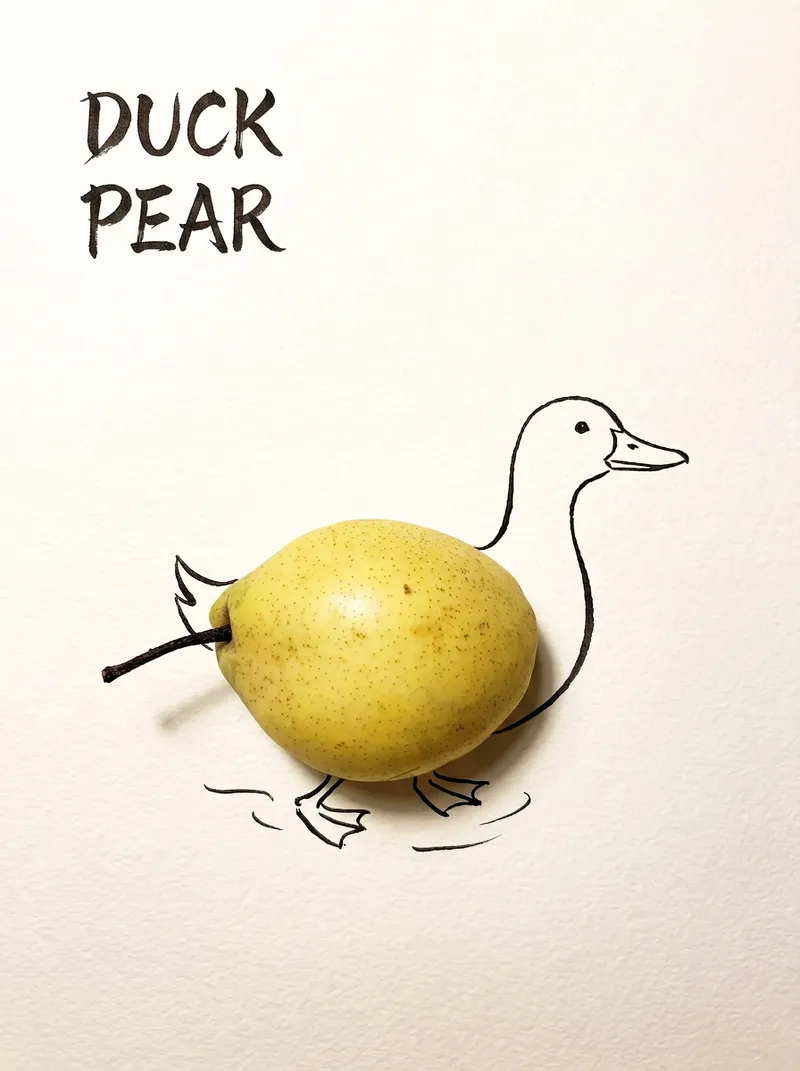
Best for: Xiaohongshu / Douyin creators Turn everyday objects into posters and create a consistent "bring-to-life series" with highly engaging content Food and lifestyle creators Turn ingredients into cover images that make your work more memorable Illustrators / designers Find inspiration quickly and test the "real object + line art" creative direction Teachers / parents Create materials for arts and crafts lessons, helping children make up stories with objects around them Businesses / brand operators Create creative hero images, holiday posters, and packaging inspiration for produce, fruit, and snacks Cultural creative brands, stationery shops, and coffee shops Design merchandise, postcards, stickers, and menu illustrations Everyday enthusiasts Photograph something nearby and share an "artwork" on social media Everything you photograph is hiding another character. "Bring Objects to Life" is a creative poster generator that combines real-object photography with minimalist line art. Just upload a photo of an object, and AI will automatically do three things: 🔍 Read the shape: Analyze the object's outline, curves, and texture to find what it most resembles ✏️ Add line art: Use dark ink pen lines to draw in a head, limbs, a human figure, ropes, and more, fitting the lines precisely to the object's edges 🖋 Turn the idea into a phrase: Create a 2–4-character Chinese pun title and arrange it in the empty space in an artistic typeface The finished image preserves the object's real colors and texture. The background is clean, warm-white watercolor paper, with at least 40% negative space. The result feels calm and refined: recognizable at a glance, then delightfully witty once you see the idea. The default format is a 3:4 vertical layout, suited to Xiaohongshu, Moments, and Douyin image posts. The aspect ratio, font, and title can all be customized.
Information
- Version
- v2
- Last updated
- Runtime credits
- Usage-based
- Models
- Auto
- Use cases
- Images & designMarketing & growthE-commerce & sales
- What you get
- Image
