City Typography Badge Generator
One character, one city
City Typography Badge Generator
One character, one city
Showcase
Description
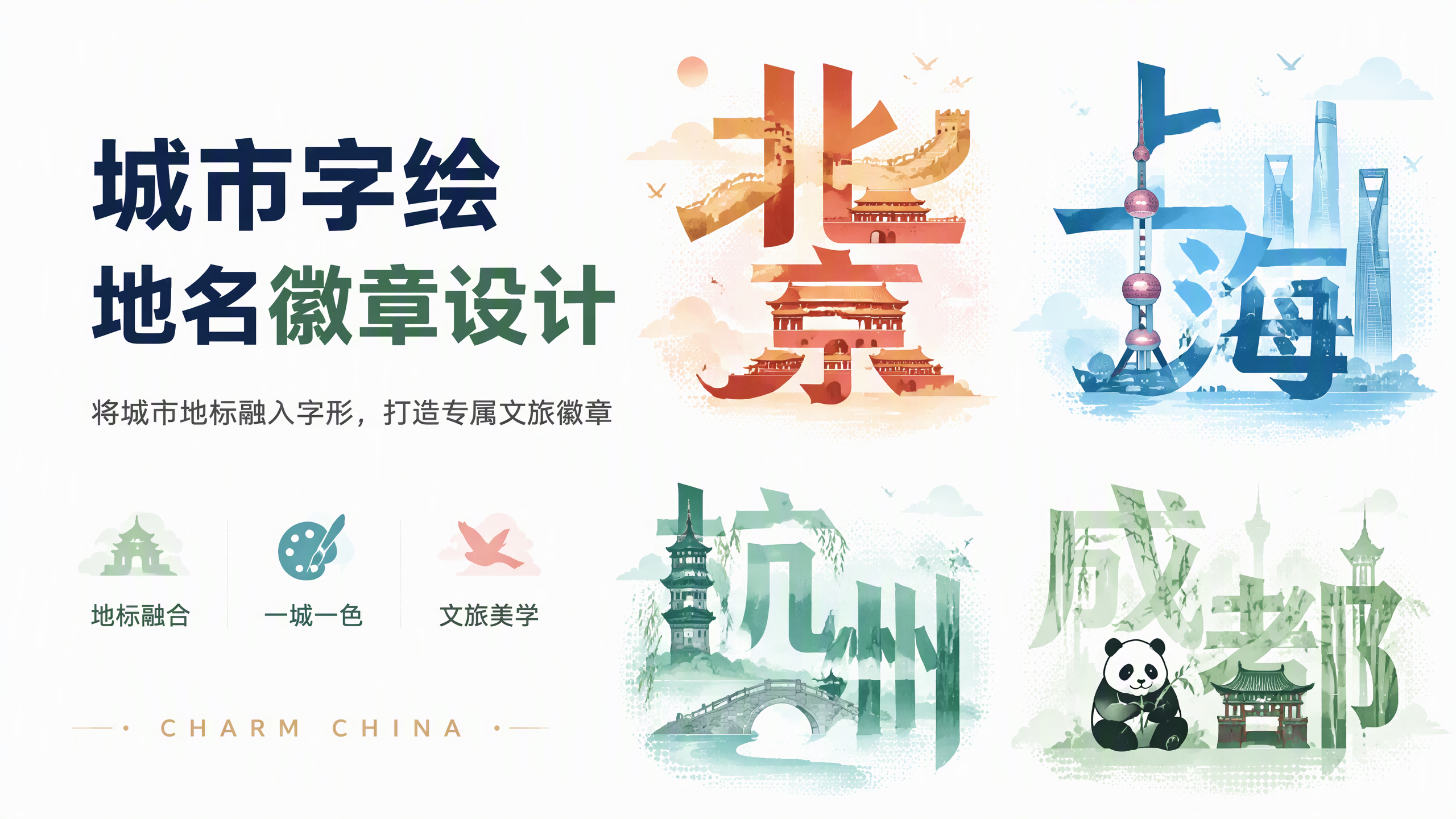
Generates "City Typography" badges by turning city names into typographic art. Chinese characters form the skeleton, with local landmarks and cultural elements filling the strokes (e.g., Beijing = red walls, Great Wall, Forbidden City; Shanghai = Oriental Pearl Tower, skyscrapers; Hangzhou = Leifeng Pagoda, Broken Bridge, weeping willows; Chengdu = pandas, bamboo). Each city has its own color scheme, complemented by flying birds, clouds, water decorations, and a "CHARM CHINA" signature at the bottom. Triggered when users say "city typography", "place name badge", "city logo", "tourism badge", or "city sign". Can generate multiple cities at once (grid or series).
Recommended by
Dancang
Why we love this skill
Transforms city names into recognizable visual badges, growing landmarks from Chinese character strokes. It builds a unique regional vibe with custom color palettes and ensures high recognition, accuracy, and collectibility through careful verification and consistent signatures.
Best for
Content creators and designers making urban culture, tourism, and regional series visual badges.
How to use this Skill
Provide your input
Provide one or more city names, and optionally specify layout requirements such as a single badge or a grid series.
Run the Skill
Designs the city name into recognizable typographic art, incorporates local landmarks and features into the strokes, and unifies the color scheme, decorations, and signature.
Review your result
Receive a single city badge or a grid series in PNG format, optionally accompanied by a city landmark and color profile sheet.
Related Skills
View all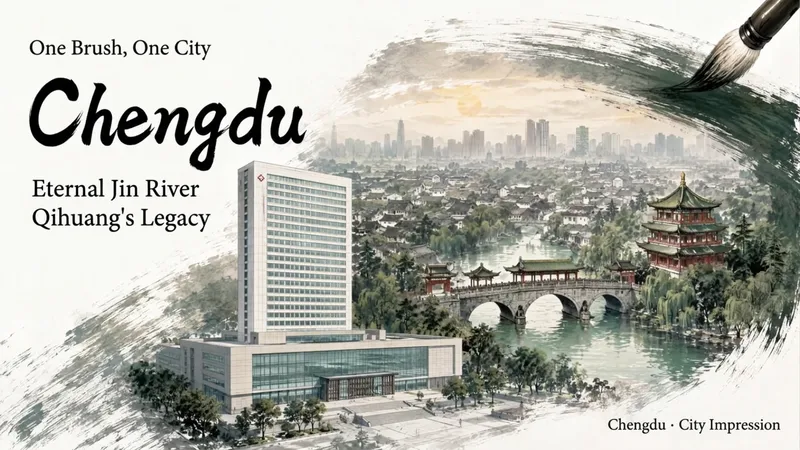 Image
ImageInk City Poster Generator
Enter a city name to create a miniature city poster with a strong sense of place and polished design, suitable for conference backdrops, city promotions, and event visuals. Traditional Chinese painting brushwork wraps realistic city scenes, organizing landmark buildings, waterways, neighborhoods, and skylines into three layers of depth: foreground landmarks, midground city, and distant outlines. Clear negative space is reserved for titles and brand copy, allowing the city image and text information to blend naturally. Create posters for conferences or city-related events. You can specify landmarks, a main title, subtitle, brand copy, and details such as the meeting name, date, time, and location. Choose a brush effect—ink brush, pen, pencil, or charcoal—and pair it with ink black, stone green, ochre, cobalt blue, cinnabar red, smoke gray, or a custom color. You can also adjust the presentation from expressive to balanced to realistic. Landscape, portrait, and square formats are supported. Meeting fields display only the information actually provided, with no placeholder content added. During generation, the city’s buildings are first checked for their names, locations, forms, and sources. The composition is then planned and the poster is generated. Delivery also includes an architectural reference table and itemized review results, with a focus on landmark attribution, building forms, spatial relationships, Chinese text, brushwork texture, layout spacing, and parameter consistency—helping you create a city visual more suitable for formal presentation.
 Image
ImageMiniature City Reliefs
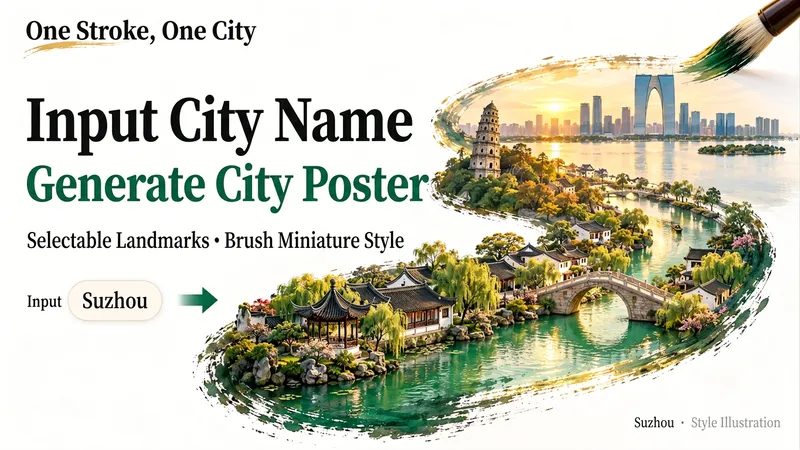
Fit an entire city into a single brushstroke. Enter a city name, and let its landmarks, gardens, waterways, or modern architecture unfold along the brush tip to form a detailed miniature relief artwork on a white background with generous negative space. It’s ideal for city-themed posters and travel keepsakes, or for exploring a familiar city from a new perspective. Before generating the image, I’ll organize the landmarks and visual concept for you. After you confirm which scenery to keep, generation will begin. You can specify landmarks, a classical or modern style, landscape or portrait orientation, and preferences such as no text or no visible hand. To skip a step, say “choose everything and generate directly.” If you’re only brainstorming for now, you can choose to organize the prompt without generating an image.
 Image
ImageCity Culture Poster Maker
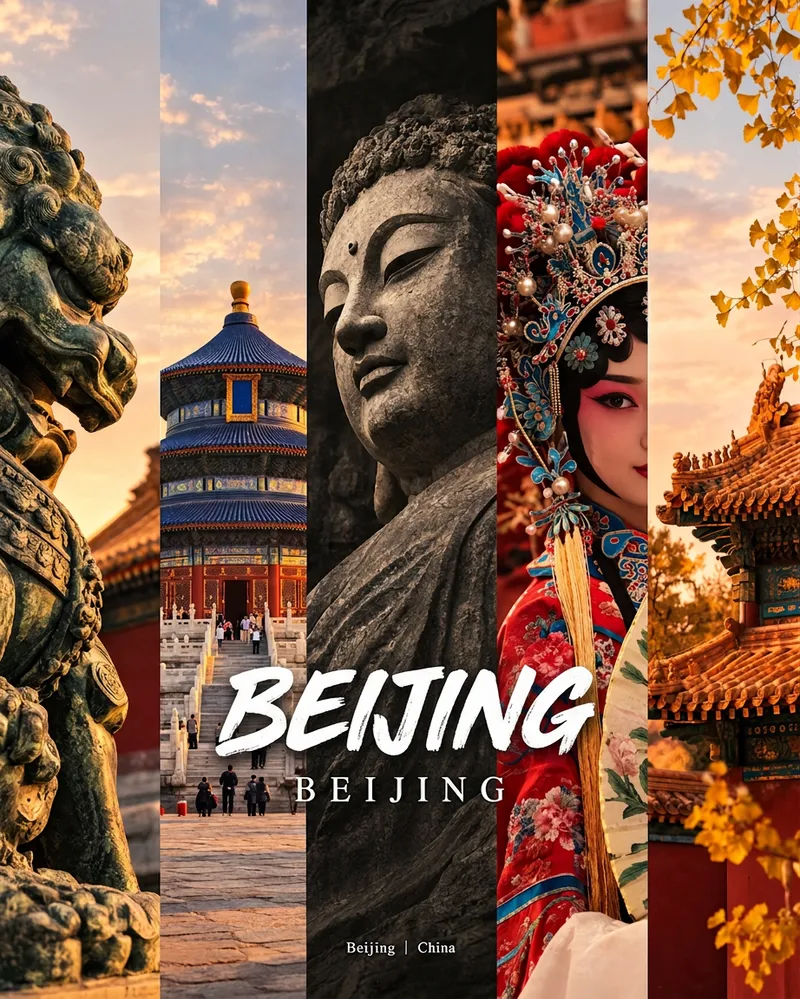
Enter a place name to instantly create a polished city identity poster in a five-panel vertical-strip format. The design seamlessly combines five equal-width vertical strips: close-ups of cultural artifacts and nature on the outer panels, an architectural landmark in the second panel, local customs and cultural life in the fourth, and the city’s most soulful cultural symbol in the center. The overall look uses warm golden-hour light and cinematic color grading. The center panel is darkened and desaturated to create a "warm—cool—warm" visual rhythm. A large white calligraphic place name, its English serif name, and the small text "Administrative Region | Country" are layered below the center panel. Two ways to use it: · Upload 5 photos you took yourself and enter a place name: the system automatically sorts them by content, crops them vertically, applies consistent color grading, and combines them into a poster in the same style · Enter only a place name: the system automatically selects 5 of the area’s most representative real-world elements and faithfully generates the poster Ideal for travel blogger covers, city tourism promotion, Xiaohongshu/Instagram carousel cover images, city identity cards, and album covers.
Information
- Version
- v3
- Last updated
- Runtime credits
- Usage-based
- Models
- Auto
- Use cases
- Images & designMarketing & growth
- What you get
- DocumentImage
