YouMind
Sign in
YouMind

YouMind vs Design Arena:Connect model experiments to your research

Design Arena lets people create with and compare AI models across design and media tasks, alongside crowdsourced leaderboards. YouMind connects your project’s source material to the brief, writing, visuals, slides, and webpages you want to develop.

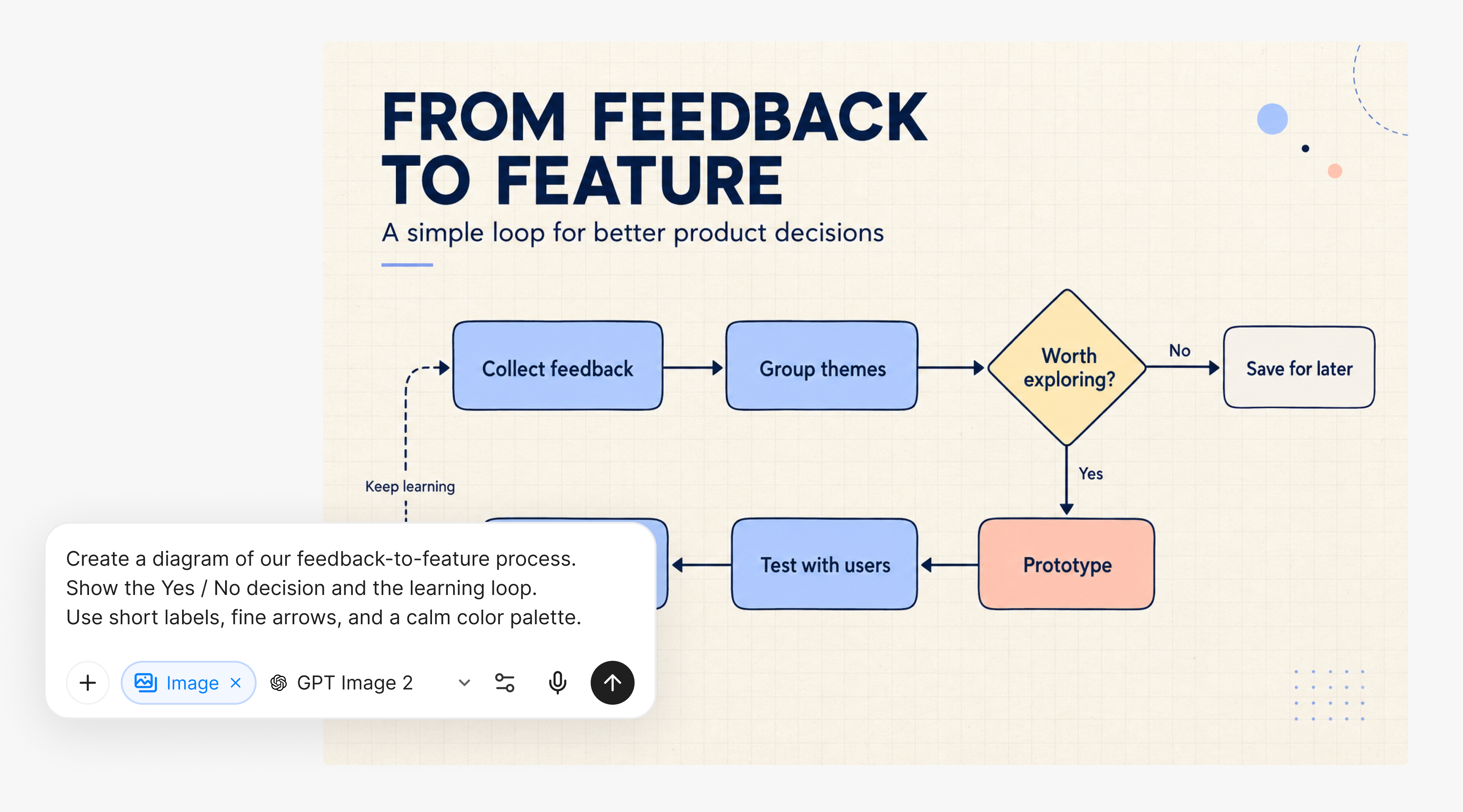
A feedback-to-feature flowchart with a YouMind image prompt

YouMind vs Design Arena

Choose the workflow your project needs

Compare the research and creation process as well as Design Arena’s specialist strengths.

What mattersYouMindDesign Arena
Main focusResearch sources, notes, and creative outputs in one BoardExploring AI model outputs and comparing models through creation tasks and leaderboards
Starting materialArticles, PDFs, YouTube videos, podcasts, images, and notesPrompts describing websites, apps, presentations, images, video, or other supported creations
How you develop the resultSelect source context for a Task, review the output, and refine it in the workspaceExplore model results and use task-specific rankings as a guide to further experiments
Best fitKeep the material for a creative concept study and reuse it across writing, slides, visuals, or webpagesChoose Design Arena when discovering or comparing models is the main purpose of the session.

From sources to creation

Write a grounded brief before testing model outputs

Build a creative concept study around material you have reviewed, then keep developing the story and its supporting content.

Bring the references into one project

Collect articles, images, PDFs, and your own notes for a creative concept study. Put the visual references beside the material that explains the audience and the message.
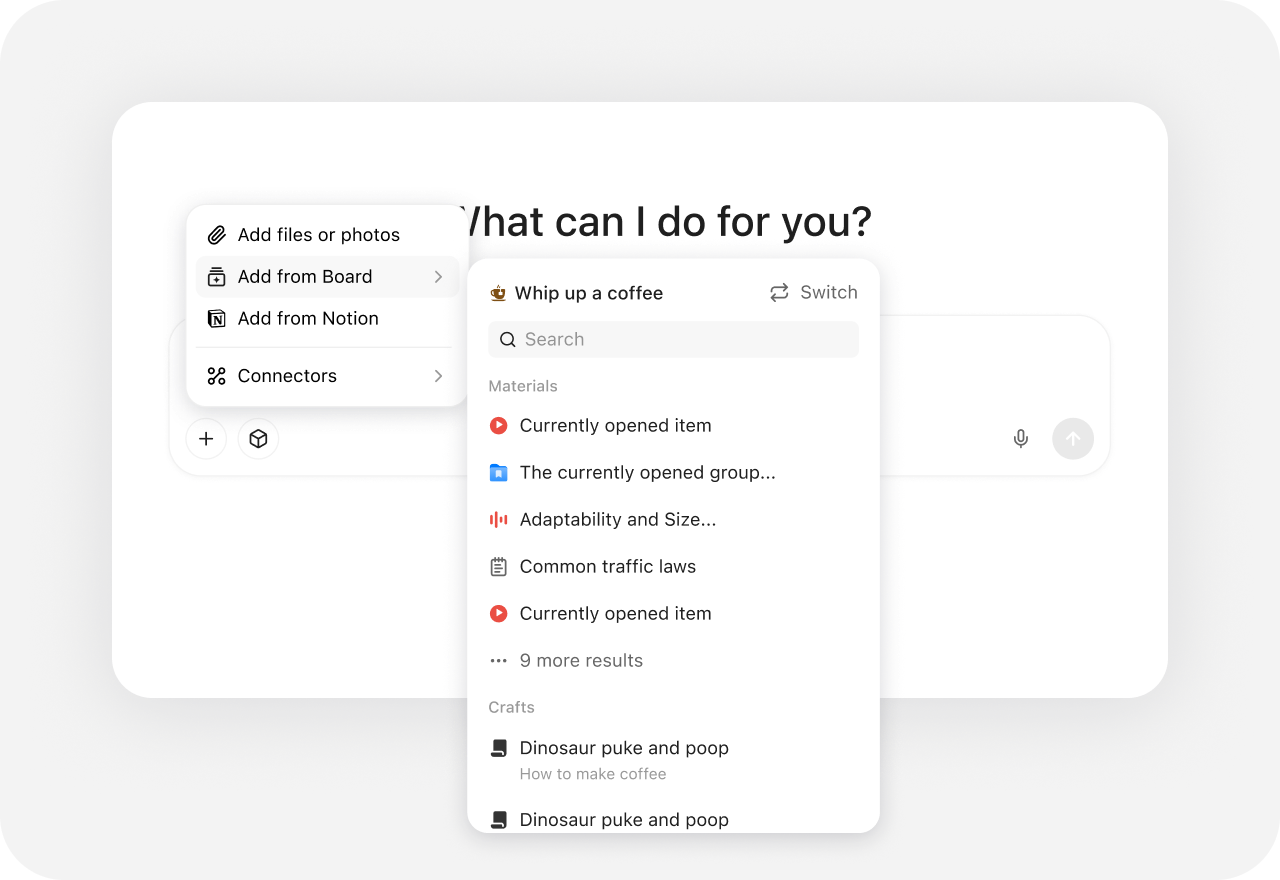
YouMind source picker with files, Board material, Notion, and connectors

Connect the visual direction to the brief

Use selected sources as Task context to develop the idea and create supporting visuals. Review the result against the brief rather than choosing an image in isolation.

A feedback-to-feature flowchart with a YouMind image prompt

Develop more than one creative output

Turn the material for a creative concept study into writing, slides, or a webpage alongside the visuals. Keep the source context available when the direction changes.
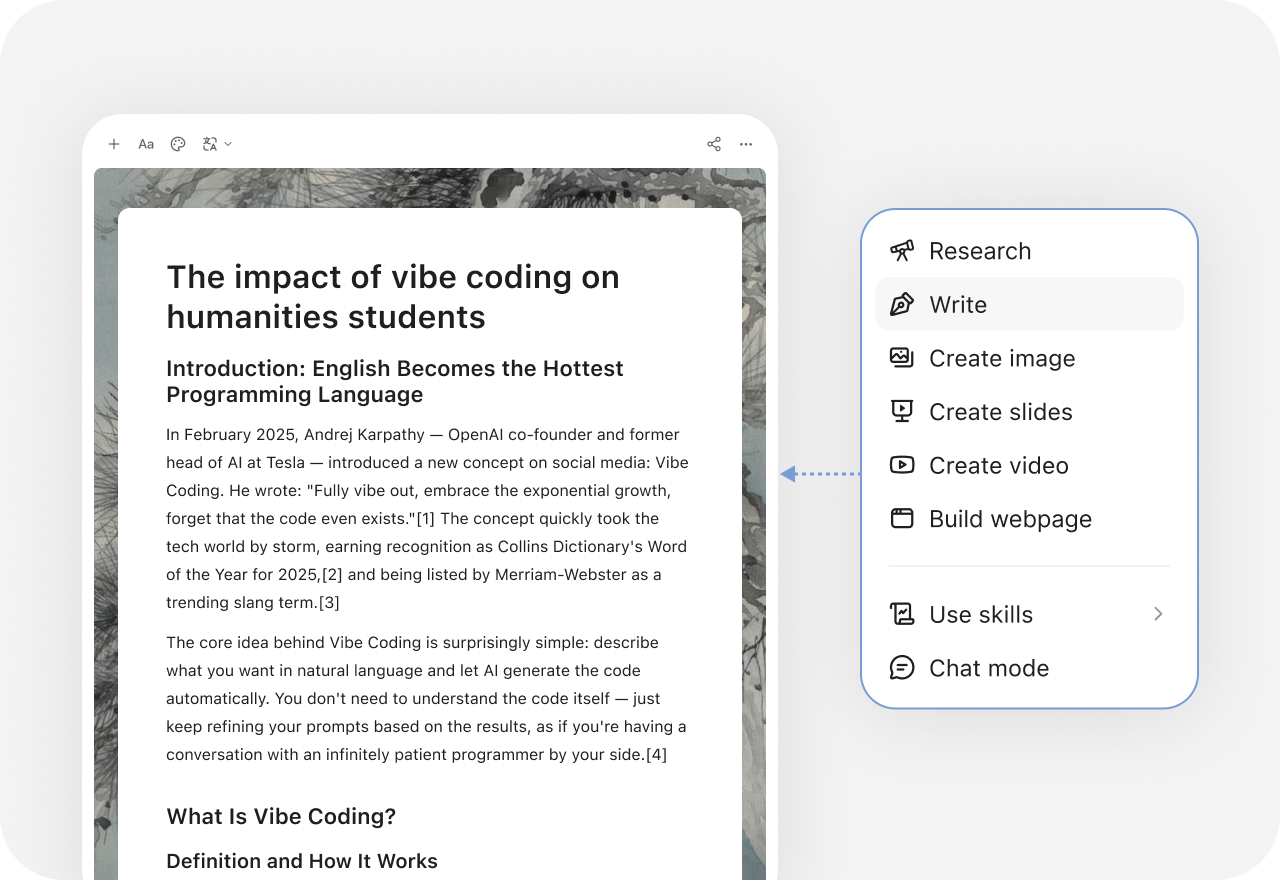
YouMind creation menu with research, writing, slides, images, video, and webpage options

More comparisons

Explore more YouMind comparisons

Frequently asked questions

When should I choose YouMind or Design Arena?
Choose YouMind when you want to keep research, source notes, and several creative outputs in the same project. Choose Design Arena when discovering or comparing models is the main purpose of the session. The choice depends on the work you need to finish, rather than a universal ranking.
Does a leaderboard tell me which tool fits my project?
A benchmark can help you choose models to test, but your own material, output requirements, and editing workflow still matter. Try a representative brief. YouMind emphasizes keeping source material and creations together rather than using a public model ranking as the project structure.
How can I prepare source material for a creative concept study?
In YouMind, collect the relevant articles, documents, videos, images, and notes in a Board. Select the material as context for a Task, then review the explanation or brief against the original sources. AI-generated content still needs your review.
Can I use YouMind alongside Design Arena?
Yes. Develop the research and brief in YouMind, then use Design Arena for the specialist workflow described above. Move the supported text or files between tools as needed; this does not imply a direct integration or automatic project sync.
What else can I create from the same research?
YouMind can develop writing, presentations, images, video, and webpages in its workspace, with options depending on the current tool and model. Keep the source context and your notes in the Board so the next format does not have to start from an empty prompt.
How should I compare features and plans?
Check Design Arena’s current input options, editing controls, export formats, and plan allowances against the work you actually need. In YouMind, check the available tools and credits as well. This page does not assume identical models, controls, or subscription terms. See Design Arena’s official site for current features and plans.

Learn deeper. Create bolder.