
Xiaohongshu Knowledge Cards
Turn one concept into a card-style guide
Xiaohongshu Knowledge Cards
Turn one concept into a card-style guide
Showcase
Description
Guides should be easy to understand and worth saving. Xiaohongshu Knowledge Cards breaks down a concept or method into a card-style note: a conclusion-first title, 3-5 knowledge cards (each with a key point and memorable quote), plus a publishing caption and tags. It makes complex topics simple and turns methods into step-by-step actions. Perfect for workplace skills, study methods, financial tips, and health facts.
Best for
Ideal for anyone looking to organize knowledge or methods into clear, actionable Xiaohongshu card notes.
How to use this Skill
Provide your input
Provide a specific knowledge point or method, and optionally include your target audience, core conclusions, and image style preferences.
Run the Skill
Focuses the knowledge point into an easy-to-understand, actionable topic, then organizes it into conclusion-first titles and point-by-point card content.
Review your result
Receive two sets of title options, 3 to 5 content cards, a publishing caption, and relevant tags ready for creating knowledge-based notes.
Related Skills
View all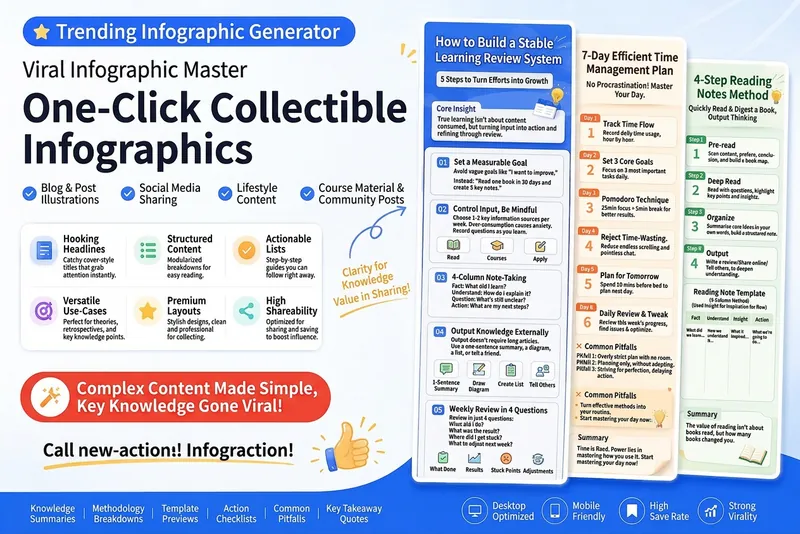
Viral Infographic Creator
Automatically generate vertical knowledge infographics optimized for sharing on WeChat Official Accounts, Moments, Xiaohongshu, and social groups. The content—articles, methodologies, course notes, learning reviews, and useful information—is transformed into a format with a built-in viral structure: title cover, core ideas, method breakdown, action checklist, misconception warnings, and summary quotes. This makes the content clearer, more practical, and easier to collect and share.
Xiaohongshu Card Generator
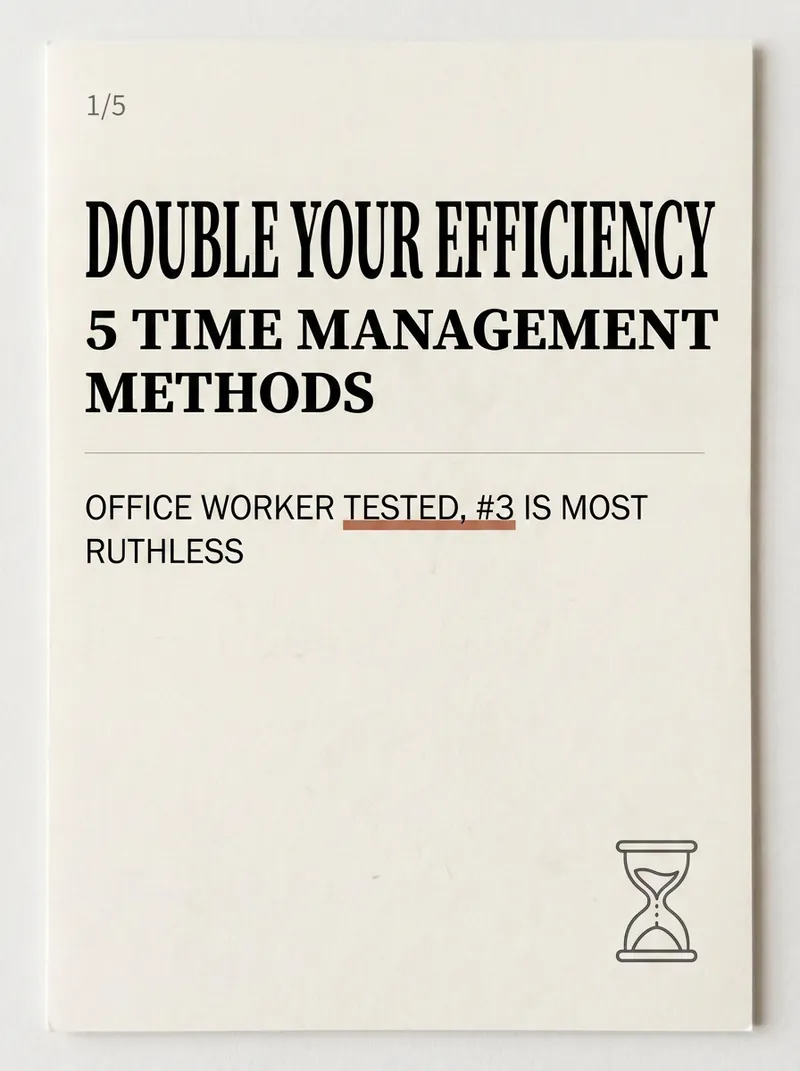
Being a Xiaohongshu knowledge blogger, the hardest part isn't writing content—it's formatting it into card images that people want to click and save. Searching for templates, adjusting fonts, colors, alignment—a single set can take two hours, and it still often has that AI-generated tacky feel. The Xiaohongshu Viral Knowledge Card Generator compresses this into one minute: input a topic or text, and it automatically splits into cover + inner pages, applies layouts that match real Xiaohongshu aesthetics, and generates a complete set of vertical cards ready to publish. ✨ Core Capabilities 1. 6 combinable layout types—cover hook cards, checklist cards, step-by-step cards, comparison cards, quote cards, and knowledge point breakdown cards—covering almost all informative posts. 2. 5 native styles—Cream Magazine, Morandi Minimalist, High Saturation Pop, Sticker Journal, Business Premium Gray—switch styles with one click, no rework needed. 3. 3 sizes—Xiaohongshu vertical 3:4, square 1:1, story 9:16—one input, multiple uses. 4. Cover formula—number hook + pain point + benefit, specifically designed to solve 'no one clicks'. 5. Anti-AI guardrails—rejects standard fonts, purple-white gradients, and rigid symmetry to deliver an authentic blogger feel. 📱 Applicable Scenarios Workplace, study, finance, science, and education bloggers' value-packed collections, knowledge sharing, list recommendations, opinion quotes; also works for WeChat Official Account headers and WeChat Moments infographics. Input a topic, leave the rest to it—make your notes irresistible at first glance.
Xiaohongshu Hand-Drawn Infographics
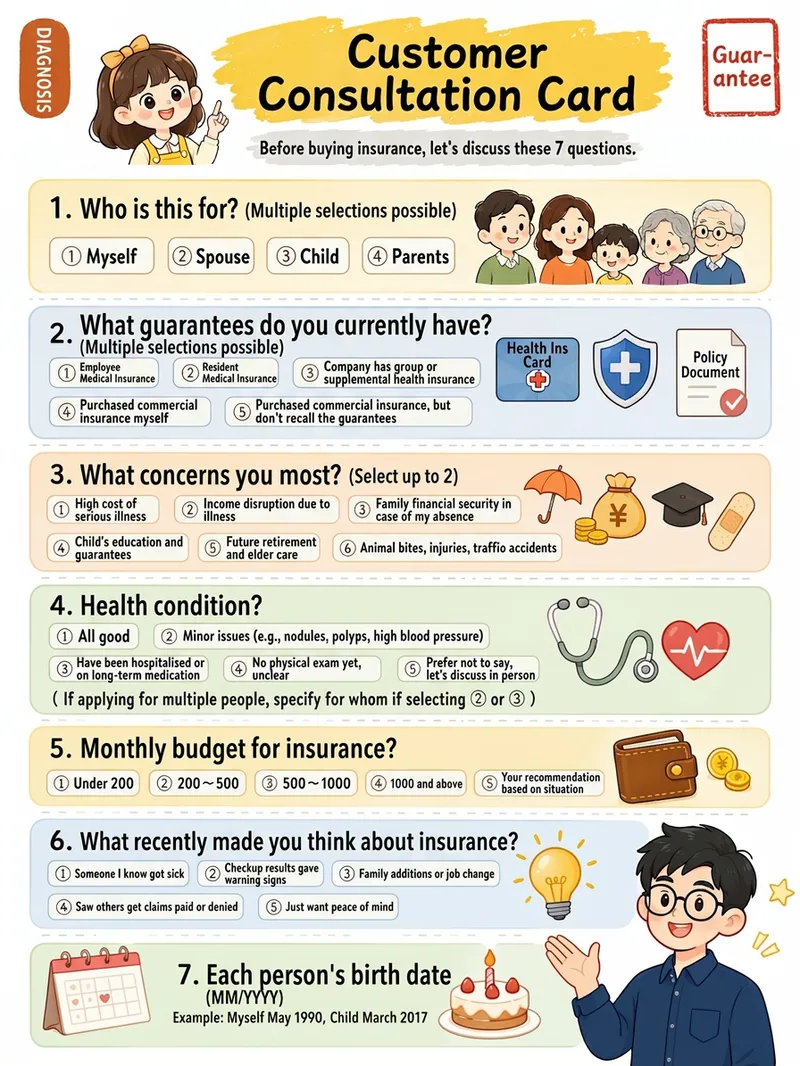
Provide a complete piece of copy, choose the number of images and an aspect ratio (3:4 / 1:1 / 16:9), and generate Xiaohongshu infographics in a “hand-drawn knowledge card” style. The Skill includes a consistent visual system: bright, translucent pure-white paper texture with fine fibers, minimal speckling, and a clean, airy feel; bright yellow hand-drawn brush lettering for main titles; a gray brush-stroke subtitle band; a red stamp in the upper-right corner; a vertical capsule-shaped color label in the upper-left corner; colorful rounded module panels; and newly designed flat vector hand-drawn cartoon characters, along with a rich variety of icons and charts. During processing, it first organizes a “typesetting copy draft” that preserves the full text word for word for your confirmation. Once confirmed, it generates the images. Each module includes an icon or chart, keeping the visuals clear and readable while adding artistic character.
Information
- Version
- v2
- Last updated
- Runtime credits
- Usage-based
- Models
- Auto
- Use cases
- Writing & contentLearning & education
- What you get
- Social postPlan
