
Voice Score Entry: Mastery
Voice-enter item scores and build dashboards
Voice Score Entry: Mastery
Voice-enter item scores and build dashboards
Showcase
Description
Read the roster, exam, and mastery template; enter scores by voice in batches, with strict per-question validation and persistent ledger storage. After every 10 new students, automatically generate a readable master score table with template columns, with support for resuming from where you left off and exporting statistics. When entering scores, say only the last two or three digits of a student's ID, and the system matches the student automatically. For example, if Question 7 is incorrect among 10 single-choice questions, simply say, “Single-choice question 7 incorrect.” For short-answer questions, you can say, “Short-answer: 8 points, 8 points, 3 points.” For multiple-choice questions, you can say “full credit,” and so on. Recording five students at a time is recommended.
Related Skills
View all
Test Paper Cleanup & Review
After a test paper is recognized, are question numbers skipped, options missing, or answers mismatched? This Skill helps turn readable test paper images, scanned pages, or existing OCR text into an easy-to-edit practice sheet, while listing items that need to be checked separately. You’ll get: ① Editable practice sheet: preserves sections, original question numbers, options, and answer blanks. ② Source answer table: matches answers from the provided materials by section and question number, with unmatched answers listed separately. ③ Error and omission review list: flags suspected missing questions, missing options, unclear symbols, and matching conflicts. ④ Processing scope notes: clearly states which pages were read and which have not yet been processed. When the original page is visible, the content is checked against the source. When only OCR text is available, the Skill checks structural issues only and does not guess or fill in missing content. For questions about identifying incorrect characters, incorrect options are preserved without changing the intended meaning. Suitable for teachers, parents, and people organizing study materials. For the first run, processing 1–3 pages is recommended. The output is provided as copyable Markdown text. Reading quality depends on the original image quality and the host’s capabilities. Zero errors are not guaranteed. The Skill does not solve questions, grade answers, or automatically generate Word attachments. The examples use self-created materials and contain no real student information.
 Research
Teaching Award App Auto Expert
Teaching Achievement Award Application · Full-Process Automation Advisor System 🎯 Adaptive Recognition of Coverage Levels: Education Type: Basic Education / Vocational Education / Higher Education → Automatically matches the application system Award Level: National / Provincial / School Level → Automatically identifies difficulty and focus of competition 📊 Four Delivery Phases (Staged Closed Loop): | Phase | Output | Core Value | |-------|--------|------------| | 1. Diagnosis & Profiling | 7-8 question smart survey + achievement positioning report | Identify the right application level to avoid over or under applying | | 2. Topic Selection | Topic direction matrix + 3-5 similar successful cases | Know which direction to adjust to be most visible | | 3. Title Incubation | 5-8 alternative titles (SCPAR naming) | If the title is right, half the application is done | | 4. Body Writing | Complete version of the application with strict word count | How many words for innovation, results, and dissemination value — precise to the paragraph | | 5. Diagnostic Scoring | Three-dimensional innovation assessment + expert checklist | Reviewing it yourself after editing is like having a professional review | 🔧 Built-in Standardized Tool Library: ✓ SCPAR Naming Rule — The invisible scoring table for teaching achievement titles ✓ Word Count Hard Constraint Check — Automatically enforces 5000-12000 word range ✓ Three-Dimensional Innovation Assessment Model — Full reproduction of the scoring logic used by award judges ✓ Title Template Library — Reference templates for national/provincial/school level achievements ✓ Expert Checklist — Item-by-item self-check for the finished application 📈 Expected Results: Application success rate from random 30% to precise 70%+ Application preparation time from 2-3 months to 2-3 weeks Higher first-submission hit rate (more accurate topic selection)
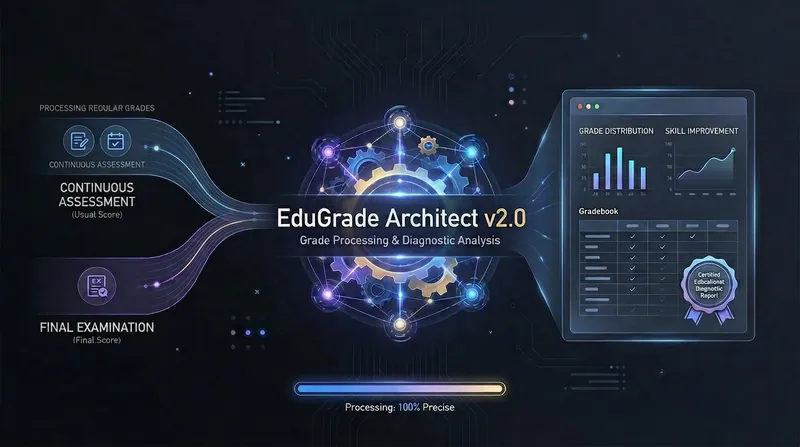
Final Grade & Diagnostic Report Generation
It's the end of the semester. Need to combine final exam scores with daily performance into one table and submit a course diagnostic report? No need to do it manually! Upload the daily performance sheet and final exam scores, specify the weight ratios, and generate a ready-to-submit student transcript and in-depth course diagnostic report.
Information
- Version
- v10
- Last updated
- Runtime credits
- Usage-based
- Models
- Auto
