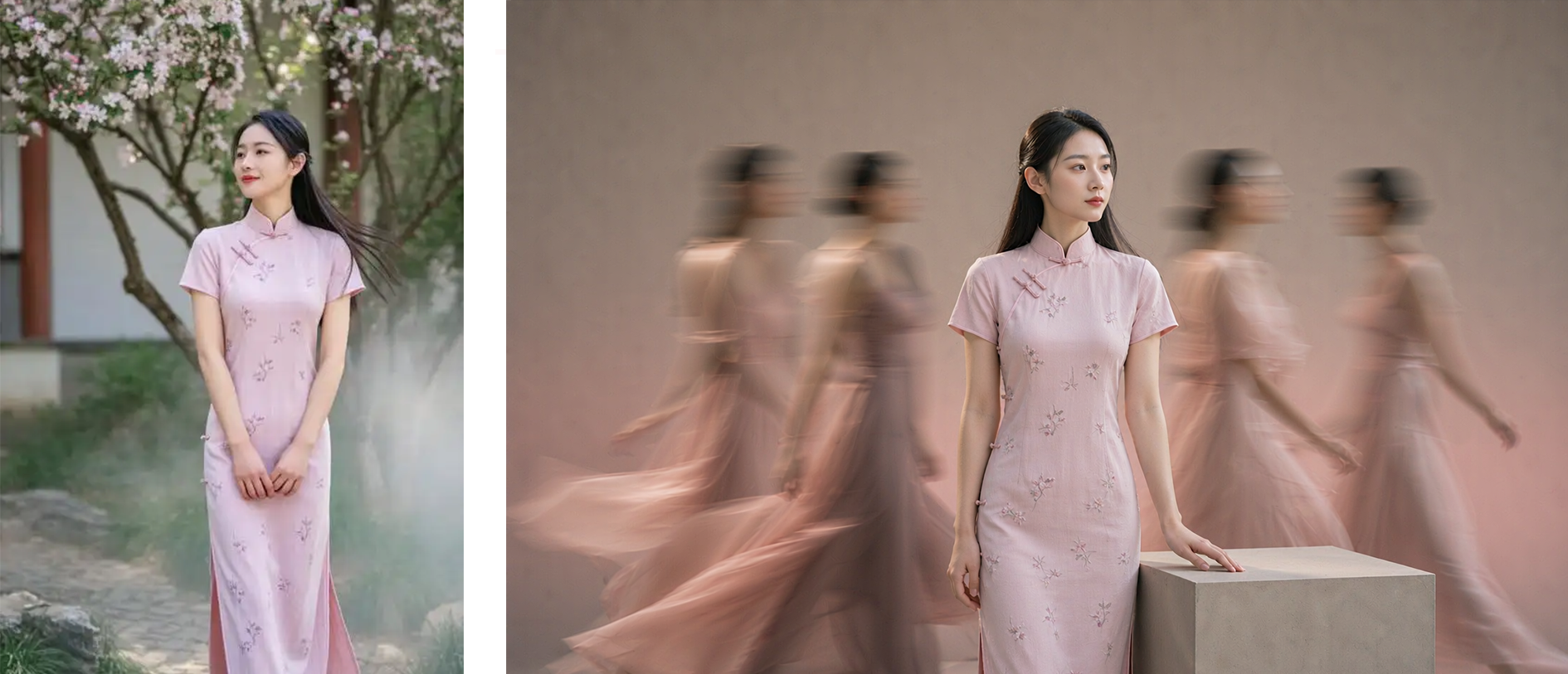
Studio Portraits
Turn photos into polished studio portraits
Studio Portraits
Turn photos into polished studio portraits
Showcase
Description
Hyper-realistic studio portrait photography: transform uploaded photos of people, pets, or fashion models into polished portraits in a “minimalist studio + long-exposure art photography” style, with four composition options: long-exposure ghosting, a clean full-body portrait, mirrored cloned doubles, and a two-person portrait. Trigger when users say things like “turn my photo into a studio masterpiece,” “generate a studio portrait,” “long-exposure portrait,” “create a cloned-double photo,” “make a pet portrait,” “generate a Xiaohongshu profile picture,” “create a persona portrait,” “make a couple’s portrait,” or “turn an uploaded photo into a masterpiece.” Core rules: put identity preservation first and clearly state that beautification is not allowed; the subject must be the only sharp element in the image; motion trails are used only for atmosphere. Accurately preserve the subject’s visual features. By default, output uses the same aspect ratio as the uploaded image. Directly use the most suitable YouMind image generation model, or customize it with ratios such as 16:9 or 4:3.
Recommended by
Dancang
Why we love this skill
Turn people or pet photos into minimalist studio portraits with authentic identity, no beautification, and four distinctive compositions.
Best for
For anyone who wants to turn photos of people, pets, or fashion models into polished studio portraits or social profile pictures.
How to use this Skill
Provide your input
Upload a photo of a person, pet, or fashion model; you can also specify the composition, background color, and aspect ratio.
Run the Skill
Choose or describe the studio portrait effect you want. The system will transform the photo into a minimalist studio and long-exposure art photography style.
Review your result
Get a polished studio portrait that preserves the subject’s appearance as closely as possible, suitable for profile pictures, persona portraits, pet portraits, or group photos.
Related Skills
View all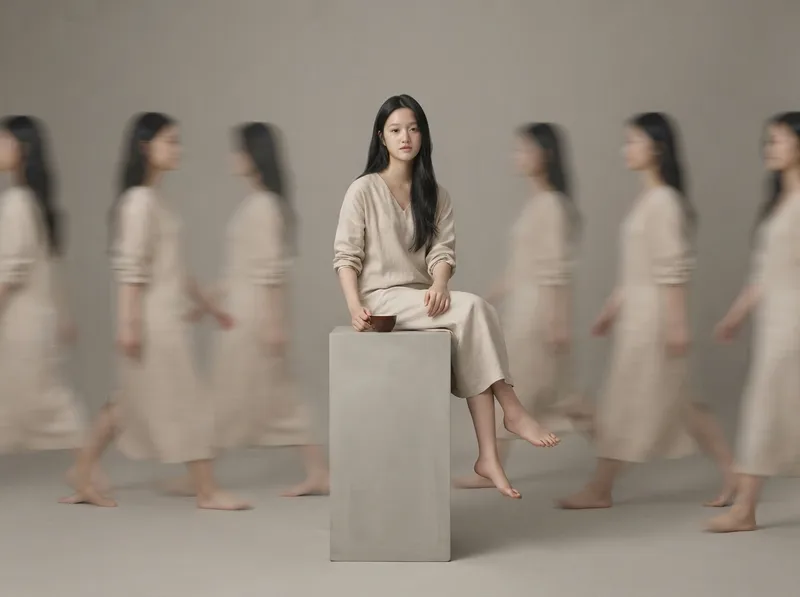 Image
ImageRealistic Studio Portraits
Based on uploaded photos of people or pets, this Skill generates ultra-realistic, minimalist full-body studio portraits. It supports styles such as long-exposure ghosting, clean solo full-body portraits, and cloned mirror images; faithfully recreates the subject’s appearance and directly uses the most suitable image-generation model to create the images.
 Image
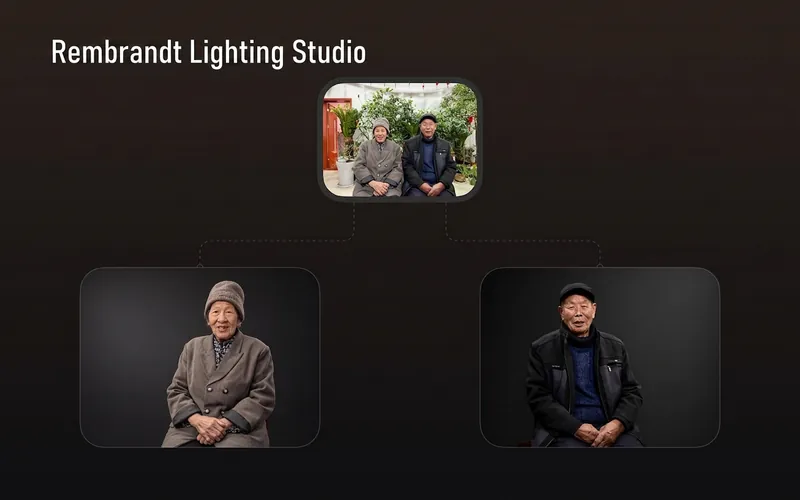
ImageRembrandt Studio Portrait
Transform ordinary photos of people or pets into Rembrandt-lit portraits with realistic studio lighting, strong chiaroscuro shaping, and a cinematic look. The skill automatically selects lighting suited to the original photo, based on a person’s frontal, profile, or three-quarter view, or on a pet’s facial and fur structure. It will not distort the nose shadow or facial features just to create a “Rembrandt triangle of light.” By default, people retain their identity, age, expression, skin tone, clothing, and accessories. Pets retain their breed, coat color, markings, ears, eyes, and body structure. Small adjustments to the camera angle, shoulder line, head direction, and composition are allowed to make an ordinary photo feel like a genuine new studio session, while avoiding a stiff, cutout, or memorial-portrait look. The original photo’s aspect ratio and orientation are preserved by default; a 1:1 headshot is not required. The skill also supports 1:1 headshots, 4:5 social portraits, 3:4 classic portraits, 2:3 print formats, 3:2 photographic landscapes, 4:3 general landscape images, and 16:9 cinematic covers. When the aspect ratio must change, it prioritizes cropping irrelevant background. If hair, ears, chin, hands, paws, or tail might be cut off, it extends the clean studio background instead. The background uses a clean, smooth, noise-free gradient from deep charcoal gray to inky black, aligned with the direction of the key light. Film grain, sensor noise, mottling, paper texture, smoke, glow, banding, and AI-generated compositing textures are explicitly prohibited. Suitable for: people portraits, pet portraits, profile photos, social media covers, editorial portraits, family photo upgrades, and cinematic studio transformations.
 Image
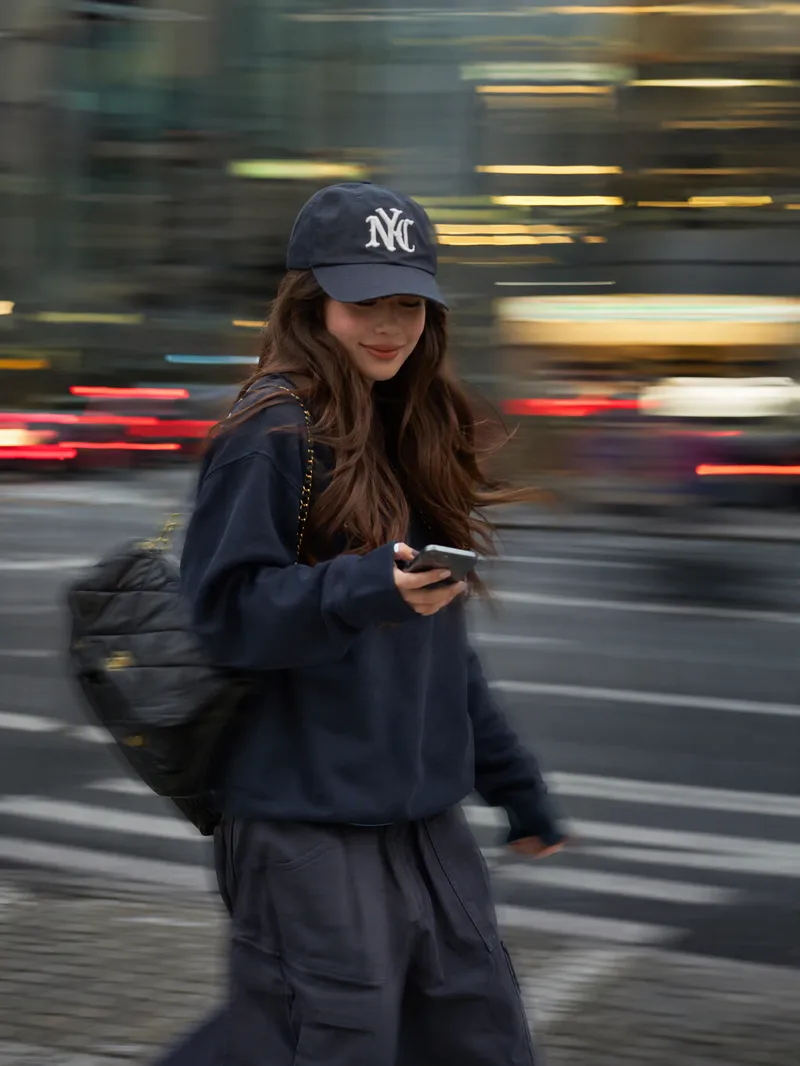
ImageInstagram Street Snapper
Best for: Xiaohongshu and Instagram creators: Need polished personal photos and want to create cover images, profile pictures, and outfit photos in batches Everyday photography lovers, especially young women: Want a magazine-style look without the budget for a photographer Personal brand founders and professionals: Need photos for LinkedIn, WeChat Official Accounts, and personal introduction pages Outfit, fashion, and beauty creators: Want street-style content featuring products or clothing Small business and clothing store owners: Need affordable street-style model images for product listings Short-form video creators: Need video covers, persona images, and profile headers Upload one photo to automatically create a stylish street portrait with a panning slow-shutter effect: your face stays sharp and clear while the background becomes horizontal speed lines, with subtle motion trails on your hands, bag, and clothing—like a photographer catching a fleeting moment on the street. ✦ Still your face: Built-in identity preservation keeps your facial features, skin tone, and hairstyle. No face swapping or generic influencer look. ✦ Automatic outfit styling: Keeps your original clothing when it works; if it is unsuitable for street photography, such as pajamas or an ID photo, it switches to a polished urban look. ✦ Fresh poses every time: Take big strides, cross the street, glance back, carry a bag, hold coffee, and more. ✦ Three lighting moods: Cool gray-green overcast / warm orange dusk / cyan-blue backlight, matched to your overall look. ✦ Film color grading: Low saturation, cyan-tinted shadows, and warm highlights for a magazine-quality finish. ✦ Default 3:4: Ideal for Xiaohongshu and Moments, with custom ratios such as 9:16 also available.
Information
- Version
- v2
- Last updated
- Runtime credits
- Usage-based
- Models
- Auto
- Use cases
- Images & designMarketing & growthLifestyle & entertainment
- What you get
- Image
- Visual styles
- MinimalistPhotorealistic
