
Visual Manual Generator v2.0
Auto-gen visual manuals and promo for skills
Visual Manual Generator v2.0
Auto-gen visual manuals and promo for skills
Showcase
Description
Automatically generate professional visual documentation, flowcharts, and promotional posters for your skill. Enter the skill ID or name to generate a complete set of introductory materials with one click, including core concept diagrams, scenario comparison charts, execution flowcharts, advantage showcase charts, full documentation, and social media promotional posters.
Why we love this skill
A blessing for YouMind skill creators! It generates skill visual flowcharts, detailed documentation, and promotional posters with one click, making your skill showcase more professional and eye-catching.
Related Skills
View all
Skill Icon Generator
Enter a skill name and one-sentence use case. xiaoxiaodong rolls a four-dimensional die to set the visual direction, then first generates a 1:1 skill avatar icon. After you approve it, the icon becomes the sole anchor image for the entire workflow. Cover artwork (16:9) is generated with the anchor image as a reference. The header image for the mobile promotional long image (9:16) uses the original cover artwork directly, without model redraw, to prevent visual drift. The information section is generated separately and then composited. The three-piece set maintains strictly consistent styling, colors, and outlines. Designed specifically for skill avatar slots, cover slots, and mobile promotion. When you only need a single icon or already have established visual guidelines, the three-piece workflow is not started. If the environment does not support automatic compositing, you’ll first be asked whether you want a header image; if not, you’ll receive a promotional long image containing only the information section.
 Research
Multi-Source Mind Map 2.0
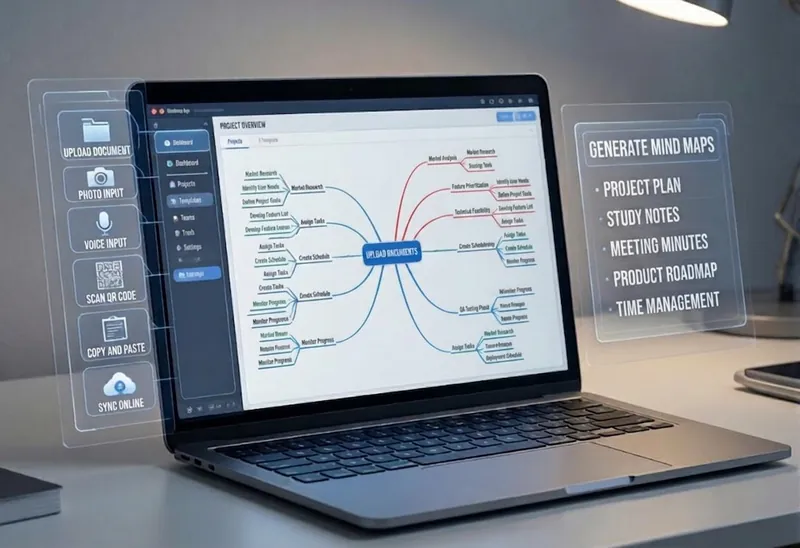
Turn complex documents, web pages, or long text into clearly structured visual mind maps with one click. Whether it's academic papers, course materials, or technical documents, this tool intelligently extracts core topics and multi-level knowledge points, helping you quickly clarify the logical structure. Through in-depth content analysis of the input source, it automatically identifies section structure and key details, generating a well-organized knowledge system. This tool supports generating mind maps in multiple styles, including professional educational tree diagrams (PlantUML format) and intuitive center-radial diagrams (Mermaid format). You can directly get SVG images viewable in a browser, along with the corresponding source code files. This means you can quickly preview the results and also import the source code into XMind, FreeMind, or a Markdown editor for further editing and in-depth processing. Simply upload a PDF, Word, or text file, or provide a web link, to transform a large amount of information into a visual knowledge map. It's ideal for study notes, structured paper reading, and brainstorming presentations, making knowledge organization and sharing more efficient and professional.
 Image
ImageViral Info Atlas Maker
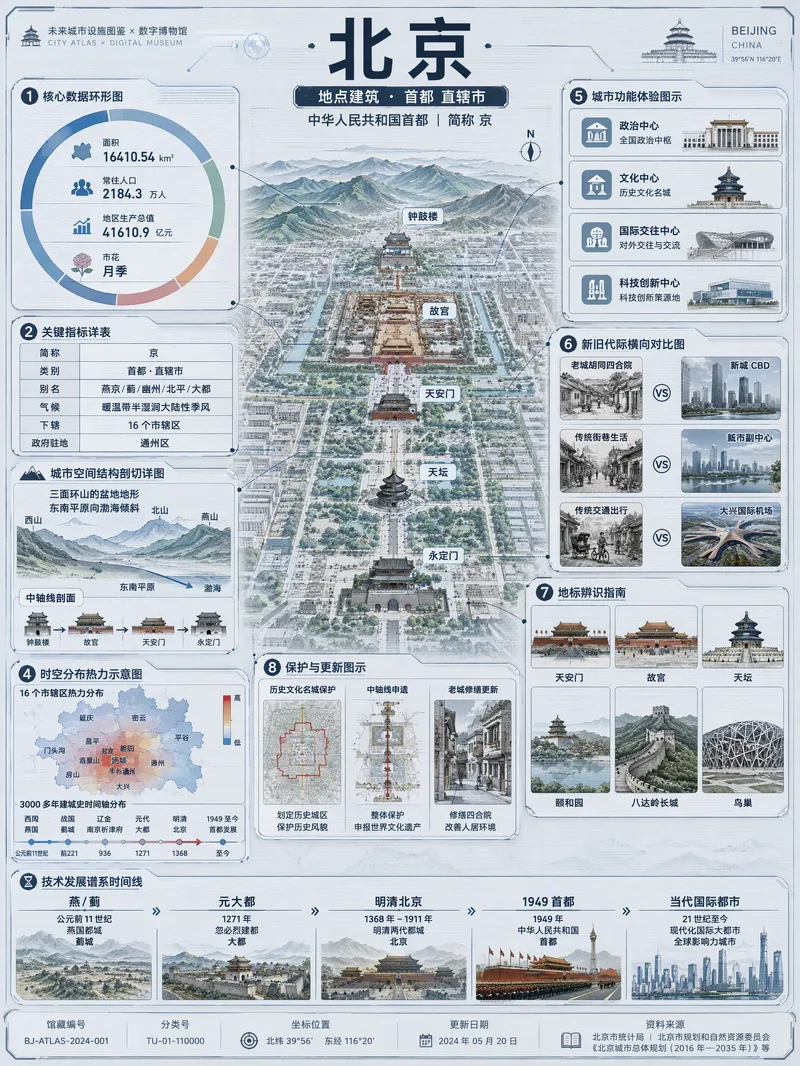
Quickly turn any subject name into a technology-inspired natural history atlas poster that combines rich information with strong visual appeal. Whether it’s a living thing, mineral or material, man-made object, place or building, cultural concept, or historical figure, the Skill organizes content for display and sharing based on your audience, focus, and language requirements. The Skill first uses real-time web research to verify definitions, key data, structure and composition, distribution, applications, evolution, identifying features, and more. It then arranges the content into a 3:4 vertical infographic. The poster centers on a specimen-style subject, surrounded by nine adaptive information modules covering core metrics, structural analysis, spatial and temporal distribution, context and use cases, comparisons, identification points, conservation or maintenance tips, and a development timeline. Module themes and information priorities are adjusted to fit the type of subject. The finished piece uses light gray-blue technical cardstock, precise linework, low-saturation cyan and blue washes, and a semi-transparent scanned texture. The result combines the visual style of a future-city infrastructure atlas with a digital museum display panel, while retaining the subject label at the top and a collection records area at the bottom. For obscure subjects or when information is limited, speculative content is distinguished with visual prompts. It is suitable for science education, exhibition introductions, knowledge sharing, and social media publishing.
Information
- Version
- v6
- Last updated
- Runtime credits
- Usage-based
- Models
- Auto
