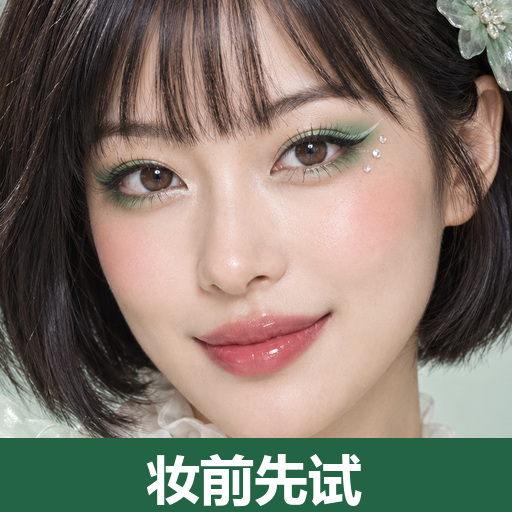
Harajuku Style & Selfie Makeup
8 Harajuku looks to preview with your selfie.
Harajuku Style & Selfie Makeup
8 Harajuku looks to preview with your selfie.
Showcase
Description
Want to try bold and exquisite Harajuku styles? Pick your favorite look first. Includes 8 pre-designed complete sets: Rainbow Candy, Cherry Pink Bow, Black & Pink Sweet Cool, Mint Sprite, Silver Blue Future, Red & Black Lace, Tangerine Retro, and Purple Butterfly Fantasy. Each set features unique eye makeup shapes, blush, and lip colors, along with hair, accessory, and outfit suggestions. Supports adjusting between 6 to 10 sets, choosing by number, mixing and matching freely, or uploading your own reference image. After selecting, use your selfie for a single makeup preview, or explicitly choose to design the makeup, hair, and outfit together. Keeps your facial features intact with default natural light retouching, and breaks down the chosen look into zoned application methods, tool amounts, steps, and troubleshooting tips for beginners. Text plans are not equal to rendering outputs. Selection catalogs and personal try-ons are separate, and image generation relies on actual YouMind tools and quotas. AI previews may differ from actual colors and techniques. Installation does not include image generation quotas. Workflow and product design: leowang.
Recommended by
Dancang
Why we love this skill
Connects choosing a style, trying it on yourself, and following along into a clear workflow with 8 distinct original Harajuku makeup and hair options. It emphasizes real photo binding, makeup modification boundaries, and actionable steps for beginners, making it great for inspiration and safe replication.
Best for
Ideal for individuals who want to preview Harajuku-style looks before trying out the makeup step by step.
How to use this Skill
Provide your input
Provide a selfie and select a makeup, hair, and outfit style, or upload a reference image and describe desired mix-and-match preferences. You can also select a style and request a text-only guide.
Run the Skill
Browse and select a design, then choose whether to test only the makeup or preview the hair, accessories, and outfit together. Adjust details and request beginner tutorials as needed.
Review your result
Receive a personal makeup or complete styling preview, along with a step-by-step beginner tutorial detailing tools, amounts, steps, and tips. A text guide is provided if images are not generated.
Related Skills
View all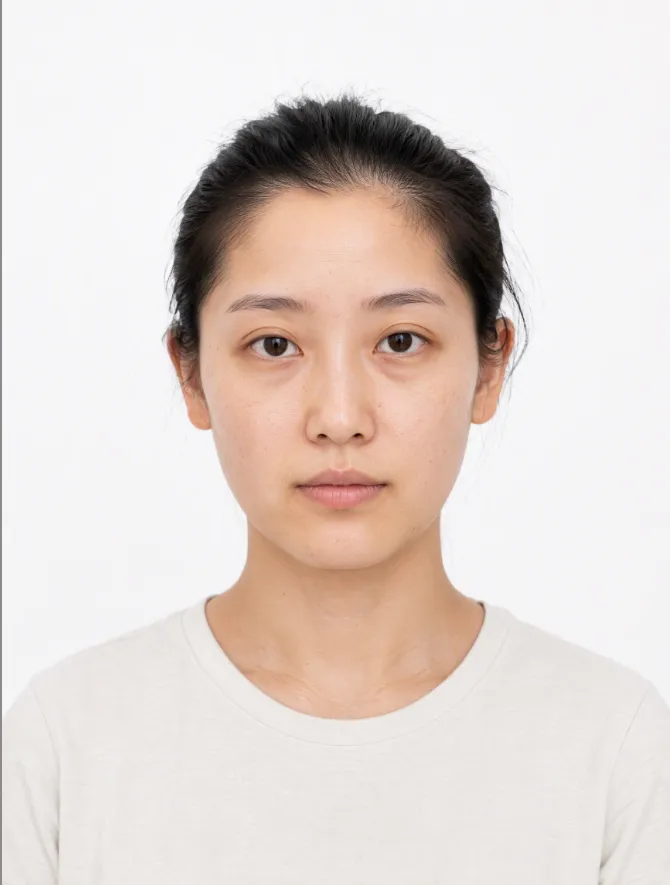
AI Makeup Try-On
# AI Makeup Try-On | AI Makeup Designer Upload a front-facing photo, and AI will analyze your skin undertone, eye shape, and lip shape. It will select the three most suitable looks from current makeup trends, generate try-on previews, and give you an application card you can follow step by step. ## What you’ll get - **Facial analysis**: Explains what suits you without judging your attractiveness or commenting on your skin - **3 makeup recommendations**: One light, one medium, and one bold look, with an explanation of why each suits you - **Makeup try-on preview**: Changes only the makeup while keeping your facial features, hairstyle, and background unchanged; after generation, it automatically compares the result with the original and redraws it once if there are discrepancies - **Application card**: Clearly explains the base, brows, eyes, blush, contour, and lips, including color, texture, placement, difficulty, time, and a product list ## When to use it Before a date, interview, wedding, or photo shoot, when you want to see which makeup look suits you before deciding how to apply it. ## Usage tips - Clear, front-facing photos with even lighting and no obstructions work best - You can include an occasion or style, such as a date, interview, wedding guest makeup, Korean-inspired, or Western-inspired looks - For adults only. Upload your own photo or one you have permission to use - The preview is an AI-generated visualization; actual results may vary with lighting, skin texture, and application technique - Each try-on uses about 100–200 credits (one generated preview; automatic correction generates one additional preview)
 Image
ImageWardrobe Styling
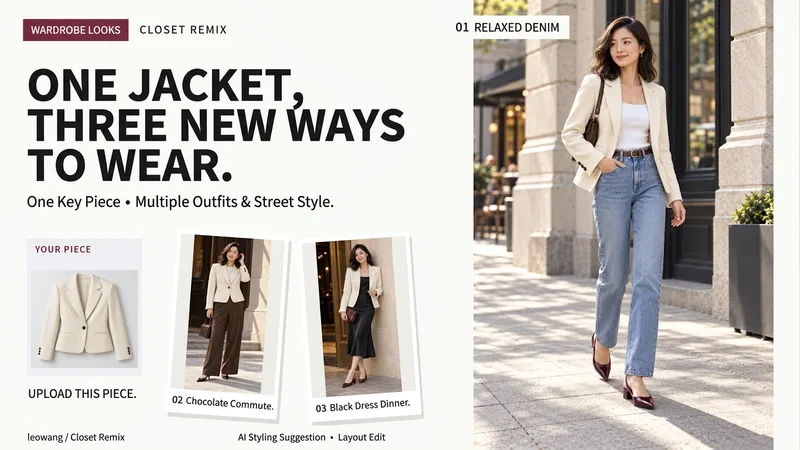
Upload a clothing item, shoes, or a bag, and combine it with your occasion, weather, and existing wardrobe to get genuinely distinct styling directions, complete with matching street-style preview images. Choose from 32 style directions including commute, casual, vintage, and dating, along with three presentation formats: daily street shot, magazine street shot, and clean styling board. By default, it helps you choose directions first and generates 3 sets, with custom quantities also supported. Each output preserves the key recognition features of the main item and includes a wearable checklist. Image generation depends on YouMind's actual tools and quota; size or fit is not guaranteed. Product and workflow design by leowang.
 Image
ImageAI Color Stylist V2.0
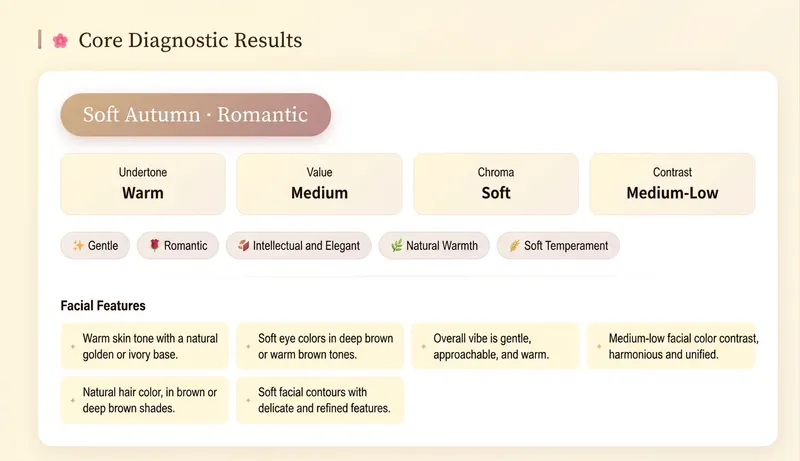
Avoid pitfalls with lipstick, hair color, and clothing colors—stop buying in confusion. Generate personalized color schemes to build long-term, reusable color rules. 🎨 AI Color Stylist Pro – Professional Color Consultation ✨ Comparable to ¥4,000 in-person consultations, now only 199 Credits! 🎉 Limited-time early bird pricing! Tiered prices: • 11th–100th: 199 Credits✨ (current price) • 101st–200th: 299 Credits • 201st and up: 399 Credits ⏰ Price increases automatically with user count—buy early and enjoy! ━━━━━━━━━━━━━━━━━━━━ 📊 14 Professional Analysis Modules ✅ Precise seasonal color type positioning (Warm Spring/Bright Spring/Soft Spring, Light Summer/Cool Summer/Soft Summer, Warm Autumn/Soft Autumn/Deep Autumn, Cool Winter/Deep Winter/Bright Winter) ✅ Complete color swatch display (20–30 core colors with HEX codes) ✅ Makeup color schemes (foundation, brows, eyeshadow, blush, lipstick with specific brand shades) ✅ Hair style and color advice (dye shades, hairstyles, bangs recommendations) ✅ Outfit coordination (color formulas, item recommendations, neckline test) ✅ Detailed accessory analysis (metallic tones, gemstones, earrings, necklaces, bags, glasses) ✅ Shopping list (specific brands, shades, price ranges) ✅ 3 complete outfit examples ━━━━━━━━━━━━━━━━━━━━ 🌟 Delivery Format Beautiful interactive web report: • Visual display of all colors • Gradients + card layout • Responsive design, perfect on mobile and desktop • Shareable, savable, printable ━━━━━━━━━━━━━━━━━━━━ 👥 Who It's For • You want to enhance your personal image • You don’t know how to choose clothing colors • You want to find your best makeup and hair color • You’re preparing for seasonal shopping and need pro advice • You want to discover your seasonal color type ━━━━━━━━━━━━━━━━━━━━ 💡 How to Use 1. Upload a front-facing photo in natural light (or describe your features in text) 2. Answer a few simple multiple-choice questions 3. AI conducts professional analysis across 14 modules 4. Receive a beautiful web-based diagnostic report 5. Get a complete shopping list and styling recommendations ━━━━━━━━━━━━━━━━━━━━ ⏰ Limited time and quantity—first come, first served!
Information
- Version
- v2
- Last updated
- Runtime credits
- Usage-based
- Models
- Auto
- Use cases
- Images & designLearning & educationLifestyle & entertainment
- What you get
- DocumentImagePlan
- Visual styles
- RetroFuturisticPlayful
