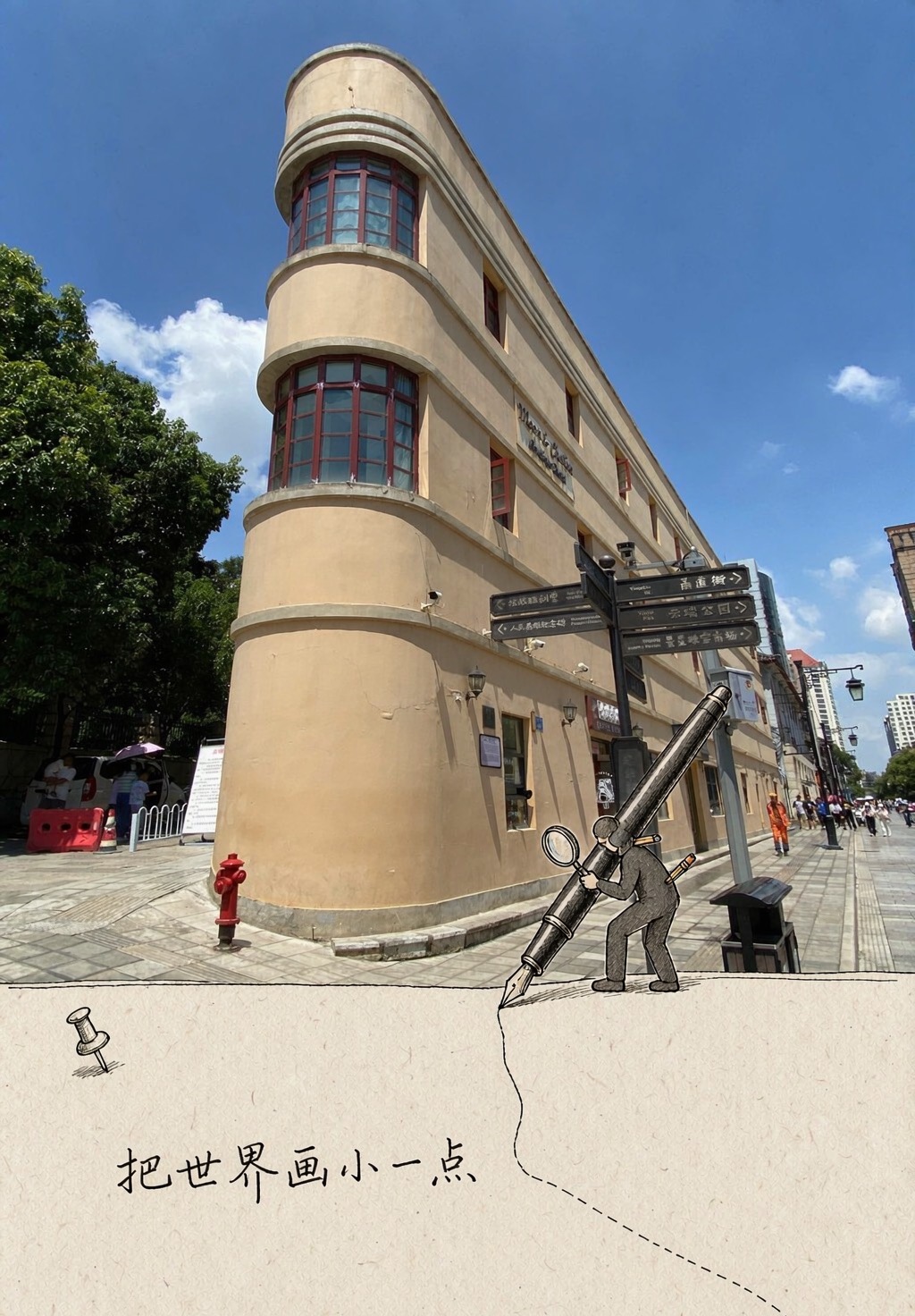
Scenery, Starring
Add an interactive character to any view
Scenery, Starring
Add an interactive character to any view
Showcase
Description
Great for Xiaohongshu and Instagram visuals, travel concept images, tourism promotion, and video covers. What it can do ✅ Scene-first, never templated: Each photo is assessed on its own, so it won’t always draw “a little person holding a pen” ✅ Props always make sense: Only activities that could realistically happen in the scene are chosen—nothing is forced in ✅ Flexible character types: Choose one of four options—animal / animal + person / person / real-scene twin ✅ Five connection methods: line extension, shape borrowing, projection pass-through, material connection, and ecological extension; only 1–2 are used per image ✅ Adaptive formats: Landscape images become 16:9, square images become 1:1, and portrait images become 3:4—no stretching and no cropping of the subject ✅ Restrained colors: One ink line color plus one accent color drawn from the photo’s dominant color, avoiding a mismatched multicolor look ✅ One-line copy: A handwritten short line of ≤12 characters, placed in open space without covering the subject
Recommended by
Dancang
Why we love this skill
Turns landscape photos into tiny scenes that seem to keep living, matching characters, props, composition, and aspect ratio to create natural interactive illusions instead of using a fixed template.
Best for
Content creators and promoters who want to turn travel, landscape, or city photos into hand-drawn interactive visuals.
How to use this Skill
Provide your input
Upload one landscape or scene photo. You can also add preferences for the format, character, or short line.
Run the Skill
The tool evaluates the photo’s aspect ratio and scene, then selects suitable interactive props, characters, and connection methods to create a customized prompt.
Review your result
Get a ready-to-copy image-generation prompt covering layout, character actions, colors, short text, placement constraints, and alternative options.
Related Skills
View all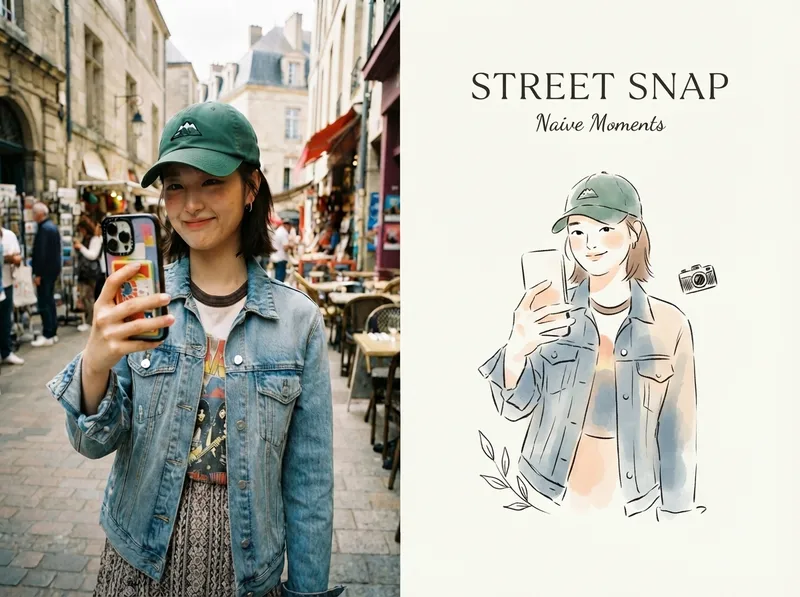 Image
ImageViral Photo Illustrator
Perfect for Xiaohongshu, Moments, WeChat Official Account covers, profile pages, and documenting travel, outfits, fitness, everyday moments, and life as it happens. Upload any portrait, street shot, food, travel, or everyday photo. AI works like an illustrator with a keen sense of negative space, extracting only the most recognizable subject, pose, and story from the image. It redraws them as a relaxed, playful illustration with hand-drawn texture, then places it beside the original to create a polished comparison poster ready to share. · Faithfully preserves the original photo with only subtle, magazine-style color grading—no distortion or face swapping · Automatically reads the photo’s mood and matches it with styles such as doodle, ink wash, sketch blocks, and thick gouache · Generous negative space + a handwritten short phrase, like an editorial illustration from an independent magazine · A soft, soothing curated palette drawn from the original image to naturally complement the photo · Defaults to a 4:3 side-by-side layout; can also be changed to top-and-bottom, portrait, or 16:9
 Image
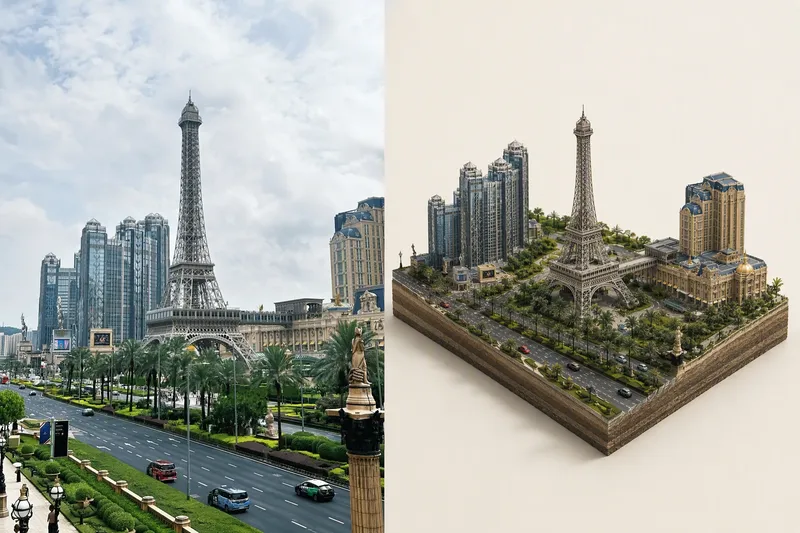
ImageTiny World Studio
An elite geographic visual designer and AI art prompt engineer. Best for: city landmark check-in images, travel memory posters, scenic area promotions, real estate and urban planning illustrations, WeChat Official Account headers, and Xiaohongshu covers. Use this Skill when you provide a real-world photo or a place name: ✅ Photo first ✅ Automatic aspect-ratio matching: calculates the best canvas and layout based on the photo’s actual proportions, preventing tower tips, rooftops, and people’s heads from being cropped; ✅ Two layouts: comparison image (real scene + miniature) or miniature only; automatically identifies diamond-shaped plots and rectangular skylines ✅ No "beautification" for people: no face retouching, face slimming, body slimming, face swapping, or chibi styling—only a reduction in scale ✅ Parameterized text: provides the location name, time, coordinates, position of the number, font, font size, letter spacing, and color for proofreading and rearrangement after image generation
 Image
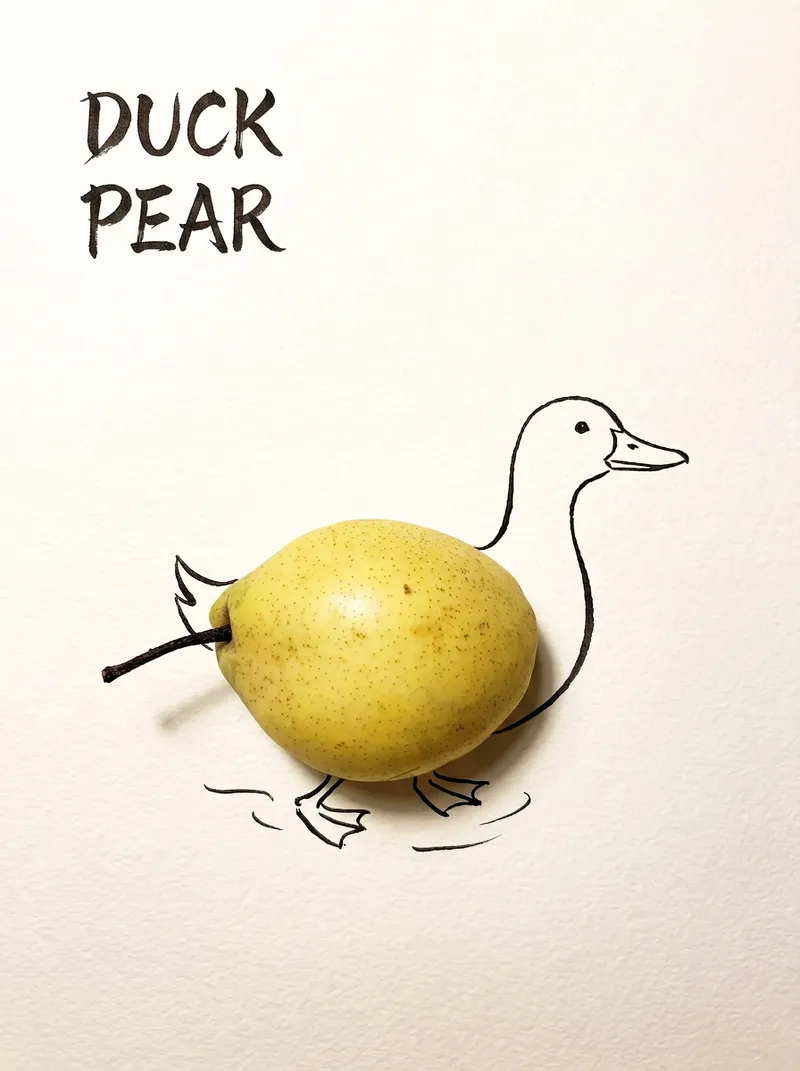
ImageBring Objects to Life
Best for: Xiaohongshu / Douyin creators Turn everyday objects into posters and create a consistent "bring-to-life series" with highly engaging content Food and lifestyle creators Turn ingredients into cover images that make your work more memorable Illustrators / designers Find inspiration quickly and test the "real object + line art" creative direction Teachers / parents Create materials for arts and crafts lessons, helping children make up stories with objects around them Businesses / brand operators Create creative hero images, holiday posters, and packaging inspiration for produce, fruit, and snacks Cultural creative brands, stationery shops, and coffee shops Design merchandise, postcards, stickers, and menu illustrations Everyday enthusiasts Photograph something nearby and share an "artwork" on social media Everything you photograph is hiding another character. "Bring Objects to Life" is a creative poster generator that combines real-object photography with minimalist line art. Just upload a photo of an object, and AI will automatically do three things: 🔍 Read the shape: Analyze the object's outline, curves, and texture to find what it most resembles ✏️ Add line art: Use dark ink pen lines to draw in a head, limbs, a human figure, ropes, and more, fitting the lines precisely to the object's edges 🖋 Turn the idea into a phrase: Create a 2–4-character Chinese pun title and arrange it in the empty space in an artistic typeface The finished image preserves the object's real colors and texture. The background is clean, warm-white watercolor paper, with at least 40% negative space. The result feels calm and refined: recognizable at a glance, then delightfully witty once you see the idea. The default format is a 3:4 vertical layout, suited to Xiaohongshu, Moments, and Douyin image posts. The aspect ratio, font, and title can all be customized.
Information
- Version
- v4
- Last updated
- Runtime credits
- Usage-based
- Models
- Auto
- Use cases
- Images & designMarketing & growthLifestyle & entertainment
- What you get
- Prompt
