Real-Life × Hand-Drawn Art
Turn photos into hand-drawn story scenes
Real-Life × Hand-Drawn Art
Turn photos into hand-drawn story scenes
Showcase
Description
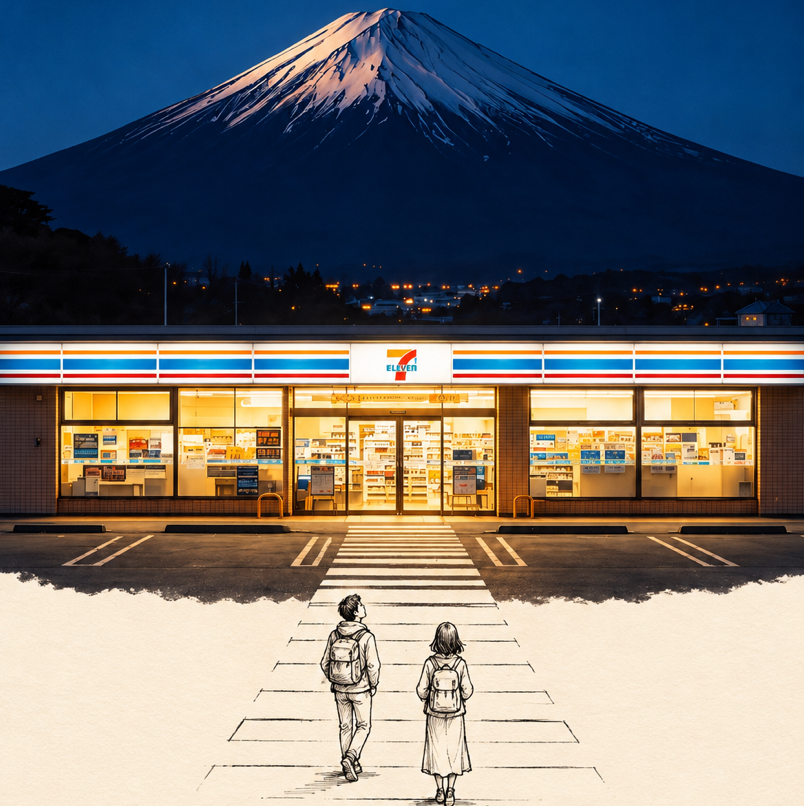
The upper half shows a real photographic scene, flowing naturally downward into black hand-drawn line art on cream-colored paper. Cute little characters in the line art continue the story from the photo.
Recommended by
淡苍
Why we love this skill
It blends real photos with pen-drawn figures into personalized interactive stories, preserving photographic texture while letting leaves, water, and buildings cross the boundary. Each image gets a distinct narrative with lasting keepsake appeal.
Best for
For anyone who wants to turn travel or everyday photos into story-rich illustrations blending photography and hand-drawn art.
How to use this Skill
Provide your input
Upload a travel or everyday photo, and optionally choose the language for a handwritten caption and the image aspect ratio.
Run the Skill
The system creates an interactive story connecting the real photograph with hand-drawn line art based on the scene and subjects in the photo.
Review your result
Generate a vertical illustration blending a real-life photo, cream-colored paper, and black hand-drawn characters.
Related Skills
View all Image
ImageReal-Person Doodle Portrait
Blend your real-person photo into a room or scene drawn with bold hand-drawn lines, creating a creative portrait that places a real person alongside a doodle environment. The person retains realistic photographic texture, facial features, clothing, and lighting, while the environment uses monochrome marker sketches to outline furniture, walls, and spatial contours. The result creates a striking visual effect of a “real person floating in a line-art world,” making it suitable for profile pictures, social cards, and stylized portrait artwork. You can upload a headshot, half-body photo, or full-body photo, then describe the living room, bedroom, study, café, studio, balcony, or other scene you want, along with the person’s clothing, pose, and expression. If you only have a headshot, the image can complete the body and place it in the specified space. If the original photo already includes a real environment, you can also keep the person unchanged while converting the background furniture, floor, walls, or street scene into a simple doodle line drawing, while maintaining the original composition. Deep ocean blue, burgundy, charcoal black, and other line-art colors are supported, with suitable aspect ratios matched to indoor portraits, open outdoor scenes, sports, or spacious environments. The setting will not be filled with excessive detail. Instead, it selects a few key objects and preserves negative space, making the contrast between the real person and the hand-drawn room clearer and more thoughtfully designed.
 Image
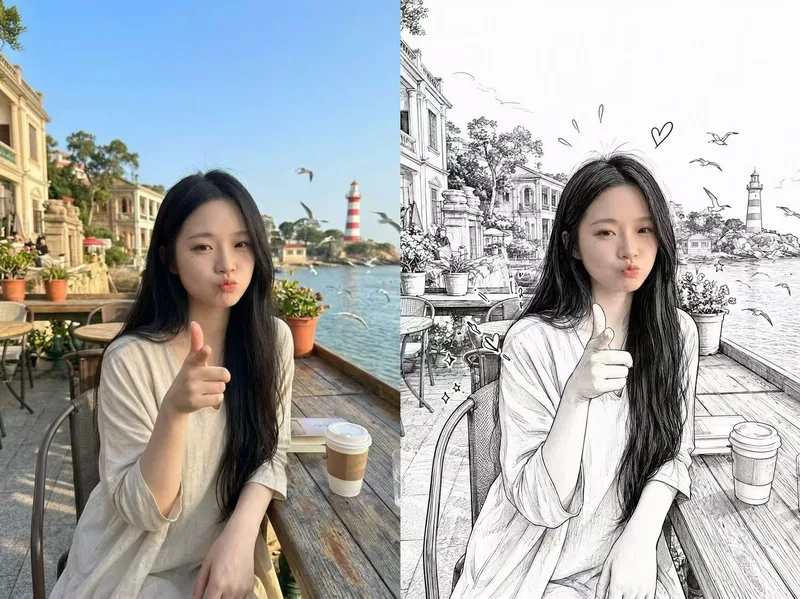
ImagePhotorealistic Head, Drawn Body
Upload a real photo—no target image needed—to automatically create a finished mixed-style image with a photorealistic head and black-and-white hand-drawn illustration. The head retains photo-realistic texture and recognizable facial features (facial features stay the same, while the expression may be subtly adjusted). Everything else—including the hair and hairstyle, body and build, clothing, pose, background, and decorative elements such as hearts, stars, sparkles, and motion lines—is transformed into a black-and-white hand-drawn illustration. The body keeps realistic proportions, while the original hairstyle and pose are preserved. Ideal for turning a single photo of a person or pet into a creative image featuring a photorealistic head and hand-drawn elements in the same frame.
 Image
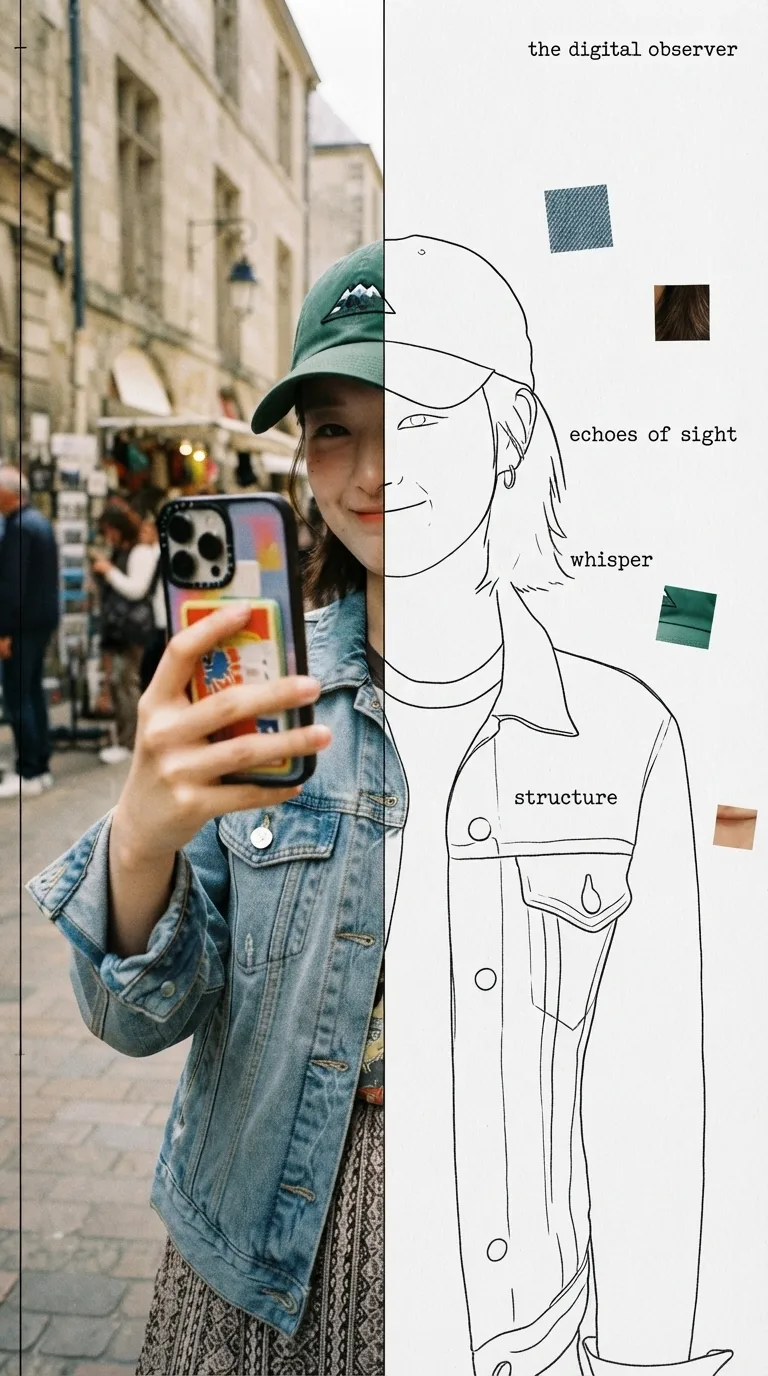
ImageHalf Real, Half Outline
Upload a photo to automatically identify the subject and composition, then generate an experimental, specimen-style editorial poster with half a real color photo and half a hand-drawn outline on white paper: the photo area retains its true colors with reduced saturation and a film-grain feel; the white-paper mask area continues the shape of the obscured section with fine, hand-drawn black outline lines, along with 2–4 sensory or evocative keywords, 3–5 colored texture-fragment squares, a vertical binding line on the left, and a small poetic subtitle in the corner. Suitable for portraits, still lifes, animals, plants, and many other types of photos. By default, it follows the original image proportions without changing the aspect ratio, cropping, converting to black and white, or creating an infographic.
Information
- Version
- v6
- Last updated
- Runtime credits
- Usage-based
- Models
- Auto
- Use cases
- Images & designLifestyle & entertainment
- What you get
- Image
- Visual styles
- Hand-drawnCollagePaper art
