
Photo Whisper Pro|Gentle Motion
Turn one old photo into four quiet seconds
Photo Whisper Pro|Gentle Motion
Turn one old photo into four quiet seconds
Showcase
Description
Turn a single old photograph into a 4–6 second keepsake clip. The skill confirms expectations and boundaries first, audits the photo, writes a deliberately minimal motion script (one blink, a faint lift at the mouth, a quiet breath), renders 2–3 candidates for side-by-side comparison, and delivers the file with clear framing language so it is never mistaken for new footage.
Best for
Best for people who want a restrained, clearly labeled animated keepsake from a family or archival photograph.
How to use this Skill
Provide your input
Provide one old photograph and indicate the preferred motion level and viewing setting.
Run the Skill
The skill reviews the image, agrees on conservative boundaries, and creates a few restrained motion candidates for comparison.
Review your result
Receive a 4–6-second keepsake clip plus a side-by-side still pairing it with the original photo.
Related Skills
View all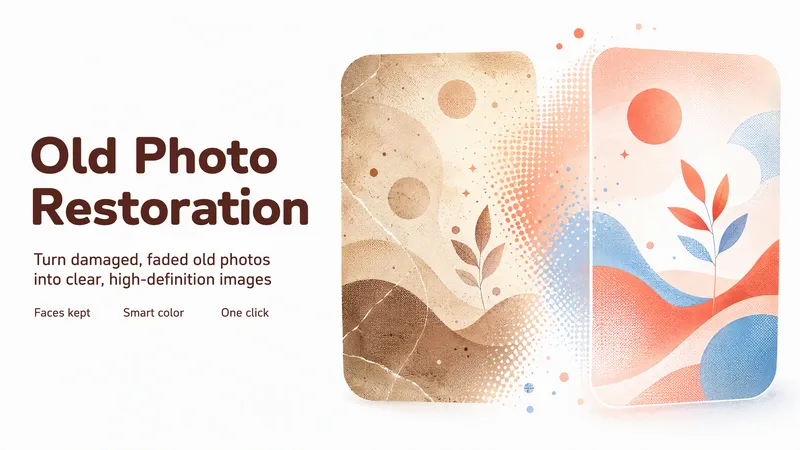
One-Click Old Photo Restoration
Upload damaged, faded, or blurry old photos and get a high-definition restoration in one pass: repair tears and creases, remove stains and mildew, recover shifted or yellowed colour, colorize black-and-white, and sharpen low-resolution files. Faces are strictly preserved: no face swap, no beautification, no invented details. You get one HD result plus a before/after comparison per photo, with per-photo processing and optional instructions such as colorize only or keep it black and white.
 Image
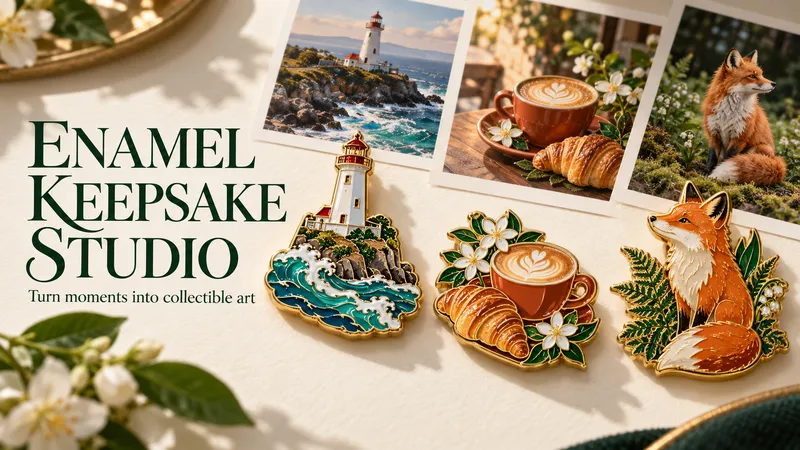
ImageEnamel Keepsake Studio
Some photos deserve a place beyond your camera roll. Turn a travel view, a beloved pet, a favorite object, or a little everyday ritual into a polished photo-and-enamel keepsake poster. A photographic scene above, a gold-edged enamel collectible below: familiar details become glossy color, sculpted metal lines, and a small object you wish you could hold. Upload a photo and add an optional short label. Each photo becomes its own vertical 3:4 poster, with a warm paper background and a collectible inspired by that same image. You can change the palette, metal finish, wording, or format. No photo yet? Describe a scene to create a clearly labeled AI-imagined example. The workflow identifies the details that make your subject recognizable, creates the image using available tools, and checks the result for subject consistency, composition, material finish, and readable text. It aims for equal-height photo and enamel panels; strict geometry and unchanged source pixels require a compatible editing or compositing tool. Great for travel memories, pet portraits, cafe moments, personal collections, and gift inspiration. This Skill creates digital images, not physical pins or manufacturing files. A compatible image tool is required. Generative processing may redraw photo details; exact source preservation depends on the available tools. The gallery shows newly AI-created demonstration scenes. Installation is 1,000 credits; image-generation usage follows the platform's current rules and is separate. A text-to-image run in YouMind produced a downloadable LITTLE JOYS poster. Photo-reference fidelity and exact source-pixel preservation have not yet been tested in YouMind.
 Image
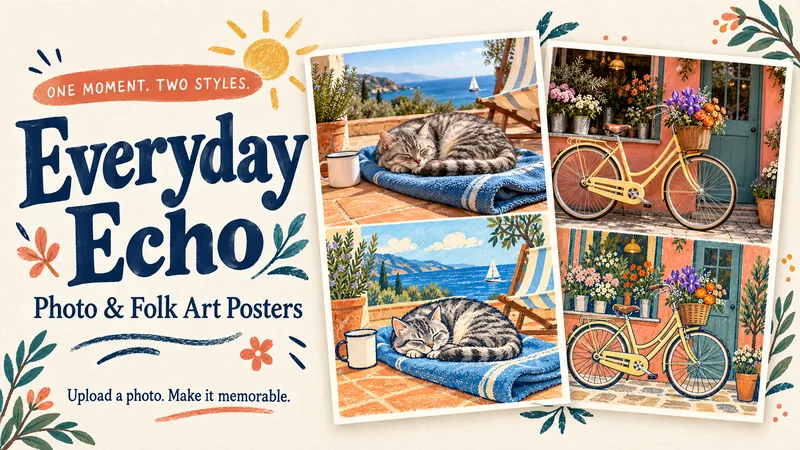
ImageEveryday Echo
Turn a favorite photo into a warm, tactile 3:4 poster: a photographic scene above, its charming folk-art echo below. Upload a pet portrait, café snapshot, travel scene, handmade object or everyday moment—or describe a brand-new scene. Each input gets its own finished poster, with a matching composition, paper-grain illustration and a short hand-lettered title. A complete matching scene—not a random doodle collage. Consistent subjects, actions and visual anchors across both halves. Separate posters for multiple photos. Short English titles by default, with custom-language and no-text options. How to use: Upload an original photo or describe a scene. Optionally add a title, language or palette. Receive your photo-and-folk-art poster. Includes reusable generation instructions, scene-matching checks and an optional local exact-layout helper. Image generation requires an image-capable host; the local helper requires Python and Pillow. Host generation charges, if any, are separate from the installation price. Preview note: All three scenes are newly AI-generated demonstrations, not customer photos. Preview panel proportions are approximate; exact 50:50 assembly is available through the optional local layout helper. Source-pixel preservation depends on the host’s editing/compositing capabilities. Full YouMind install-to-image execution has not yet been verified.
Information
- Version
- v2
- Last updated
- Runtime credits
- Usage-based
- Models
- Auto
- Use cases
- Images & designLifestyle & entertainment
- What you get
- ImageVideo
