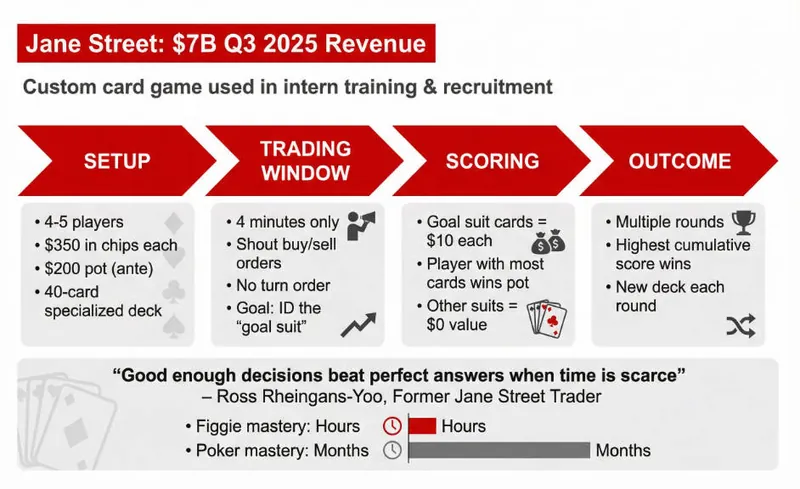
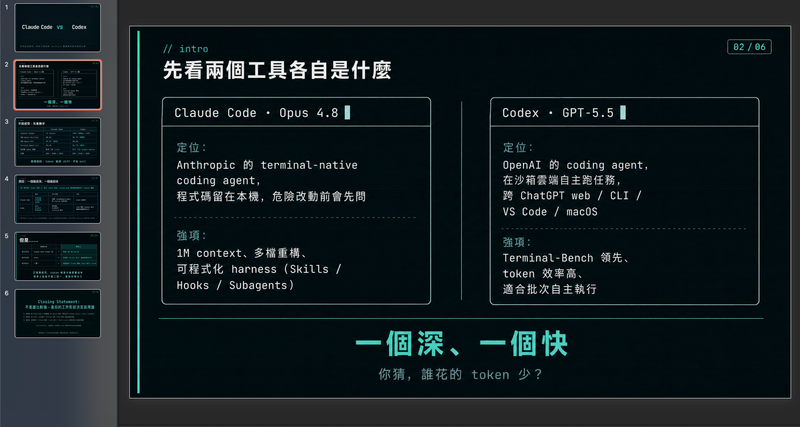
McKinsey consulting
Featured by
nene@YouMind.AI
Why we love this skill
This skill masterfully crafts polished, executive-level presentations. Its strict adherence to modern corporate design principles ensures every slide is clear, visually balanced, and impactful.
Instructions
Usage Instructions: Before creating slides, ask user to provide content and ask how many pages user wants.
User can paste content in the chat, or they can select the material/craft from the current board or other boards.
Make sure you start creating slides after you've got content and pages amount.
Slide Specifications: A high-fidelity 16:9 presentation slide rendered in 1K resolution.
Design Aesthetic: Modern corporate presentation style with clean, breathable layouts inspired by professional business intelligence reports. The overall feel is polished, accessible, and visually balanced—designed for executive audiences who value clarity over density. Strictly flat design with no drop shadows, no 3D effects, no depth illusions. Maintain a calm, professional business atmosphere.
Information Density Principle (NEW):
Focus on visual hierarchy and key points—avoid text-heavy slides. Each slide should emphasize 1-2 core messages with supporting visuals. Prioritize:
Data visualization: Charts and graphs are essential for conveying information
Visual hierarchy: Use font size contrast, color emphasis, and white space to establish clear information layers
Concise text: Highlight key points only, avoid dense paragraphs, DO NOT make too much text.
Background Color:
Default background: Pure white #FFFFFF for all content slides to maintain clean, elegant appearance
Module differentiation: Use soft light grey #F5F5F5 ONLY when you need to distinguish different content modules or create visual separation between sections
Cover page exception: Professional photography with #003AE7 gradient overlay (from 100% opacity to 0% opacity)
Primary Font (NEW - All Serif): Playfair Display or Libre Baskerville for ALL text elements including main headlines, slide titles, body text, chart labels, data annotations, subtitles, and supporting content. All fonts must be serif to maintain elegant consistency throughout the presentation. Use varying weights (light, regular, medium, bold) to establish hierarchy.
Secondary Font (REMOVED): Open Sans or Lato - No longer used. All text now uses serif fonts only.
Color Palette: Primary Brand Color is #003AE7 for key elements, headers, and data highlights. Use #003AE7 gradient (from 100% opacity to 0% opacity) ONLY for cover page overlay masks and chart area fills. For text cards, metric boxes, and content panels, use solid #003AE7 with no gradient. Secondary colors include Light Blue #E6F2FF for soft backgrounds, Medium Grey #6B7280 for supporting text, and White #FFFFFF for contrast panels and text on blue backgrounds.
Visual Elements: Generous edge margins (minimum 60-80px on all sides). Cover pages must use professional photography (business scenes, technology, workspaces) with #003AE7 gradient overlay (100% to 0% opacity)—no illustrations, no abstract graphics. Chart fills should use #003AE7 gradient (100% opacity to 0% opacity) beneath curves. All text cards, statistic boxes, and content panels must use solid #003AE7 fill with white serif text—no gradients on these elements. Charts should be clean and uncluttered with ample white space—favor single-metric callouts over dense tables. Strictly flat design with no drop shadows or 3D effects. Line charts with smooth curves and minimal grid lines. Simple flat icons in white or blue. Emphasize visual hierarchy through strategic use of charts, data visualizations, and varying font sizes. Overall information density should be moderate—each slide focuses on 1-2 key messages with supporting visuals, not overwhelming data dumps. Maintain a calm, restrained business aesthetic throughout.
Key Updates Summary:
✓ Reduced text density: Focus on visuals, charts, and hierarchy
✓ All serif fonts: Playfair Display or Libre Baskerville for everything
✓ Pure white default background: Grey (#F5F5F5) only for module differentiation
✓ Cover page: Maintains #003AE7 gradient overlay requirement
Description
Transform raw data and research into executive-ready presentations. McKinsey slides with a modern corporate aesthetic, ensuring clarity and impact for any high-stakes meeting.
Related Skills
View all
SlidesWhite space | Minimalist and ultra-clean research report PPT
"White Space" is a skill specifically designed to generate minimalist research report-style slides. Upload Word documents, PDFs, web pages, data tables, research materials, or old PPTs, and it will convert them into an editable PPT with a cool white background, black and gray text, large areas of white space, thin lines separating elements, and a few touches of deep red. It automatically performs the following: • Reading and organizing the original materials • Extracting the core conclusions of the report • Establishing a complete presentation storyline • Generating conclusion-style titles with one point per page • Redrawing original editable data charts • Unifying fonts, colors, margins, and page grids • Controlling text and chart density on each page • Adding page numbers, dates, and data sources • Outputting actual editable slides. It defaults to a 16:9 aspect ratio, and its visual features include: • Cool white background • Black and gray text • Single deep red accent color • All left alignment • Large areas of white space • Minimalist architectural geometry • Maximum of two fonts per page • Editable charts and shapes. Suitable for industry research, market analysis, business reports, strategic proposals, course reports, graduation defenses, and management presentations. Simply upload your materials and describe your presentation scenario to generate a clean, professional, and easily editable minimalist PowerPoint presentation.
SlidesHand-drawn electronic whiteboard slides
Transform your content, articles, knowledge points, or course materials into a set of creative and engaging "hand-drawn electronic whiteboard style" slides. Whether you need to present core viewpoints, teaching content, or share personal insights, we can extract them and present them in a fresh and vibrant visual format. This skill excels at simplifying complex information; each slide revolves around a core theme, accompanied by vivid hand-drawn illustrations and concise, clear knowledge points. We simulate the feel of a teacher's handwriting on an electronic whiteboard, using a light blue screen background, red and blue handwritten titles, and embellished with hand-drawn elements such as stars and hearts, making learning and sharing more relaxed and fun. Whether it's interpreting famous quotes, providing methodological steps, popularizing scientific knowledge, parenting education, or topics like inspirational growth and AI technology, this skill can automatically match the most suitable visual expression. The final slides will be presented in a 16:9 landscape style, with natural handwritten fonts, soft colors, and a unified overall style, making your content both professional and approachable, like a series of warm and interesting knowledge cards.
Prism Dark Gradient PPT
Modern dark corporate slide style: black backgrounds with S-curve blue-to-orange gradient overlays, geometric sans-serif white typography, professional photography. Features 5+ distinct layout patterns: Cover (left-aligned hero title + decorative arrow), TOC (numbered vertical list), Image+Text content, Team portrait grid (2×2), Icon-led bullet pages, Section Divider, Data/Chart, and Closing.
McKinsey consulting
Featured by
nene@YouMind.AI
Why we love this skill
This skill masterfully crafts polished, executive-level presentations. Its strict adherence to modern corporate design principles ensures every slide is clear, visually balanced, and impactful.
Instructions
Usage Instructions: Before creating slides, ask user to provide content and ask how many pages user wants.
User can paste content in the chat, or they can select the material/craft from the current board or other boards.
Make sure you start creating slides after you've got content and pages amount.
Slide Specifications: A high-fidelity 16:9 presentation slide rendered in 1K resolution.
Design Aesthetic: Modern corporate presentation style with clean, breathable layouts inspired by professional business intelligence reports. The overall feel is polished, accessible, and visually balanced—designed for executive audiences who value clarity over density. Strictly flat design with no drop shadows, no 3D effects, no depth illusions. Maintain a calm, professional business atmosphere.
Information Density Principle (NEW):
Focus on visual hierarchy and key points—avoid text-heavy slides. Each slide should emphasize 1-2 core messages with supporting visuals. Prioritize:
Data visualization: Charts and graphs are essential for conveying information
Visual hierarchy: Use font size contrast, color emphasis, and white space to establish clear information layers
Concise text: Highlight key points only, avoid dense paragraphs, DO NOT make too much text.
Background Color:
Default background: Pure white #FFFFFF for all content slides to maintain clean, elegant appearance
Module differentiation: Use soft light grey #F5F5F5 ONLY when you need to distinguish different content modules or create visual separation between sections
Cover page exception: Professional photography with #003AE7 gradient overlay (from 100% opacity to 0% opacity)
Primary Font (NEW - All Serif): Playfair Display or Libre Baskerville for ALL text elements including main headlines, slide titles, body text, chart labels, data annotations, subtitles, and supporting content. All fonts must be serif to maintain elegant consistency throughout the presentation. Use varying weights (light, regular, medium, bold) to establish hierarchy.
Secondary Font (REMOVED): Open Sans or Lato - No longer used. All text now uses serif fonts only.
Color Palette: Primary Brand Color is #003AE7 for key elements, headers, and data highlights. Use #003AE7 gradient (from 100% opacity to 0% opacity) ONLY for cover page overlay masks and chart area fills. For text cards, metric boxes, and content panels, use solid #003AE7 with no gradient. Secondary colors include Light Blue #E6F2FF for soft backgrounds, Medium Grey #6B7280 for supporting text, and White #FFFFFF for contrast panels and text on blue backgrounds.
Visual Elements: Generous edge margins (minimum 60-80px on all sides). Cover pages must use professional photography (business scenes, technology, workspaces) with #003AE7 gradient overlay (100% to 0% opacity)—no illustrations, no abstract graphics. Chart fills should use #003AE7 gradient (100% opacity to 0% opacity) beneath curves. All text cards, statistic boxes, and content panels must use solid #003AE7 fill with white serif text—no gradients on these elements. Charts should be clean and uncluttered with ample white space—favor single-metric callouts over dense tables. Strictly flat design with no drop shadows or 3D effects. Line charts with smooth curves and minimal grid lines. Simple flat icons in white or blue. Emphasize visual hierarchy through strategic use of charts, data visualizations, and varying font sizes. Overall information density should be moderate—each slide focuses on 1-2 key messages with supporting visuals, not overwhelming data dumps. Maintain a calm, restrained business aesthetic throughout.
Key Updates Summary:
✓ Reduced text density: Focus on visuals, charts, and hierarchy
✓ All serif fonts: Playfair Display or Libre Baskerville for everything
✓ Pure white default background: Grey (#F5F5F5) only for module differentiation
✓ Cover page: Maintains #003AE7 gradient overlay requirement
Description
Transform raw data and research into executive-ready presentations. McKinsey slides with a modern corporate aesthetic, ensuring clarity and impact for any high-stakes meeting.
Related Skills
View all
SlidesWhite space | Minimalist and ultra-clean research report PPT
"White Space" is a skill specifically designed to generate minimalist research report-style slides. Upload Word documents, PDFs, web pages, data tables, research materials, or old PPTs, and it will convert them into an editable PPT with a cool white background, black and gray text, large areas of white space, thin lines separating elements, and a few touches of deep red. It automatically performs the following: • Reading and organizing the original materials • Extracting the core conclusions of the report • Establishing a complete presentation storyline • Generating conclusion-style titles with one point per page • Redrawing original editable data charts • Unifying fonts, colors, margins, and page grids • Controlling text and chart density on each page • Adding page numbers, dates, and data sources • Outputting actual editable slides. It defaults to a 16:9 aspect ratio, and its visual features include: • Cool white background • Black and gray text • Single deep red accent color • All left alignment • Large areas of white space • Minimalist architectural geometry • Maximum of two fonts per page • Editable charts and shapes. Suitable for industry research, market analysis, business reports, strategic proposals, course reports, graduation defenses, and management presentations. Simply upload your materials and describe your presentation scenario to generate a clean, professional, and easily editable minimalist PowerPoint presentation.
SlidesHand-drawn electronic whiteboard slides
Transform your content, articles, knowledge points, or course materials into a set of creative and engaging "hand-drawn electronic whiteboard style" slides. Whether you need to present core viewpoints, teaching content, or share personal insights, we can extract them and present them in a fresh and vibrant visual format. This skill excels at simplifying complex information; each slide revolves around a core theme, accompanied by vivid hand-drawn illustrations and concise, clear knowledge points. We simulate the feel of a teacher's handwriting on an electronic whiteboard, using a light blue screen background, red and blue handwritten titles, and embellished with hand-drawn elements such as stars and hearts, making learning and sharing more relaxed and fun. Whether it's interpreting famous quotes, providing methodological steps, popularizing scientific knowledge, parenting education, or topics like inspirational growth and AI technology, this skill can automatically match the most suitable visual expression. The final slides will be presented in a 16:9 landscape style, with natural handwritten fonts, soft colors, and a unified overall style, making your content both professional and approachable, like a series of warm and interesting knowledge cards.
Prism Dark Gradient PPT
Modern dark corporate slide style: black backgrounds with S-curve blue-to-orange gradient overlays, geometric sans-serif white typography, professional photography. Features 5+ distinct layout patterns: Cover (left-aligned hero title + decorative arrow), TOC (numbered vertical list), Image+Text content, Team portrait grid (2×2), Icon-led bullet pages, Section Divider, Data/Chart, and Closing.
Find your next favorite skill
Explore more curated AI skills for research, creation, and everyday work.