
Markdown & Mermaid Research Docs
Create Markdown and Mermaid charts for reports
Markdown & Mermaid Research Docs
Create Markdown and Mermaid charts for reports
Showcase
Description
Organize research reports, analysis documents, and project materials into clear, maintainable Markdown documents, and use Mermaid to visually present processes, architectures, data relationships, and timelines. Whether it is research papers, methodology explanations, READMEs, tutorials, decision records, or status reports, you can obtain text-based deliverables that are structurally complete, easy to collaborate on, and continuously updated. It selects appropriate Mermaid chart types based on the content, such as flowcharts, sequence diagrams, entity-relationship diagrams, state diagrams, Gantt charts, mind maps, timelines, architecture diagrams, and XY charts, helping you accurately express experimental processes, system interactions, data pipelines, project progress, and conceptual relationships. The charts are directly embedded in Markdown, making them easy to read in environments like GitHub, GitLab, Notion, and VS Code, as well as suitable for version control, review, and subsequent editing. Suitable for researchers, engineers, and project collaborators who need standardized research documents, technical documents, or team project records. In addition to generating the main text and charts, it keeps complex relationships readable and trackable, while retaining a reliable text source for subsequent rendering into images or expansion into formal reports.
Recommended by
Dancang
Why we love this skill
Unify scientific documents, project descriptions, and relational charts into version-controlled Markdown source files, prioritizing Mermaid for expressing structure and workflows. It provides multiple chart types and templates while emphasizing accessibility and long-term maintenance.
Best for
Ideal for researchers, engineers, and project collaborators organizing research reports, technical documents, and team project records.
How to use this Skill
Provide your input
Provide research reports, analysis materials, project materials, or documentation requirements, and specify the processes, architectures, relationships, or timelines you wish to present.
Run the Skill
Organizes the content into clear, maintainable Markdown and embeds appropriate Mermaid diagrams in the relevant locations.
Review your result
Receive readable, collaborative, and version-control-friendly Markdown documents along with textual diagrams expressing processes, structures, or relationships.
Related Skills
View allMinimal Explainer Diagram
Turn selected text, articles, files, or project information into a clear, compact explainer diagram. It extracts key nodes and relationships to help you organize processes, hierarchies, comparisons, timelines, or connections between different approaches. It’s suited to project presentations, team communication, content summaries, and organizing ideas. You can specify the diagram type, focus, layout direction, or accent color. Or simply provide the material, and it will determine a suitable way to present the content. It supports flowcharts, structure diagrams, comparison diagrams, timelines, and solution relationship diagrams. Before drawing, it lets you confirm the diagram type, layout, and colors to help prevent misunderstandings about the information’s focus. The finished diagram uses a white background, generous whitespace, fine lines, and flat geometric shapes, with a single low-saturation accent color. Short node labels and clear connecting lines show the relationships. It doesn’t crowd the original text or add people and decorative illustrations, so readers can quickly understand the content structure without first reading lengthy explanations.
 Research
Multi-Source Mind Map 2.0
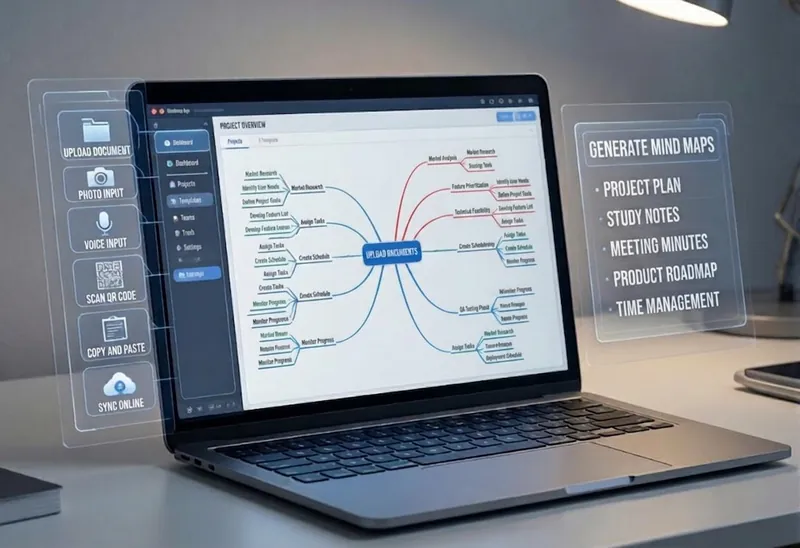
Turn complex documents, web pages, or long text into clearly structured visual mind maps with one click. Whether it's academic papers, course materials, or technical documents, this tool intelligently extracts core topics and multi-level knowledge points, helping you quickly clarify the logical structure. Through in-depth content analysis of the input source, it automatically identifies section structure and key details, generating a well-organized knowledge system. This tool supports generating mind maps in multiple styles, including professional educational tree diagrams (PlantUML format) and intuitive center-radial diagrams (Mermaid format). You can directly get SVG images viewable in a browser, along with the corresponding source code files. This means you can quickly preview the results and also import the source code into XMind, FreeMind, or a Markdown editor for further editing and in-depth processing. Simply upload a PDF, Word, or text file, or provide a web link, to transform a large amount of information into a visual knowledge map. It's ideal for study notes, structured paper reading, and brainstorming presentations, making knowledge organization and sharing more efficient and professional.
 Image
ImageResearch Paper Infographic
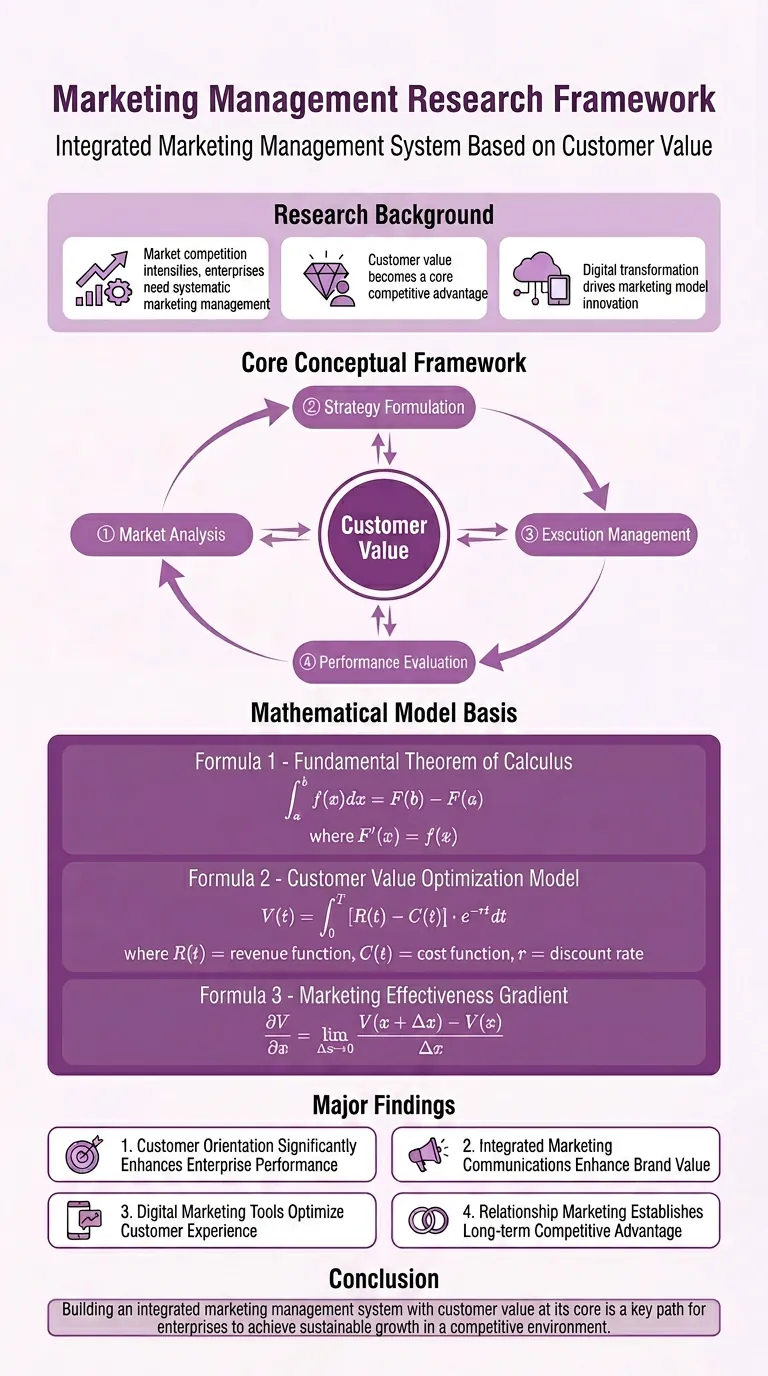
Easily transform your scientific research paper content into professional, high-definition academic infographics. Supports 18 mainstream types, making complex research results clear at a glance. Whether showcasing core mechanisms, experimental workflows, or creating graphical abstracts and technical roadmaps, this tool delivers precise results. We understand the rigor required in scientific illustrations, so beyond visual appeal, we prioritize scientific accuracy to ensure every image is clear and free of misleading information. You can directly provide the full paper, key sections, or a research description, and select the most suitable graph type, such as intracellular mechanism diagrams, tumor immune microenvironment diagrams, material catalysis mechanism diagrams, etc. We also offer a variety of color schemes like blue-green, orange, purple, and chart structure styles like left-label and vertical flow, making your infographics both academically compliant and professionally aesthetic. Beyond traditional academic graph types, this tool also supports 15 creative templates for scientific visualization scenarios, helping you turn research concepts into unique visual works such as magazine-quality posters, interface breakdowns, app design boards, etc., suitable for group meetings, social media, or report covers. We provide a strict controllability checklist and a three-step verification process, and support partial modifications to generated images, ensuring every step closely matches your needs, presenting your research results in the most intuitive and accurate way.
Information
- Version
- v2
- Last updated
- Runtime credits
- Usage-based
- Models
- Auto
- Use cases
- Writing & contentImages & design
- What you get
- DocumentDiagram
