Inbound Instagram Carousel
Inbound Instagram Carousel
Showcase
Description
Transform rough ideas into refined posters. With one click, generate Instagram Carousels of high-end travel magazine quality, effortlessly building a premium brand image.
Related Skills
View all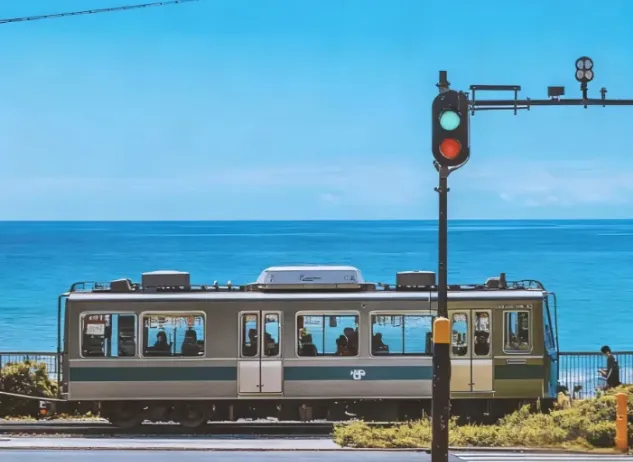 Image
ImageJapanese Watercolor from Photos
Turn landscape and streetscape photos into Japanese gallery-style, hand-painted watercolor art illustrations, complete with generous paper space and refined handwritten typography. ✨ Key highlights Gallery-quality negative space: The subject is kept small and centered, surrounded by generous warm-white cotton paper texture for a modern stationery and art-print feel. Authentic hand-painted watercolor texture: Naturally creates washed, blended effects, translucent layers of color, and loose hand-painted edges—without harsh outlines or a digital look. Intelligent scene refinement: Preserves key landmarks, architectural outlines, and distinctive light and shadow from the original image while naturally simplifying busy backgrounds and unnecessary objects. Poetic handwritten typography: Automatically adds a poetic short line and year at the bottom in dark gray or navy handwritten lettering, creating a calm, restrained everyday atmosphere. 📸 Ideal uses Reimagining travel memories: Turn streets, small shops, mountains, and seascapes from your travels into vintage postcards. Personal creative designs: Create phone wallpapers, stationery posters, physical postcards, and decorative art prints. Social media visuals: Provide restrained, sophisticated, and stylistically consistent artistic covers for platforms such as Xiaohongshu and WeChat Moments. 🚀 How to use Upload any landscape, architecture, or streetscape photo with a clear composition to automatically generate a matching minimalist watercolor art print.
 Image
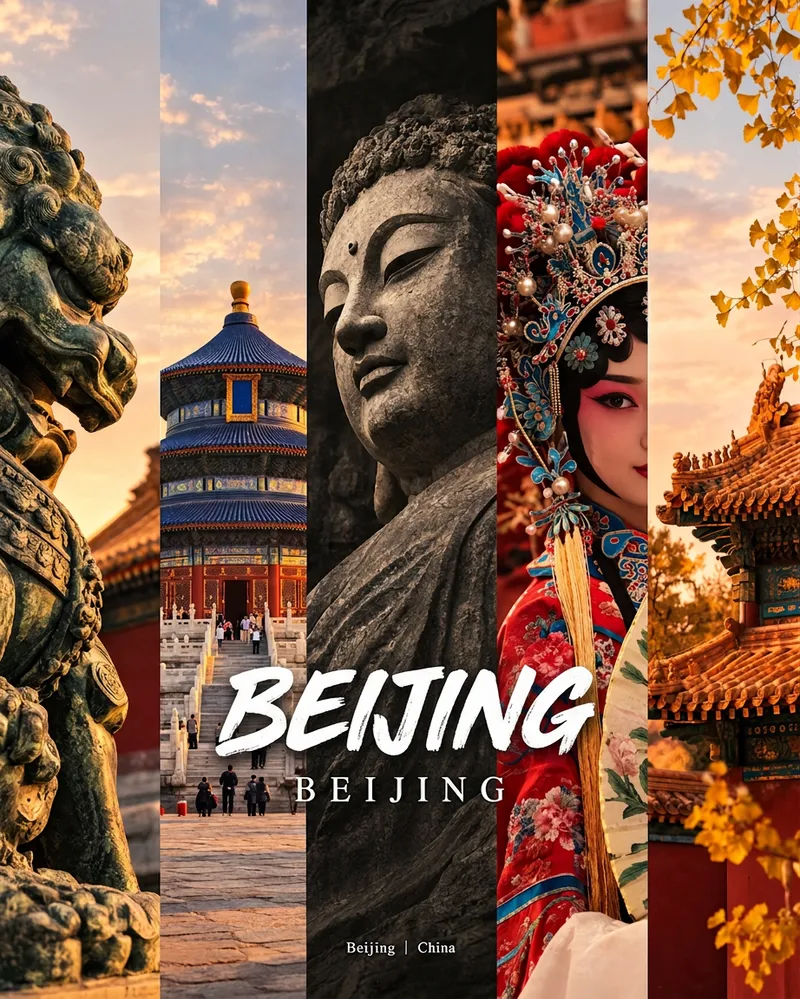
ImageCity Culture Poster Maker
Enter a place name to instantly create a polished city identity poster in a five-panel vertical-strip format. The design seamlessly combines five equal-width vertical strips: close-ups of cultural artifacts and nature on the outer panels, an architectural landmark in the second panel, local customs and cultural life in the fourth, and the city’s most soulful cultural symbol in the center. The overall look uses warm golden-hour light and cinematic color grading. The center panel is darkened and desaturated to create a "warm—cool—warm" visual rhythm. A large white calligraphic place name, its English serif name, and the small text "Administrative Region | Country" are layered below the center panel. Two ways to use it: · Upload 5 photos you took yourself and enter a place name: the system automatically sorts them by content, crops them vertically, applies consistent color grading, and combines them into a poster in the same style · Enter only a place name: the system automatically selects 5 of the area’s most representative real-world elements and faithfully generates the poster Ideal for travel blogger covers, city tourism promotion, Xiaohongshu/Instagram carousel cover images, city identity cards, and album covers.
 Image
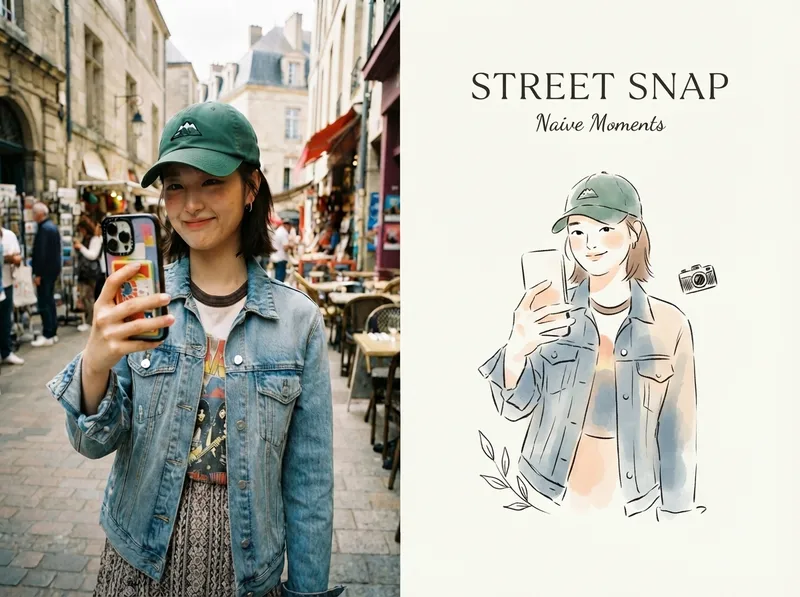
ImageViral Photo Illustrator
Perfect for Xiaohongshu, Moments, WeChat Official Account covers, profile pages, and documenting travel, outfits, fitness, everyday moments, and life as it happens. Upload any portrait, street shot, food, travel, or everyday photo. AI works like an illustrator with a keen sense of negative space, extracting only the most recognizable subject, pose, and story from the image. It redraws them as a relaxed, playful illustration with hand-drawn texture, then places it beside the original to create a polished comparison poster ready to share. · Faithfully preserves the original photo with only subtle, magazine-style color grading—no distortion or face swapping · Automatically reads the photo’s mood and matches it with styles such as doodle, ink wash, sketch blocks, and thick gouache · Generous negative space + a handwritten short phrase, like an editorial illustration from an independent magazine · A soft, soothing curated palette drawn from the original image to naturally complement the photo · Defaults to a 4:3 side-by-side layout; can also be changed to top-and-bottom, portrait, or 16:9
Information
- Version
- v2
- Last updated
- Runtime credits
- Usage-based
- Models
- Auto
